Page 3 - SAFETY; • DO NOT attempt to operate this oven with; GROUNDING INSTRUCTIONS
3 SAFETY • DO NOT attempt to operate this oven with the door open, since open-door operationcan result in harmful exposure to microwaveenergy. It is important not to defeat or tamper with the safety interlocks. • DO NOT operate the oven if it is damaged. It is particularly important that the oven do...
Page 4 - PRECAUTIONS TO AVOID; SAVE THESE INSTRUCTIONS
44 SAFETY - MICROWAVE IMPORTANT SAFETY INSTRUCTIONS The safety instructions below will tell you how to use your oven to avoid harm to yourself or damage to your oven. WARNING - To reduce the risk of burns, electric shock, fire, injury to persons, or exposure to excessive microwave energy: 1. Read al...
Page 5 - IMPORTANT SAFETY INSTRUCTIONS; FOR HOUSEHOLD USE ONLY; WARNING
5 SAFETY - COFFEE MAKER IMPORTANT SAFETY INSTRUCTIONS When using electrical appliances, basic safety precautions should always be flowed to reduce the risk of fire, electricshock and/or injury to person, including the following: SAVE THESE INSTRUCTIONS ! FOR HOUSEHOLD USE ONLY 1. Read all instructio...
Page 6 - INSTALLATION; SPECIFICATIONS
6 Power Supply Rated Power Consumption Rated Current Overall Dimensions (WxHxD)" Oven Cavity Dimensions (WxHxD)" Capacity of Oven Cavity UNDERSTANDING YOUR COFFEE COMBO INSTALLATION 1. Remove your LG Coffee Combo and all packing materials from the shipping carton. 2. Place the oven on a leve...
Page 7 - PARTS AND ACCESSORIES
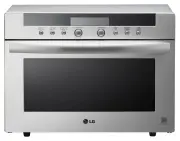
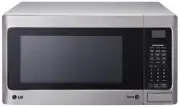
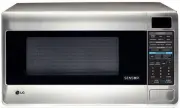
7 Your oven comes with the following accessories:1 Use and Care Guide1 Glass Turntable1 Turntable Support1 7 cup Water Reservoir 1 7 cup Carafe with lid UNDERSTANDING YOUR COFFEE COMBO PARTS AND ACCESSORIES See-Through Door Safety Interlock System Turntable Support Glass Turntable Coffee Maker Water...
Page 8 - COFFEE MAKER CONTROL AREA; MICROWAVE CONTROL AREA; CONTROL PANEL
8 UNDERSTANDING YOUR COFFEE COMBO 1. 1-4. This pad is small batch function. This pad is used when you want to brew a small amount (1~4 cups) of coffee.2. TEMP. This pad is used when you want to adjust the warming plate temperature of the coffee.3. OFF/CLEAR. Touch this pad to stop the coffee maker o...
Page 9 - USING YOUR MICROWAVE OVEN; USE
9 USING YOUR MICROWAVE OVEN USE Ovenproof Glass • Glass treated for use in high-intensity heat includes utility dishes, bread dishes, pie plates, cakeplates, liquid measuring cups, casseroles, and bowlswithout metallic trim. China • Bowls, cups, serving plates, and platters without metallic trim can...
Page 10 - TIPS FOR MICROWAVE COOKING
10 USING YOUR MICROWAVE OVEN TIPS FOR MICROWAVE COOKING BROWNINGMeat and poultry with high fat content that are cookedfor 10 or 15 minutes or longer will brown lightly. Foodscooked a shorter time can be brushed with a browningagent, such as Worcestershire sauce, soy sauce, orbarbecue sauce. COVERING...
Page 11 - ENTER TIME IN MIN; CHILD LOCK; LOCKED; KITCHEN TIMER
11 USING YOUR MICROWAVE OVEN :: ENTER TIME IN MIN AND SEC 3 :: 00 TOUCH START You can use this safety feature to lock the controlpanel so that children cannot use the oven andcoffee maker when you do not want them to andwhen you are cleaning the oven and coffee maker. To set CHILD LOCK: Touch: Displ...
Page 12 - SENSOR; POTATO
12 USING YOUR MICROWAVE OVEN SENSOR TOUCH OPERATION INSTRUCTION Sensor touch cooking provides exciting new featuresto make microwaving easier. The Sensor Menu ispreprogrammed with many popular food choices and helpsyou heat or reheat perfectly. Sensor Menu: Reheat, PotatoPopcorn, Fresh VegetableFroz...
Page 13 - REHEAT; CASSEROLE; REHEAT TABLE
13 USING YOUR MICROWAVE OVEN This feature allows you to reheat precooked room-temperature or refrigerated foods without selectingcooking times and power levels. This feature has 3categories: dinner plate, soup/sauce, casserole.See Reheat Table for more information. Example: To reheat casserole. Touc...
Page 14 - AUTO COOK; SLICES
14 Time of day. Twice USING YOUR MICROWAVE OVEN EZ-ON A time-saving pad, this simplified control letsyou quickly set and start microwave cooking at100% power without the need to touch START. Example: To cook for 2 minutes. Touch: Display Shows: 1. 2. NOTE: Each time you touch EZ-ON , it will add 1 m...
Page 16 - AUTO DEFROST; meat touch 1; Q DEFROST
16 USING YOUR MICROWAVE OVEN Example: To defrost 1.2 lbs of ground beef. Touch: Display Shows: AUTO DEFROST 1. 2. 3. and 4. Time counting downand DEFROST. to enter the weight meat touch 1 poultry touch 2 fish touch 3 0 . 0 enter weight 1 . 2 touch start This feature should be used only when you defr...
Page 17 - TIMED COOKING
17 USING YOUR MICROWAVE OVEN TIMED COOKING 1. 2. 5. 3. 4. This feature lets you program a specific cook timeand power. For best results, there are 10 powerlevel settings in addition to HIGH power (100%).Refer to the “Microwave Power Level Table” onpage 18 for more information. NOTE: If you do not se...
Page 18 - MICROWAVE POWER LEVELS; Microwave Power Level Table
18 USING YOUR MICROWAVE OVEN MICROWAVE POWER LEVELS Your microwave oven has 10 cook power levels to letyou cook or heat a wide variety of foods. Refer to thetable below for suggestions: Microwave Power Level Table • Boiling water.• Making candy.• Cooking poultry pieces, fish, and vegetables. • Cooki...
Page 19 - Meat Cooking Table; COOKING TIPS
19 Meat 1. No special techniques are required. Meat should be prepared as with conventional cooking. Season ifdesired. Always thoroughly defrost meat beforecooking. 2. Place the meat on a microwave roasting rack or microwave-proof plate and place on the turntable. 3. Cook according to the Meat Cooki...
Page 20 - Fish
20 USING YOUR MICROWAVE OVEN COOKING TIPS (continued) Fish 1. Arrange fish in a large shallow non-metallic dish or casserole. 2. Cover with pierced microwave plastic wrap or casserole lid. 3. Place the dish on the turntable.4. Cook according to the instructions in the Fresh Fish Cooking Table below....
Page 21 - USING YOUR COFFEE MAKER; PREPARING COFFEE
21 USING YOUR COFFEE MAKER PREPARING COFFEE 1. Pull out the water reservoir. (Remove the water reservoir, lift it slightly) 2. Place a #2 size paper coffee filter in the filter basket (Fig. 2, 3). Add coffee for the amount to be brewed (Fig. 4) (usually one heaping tablespoon (6g) for every two coff...
Page 22 - CLEANING THE COFFEE MAKER; BREW STRENGTH CONTROL
22 USING YOUR COFFEE MAKER CLEANING THE COFFEE MAKER To clean the coffee maker after brewing, be sure the unit is OFF and has cooled.Discard the paper filter and grounds, and clean as follows: The water reservoir, filter basket, carafe, and carafe lid are all top-rack dishwashersafe. They may also b...
Page 23 - IMPORTANT
23 USING YOUR COFFEE MAKER SELF-CLEANING (HOT WATER TUBE) 1. To clean, fill the water reservoir to capacity with a mixture of 1 / 3 white vinegar and 2 / 3 water 2. Press the “BREW” button. One cycle should be sufficient to adequately clean the coffee maker. 3. Run at least two cycles of fresh cold ...
Page 24 - Brew; brew end; SMALL BATCH; end
24 USING YOUR COFFEE MAKER This pad is used when you want to brew more than4 cups of coffee. Touch: Display Shows: Brew 1. brew/warm-med (Scroll) brew end (Scroll 3 times & Beep 5 times) coffee/warm-med (Scroll) warm end (Scroll 3 times & Beep 3 times) Time of the day. Time of the day. This ...
Page 26 - ADJUST WARMING PLATE TEMP; ADJUST WARMING PLATE TIME
26 Use this pad when you want to adjust the warmingplate temperature of coffee after brewing(including small batches).This pad can be used during brewing (includingsmall batches), or warming. Example: Setting to high during brewing Touch: Display Shows: ADJUST WARMING PLATE TEMP 1. brew/warm-med (Sc...
Page 27 - OTHER FUNCTIONS; “Auto-On” operation when other functions are in use.; Simultaneous Operation
27 USING YOUR COFFEE MAKER OTHER FUNCTIONS “Auto-On” operation when other functions are in use. 1) Microwave cooking or programmed microwave cooking. - Will delay “Auto-on” brewing until 5 minutes after microwave cooking is finished. Auto-On start will not occur if the microwave is still operating f...
Page 28 - TROUBLESHOOTING; Questions and Answers; Operation
28 TROUBLESHOOTING Questions and Answers Operation Question Why is the oven light not on during cooking? Why does steam come out of the airexhaust vent? Will the microwave oven be damaged if itoperates empty? Does microwave energy pass through theviewing screen in the door? Why does a tone sound whe...
Page 29 - Food; Brewing coffee
29 TROUBLESHOOTING Questions and Answers (continued) Food Question Why are scrambled eggs sometimes a little dry after cooking? Why do baked apples sometimes burst during cooking? Why do baked potatoes sometimes burn during cooking? Why is a standing time recommendedafter microwave cooking time is o...
Page 30 - LG MICROWAVE OVEN LIMITED WARRANTY — USA; Model L
LG Electronics, Inc. will repair or replace your product, at LG’s option, if it proves to be defective in material or workmanship under normal use, during the warranty period set forth below, effective from the date of original consumer purchase of the product. This warranty is good only to the orig...