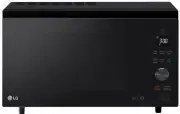
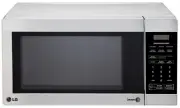
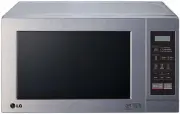
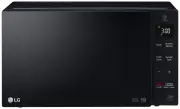
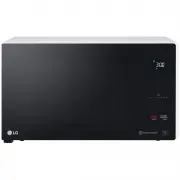
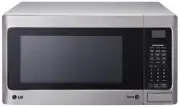
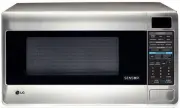
Page 2 - TABLE OF CONTENTS; Thank you for purchasing a LG microwave oven.
2 TABLE OF CONTENTS SAFETY ............................................................ 3-5 Precautions To Avoid Possible Exposure To Excessive Microwave Energy ........................ 3 Grounding Instructions........................................ 3 Important Safety Instructions ....................
Page 3 - SAFETY; GROUNDING INSTRUCTIONS
3 SAFETY • Do not attempt to operate this oven with the door open, since open-door operation can result in harmful exposure to microwave energy. It is important not to defeat or tamper with the safetyinterlock. • Do not operate the oven if it is damaged. It is particularly important that the oven do...
Page 4 - PRECAUTIONS TO AVOID; SAVE THESE INSTRUCTIONS
44 SAFETY - MICROWAVE IMPORTANT SAFETY INSTRUCTIONS The safety instructions below will tell you how to use your oven to avoid harm to yourself or damage to your oven. WARNING - To reduce the risk of burns, electric shock, fire, injury to persons, or exposure to excessive microwave energy: 1. Read al...
Page 6 - UNDERSTANDING YOUR TOASTER COMBO; SPECIFICATIONS; C. Placement of the Oven
6 6 UNDERSTANDING YOUR TOASTER COMBO SPECIFICATIONS *IEC 60705 RATING STANDARD Specifications subject to change without prior notice. Power Supply Rated Power Consumption Output Microwave Toaster Rated Current Overall Dimensions (WxHxD) Oven Cavity Dimensions (WxHxD) Capacity of Oven Cavity 120 V AC...
Page 7 - PARTS AND ACCESSORIES; Rotating Ring
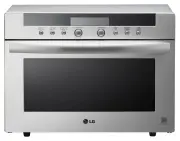
7 Your oven comes with the following accessories:1 Owner’s Manual and Cooking Guide1 Glass Turntable1 Rotating Ring UNDERSTANDING YOUR TOASTER COMBO PARTS AND ACCESSORIES Easy-Clean Oven Cavity See-Through Door Safety Interlock System Toaster Slots Toaster Indicator Light Toaster Door Microwave Oven...
Page 8 - TOASTER CONTROL AREA; MICROWAVE CONTROL AREA; CONTROL PANEL
8 8 UNDERSTANDING YOUR TOASTER COMBO 1. Toast. Toast bread2. Bagel. Toasts Bagels3. Stop/Clear. Touch this pad to stop the toaster or clear entries.4. Start. Touch this pad to start the toasting process.5. Darkness Control. Adjust darkness control to desired setting before cooking foods. (Default : ...
Page 9 - USING YOUR MICROWAVE OVEN; USE
9 USING YOUR MICROWAVE OVEN USE Ovenproof Glass • Glass treated for use in high-intensity heat includes utility dishes, bread dishes, pie plates, cakeplates, liquid measuring cups, casseroles, and bowlswithout metallic trim. China • Bowls, cups, serving plates, and platters without metallic trim can...
Page 10 - TIPS FOR MICROWAVE COOKING
10 10 USING YOUR MICROWAVE OVEN TIPS FOR MICROWAVE COOKING BROWNINGMeat and poultry with high fat content that are cookedfor 10 or 15 minutes or longer will brown lightly. Foodscooked a shorter time can be brushed with a browningagent, such as Worcestershire sauce, soy sauce, orbarbecue sauce. COVER...
Page 11 - CLOCK; KITCHEN TIMER
11 11 USING YOUR MICROWAVE OVEN Example: To set the clock for 10:30(AM). Touch: Display Shows: CLOCK 1. 2. 3. Use this safety feature to lock the control panelwhen you are cleaning the oven, or so that childrencannot use the oven unsupervised. To set CHILD LOCK: Touch: Display Shows: CHILD LOCK Touc...
Page 12 - AUTO COOK
12 Time of day. Twice USING YOUR MICROWAVE OVEN Ez-ON A time-saving pad, this simplified control letsyou quickly set and start microwave cooking at100% power without the need to touch START. Example: To cook for 2 minutes. Touch: Display Shows: 1. 2. NOTE: Each time you touch Ez-ON, it will add 1 mi...
Page 13 - AUTO DEFROST
13 13 USING YOUR MICROWAVE OVEN Example: To defrost 1.2 lbs of poultry. Touch: Display Shows: AUTO DEFROST 1. 2. 3. Twice Starts defrosting. to enter the weight Three defrost sequences are preset in the oven.The auto defrost feature provides you with the bestdefrosting method for frozen foods. The c...
Page 14 - TIMED COOKING
14 USING YOUR MICROWAVE OVEN TIMED COOKING 1. 2. 5. 3. 4. This feature lets you program a specific cook timeand power. For best results, there are 10 powerlevel settings in addition to HIGH power (100%).Refer to the “Microwave Power Level Table” onpage 15 for more information. NOTE: If you do not se...
Page 15 - MICROWAVE POWER LEVELS; Microwave Power Level Table
15 15 USING YOUR MICROWAVE OVEN MICROWAVE POWER LEVELS Your microwave oven has 10 cook power levels to letyou cook or heat a wide variety of foods. Refer to thetable below for suggestions: Microwave Power Level Table • Boiling water.• Making candy.• Cooking poultry pieces, fish, & vegetables.• C...
Page 16 - WARNING; : Do not use aluminum foil during cooking cycle.; COOKING TIPS
16 Meat 1. No special techniques are required. Meat should be prepared as with conventional cooking. Season ifdesired. Always thoroughly defrost meat before cook-ing. 2. Place the meat on a microwave roasting rack or microwave-proof plate and place on the turntable. 3. Cook according to the Meat Coo...
Page 17 - Fish
17 17 USING YOUR MICROWAVE OVEN COOKING TIPS (continued) Fish 1. Arrange fish in a large shallow non-metallic dish or casserole.2. Cover with pierced microwave plastic wrap or casserole lid.3. Place the dish on the turntable.4. Cook according to the instructions in the Fresh Fish Cooking Table below...
Page 18 - USING YOUR TOASTER; TIPS FOR TOASTER
18 USING YOUR TOASTER TIPS FOR TOASTER CLEANING THE TOASTER Always unplug the Toast N Wave and allow the toasterto cool completely before cleaning.Exterior : Wipe surface with a soft, clean, damp cloth. Never use abrasive cleaners, as they mayscratch the surface. Interior : If food jams in the slots...
Page 19 - OPERATING INSTRUCTION; Toast/Bagel Darkness Settings; Indicator light; Toast
19 USING YOUR TOASTER OPERATING INSTRUCTION • Make sure the crumb tray is pushed all the way in place before plugging toaster into wall outlet.• Remove all protective wrappings from food before placing into toasting slots. Place bread into slots and Close the door. Then select one mode (Toast/Bagel)...
Page 21 - TROUBLESHOOTING; Questions and Answers; Operation
21 21 TROUBLESHOOTING Questions and Answers Operation Question Why is the oven light not on during cooking? Why does steam come out of the airexhaust vent? Will the Toast N Wave be damaged if itoperates empty? Does microwave energy pass through theviewing screen in the door? Why does a tone sound wh...
Page 22 - Food
22 TROUBLESHOOTING Questions and Answers (continued) Food Question What is wrong when baked foods have ahard, dry, brown spot? Why do eggs sometimes pop? Why are scrambled eggs sometimes a little dry after cooking? Is it possible to pop popcorn in a microwave oven? Why do baked apples sometimes burs...
Page 23 - BEFORE CALLING FOR SERVICE
23 23 TROUBLESHOOTING BEFORE CALLING FOR SERVICE Problem Oven and Toaster does not start Arcing or Sparking Incorrect time of day Unevenly Cooked Foods Overcooked Foods Undercooked Foods Improper Defrosting Toaster malfunctions or fails to operate. You can often correct operating problems yourself. ...
Page 25 - LG MICROWAVE OVEN LIMITED WARRANTY — USA; Model L
LG Electronics, Inc. will repair or replace your product, at LG’s option, if it proves to be defective in material or workmanship under normal use, during the warranty period set forth below, effective from the date of original consumer purchase of the product. This warranty is good only to the orig...