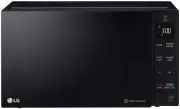
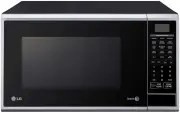
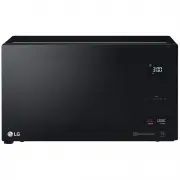
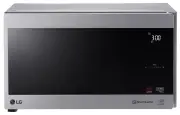
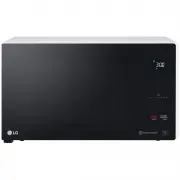
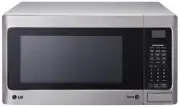
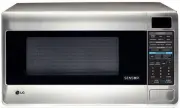
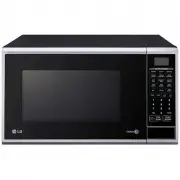
Page 2 - Contents; How the Microwave Function Works; A ver y safe appliance
2 Contents How the Microwave Function Works Microwaves are a form of energy similar to radio and television waves andordinary daylight. Normally, microwaves spread outwards as they travelthrough the atmosphere and disappear without effect. This ovens, however,have a magnetron which is designed to ma...
Page 3 - This symbol will alert you to hazards or unsafe practices
3 Please keep for future reference. Read and follow all instructions before using your oven toprevent the risk of fire, electric shock, personal injury, or damage when using the oven.This guide do not cover all possible conditions that may occur. Always contact yourservice agent or manufacturer abou...
Page 4 - Do not attempt to tamper with, or make
4 Important Safety Instructions Please keep for future reference. Read and follow all instructions before using your oven toprevent the risk of fire, electric shock, personal injury, or damage when using the oven.This guide does not cover all possible conditions that may occur. Always contact yourse...
Page 5 - Improper use may cause the damage of
5 Important Safety Instructions Please keep for future reference. Read and follow all instructions before using your oven toprevent the risk of fire, electric shock, personal injury, or damage when using the oven.This guide do not cover all possible conditions that may occur. Always contact yourserv...
Page 6 - WARNING
6 Important Safety Instructions Please keep for future reference. Read and follow all instructions before using your oven toprevent the risk of fire, electric shock, personal injury, or damage when using the oven.This guide do not cover all possible conditions that may occur. Always contact yourserv...
Page 7 - You cannot operate your oven with the
7 Important Safety Instructions Please keep for future reference. Read and follow all instructions before using your oven toprevent the risk of fire, electric shock, personal injury, or damage when using the oven.This guide do not cover all possible conditions that may occur. Always contact yourserv...
Page 8 - Please ensure cooking times are
8 Important Safety Instructions Please keep for future reference. Read and follow all instructions before using your oven toprevent the risk of fire, electric shock, personal injury, or damage when using the oven.This guide do not cover all possible conditions that may occur. Always contact yourserv...
Page 9 - An exhaust outlet is located on top or
9 Important Safety Instructions Please keep for future reference. Read and follow all instructions before using your oven toprevent the risk of fire, electric shock, personal injury, or damage when using the oven.This guide do not cover all possible conditions that may occur. Always contact yourserv...
Page 10 - Do not use wooden containers and
10 Important Safety Instructions Please keep for future reference. Read and follow all instructions before using your oven toprevent the risk of fire, electric shock, personal injury, or damage when using the oven.This guide do not cover all possible conditions that may occur. Always contact yourser...
Page 11 - Do not cook eggs in their shell. Eggs; Pressure will build up inside the egg; Do not attempt deep fat frying in your; This could result in a sudden boil over of; CAUTION
11 Important Safety Instructions Please keep for future reference. Read and follow all instructions before using your oven toprevent the risk of fire, electric shock, personal injury, or damage when using the oven.This guide do not cover all possible conditions that may occur. Always contact yourser...
Page 13 - Failing to do so will cause serious
13 Important Safety Instructions Please keep for future reference. Read and follow all instructions before using your oven toprevent the risk of fire, electric shock, personal injury, or damage when using the oven.This guide do not cover all possible conditions that may occur. Always contact yourser...
Page 14 - Improper use may cause serious
14 Important Safety Instructions Please keep for future reference. Read and follow all instructions before using your oven toprevent the risk of fire, electric shock, personal injury, or damage when using the oven.This guide do not cover all possible conditions that may occur. Always contact yourser...
Page 17 - Precautions
17 Precautions Precautions to avoid possible exposure to excessive microwave energy. You cannot operate your oven with the door open due to the safety interlocksbuilt into the door mechanism. These safety interlocks automatically switch offany cooking activity when the door is opened; which in the o...
Page 18 - Installing
18 Unpacking & Installing By following the basic steps on these two pages you will be able to quickly check that your oven is operatingcorrectly. Please pay particular attention to the guidance on where to install your oven. When unpacking youroven make sure you remove all accessories and packin...
Page 20 - Control Panel
5 6 1 7 8 9 2 3 4 20 Control Panel 1. DISPLAY WINDOW: You can see the mode function, time of day, cooking time, power level and cooking categories. 2. Aussie Cook/Steam Cook: • Aussie Cook: Aussie cook allows you to cook most of your favorite food quickly by selecting the food type and the weight of...
Page 21 - Setting the
NOTE: Information Blink When your oven is plugged in for thefirst time or when power resumes after apower cut, a ‘12:00’ will be shown in the display; you will have to reset the clock. If the clock (or display) shows anystrange looking symbols, unplug youroven from the electrical socket and plugit b...
Page 23 - Quick
The Quick Start feature allows you to set 30 second intervals of HIGHpower (900 W) cooking by pressing the START/Q-START button. Press STOP/CLEAR. Press START/Q-START four times to select 2 minutes on HIGH power (900 W).Your oven will start before you have finished the fourth press. 23 Quick Start I...
Page 24 - Cooking
Your oven has five microwave Powersettings. High power is automaticallyselected and turning of the dial will selecta different power level. Make sure that you have correctly installed your oven as described earlier in this book. Press STOP/CLEAR. Turn FUNCTION dial to select micro ( ). Press Enter/C...
Page 25 - Micro Power
Low Rack+ Metal Tray Y R O S S E C C A E S U T U P T U O L E V E L R E W O P HIGH MEDIUM HIGH MEDIUM DEFROST/ MEDIUM LOW LOW 900 W 600 W 360 W 180 W 90 W Metal Tray Low Rack+ Metal Tray * Boil Water* Cook poultry pieces, fish, vegetables* Cook tender cuts of meat * All reheating* Roast meat and poul...
Page 32 - AUSSIE COOK GUIDE
32 AUSSIE COOK GUIDE Instructions Ac 1 Ac 2 Ac 3 Ac 4 Ac 5 Ac 6 Frozen Pizza French Fries Whole Chicken Chicken Pieces Frozen Dinner Roast Pork 0.3~0.5 kg 0.2~0.75 kg 0.8~1.8 kg 0.2~0.8 kg 0.4~1.0 kg 0.8~1.8 kg Metal tray High rack on the Metal tray Low rack on the Metal tray High rack on the Metal ...
Page 38 - STEAM COOK GUIDE
38 Instructions Category Food Temp. Utensil Weight Limit 1. Clean vegetables and cut into similar sized pieces.2. Pour 200 ml tap water into the steam water bowl. Place the steam plate on the steam water bowl. Place the prepared food on the steam plate in a singlelayer. Cover with the steam cover. 3...
Page 42 - GRILL TEMP CONTROL GUIDE
42 GRILL TEMP CONTROL GUIDE Instructions Category Utensil Range This function maintains a relatively low temperature compared to other cooking methods(such as baking, boiling, and frying), for many hours allowing unattended cooking of potroast, stew, and other suitable dishes. 90 °C (Low) Setting Th...
Page 46 - HEALTHY FRY GUIDE
46 HEALTHY FRY GUIDE Instructions Category Food Temp. Utensil Weight Limit Season chicken breasts with salt and pepper or as desired, coat in flour andbrush with beaten eggs. Coat with finely ground breadcrumbs and brushchicken schnitzel with oil.Place food on the crisp tray on the high rack on the ...
Page 49 - SENSOR COOK GUIDE
49 Instructions Category Food Temp. Utensil Weight Limit Place food in an appropriately sized microwave-safe bowl. Cover with plasticwrap and vent. Place the bowl on the low rack on the metal tray. Choose the menu, pressstart. After cooking, stir and allow to stand for 3 minutes. Prepare as desired,...
Page 50 - Auto Defrost
Press STOP/CLEAR. Press Sensor Cook/Auto Defrost twice ( ). Weigh the food that you are about to defrost. Be certain to remove anymetallic ties or wraps; then place the food on microwave safe dish on tothe metal tray in your oven and close the oven door. Turn CONTROL dial knob until display shows “d...
Page 51 - DEFROSTING GUIDE
Meat (dEF1) Poultry (dEF2) Fish (dEF3) Bread (dEF4) Minced beef, Fillet steak, Cubes for stew, Sirloin steak, Pot roast, Rump roast, Beef burger,Lamb chops, Rolled roast, Sausage, Cutlets (2 cm)When the oven beeps, turn food over and remove defrosted portions.After defrosting, let stand for 5-15 min...
Page 52 - More or Less
Press STOP/CLEAR. Set the required Aussie Cook programme. *See Aussie Cook guide (page. 31~36) Select weight of food. Press START/Q-START. Turn CONTROL dial knob. The cooking time will increase or decrease. If you find that your food is over orundercooked when using the AussieCook programme, you can...
Page 53 - Deodorize
Press STOP/CLEAR. Turn FUNCTION dial to select Deodorize ( ). Press Enter/Clock for Deodorize confirmation. Press START/Q-START. (Time counts down automatically) The oven has a special function to helpremove some odors from the oven. You must use the Deodorize functionwithout food in the oven. 53 De...
Page 54 - Utensils
54 Microwave-safe Utensils Never use metal or metal trimmed utensils in using microwave function Microwaves cannot penetrate metal. They will bounce off any metal object inthe oven and cause arcing, an alarming phenomenon that resembleslightning. Most heat resistant non metallic cooking utensils are...
Page 56 - To Clean Your Oven
56 Food characteristics & Microwave cooking Stirring Stirring is one of the most important of all microwaving techniques. In conventionalcooking, food is stirred for the purpose of blending. Microwaved food, however, is stirredin order to spread and redistribute heat. Always stir from the outsid...
Page 57 - Answers
57 Questions & Answers Q What’s wrong when the oven light will not glow? A There may be several reasons why the oven light will not glow. Light bulb has blownRelay has failed Q Does microwave energy pass through the viewing screen in the door? A No. The holes, or ports, are made to allow light t...
Page 58 - Technical Specifications
58 Technical Specifications Technical Specification MA3884VGS / MA3884NGR Power InputOutputMicrowave FrequencyOutside Dimension MicrowaveGrillCombinationConvection PowerConsumption 240 V ~ 50 Hz 900 W (IEC60705 rating standard) 2450 MHz 527 mm (W) X 395 mm (H) X 469 mm (D) 1700 watt max. 1750 wattma...
Page 59 - Memo