Page 3 - TABLE OF CONTENTS; IMPORTANT SAFETY
TABLE OF CONTENTS 3 5 IMPORTANT SAFETY INSTRUCTIONS 5 READ ALL INSTRUCTIONS BEFORE USE 5 Safety Messages5 Anti-tip Device 6 WARNING 6 Installation7 Operation8 Maintenance8 Grounding Instructions8 Risk of Fire and Flammable Materials 9 CAUTION 9 Installation9 Operation9 Maintenance 10 PRODUCT OVERVIE...
Page 4 - 7 SMART FUNCTIONS; 0 MAINTENANCE; 1 TROUBLESHOOTING; 9 LIMITED WARRANTY
4 37 Broil39 Recommended Broiling Guide41 Proof41 Warm42 Keep Warm42 Air Fry (Model LSGL5833*, LSGL583CF)44 Recommended Air Frying Guide45 Frozen Meal (Model LSGL5833*, LSGL583CF) 45 Slow Cook (Model LSGL5833*, LSGL583CF)46 Remote Start46 Using the Sabbath Mode 47 SMART FUNCTIONS 47 LG ThinQ Applica...
Page 5 - IMPORTANT SAFETY INSTRUCTIONS; READ ALL INSTRUCTIONS BEFORE USE; Safety Messages
5 IMPORTANT SAFETY INSTRUCTIONS ENG LI SH IMPORTANT SAFETY INSTRUCTIONS READ ALL INSTRUCTIONS BEFORE USE Download this owner's manual at http://www.lg.com Safety Messages Your safety and the safety of others are very important. We have provided many important safety messages in this manual and on yo...
Page 6 - Installation
6 IMPORTANT SAFETY INSTRUCTIONS WARNING • Do not step or sit on the oven door. The range could be tipped and injury might result from spilled hot liquid, food, or the range itself. • Never remove the oven legs. The range will not be secured to the anti-tip bracket if the legs are removed. WARNING WA...
Page 7 - Operation
7 IMPORTANT SAFETY INSTRUCTIONS ENG LI SH • This product should not be installed below ventilation type hood systems that direct air in a downward direction.- Doing so may cause ignition and combustion problems with the gas burners resulting in personal injury and may affect the cooking performance ...
Page 8 - Maintenance
8 IMPORTANT SAFETY INSTRUCTIONS • Do not line oven walls or bottom with aluminum foil or allow them to contact exposed heating elements in the oven. Doing so could create a fire hazard or cause damage to the range. • During oven operation, the upper surface of the drawer cavity becomes hot and may c...
Page 9 - SAVE THESE INSTRUCTIONS; CAUTION
9 IMPORTANT SAFETY INSTRUCTIONS ENG LI SH SAVE THESE INSTRUCTIONS CAUTION CAUTION • To reduce the risk of minor injury to persons, malfunction, or damage to the product or property when using this product, follow basic precautions, including the following: Installation • After using your range for a...
Page 10 - PRODUCT OVERVIEW; Product Features; Product Specifications
10 PRODUCT OVERVIEW PRODUCT OVERVIEW Product Features Exterior & Interior a Cooktop b Cooktop controller c Oven door d Storage drawer e Oven mode knob (Model LSGL5833*, LSGL583CF) f Gasket g Model & serial number plate Product Specifications The appearance and specifications listed in this m...
Page 11 - Accessories; Included Accessories; LP Nozzle Conversion Kit; NOTE
11 PRODUCT OVERVIEW ENG LI SH Accessories Included Accessories Anti-tip Kit a Anti-tip Bracket (1 ea) b Screws (4 ea) c Anchors (4 ea) d Template (1 ea) LP Nozzle Conversion Kit a Cooktop Nozzles (5 ea) b Oven Nozzles (2 ea) c Installation Guide (1 ea) Other Accessories a Standard Rack (2 ea) b Grid...
Page 13 - INSTALLATION; Before Installing; Tools Needed; Parts You May Need; In the Commonwealth of
13 INSTALLATION ENG LI SH INSTALLATION Before Installing Tools Needed a Phillips screwdriver b Flat-blade screwdriver c Pencil and ruler d Open-end or adjustable wrench e Pipe wrench (2) (one for support) f Level Parts Parts You May Need • Gas line shut-off valve• Pipe joint sealant that resists act...
Page 14 - Choosing the Proper; Ventilation
14 INSTALLATION NOTE • Your range is heavy and can be installed on soft floor coverings such as cushioned vinyl or carpeting. Use care when moving the range on this type of flooring. Use a belt when moving the range to prevent damaging the floor. Or slide the range onto cardboard or plywood to avoid...
Page 15 - Dimensions and Clearances
15 INSTALLATION ENG LI SH Dimensions and Clearances • Provide proper clearance between the range and adjacent combustible surfaces.• These dimensions must be met for safe use of your range.• The location of the electrical outlet and pipe opening (see "Gas Pipe and Electrical Outlet Locations"...
Page 16 - Clearances; Leveling; Leveling the Range
16 INSTALLATION Clearances a Minimum b Minimum clearance to left/right wall c Maximum depth for cabinets above countertops d Front edge of the range side panel forward from cabinet e To cabinets below cooktop and at the range back Gas Pipe and Electrical Outlet Locations Leveling Leveling the Range ...
Page 17 - Checking Adjustments; Connecting Gas; Providing Adequate Gas Supply
17 INSTALLATION ENG LI SH make it easier to insert the rear leg into the anti-tip bracket. Checking Adjustments 1 Place the level diagonally on the oven rack, and check each direction for level.• First check direction a . Then check direction b . 2 If the level doesn’t show that the rack is level, a...
Page 18 - Flexible Connector Hookup; Adjusting Air Shutters (for LP
18 INSTALLATION 2 Install a male 1/2" flare union adapter to the 1/2" NPT internal thread at the inlet of the pressure regulator. Use a backup wrench on the pressure regulator fitting to prevent damage.• Check that the gas pressure regulator valve is in the open position. a Lever’s open posi...
Page 19 - Connecting Electricity; Electrical Requirements; Surface Burners; Assembling the Surface Burners
19 INSTALLATION ENG LI SH Connecting Electricity Electrical Requirements 120 Volt, 60 Hz, properly grounded dedicated circuit protected by a 15 or 20 Amp circuit breaker, or slow blow fuse.If an external electrical source is utilized, the appliance, when installed, must be electrically grounded in a...
Page 20 - Checking Ignition of the Surface; Electric Ignition; Quality of Flames; Yellow flames; Adjusting the Surface Burner to the; Optional Rear Filler; Installing the Rear Filler
20 INSTALLATION Checking Ignition of the Surface Burners Electric Ignition Select a surface burner knob and simultaneously push in and turn to the Lite position. You will hear a clicking sound indicating proper operation of the spark module.Once the air has been purged from the supply lines the burn...
Page 21 - Installing the Anti-Tip Device; Tip Hazard; Using the Anti-Tip Bracket Template
21 INSTALLATION ENG LI SH 2 Attach the rear top plate and filler assembly as shown, using three screws removed in step 1. a Rear filler Anti-tip Device Installing the Anti-Tip Device Tip Hazard WARNING • A child or adult can tip the range and be killed. • Install the anti-tip device to the structure...
Page 22 - Test Run; Test the Range Before Use; Checking Operation of Bake Burners; Checking Operation of Broil Burners
22 INSTALLATION Test Run Test the Range Before Use NOTE • Do not try to light either the Bake or Broil burners during a power outage. The range has an electrical ignition system and cannot be used without power. Checking Operation of Bake Burners To check ignition of the Bake burner, follow the step...
Page 23 - OPERATION; Control Panel; Control Panel Features
23 OPERATION ENG LI SH OPERATION Control Panel Control Panel Features Model: LSGL5833*, LSGL583CF Model: LSGL5831* a Features b Oven Control c +/- Buttons d START e CLEAR/OFF NOTE • Flashing Clock - If the colon in the clock display flashes, press Clock and reset the time, or press any key to stop t...
Page 24 - Changing Oven Settings; Oven Light
24 OPERATION NOTE • For best results, press buttons in the center, even when activating a button's secondary function. The buttons may not work properly if pressed too far from the center. Changing Oven Settings Clock The clock must be set to the correct time of day in order for the automatic oven t...
Page 25 - Settings; Setting the Hour Mode
25 OPERATION ENG LI SH 5 When the set time runs out, End shows in the display. The indicator tones sound every 15 seconds until Timer On/Off is pressed. NOTE • If the remaining time is not in the display, recall the remaining time by pressing Timer On/Off . Canceling the Timer 1 Press Timer On/Off o...
Page 26 - Adjusting the Oven Thermostat
26 OPERATION 3 Press plus(+) or minus(-) to enable or disable the feature. 4 Press START to accept the change. Adjusting the Oven Thermostat Your new oven may cook differently from the one it replaced. Use your new oven for a few weeks to become more familiar with it before changing the temperature ...
Page 27 - Selecting Fahrenheit or Celsius; Control Lock
27 OPERATION ENG LI SH 3 Press START to accept the change. Selecting Fahrenheit or Celsius Set the oven temperature display to show either Fahrenheit ( ℉ ) or Celsius ( ℃ ) units. The oven defaults to Fahrenheit unless changed by the user. Model LSGL5833*, LSGL583CF 1 Set the oven mode knob to the O...
Page 28 - Minimum & Maximum Default
28 OPERATION NOTE • If the oven clock is set as a 12-hour clock, you can delay the cook time for 12 hours. If the oven clock is set as a 24-hour clock, you can delay the cook time for 24 hours. The oven will continue to cook for the set amount of time and then turn off automatically. When the cookin...
Page 29 - Gas Surface Burners; Before Using the Gas Surface
29 OPERATION ENG LI SH NOTE • Default cook mode times are without setting a cook time. Gas Surface Burners Before Using the Gas Surface Burners Read all instructions before using. WARNING • Even if the top burner flame goes out, gas is still flowing to the burner until the knob is turned to the OFF ...
Page 30 - Burner Locations
30 OPERATION CAUTION • Never leave any items on the cooktop. The hot air from the vent may ignite flammable items and will increase pressure in closed containers, which may cause them to burst. • Carefully watch foods being fried at a high flame setting. • Always heat fat slowly, and watch as it hea...
Page 31 - Using the Gas Surface Burners; Setting the Flame Size; Using the Proper Cookware
31 OPERATION ENG LI SH b Small burner The smallest burner is used for delicate foods such as sauces or foods that require low heat for a long cooking time. c Extra large burner The extra large burner is the maximum output burner. Like the other four burners, it can be turned down from Hi to Lo for a...
Page 32 - Using a Wok; Using Stove-Top Grills; Using the Griddle; How to Place the Griddle
32 OPERATION • Stainless Steel - This metal alone has poor heating properties and is usually combined with copper, aluminum or other metals for improved heat distribution. Combination metal skillets work satisfactorily if they are used with medium heat as the manufacturer recommends. • Enamelware - ...
Page 33 - Preheating Guide; In Case of Power Failure; Oven; Before Using the Oven
33 OPERATION ENG LI SH CAUTION • Do not remove the center grate when using the griddle. • Do not remove the griddle plate until the cooktop grates, surfaces and griddle plate have completely cooled. • The griddle plate on the cooktop may become very hot when using the cooktop, oven or broiler system...
Page 34 - Oven Vent; Using Oven Racks
34 OPERATION CAUTION • Handles of pots and pans on the cooktop may become hot if left too close to the vent. • Avoid opening the oven door more than necessary during use. This helps the oven maintain temperature, prevents unnecessary heat loss, and saves on energy use. • Make sure the electrical pow...
Page 35 - Convection Mode (Model
35 OPERATION ENG LI SH Removing Racks 1 Pull the rack straight out until it stops. 2 Lift up the front of the rack and pull it out. Replacing Racks 1 Place the end of the rack on the support. 2 Tilt the front end up and push the rack in. Bake Bake is used to prepare foods such as pastries, breads an...
Page 36 - Recommended Baking and; Rack and Pan Placement
36 OPERATION 1 Turn the oven mode knob to select Conv. Bake or Conv. Roast . The display flashes 350 °F. 2 Set the oven temperature: Press plus(+) until 375 °F appears in the display. 3 Press START . The display shows Conv. Bake or Conv. Roast and the oven temperature starting at 100 °F.• As the ove...
Page 37 - Baking Rack Guide; Broil
37 OPERATION ENG LI SH Baking Rack Guide Roasting Rack Guide Broil The Broil function uses intense heat from the upper heating element to cook food. Broiling works best for tender cuts of meat, fish, and thinly cut vegetables.Some models may feature a hybrid broiler consisting of an inner broiler th...
Page 39 - Recommended Broiling Guide
39 OPERATION ENG LI SH Recommended Broiling Guide The size, weight, thickness, starting temperature, and your preference of doneness will affect broiling times.This guide is based on meats at refrigerator temperature. For best results when broiling, use a pan designed for broiling. a Grid (sold sepa...
Page 41 - Proof; Setting the Proof Function; Warm; Setting the Warm Function
41 OPERATION ENG LI SH Proof This feature maintains a warm oven for rising yeast-leavened products before baking. Setting the Proof Function Model LSGL5833*, LSGL583CF 1 Use rack position 2 or 3 for proofing. 2 Turn the oven mode knob to select Proof/ Warm . 3 Press START . 4 Turn the oven mode knob...
Page 42 - Keep Warm; Setting the Keep Warm Function after; Setting the Air Fry Function
42 OPERATION NOTE • The Warm function is intended to keep food warm. Do not use it to cool food down. Keep Warm This function maintains an oven temperature of 170 °F. The Keep Warm function will keep cooked food warm for serving up to 3 hours after cooking has finished. The Keep Warm function should...
Page 43 - Tips for Air Fry
43 OPERATION ENG LI SH NOTE • No preheating is required when using the Air Fry mode. • If cooking multiple batches, the later batches may take less time to cook. • Wet batters and coatings will not crisp or set when using the Air Fry mode. Tips for Air Fry • For best results, use the provided air fr...
Page 44 - Recommended Air Frying Guide
44 OPERATION Recommended Air Frying Guide • Arrange food evenly in a single layer.• Put a foil-lined baking pan on a rack in position 1 to catch drips. If needed, add parchment paper to absorb oil and reduce smoking. • Flip food over during cooking to avoid burning it.* High-fat items may produce mo...
Page 45 - Setting the Frozen Meal Function; Setting the Slow Cook Function
45 OPERATION ENG LI SH Frozen Meal (Model LSGL5833*, LSGL583CF) The Frozen Meal function is specially designed for cooking frozen prepared meals. It heats from both the top and bottom to brown food more evenly.This system is designed to give the optimum cooking performance by automatically selecting...
Page 46 - Remote Start; Setting Remote Start; Using the Sabbath Mode
46 OPERATION 4 When cooking is complete, turn the oven mode knob to the OFF position. NOTE • To cancel Slow Cook during use, turn the oven mode knob to the OFF position at any time. • For best results, use a single rack in position 1 or 2. Remote Start If the appliance is connected to a home Wi-Fi n...
Page 47 - SMART FUNCTIONS; LG ThinQ Application; LG ThinQ Application Features; Installing LG ThinQ Application and; Models with QR Code
47 SMART FUNCTIONS ENG LI SH SMART FUNCTIONS LG ThinQ Application This feature is only available on models with Wi-Fi.The LG ThinQ application allows you to communicate with the appliance using a smartphone. LG ThinQ Application Features • Smart Diagnosis TM - This function provides useful informati...
Page 49 - Smart Diagnosis; Using LG ThinQ to Diagnose Issues
49 SMART FUNCTIONS ENG LI SH This offer is valid to anyone in receipt of this information for a period of three years after our last shipment of this product. Smart Diagnosis TM Feature This feature is only available on models with the c or d logo. Use this feature to help you diagnose and solve pro...
Page 50 - MAINTENANCE; Cleaning; General Cleaning Tips; Painted and Decorative Trim; Oven Door
50 MAINTENANCE MAINTENANCE Cleaning CAUTION • Do not clean this appliance with bleach.• To prevent burns, wait until the cooktop has cooled down before touching any of its parts. • Always wear gloves when cleaning the cooktop. General Cleaning Tips • A plastic spatula can be used as a scraper to scr...
Page 51 - Broiler Pan and Grid; Vent Louvers; Removing and Replacing the Gas
51 MAINTENANCE ENG LI SH • You may use a glass cleaner on the outside glass of the oven door. Do not spray water or glass cleaner on the door vents. • Do not use oven cleaners, cleaning powders, or harsh abrasive cleaning materials on the outside of the oven door. • Do not clean the oven door gasket...
Page 52 - Cleaning Burner Heads/Caps; After Cleaning the Burner Heads/Caps; Cleaning the Burner Grates
52 MAINTENANCE CAUTION • Make sure burner heads and caps are reinstalled properly. They will be stable and rest flat when correctly installed. • When burner cap is properly set: • When burner cap is not properly set: Cleaning Burner Heads/Caps For even and unhampered flame, the slits in the burner h...
Page 53 - Cleaning the Cooktop Surface; EasyClean; Benefits of EasyClean
53 MAINTENANCE ENG LI SH • After cleaning the grates, let them dry completely and securely position them over the burners. Cleaning the Cooktop Surface The EasyClean coating makes cleaning the cooktop easier. Even heavy grease stains can be removed using only warm water. CAUTION • Before cleaning, t...
Page 54 - When to Use EasyClean
54 MAINTENANCE • Makes for a better Self Clean experience (On some models)- Delays the need for a Self Clean cycle- Minimizes smoke and odors- Can allow shorter Self Clean time NOTE • For models without Self Clean option - The EasyClean feature may not be effective in removing heavy, built-up soils....
Page 55 - Self Clean
55 MAINTENANCE ENG LI SH NOTE • If cleaning multiple ovens, use an entire bottle of water to clean each oven. Do not spray water directly on the door. Doing so will result in water dripping to the floor. 6 Close the oven door.• Turn the oven mode knob to select EasyClean or press Easyclean . Press S...
Page 56 - Before Starting Self Clean
56 MAINTENANCE smoking or an odor. This is normal, especially if the oven is heavily soiled. During Self Clean, the kitchen should be well ventilated to minimize the odors from cleaning. Before Starting Self Clean • Clean only parts listed in manual. Remove the oven racks, broiler pan, broiler grid,...
Page 57 - When to Use Self Clean; Setting Self Clean; Self Clean Soil Guide; Setting Self Clean with a Delayed Start
57 MAINTENANCE ENG LI SH and cooling. This is normal and will not affect performance. • The Self Clean cycle cannot be started if the Control Lock / Lockout feature is active. • Once the Self Clean cycle is set, the oven door locks automatically. You will not be able to open the oven door until the ...
Page 58 - Oven Doors; Door Care Instructions; Removing Doors
58 MAINTENANCE 3 Press Start Time . 4 Set the time of day you would like the Self Clean to start by pressing plus(+) or minus(-) . 5 Press START . NOTE • It may become necessary to cancel or interrupt a Self Clean cycle due to excessive smoke or fire in the oven. To cancel the Self Clean function, t...
Page 59 - Removing/Assembling Drawers; Removing Drawers; Assembling Drawers; Periodic Maintenance; Changing the Oven Light
59 MAINTENANCE ENG LI SH 4 Lock the hinge locks, rotating them back toward the slots in the oven frame until they lock. a Hinge arm b Hinge lock 5 Close the oven door. Removing/Assembling Drawers Removing Drawers CAUTION • Disconnect the electrical power to the range at the main fuse or circuit brea...
Page 61 - TROUBLESHOOTING; FAQs; Frequently Asked Questions
61 TROUBLESHOOTING ENG LI SH TROUBLESHOOTING FAQs Frequently Asked Questions CAUTION • Foil may be used to wrap food in the oven or warming drawer, but do not allow the foil to come into contact with the exposed heating/broiling elements in the oven. The foil could melt or ignite, causing smoke, fir...
Page 63 - Before Calling for Service; Cooking
63 TROUBLESHOOTING ENG LI SH Before Calling for Service Review this section before calling for service; doing so will save you both time and money. Cooking A: Yes. It is highly recommended that 1 cup (8 oz or 240 ml) of water be sprayed or poured on the bottom and an additional ¼ cup (2 oz or 60 ml)...
Page 67 - Noises
67 TROUBLESHOOTING ENG LI SH Noises Wi-Fi Cannot move appliance easily. Appliance must be accessible for service. Cabinets not square or are built in too tightly. • Contact builder or installer to make appliance accessible. Carpet interferes with range. • Provide sufficient space so range can be lif...
Page 69 - LIMITED WARRANTY; USA; TERMS AND CONDITIONS; THIS LIMITED WARRANTY DOES NOT COVER:
69 LIMITED WARRANTY ENG LI SH LIMITED WARRANTY USA TERMS AND CONDITIONS ARBITRATION NOTICE: THIS LIMITED WARRANTY CONTAINS AN ARBITRATION PROVISION THAT REQUIRES YOU AND LG ELECTRONICS (“LG”) TO RESOLVE DISPUTES BY BINDING ARBITRATION INSTEAD OF IN COURT, UNLESS YOU CHOOSE TO OPT OUT. IN ARBITRATION...
Page 74 - PROCEDURE FOR RESOLVING DISPUTES:
74 LIMITED WARRANTY The cost of repair or replacement under these excluded circumstances shall be borne by You. TO OBTAIN WARRANTY SERVICE AND ADDITIONAL INFORMATIONCall 1-800-243-0000 and select the appropriate option from the menu.Or visit our website at http://www.lg.com Or by mail: LG Electronic...
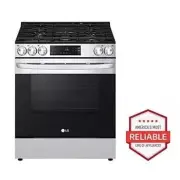


 LG LSES6338F
User Manual
LG LSES6338F
User Manual
 LG LSGS6338F
User Manual
LG LSGS6338F
User Manual
 LG LSGS6338N
User Manual
LG LSGS6338N
User Manual
 LG LSIS6338F
User Manual
LG LSIS6338F
User Manual
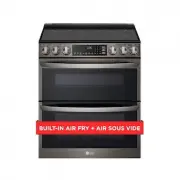 LG LTEL7337D
User Manual
LG LTEL7337D
User Manual
 LG LDE3015ST
User Manual
LG LDE3015ST
User Manual
 LG LDE3017ST
User Manual
LG LDE3017ST
User Manual
 LG LDE3031ST
Manual
LG LDE3031ST
Manual
 LG LDE3037BD
User Manual
LG LDE3037BD
User Manual
 LG LDE3037ST
User Manual
LG LDE3037ST
User Manual
 LG LDE4413ST
User Manual
LG LDE4413ST
User Manual
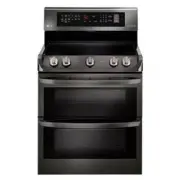 LG LDE4415BD
User Manual
LG LDE4415BD
User Manual
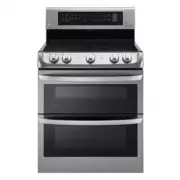 LG LDE4415ST
User Manual
LG LDE4415ST
User Manual
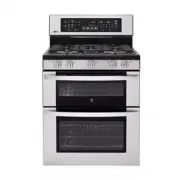 LG LDG3017ST
Manual
LG LDG3017ST
Manual
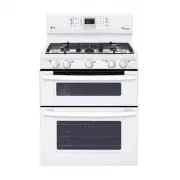 LG LDG3035SW
User Manual
LG LDG3035SW
User Manual