Page 2 - TABLE OF CONTENTS
2 TABLE OF CONTENTS TABLE OF CONTENTS 3 IMPORTANT SAFETY INSTRUCTIONS 10 PRODUCT OVERVIEW 10 Parts10 Accessories 11 INSTALLATION 11 Installation Overview11 Product Specifications12 Before Installing the Range13 Installing the Range15 Connecting Electricity19 Engaging the Anti-tip Device19 Optional R...
Page 3 - IMPORTANT SAFETY INSTRUCTIONS; WARNING; TO REDUCE THE RISK OF TIPPING, THE APPLIANCE MUST BE SECURED
3 IMPORTANT SAFETY INSTRUCTIONS ENGLISH IMPORTANT SAFETY INSTRUCTIONS Read and follow all instructions when using the range to prevent the risk of fire, electric shock, personal injury, or damage. This guide does not cover all possible conditions that may occur. Always contact your service agent or ...
Page 4 - SAFETY PRECAUTIONS; DO NOT TOUCH HEATING ELEMENTS OR INTERIOR SURFACES OF OVEN.; Never use your appliance for warming or heating the room.
4 IMPORTANT SAFETY INSTRUCTIONS SAFETY PRECAUTIONS • DO NOT TOUCH HEATING ELEMENTS OR INTERIOR SURFACES OF OVEN. Heating elements may be hot even though they are dark in color. Interior surfaces of an oven become hot enough to cause burns. During and after use, do not touch or let clothing or other ...
Page 5 - FLAMMABLE MATERIALS; ELECTRICAL SAFETY; DEEP FAT FRYER
5 IMPORTANT SAFETY INSTRUCTIONS ENGLISH FLAMMABLE MATERIALS WARNING Remove all packing materials from the appliance before operating. Keep plastic, clothes, paper, and other flammable materials away from parts of the appliance that may become hot. • Do not store or use flammable material in the oven...
Page 6 - Do not leave children alone; CAUTION; GLASS-CERAMIC COOKING SURFACE; DO NOT TOUCH SURFACE
6 IMPORTANT SAFETY INSTRUCTIONS WARNING Do not leave children alone or unsupervised near the appliance when it is in use or is still hot. Children should never be allowed to sit or stand on any part of the appliance as they could be injured or burned. CAUTION Do not store items of interest to childr...
Page 7 - Never leave; ENERGY SAVING TIPS
7 IMPORTANT SAFETY INSTRUCTIONS ENGLISH WARNING Do not leave fats or oils to heat unattended on the cooktop. Spillovers can result in a fire. • The cooktop is not intended to be operated by means of an external timer or separate remote-control system. • Turn cookware handles inward so they don't ext...
Page 8 - SAFETY DURING USE; Do not use water on grease fires.; SAFETY WHEN CLEANING; Do not use oven cleaners.
8 IMPORTANT SAFETY INSTRUCTIONS SAFETY DURING USE CAUTION Supervise all cooking processes. Continuously supervise quick cooking processes. • During use the appliance becomes hot. Care should be taken to avoid touching heating elements inside the oven. • Do not touch the oven racks while they are hot...
Page 9 - Make sure oven lights are cool before cleaning.; Do not clean door gasket.; The door gasket is essential for a good seal. Care should be; COOK MEAT AND POULTRY THOROUGHLY
9 IMPORTANT SAFETY INSTRUCTIONS ENGLISH • Never keep pet birds in the kitchen. The health of birds is extremely sensitive to the fumes released during an oven self-clean cycle. Fumes may be harmful or fatal to birds. Move birds to a well-ventilated room. • Clean in the self-clean cycle only parts li...
Page 10 - PRODUCT OVERVIEW; Parts
10 PRODUCT OVERVIEW PRODUCT OVERVIEW Parts Glass-ceramic Cooktop controller Model and serial number plate Gasket Warming drawer (For Model: LSE4617)Storage drawer (For Model: LSE4616) Cooktop Oven door Cooktop knob Oven mode knob Accessories Included Accessories For Model: LSE4617 Heavy rack (2ea) G...
Page 11 - INSTALLATION; Installation Overview; Product Specifications; Oven Range Models
11 INSTALLATION ENGLISH INSTALLATION Installation Overview Please read the following installation instructions first after purchasing this product or transporting it to another location. Check and choose the proper location Plug in the power cord Engage the anti-tip device Test run Install anti-tip ...
Page 12 - Before Installing the Range
12 INSTALLATION Before Installing the Range WARNING Tip - Over Hazard A child or adult can tip the range and be killed. Verify the anti-tip bracket has been installed. Ensure the anti-tip bracket is engaged when the range is moved. Do not operate the range without the anti-tip bracket in place. Fail...
Page 13 - Installing the Range; Unpacking and Moving the Range; Choosing the Proper Location
13 INSTALLATION ENGLISH Installing the Range Unpacking and Moving the Range CAUTION • Use two or more people to move and install the range. (Excessive Weight Hazard) Failure to do so can result in back or other injury. • Do not use the door handles to push or pull the range during installation or wh...
Page 14 - Dimensions and Clearances
14 INSTALLATION Dimensions and Clearances NOTE Save for the use of the local electrical inspector. 36" (91.4 cm) 29.8" (75.7 cm) 24" (60.9 cm) Cabinet Cabinet opening A Acceptable electrical outlet area 3" (7.6 cm) 24" (60.9 cm) 3" (7.6 cm) 25" (63.5 cm) Normal counter to...
Page 15 - Installing the Anti-tip Device; Leveling the Range; Connecting Electricity; Electrical Requirements
15 INSTALLATION ENGLISH Installing the Anti-tip Device Anti-tip bracket Leveling leg WARNING Tip - Over Hazard A child or adult can tip the range and be killed. Verify the anti-tip bracket has been installed. Ensure the anti-tip bracket is engaged when the range is moved. Do not operate the range wi...
Page 16 - Connecting the Power Cord
16 INSTALLATION WARNING • Allow 2 to 3 ft (61.0 cm to 91.4 cm) of slack in the line so that the range can be moved if servicing is ever necessary. • The power supply cord and plug should not be modified. If it will not fit the outlet, have a proper outlet Installed by a qualified electrician. • Usin...
Page 19 - Engaging the Anti-tip Device; Installing the Rear Filler
19 INSTALLATION ENGLISH Engaging the Anti-tip Device • Move the range close enough to the opening to plug into the receptacle. • Slide the range into position ensuring that the back leg slides under the anti-tip bracket. The range should sit flush against the back wall when properly installed. • Car...
Page 20 - Test Run
20 INSTALLATION Test Run Check if the range is properly installed and run a test cycle. 1 Before using the cooktop for the first time, clean it with a ceramic cooktop cleaner. This helps protect the top and makes cleanup easier. 2 Turn the oven mode knob to the Off position to start test. 3 Fill an ...
Page 21 - OPERATION; Control Panel Overview
21 OPERATION ENGLISH OPERATION Control Panel Overview For Model: LSE4617 ([WUD)XQFWLRQ+ROGVHFRQGV :L)L 1 11 2 3 4 5 6 7 10 8 9 For Model: LSE4616 seconds 1 12 13 14 5 6 15 10 8 9
Page 23 - Knob Positions
23 OPERATION ENGLISH Knob Positions After cleaning the oven knobs, make sure to replace each knob in the correct position. Failure to do so can result in improper operation of the burners. 1 2 Simmer HI/Boost Simmer HI/Boost Induction Oven Mode Warm Induction 1 Burner On Indicator The Burner On indi...
Page 24 - Changing Oven Settings; Clock
24 OPERATION Changing Oven Settings Clock The clock must be set to the correct time of day in order for the automatic oven timing functions to work properly. 1 Set the oven mode knob to the Off position. 2 Press and hold Cook Time for three seconds (LSE4617 model only) or press Clock . CLO shows in ...
Page 25 - Settings
25 OPERATION ENGLISH Timer On/Off The Timer feature serves as an extra timer in the kitchen that beeps when the set time has run out. It does not start or stop cooking.The Timer feature can be used during any of the oven control functions. Setting the Timer 1 Set the oven mode knob to the Off positi...
Page 27 - Oven Light
27 OPERATION ENGLISH Start Time (Delayed Timed Cook) The automatic timer of the Delayed Timed Cook function turns the oven on and off at the time you select. This feature can be used with the Bake, Conv. Bake and Conv. Roast modes. Setting a Delayed Timed Cook For example, to bake at 300 °F and dela...
Page 28 - Using the Cooktop; Cooking Areas
28 OPERATION Using the Cooktop Cooking Areas The cooktop is equipped with four induction cooking elements of different sizes and a radiant heat warming zone. The wattage ratings below are maximum outputs. The second rating is the maximum output for Boost mode. 3 4 5 1 2 1 Induction left front cookin...
Page 29 - Cookware Placement; Moving Cookware on the Cooktop; Pan Sensing
29 OPERATION ENGLISH Cookware Placement Use the proper cookware and place it correctly on the cooktop. One or more of the cooking elements will not heat if any of the incorrect conditions shown is detected by the sensors located below the ceramic cooktop surface. Correct the problem before attemptin...
Page 30 - Minimum and Maximum Pan Size; Home Canning
30 OPERATION Minimum and Maximum Pan Size There are four cooking elements on the induction cooktop. Each element requires a minimum pan size to be used effectively. The bottom of the pan must meet or exceed the minimum diameter ( ⓐ ) for proper cooking to occur. ⓐ Cooking area Heater type Minimum di...
Page 31 - Setting Surface Controls; Hot Surface Indicator
31 OPERATION ENGLISH Setting Surface Controls • Cooking Element LED Bar The range provides an LED bar for each cooking element on the cooktop. Check messages in the display window and use the LEDs with the corresponding control knobs to monitor the power levels of the elements. Lo Simmer 34 MED 678 ...
Page 32 - The Recommended Surface Cooking; Pan Preheat Recommendations; Noises during Cooktop Operation
32 OPERATION Turning On Cooking Elements (Except Warming Zone) 1 Push the control knob in. 2 Turn the knob in either direction to select the desired setting. A short beep sounds and the cooking element’s LED bar shows its current setting. 3 To activate the Boost mode, turn the knob directly from Off...
Page 33 - Power Management; Warming Zone
33 OPERATION ENGLISH Power Management The cooking zones, which consist of paired cooking elements, are restricted to drawing a certain maximum amount of power.If you turn on the Boost function for one element while its paired element is in use, the Power Management function may automatically reduce ...
Page 34 - Using the Oven; Before Using the Oven; Using Oven Racks; Bake
34 OPERATION Using the Oven Before Using the Oven NOTE • Because the oven temperature cycles, an oven thermometer placed in the oven cavity may not show the same temperature that is set on the oven. • It is normal for the convection fan to run while preheating during a regular bake cycle. • The conv...
Page 35 - Convection Mode
35 OPERATION ENGLISH Baking Tips • Baking time and temperature will vary depending on the characteristics, size, and shape of the baking pan used. • Check for food doneness at the minimum recipe time. • Use metal bakeware (with or without a nonstick finish), heatproof glass-ceramic, ceramic or other...
Page 36 - Recommended Baking and Roasting Guide
36 OPERATION Recommended Baking and Roasting Guide Baking results will be better if baking pans are centered in the oven as much as possible. If cooking on multiple racks, place the oven racks in the positions shown. Rack and Pan Placement For Model: LSE4617 Single rack baking Rack Multiple rack bak...
Page 37 - Broil
37 OPERATION ENGLISH Broil The Broil function uses intense heat from the upper heating element to cook food. Broiling works best for tender cuts of meat, fish, and thinly cut vegetables. Some models may feature a hybrid broiler consisting of an inner broiler that utilizes a carbon heating element wh...
Page 38 - Recommended Broiling Guide
38 OPERATION Recommended Broiling Guide The size, weight, thickness, starting temperature, and your preference of doneness will affect broiling times.This guide is based on meats at refrigerator temperature. For best results when broiling, use a pan designed for broiling. Food Quantity and/or Thickn...
Page 39 - Warm
39 OPERATION ENGLISH Tips for BroilingBeef • Steaks and chops should always be allowed to rest for five minutes before being cut into and eaten. This allows the heat to distribute evenly through the food and creates a more tender and juicy result. • Pieces of meat that are thicker than two inches sh...
Page 41 - Remote Start; Operating the Warming; Setting the Warming Drawer Control
41 OPERATION ENGLISH Remote Start If the appliance is registered on a home Wi-Fi network, this function starts or stops the pre-heating function of the appliance. Follow the instructions on page 43 to register the appliance on the network. Set the oven mode knob to the Remote Start position to use t...
Page 42 - Warming Drawer food/power level
42 OPERATION Warming Drawer food/power level recommendations Setting Food Item Low • Vegetables • Rice • Pasta • Breakfast pastries (coffee cake, muffins) • Dinner rolls • Plates of food • Heat-sensitive foods* (pancakes, pizza, eggs) Medium • Meat* (if warming for 1-2 hours) • Smaller casseroles • ...
Page 43 - SMART FUNCTIONS; LG ThinQ Application; LG ThinQ Application Features; Smart DiagnosisTM; Before Using LG ThinQ Application
43 SMART FUNCTIONS ENGLISH SMART FUNCTIONS LG ThinQ Application This feature is only available on models with the or logo.The LG ThinQ application allows you to communicate with the appliance using a smartphone. LG ThinQ Application Features Smart Diagnosis™ This function provides useful information...
Page 44 - Installing the LG ThinQ Application; Open Source Software Notice; FCC Statement
44 SMART FUNCTIONS NOTE • The wireless network name (SSID) should be a combination of English letters and numbers. (Do not use special characters.) • Smartphone user interface (UI) may vary depending on the mobile operating system (OS) and the manufacturer. • If the security protocol of the router i...
Page 45 - FCC RF Radiation Exposure; Using LG ThinQ to Diagnose Issues
45 SMART FUNCTIONS ENGLISH • Reorient or relocate the receiving antenna. • Increase the separation between the equipment and the receiver. • Connect the equipment to an outlet on a circuit different from that to which the receiver is connected. • Consult the dealer or an experienced radio/TV technic...
Page 46 - MAINTENANCE; Cleaning the Glass-Ceramic
46 MAINTENANCE MAINTENANCE Cleaning the Glass-Ceramic Cooktop CAUTION • Do not use scrub pads or abrasive cleaning pads. They may damage your cooktop surface. • For your safety, wear an oven mitt or pot holder while using a scraper on the hot cooking surface. • Read and follow all instructions and w...
Page 47 - Maintaining the Cooktop; Metal Marks and Scratches; EasyClean
47 MAINTENANCE ENGLISH Maintaining the Cooktop DO NOT use chlorine bleach, ammonia, or other cleaners not specifically recommended for use on glass-ceramic cooktops.Let your glass-ceramic cooking surface cool off before cleaning. Wipe off with a damp towel and mild detergent Use a metal scraper Appl...
Page 48 - When to Use EasyClean; Cleaning Tips
48 MAINTENANCE When to Use EasyClean ® Suggested Cleaning Method Example of Oven Soiling Soil Pattern Types of Soils Common Food Items That Can Soil Your Oven EasyClean ® Small drops or spots Cheese or other ingredients Pizza Light splatter Fat/grease Steaks, broiled Fish, broiled Meat roasted at lo...
Page 50 - Self Clean; Before Starting Self Clean; Setting Self Clean
50 MAINTENANCE Self Clean The Self Clean cycle uses extremely hot temperatures to clean the oven cavity. While running the Self Clean cycle, you may notice smoking or an odor. This is normal; especially if the oven is heavily soiled.During Self Clean, the kitchen should be well ventilated to minimiz...
Page 51 - Setting Self Clean with a Delayed
51 MAINTENANCE ENGLISH CAUTION Do not force the oven door open when the lock icon is displayed. The oven door remains locked until the oven temperature has cooled. Forcing the door open will damage the door. Setting Self Clean with a Delayed Start 1 Remove all racks and accessories from the oven. 2 ...
Page 52 - Changing the Oven Light; Cleaning the Exterior; Painted and Decorative Trim
52 MAINTENANCE Changing the Oven Light The oven light is a standard 40-watt, 120 V appliance bulb. It turns on when the oven door is open. When the oven door is closed, press Light to turn it on or off. 1 Unplug the range or disconnect power. 2 Turn the glass bulb cover in the back of the oven count...
Page 53 - Broiler Pan and Grid; Removing and Replacing; Removing the Door
53 MAINTENANCE ENGLISH Broiler Pan and Grid • Do not store a soiled broiler pan or grid anywhere in the range. • Do not clean the broiler pan or grid in a self-cleaning mode. • Remove the grid from the pan. Carefully pour out the grease from the pan into a proper container. • Wash and rinse the broi...
Page 54 - Replacing the Door; Removing the Drawer; Replacing the Drawer; Door Care Instructions
54 MAINTENANCE Replacing the Door 1 Firmly grasp both sides of the door at the top. 2 With the door at the same angle as the removal position, seat the indentation of the hinge arms into the bottom edge of the hinge slots. The notch in the hinge arms must be fully seated into the bottom edge of the ...
Page 55 - TROUBLESHOOTING; FAQs
55 TROUBLESHOOTING ENGLISH TROUBLESHOOTING FAQs What types of cookware are recommended for use with the cooktop? • Look for cookware that is marked "induction ready" or "induction capable" or that is specifically designed for induction cooking. • The cookware must have a magnetic met...
Page 57 - Before Calling for Service
57 TROUBLESHOOTING ENGLISH Before Calling for Service Before you call for service, review this list. It may save you time and expense. The list includes common occurrences that are not the result of defective workmanship or materials in this appliance. Symptoms Possible Causes / Solutions Range is n...
Page 65 - MEMO
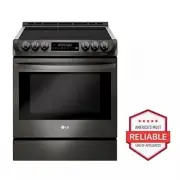


 LG LSES6338F
User Manual
LG LSES6338F
User Manual
 LG LSGS6338F
User Manual
LG LSGS6338F
User Manual
 LG LSGS6338N
User Manual
LG LSGS6338N
User Manual
 LG LSIS6338F
User Manual
LG LSIS6338F
User Manual
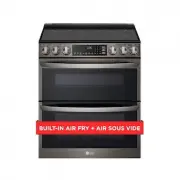 LG LTEL7337D
User Manual
LG LTEL7337D
User Manual
 LG LDE3015ST
User Manual
LG LDE3015ST
User Manual
 LG LDE3017ST
User Manual
LG LDE3017ST
User Manual
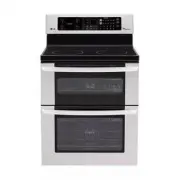 LG LDE3031ST
Manual
LG LDE3031ST
Manual
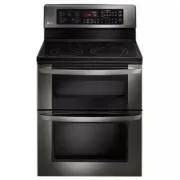 LG LDE3037BD
User Manual
LG LDE3037BD
User Manual
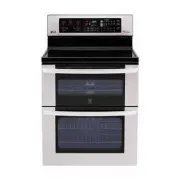 LG LDE3037ST
User Manual
LG LDE3037ST
User Manual
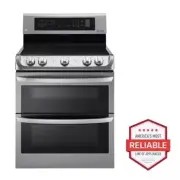 LG LDE4413ST
User Manual
LG LDE4413ST
User Manual
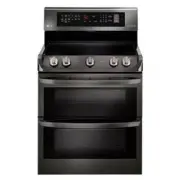 LG LDE4415BD
User Manual
LG LDE4415BD
User Manual
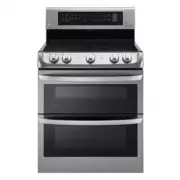 LG LDE4415ST
User Manual
LG LDE4415ST
User Manual
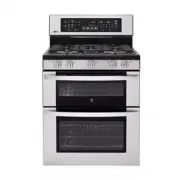 LG LDG3017ST
Manual
LG LDG3017ST
Manual
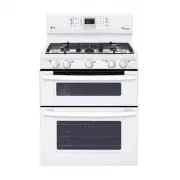 LG LDG3035SW
User Manual
LG LDG3035SW
User Manual