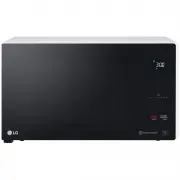
Page 3 - TABLE OF CONTENTS; LIMITED WARRANTY
3 TABLE OF CONTENTS TABLE OF CONTENTS 4 IMPORTANT SAFETY INSTRUCTIONS 8 PRODUCT OVERVIEW 8 Location of Model Number 8 Electrical Requirements 8 Voltage Warning 8 Placement of the Oven 8 Do Not Block Air Vents 8 Grounding Instructions 9 Radio / TV / Wireless Equipment Interference 9 Oven Specificatio...
Page 4 - IMPORTANT SAFETY INSTRUCTIONS; WARNING
4 IMPORTANT SAFETY INSTRUCTIONS IMPORTANT SAFETY INSTRUCTIONS Read and follow all instructions when using the microwave oven to prevent the risk of fire, electric shock, personal injury, or damage. This guide does not cover all possible conditions that may occur. Always contact your service agent or...
Page 7 - FEDERAL COMMUNICATIONS COMMISSION RADIO FREQUENCY; Read all instructions before using the appliance.; SAVE THESE INSTRUCTIONS
7 IMPORTANT SAFETY INSTRUCTIONS FEDERAL COMMUNICATIONS COMMISSION RADIO FREQUENCY INTERFERENCE STATEMENT (U.S.A. ONLY) This equipment generates and uses ISM frequency energy and if not installed and used properly, that is in strict accordance with the manufacturer's instructions, may cause interfere...
Page 8 - PRODUCT OVERVIEW
8 PRODUCT OVERVIEW PRODUCT OVERVIEW Location of Model Number To request service information or replacement parts, the service center requires the complete model number of your microwave oven. The model number is on the oven back as shown in the illustration below. Model number label Electrical Requi...
Page 9 - Radio / TV / Wireless Equipment Interference; Oven Specifications
9 PRODUCT OVERVIEW Radio / TV / Wireless Equipment Interference Operating the microwave oven near equipment—such as a radio, TV, wireless LAN, Bluetooth devices, medical equipment, or wireless equipment—which uses the same frequency, may cause interference. This interference is not an indication of ...
Page 10 - Microwave Oven Features; Accessories
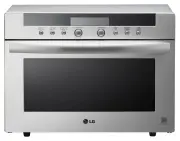
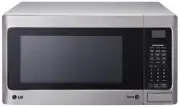
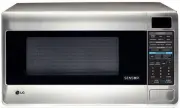
10 PRODUCT OVERVIEW Microwave Oven Features Door Seal Display Window Display Window Control Panel Safety Door Lock System Control Panel * Do Not Remove Mica Sheet NOTE • Do not remove the cavity Mica Sheet (silver plate) inside of oven. • The Mica Sheet is there to protect the microwave components f...
Page 11 - Control Panel Overview
11 PRODUCT OVERVIEW Control Panel Overview Use the control panel to select the desired cooking function quickly and easily. Simply touch a command key to select the desired function. For more information on these features, see the OPERATION section. 4 10 12 11 9 12 66 1 2 3 8 11 10 557 1 Smart Diagn...
Page 12 - MICROWAVE COOkING TIPS; Microwave Cookware Guide
12 MICROWAVE COOKING TIPS MICROWAVE COOkING TIPS Microwave Cookware Guide Use Do Not Use OVENPROOF GLASS (treated for high intensity heat): utility dishes, loaf dishes, pie plates, cake plates, liquid measuring cups, casseroles and bowls without metallic trim. CHINA: bowls, cups, serving plates, and...
Page 13 - Microwave-Safe Cookware; CAUTION
13 MICROWAVE COOKING TIPS Microwave-Safe Cookware Never use metal or metal trimmed cookware when using microwave function Microwaves cannot penetrate metal. They will bounce off any metal object in the oven and cause arcing, an alarming phenomenon that resembles lightning. Most heat resistant non-me...
Page 14 - Microwave Cooking Tips
14 MICROWAVE COOKING TIPS Microwave Cooking Tips keeping an Eye on Things Always watch your food while it cooks. The light inside the microwave oven turns on automatically when the oven is cooking so you can monitor the cooking process. Directions given in recipes to elevate, stir, and the like shou...
Page 15 - Precautions
15 MICROWAVE COOKING TIPS Shielding Strips of aluminium foil (which block microwaves) can be placed over the corners or edges of square and rectangular foods to prevent those portions from overcooking. Never use too much foil and make sure the foil is secured to the dish or it may cause arcing in th...
Page 16 - OPERATION
16 OPERATION OPERATION This section introduces you to the basics you need to know to operate the microwave oven. Please read this information before using the oven. CAUTION To avoid risk of personal injury or property damage, do not use stoneware, metal cookware, or metal rimmed cookware in the oven...
Page 17 - itchen Timer
17 OPERATION k itchen Timer The Timer function serves as an extra kitchen timer. It chimes when the set time runs out. It does not start or stop cooking. Setting the Timer 1 Open the oven door.Press Clear . 2 Press Timer once. 10 appears in the display. 3 Set the desired time by pressing + or – unti...
Page 19 - Setting Manual Cooking; Microwave Power Levels; Microwave Power Level Chart
19 OPERATION Setting Manual Cooking Times When not using the auto cooking functions, the cooking time and power level are set manually. 1 Press STOP/Clear . 2 Press Cook Time once. 3 Press + or – until the desired cooking time appears in the display. 4 Press Power Level once, P-HI appears in the dis...
Page 21 - Sensor Cook Table
21 OPERATION Sensor Cook Table Code Category Recommended Amounts Directions Sc-1 Bacon 2 - 4 slices Place bacon slices on a microwave bacon rack for best results. (Use dinner plate lined with paper towels if rack is not available.) Sc-2 Fresh Vegetable 1 - 4 cups Place in a microwaveable bowl or cas...
Page 22 - Sensor Reheat Table
22 OPERATION Sensor Reheat Table Code Category Recommended Amounts Directions Sr-1 Beverage 1 - 2 cups (240 ml per cup) Use a mug or microwave-safe cup. Do not cover. Stir after reheating. (Be careful! The beverage will be very hot. Sometimes liquids heated in cylindrical containers will splash out ...
Page 23 - Defrost; Defrost Table
23 OPERATION Defrost The oven has 4 preset defrost cycles. The defrost feature provides the best defrosting method for frozen foods. The Defrost Table shows the suggested defrost cycle for various foods.The Defrost function conveniently chimes partway through the defrost cycle to remind you to check...
Page 24 - Defrosting Tips; Operating Tips
24 OPERATION Defrosting Tips • When using Auto Defrost, the weight to be entered is the net weight in pounds and tenths of pounds (the weight of the food minus the container). • Before starting , remove the metal twist-ties which often come with frozen food bags, and replace them with strings or ela...
Page 25 - SMART DIAGNOSISTM; Using the Smart DiagnosisTM
25 SMART DIAGNOSIS™ SMART DIAGNOSIS™ Using the Smart Diagnosis™ Function Should you experience any problems with the oven, it has the capability of transmitting data via your telephone to the LG Customer Information Center. 1 Call the LG Customer Information Center at 1-800-243-0000 (U.S.). 2 When i...
Page 26 - MAINTENANCE; Caring for the Microwave
26 MAINTENANCE MAINTENANCE Caring for the Microwave Oven Interior Food spatters or spilled liquids stick to oven walls and between the seal and door surfaces. Although the oven interior has an antibacterial coating, it is best to wipe up spillovers with a damp cloth right away. Crumbs and spillovers...
Page 27 - TROUBLESHOOTING; Frequently Asked Questions; Operation
27 TROUBLESHOOTING TROUBLESHOOTING Frequently Asked Questions Operation Why is the oven light not on during cooking? Make sure the cooking time has been set and the START button has been pressed. Why does steam come out of the air exhaust vent? Steam is normally produced during cooking. The microwav...
Page 28 - Before Calling for Service
28 TROUBLESHOOTING Before Calling for Service You can often correct operating problems yourself. If your microwave oven fails to work properly, locate the operating problem in the list below and try the solutions listed for each problem. If the microwave oven still does not work properly, contact th...
Page 32 - MEMO