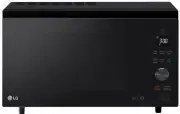
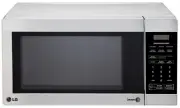
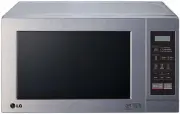
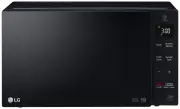
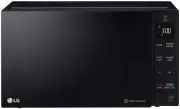
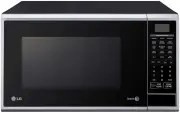
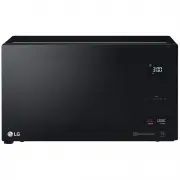
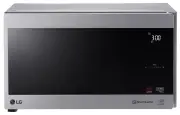
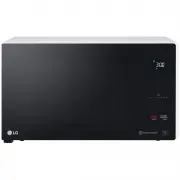
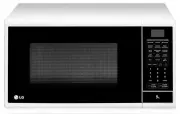
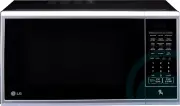
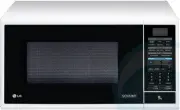
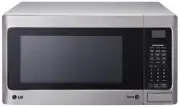
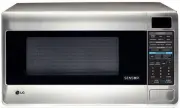
Page 2 - TABLE OF CONTENTS; Thank you for purchasing a LG microwave oven.
SAFETY 3-5 Precautions to Avoid Possible Exposure To Excessive Microwave Energy .............................................................................. 3 Grounding Instructions .......................................................................................................................
Page 3 - SAFETY; GROUNDING INSTRUCTIONS
3 SAFETY • Do not attempt to operate this oven with the door open, since open-door operation can result in harmful exposure to microwave energy. It is important not to defeat or tamperwith the safety interlocks. • Do not place any object between the oven front face and the door, or allow soil or cle...
Page 4 - IMPORTANT SAFETY INSTRUCTIONS; POSSIBLE EXPOSURE TO EXCESSIVE
4 IMPORTANT SAFETY INSTRUCTIONS 3 . This appliance must be grounded. Connect only to properly grounded outlet. See GROUNDING INSTRUCTIONS found on page 3 of this manual. 4. Install or locate this appliance only in accordance with the provided installation instructions. 5 . Some products, such as who...
Page 5 - SAVE THESE INSTRUCTIONS
5 SAFETY 17. Liquids such as water, coffee,or te a are able to be overheated beyond the boiling point without appearing to be boiling. Visible bubbling or boiling when the container is removed from the microwave oven is not alwayspresent. THIS COULD RESULT IN VERY HOT LIQUIDS SUDDENLY BOILING OVER W...
Page 6 - UNDERSTANDING YOUR MICROWAVE OVEN; SPECIFICATIONS; INSTALLATION; D. Do not block the air vents
*IEC 60705 RATING STANDARD MODEL ! " (WxHxD) " (WxHxD) # 120 V AC, 60 Hz 1500W *1100 W 2450 MHz 13A 21 7 / 8 "x12 1 / 2 "x17 7 / 32 " 15 21 / 32 "x10 7 / 16 "x15 27 / 32 " UNDERSTANDING YOUR MICROWAVE OVEN SPECIFICATIONS INSTALLATION A. Circuits NOTES:• Never place th...
Page 7 - leave a glass water in the oven when not in use. The water will saf
UNDERSTANDING YOUR MICROWAVE OVEN ! " " Oven Front Plate Window Door Screen Door Seal Control Panel Door Open Button Safety Door Lock System Display Window A. Glass TurntableB. Turntable ShaftC. Rotating RingD. Motor Shaft A B CD $%& % w WARNING: Do not operate the oven when empty or wit...
Page 8 - CONTROL PANEL
CONTROL PANEL 1. DISPL AY . The display includes a clock and indicators that tell you time of day, cooking time settings, and cooking functions selected. 2. SENSOR TOUCH . This pad allows you to cook most of your favorite foods without having to select cooking times and powerlevels. 3. AUTO COOK. To...
Page 11 - SETTING TIME OF DAY; USING YOUR MICROWAVE OVEN; KITCHEN TIMER; CHILD LOCK; To set C; To cancel CHILD LOCK.
SETTING TIME OF DAY when power resumes after a power interruption, Example : To set the clock for 10:30. When your oven is plugged in for the first time or the numbers in the display reset to '0'. EZ-ON A time-saving pad, this simplified control lets youquickly set and start microwave cooking at 100...
Page 12 - MULTISTAGE COOKING; TIME COOK
12 USING YOUR MICROWAVE OVEN When the first stage is over, you will hear twoshort tones as the oven begins the secondcook stage. For best results, some recipes call for different cooking power levels during different stages of a cook cycle. You can program your oven to switch from one power level to...
Page 13 - ENERGY SAVING
USING YOUR MICROWAVE OVEN ENERGY SAVING ENERGY SAVING feature saves energy by turning off the display.This feature only operates when the STOP/Clear (ENERGY SAVING) button is touched and then cancels when the door is opened or any button is touched. Touch STOP/Clear The display will go out and ENERG...
Page 14 - AUTO COOK; AUTO COOK CHART
Example: To cook 4 slices of bacon Touch STOP/Clear. Touch Auto Cook once. ‘Ac-1’ appears in the display. Touch number 4. ‘4’ appears in the display. Touch START . 1. 2. 3 . 4. AUTO COOK AUTO COOK made easy! You oven’s menuhas been preprogrammed to automaticallycook food. Tell the oven what you want...
Page 15 - SENSOR TOUCH OPERATION; QUICK SENSOR TOUCH TABLE
POTATO (EXAMPLE) SENSOR COOK allows you to cook most of f y our av orite foods w ithout hav ing to select cooking times and power levels. This oven automatically determines required cooking times for each food item. Example: To cook potato 1. 2. Touch STOP/Cl e ar Touch Potato . The oven will start ...
Page 16 - AUTO DEFROST; and; OPERATING TIPS; QUICK DEFROST; AUTO DEFROST SEQUENCE LIST
USING YOUR MICROWAVE OVEN AUTO DEFROST Three defrost sequences are preset in the oven.The defrost feature provides you with the bestdefrosting method for frozen foods. The autodefrost guide will show you which defrostsequence is recommended for the food you aredefrosting. For added convenience, the ...
Page 19 - SOFTEN; Soften; MELT
SOFTEN 4. 1. 2. 3. 4. 1. 2. 3. Touch Soften twice . Touch STOP/Clear . Touch 2 . Touch START . Touch Melt twice. Touch STOP/Clear. Touch 2 . Touch START. MELT The oven uses low power to melt foods (butter,margarine, chocolate, cheese and marshmallows). See the following table. Example: To Melt 8 oz....
Page 20 - TROUBLESHOOTING
TROUBLESHOOTING _]#!('&*!*`*!#;! $#;('&* _]#!('&* 9$ 9$@ 9 !''$ [ $' 9$ ' ' $ ! 9 ' 7 ''$%9 9$& 9 & ' $! $ %$Z Z<" Z $' % ! % %|' '$ !% |% ! $ ! $%' $'%$ $'% $ ! % F $ '' 7'!' '!$ %&$!! $ % ' $ $'$!! ' $' '' ' %> ' ]*? '! '% ! $ % !$ | //% $ ' ...
Page 22 - Before Calling for Service; WARNING; FEDERAL COMMUNICATIONS COMMISSION; This product contains chemicals known to the State of California; to cause cancer and birth defects or other reproductive harm.
TROUBLESHOOTING Before Calling for Service Problem Oven does not start Arcing or Sparking Incorrect time of day Unevenly Cooked Foods Overcooked Foods Undercooked Foods Improper Defrosting You can often correct operating problems yourself. If your microwave oven fails to work properly, locate the op...
Page 23 - Customer Service/Appliance
HOW SERVICE IS HANDLED: Product Replacement Please call 1-800-243-0000 and choose the Customer Service/Appliance options. (Phones are will receive a certificate to product from your local dealer. and the replacement microwave ovens, along with authorization certificate to us. We will send you a refu...
Page 24 - Printed in China