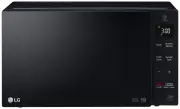
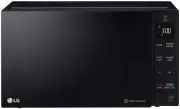
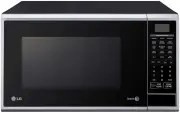
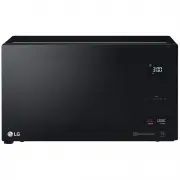
Page 2 - TABLE OF CONTENTS; Thank you for purchasing a LG microwave oven.
TABLE OF CONTENTS Cooking Tips .............................................................................................................................................................. TROUBLESHOOTING .................................................................................................
Page 3 - SAFETY; Do not attempt to operate this oven with; GROUNDING INSTRUCTIONS; WARNING
SAFETY • Do not attempt to operate this oven with the door open, since open-door operation can result in harmful exposure to microwave energy. It is important not to defeat or tamper with the safety interlocks. •Do not place any object between the oven front face and the door, or allow soil or clean...
Page 4 - SAVE THESE INSTRUCTIONS; IMPORT ANT SAFETY INSTRUCTIONS; PRECAUTIONS TO AVOID POSSIBLE EXPOSURE TO EXCESSIVE
SAVE THESE INSTRUCTIONS SAFETY IMPORT ANT SAFETY INSTRUCTIONS The safety instructions below will tell you how to use your oven to avoid harm to yourself or damage to your oven. WARNING - To reduce the risk of burns, electric shock, fire, injury to persons, or exposure to excessive microwave energy: ...
Page 5 - UNDERSTANDING YOUR MICROWAVE OVEN; SPECIFICATIONS; MODEL; INSTALLATION; C. Placement of the Oven
UNDERSTANDING YOUR MICROWAVE OVEN SPECIFICATIONS *IEC 60705 RATING STANDARD Specifications subject to change without prior notice. LCRT1510SV MODEL Power SupplyRated Power ConsumptionMicrowave OutputFrequencyRated CurrentOverall Dimensions (W xHxD)Oven Cavity Dimensions (W xHxD)Capacity of Oven Cavi...
Page 6 - UNDERST ANDING YOUR MICROWAVE OVEN; ARTS AND ACCESSORIES; accidentally started.
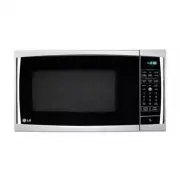
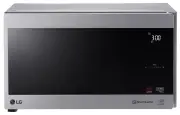
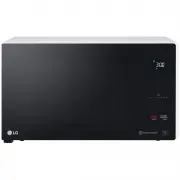
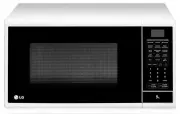
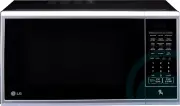
UNDERST ANDING YOUR MICROWAVE OVEN P ARTS AND ACCESSORIES Your oven comes with the following accessories: 1 Use and Care Manual 1 Glass Turntable 1 Rotating Ring Oven Front Plate Window Door Seal Control Panel Door Open Button Safety Door Lock System Display Window 6 A. Glass Turntable B. Turntable ...
Page 7 - CONTROL PANEL
UNDERSTANDING YOUR MICROWAVE OVEN 7 CONTROL PANEL 1. DISPL AY. The display includes a clock and indicators that tell you time of day, cooking time settings, and cooking functions selected. 2. 1 6. STOP/CLEAR. Touch this pad to stop the oven or clear entries . COOK TIME. Touch this pad to set a cooki...
Page 8 - USE; COOKWARE GUIDE
UNDERSTANDING YOUR MICROWAVE OVEN USE Ovenproof Glass • Glass treated for use in high-intensity heat includes utility dishes, bread dishes, pie plates, cake plates, liquid measuring cups, casseroles, and bowls without metallic trim. China • Bowls, cups, serving plates, and platters without metallic ...
Page 9 - TIPS FOR MICROWAVE COOKING
UNDERSTANDING YOUR MICROWAVE OVEN TIPS FOR MICROWAVE COOKING BROWNING Meat and poultry with high fat content that are cooked for 10 or 15 minutes or longer will brown lightly. Foods cooked a shorter time can be brushed with a browning agent, such as Worcestershire sauce, soy sauce, or barbecue sauce...
Page 10 - WHAT IS TrueCookPlus ?; TrueCookPlus; HOW TO USE TrueCookPlus; C TOUCH START
1234 WHAT IS TrueCookPlus ? TrueCookPlus is the first ever way to microwave cook your food to perfection. Every time, in any size or power microwave oven anywhere in the world. EXAMPLE: USING TrueCookPlus 1. Press the STOP/CLEAR Button. 2. Find the simple TrueCookPlus code on your favorite food pack...
Page 11 - TrueCookPlus SETUP; CUSTOMIZING TrueCookPlus
11 TrueCookPlus SETUP After you unpack and plug in your TrueCookPlus oven, take a few moments to tell TrueCookPlus your zip code. 2. Press the TrueCookPlus button three times 3. Enter your five digit U.S. Post Office zip code. Once TrueCookPlus knows your zip code, every time you enter a TrueCookPlu...
Page 12 - USING YOUR MICROWAVE OVEN; CLOCK; TIMER; ENTER TIME OF DA; TIMER
1. 1. 2. Your microwave oven can be used as a kitchen timer. You can set up to 99 minutes, 99 seconds. Example: To set 3 minutes. Touch: Display Shows: TIMER USING YOUR MICROWAVE OVEN Example: To set the clock for 10:30(AM). Touch: Display Shows: CLOCK 1. 2. 3. 5. NOTE: This is a 12 hour clock. You ...
Page 13 - SENSOR TOUCH OPERATION; POTATO
Quick cooking provides exciting new features to make microwave oven easier. Your new microwave oven will guide you, step by step, whether it be simply to reheat food or cook food and sensor menu with all the popular food choices helps you to cook perfectly because it has been pre-programmed and can ...
Page 14 - SENSOR TOUCH REHEAT TABLE; SENSOR TOUCH REHEAT; RN; SELECT MENU 1 TO
Food item in the Sensor Touch Reheat menu include: The feature reheats single servings of previously cooked foods or a plate of leftovers. 1. DINNER PLATE 2. SOUP/SAUCE 3. CASSEROLE Example: To reheat Touch: Display Shows: simply follow the steps below. The oven will start automatically Approx. 10.3...
Page 15 - CUSTOM SET FUNCTION CHART; SOUND ON TOUCH
If popcorn bag size is not known, follow manufacturers' instructions and do not use this feature. Do not use POPCORN key pad in combination with any other feature key pads.Do not attempt to reheat or cook any unpopped kernels.Do not reuse bag. Overcooking can result in an oven fire.Prepare one bag o...
Page 16 - Category; Beverage; BACON; TOUCH START; SELECT MENU
CUSTOM COOK CUSTOM COOK TABLE Custom Cook made easy! Your oven ’s menu has been preprogrammed to automatically cook food. Tell the oven what you want and how many items there are. Then let your microwave oven cook your selections. Food items in the CUSTOM COOK menu include: 1. Bacon 2. Frozen Roll/M...
Page 17 - CUSTOM DEFROST; MEAT TOUCH; MEAT ENTER WEIGHT; LB DEFROST; DEFR S
Example: To defrost 1.2 lbs of ground beef. Touch: Display Shows: CUSTOM DEFROST 1. 2. 3. and 4. Time counting down and to enter the weight Three defrost sequences are preset in the oven. The custom defrost feature provides you with the best defrosting method for frozen foods. The cooking guide will...
Page 18 - CUSTOM DEFROST TABLE
18 USING YOUR MICROWAVE OVEN CUSTOM DEFROST TABLE NOTE: Meat of irregular shape and large, fatty cuts of meat should have the narrow or fatty areas shielded with foil at the beginning of the defrost sequence. Meat settings FOOD BEEF Ground Beef, Bulk Ground Beef, Patties Round Steak Tenderloin Steak...
Page 20 - POWER 50 TOUCH START; TIME; TIME; DEFROSTING TIPS
For best results, some recipes call for different cook powers during different stages of a cook cycle. You can program your oven to switch from one power level to another for up to 2 stages. Example: To set a 2-stage cook cycle. Touch: Display Shows: MULTI-STAGE COOKING 1. 2. 5. 3. 4. 6. to set a 7 ...
Page 21 - SOFTEN TABLE; QUART TOUCH START
SOFTEN MELT The oven uses low power to melt foods (butter, margarine, chocolate, cheese and marshmallows). See the following table. Example: To Melt 8 oz. Chocolate. Touch: Display Shows: 1. 2. 3. 5. t ime c o unting down and on display . will appear 4. Time of day. 4. t ime counting down and will a...
Page 22 - MICROWAVE POWER LEVELS; Microwave Power Level Table
USING YOUR MICROWAVE OVEN COOK TIME 1. 2. 5. 3. 4. This feature lets you program a specific cook time and power. For best results, there are 10 power level settings in addition to HIGH power (100%). Refer to the “Microwave Power Level Table” for more information. NOTE: If you do not select a power l...
Page 23 - WARNING: Do not use aluminum foil during; Poultry Cooking Table; COOKING TIPS; Meat Cooking Table
Meat 1. No special techniques are required. Meat should be prepared as with conventional cooking. Season if desired. Always thoroughly defrost meat before cook- ing. 2. Place the meat on a microwave roasting rack or microwave-proof plate and place on the turntable. 3. Cook according to the Meat Cook...
Page 24 - Fish; Fresh Fish Cooking Table
USING YOUR MICROWAVE OVEN COOKING TIPS (continued) Fish 1. Arrange fish in a large shallow non-metallic dish or casserole. 2. Cover with pierced microwave plastic wrap or casserole lid. 3. Place the dish on the turntable. 4. Cook according to the instructions in the Fresh Fish Cooking Table below. F...
Page 25 - QUESTIONS AND ANSWERS; Operation; TROUBLESHOOTING
QUESTIONS AND ANSWERS Operation Question Why is the oven light not on during cooking? Why does steam come out of the air exhaust vent? Will the microwave oven be damaged if it operates empty? Does microwave energy pass through the viewing screen in the door? Why does a tone sound when a pad on the c...
Page 26 - Food
TROUBLESHOOTING QUESTIONS AND ANSWERS (continued) Food Question What is wrong when baked foods have a hard, dry, brown spot? Why do eggs sometimes pop? Why are scrambled eggs sometimes a little dry after cooking? Is it possible to pop popcorn in a microwave oven? Why do baked apples sometimes burst ...
Page 27 - BEFORE CALLING FOR SERVICE; FEDERAL COMMUNICATIONS COMMISSION; STATEMENT; This product contains chemicals known to the State of California
BEFORE CALLING FOR SERVICE Problem Oven does not start Arcing or Sparking Incorrect time of day Unevenly Cooked Foods Overcooked FoodsUndercooked Foods Improper Defrosting You can often correct operating problems yourself. If your microwave oven fails to work properly, locate the operating problem i...
Page 28 - THIS LIMITED WARRANTY DOES NOT APPLY TO:; PARTS; HOW SERVICE IS HANDLED:; LG MICROWAVE OVEN LIMITED WARRANTY — USA; TO CONTACT LG ELECTRONICS BY MAIL:
LG Electronics, Inc. will repair or replace your product, at LG’s option, if it proves to be defective in material or workmanship under normal use, during the warranty period set forth below, effective from the date of original consumer purchase of the product. This warranty is good only to the orig...
Page 29 - Printed in China