Page 2 - TABLE OF CONTENTS
TABLE OF CONTENTS 2 3 IMPORTANT SAFETY INSTRUCTIONS 3 READ ALL INSTRUCTIONS BEFORE USE 3 WARNING STATEMENTS 6 CAUTION STATEMENTS 8 PRODUCT OVERVIEW 8 Product Features 9 INSTALLATION 9 Before Installing 13 Installing the Cooktop 18 OPERATION 18 Cookware 20 Control Panel 25 MAINTENANCE 25 Care and Cle...
Page 3 - IMPORTANT SAFETY INSTRUCTIONS; READ ALL INSTRUCTIONS BEFORE USE; Safety Messages; WARNING STATEMENTS; Installation; Operation
3 IMPORTANT SAFETY INSTRUCTIONS ENGLISH IMPORTANT SAFETY INSTRUCTIONS READ ALL INSTRUCTIONS BEFORE USE Safety Messages Your safety and the safety of others are very important. We have provided many important safety messages in this manual and on your appliance. Always read and follow all safety mess...
Page 5 - Maintenance
5 IMPORTANT SAFETY INSTRUCTIONS ENGLISH • Do not clean or operate a broken cooktop. If the cooktop breaks, cleaning solutions and spillovers may penetrate the broken cooktop and create a risk of electric shock. Contact a qualified technician immediately. • Never leave surface units unattended at hig...
Page 6 - CAUTION STATEMENTS; CAUTION
6 IMPORTANT SAFETY INSTRUCTIONS CAUTION STATEMENTS CAUTION • To reduce the risk of minor or moderate injury to persons, malfunction, or damage to the product or property when using this product, follow basic precautions, including the following: Operation • This appliance may only be used for normal...
Page 7 - SAVE THESE INSTRUCTIONS; Disposal of Old Appliances
7 IMPORTANT SAFETY INSTRUCTIONS ENGLISH SAVE THESE INSTRUCTIONS • If sugar or a mixture containing sugar falls onto a hot cooking zone and melts, remove it with a metal scraper immediately, while still hot. If left to cool down, it may damage the surface when removed. Use caution and wear an oven mi...
Page 8 - PRODUCT OVERVIEW; Product Features; Parts and Features; Accessories
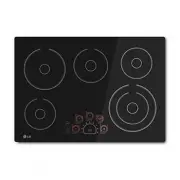
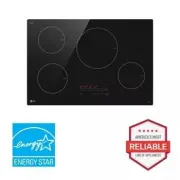
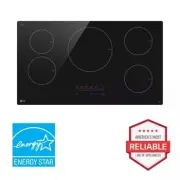
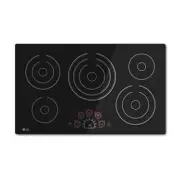
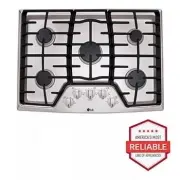
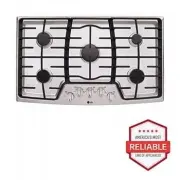
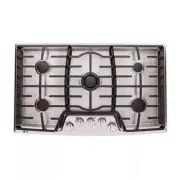
8 PRODUCT OVERVIEW PRODUCT OVERVIEW Product Features Parts and Features Throughout this manual, features and appearance may vary from your model. LCE3010SB LCE3610SB Accessories a Cooktop Cleaner (1 ea) b Non-scratch Scouring Pad (1 ea) c Retainer Brackets (2 ea) d Bolts (2 ea) e Type A Screws (2 ea...
Page 9 - INSTALLATION; Before Installing; Before You Begin; Tools Needed
9 INSTALLATION ENGLISH INSTALLATION Before Installing Before You Begin Installation and service must be performed by a qualified installer.Important: Save these instructions for the local electrical inspector’s use. Read and save these instructions for future reference.Read these instructions comple...
Page 10 - Unpacking the Cooktop; Model and Serial Number Location; Technical Specifications
10 INSTALLATION Unpacking the Cooktop 1 Unpack and visually inspect the cooktop for any damage or missing components. 2 Be sure the bottle of cleaner and conditioner packed in the literature bag is left where the user can find it easily. It is important that the ceramic-glass cooktop be pretreated b...
Page 11 - NOTE
11 INSTALLATION ENGLISH NOTE • The maximum power of each cooking zone depends on the size and material of the cookware used. Cooking Zones Position Size Power Front Left 6" (152 mm) 1200 W Front Right 9"/6" (229 mm/152 mm) 3000 W/1400 W Rear Left 8"/5" (203 mm/127 mm) 1900 W/950 ...
Page 12 - Preparing the Installation Location; Important Installation Information; Dimensions and Clearances
12 INSTALLATION Preparing the Installation Location Important Installation Information • All electric cooktops run off a single phase, three-wire or four-wire cable, 240/208 volt, 60 hertz, AC-only electrical supply with ground. • Minimum distance between cooktop and overhead cabinetry is 30" (7...
Page 13 - Installing the Cooktop; Electrical Connections; Important Safety Instructions
13 INSTALLATION ENGLISH All dimensions are stated in inches and millimeters (mm).Allow 2" (50 mm) below the armored cable opening to clear the electric cable and allow space for installation of the junction box on the wall at the back of the cooktop. CAUTION • To eliminate the risk of burns or f...
Page 14 - Providing the Electrical Connection; Electrical Connection
14 INSTALLATION WARNING • The electrical power to the cooktop must be shut off while line connections are being made. Failure to do so could result in serious injury or death. Providing the Electrical Connection • Install the junction box under the cabinet and run 120/240 or 120/208 Volt, AC wire fr...
Page 15 - Where Local Codes Permit Connecting; If Cooktop is Used in a New Branch
15 INSTALLATION ENGLISH Where Local Codes Permit Connecting the Appliance-Grounding Conductor to the Neutral (White) Wire Observe all governing codes and local ordinances. 1 Disconnect the power supply. 2 At the circuit breaker box, fuse box or junction box, connect appliance and power supply cable ...
Page 16 - Installing the Cooktop Unit; Alternative installation
16 INSTALLATION Installing the Cooktop Unit 1 Visually inspect the cooktop for damage. Make sure all cooktop screws a are tight (see below for locations). 2 Check and prepare the installation location.• See Dimensions and Clearances . 3 Carefully lower the cooktop into the countertop cutout, making ...
Page 17 - Final Check
17 INSTALLATION ENGLISH Final Check Perform a final operational check of the cooktop, making sure the cooktop powers on properly and that each cooking zone operates correctly. Refer to the Operating Instructions in this guide for details.
Page 18 - OPERATION; Cookware; Selecting Cookware; Pots and Pans
18 OPERATION OPERATION Cookware Selecting Cookware Pots and Pans The better the pot, the better the cooking results.• You can recognize good pots and pans by their bases. The base should be as thick and flat as possible. • Pots with aluminum or copper bases can cause metallic discoloring on the cera...
Page 20 - Control Panel Features; Locations of Surface Elements and Controls; Before Using the Cooktop
20 OPERATION Control Panel Control Panel Features Locations of Surface Elements and Controls The surface burner elements are positioned in the same locations on the cooktop and the control panel for ease of use. Before Using the Cooktop Before using the cooktop for the first time, clean it thoroughl...
Page 21 - Setting the Controls; First Use
21 OPERATION ENGLISH CAUTION • Never use abrasive scrubbing pads or cleaners. They can cause permanent damage to the cooktop surface. Setting the Controls To operate the control panel, press firmly with the flat part of your fingertip. First Use The first time that power is supplied to the cooktop, ...
Page 22 - Warm; Using the Warming Zone; To activate the warming zone:
22 OPERATION WARNING • Your cooktop has a residual heat indicator for each element. This indicator will warn that this area has been used and is still giving off enough heat to cause burns. Avoid touching the element when this indicator is on. Although the cooktop is off, the light will stay lit unt...
Page 23 - Using the Triple Elements; To activate the triple element:; Using the Dual Elements; Setting Child Lock
23 OPERATION ENGLISH • Do not use plastic wrap to cover foods. Plastic may melt onto the cooktop surface and be very difficult to clean. • Use only cookware and dishes recommended as safe for cooktop use. • Always use potholders when removing food from the warming zone as cookware and plates will be...
Page 24 - Canceling Child Lock; Other Functions; Automatic Shutoff
24 OPERATION 2 Press and hold the CHILD LOCK control for 3 seconds. The indicator light above the CHILD LOCK control will turn on to indicate that the cooktop is locked. Canceling Child Lock To unlock the cooktop, press and hold the CHILD LOCK control for 3 seconds. The indicator light turns off and...
Page 25 - MAINTENANCE; Care and Cleaning; Cleaning the Cooktop; Normal Daily Use Cleaning
25 MAINTENANCE ENGLISH MAINTENANCE Care and Cleaning Make sure that the electrical power is off and all surfaces are cool before cleaning any part of the cooktop. Cleaning the Cooktop Normal Daily Use Cleaning CAUTION • If any sugar or food containing sugar spills, or plastic or foil melts on the co...
Page 27 - TROUBLESHOOTING; Before Calling for Service
27 TROUBLESHOOTING ENGLISH TROUBLESHOOTING Before Calling for Service Before calling for service, review this list. It may save you time and expense. This list includes common occurrences that are not the result of a defect in workmanship or materials. Parts and Features Problem Possible Cause &...
Page 29 - LIMITED WARRANTY; USA; TERMS AND CONDITIONS; THIS LIMITED WARRANTY DOES NOT COVER:
29 LIMITED WARRANTY ENGLISH LIMITED WARRANTY USA TERMS AND CONDITIONS ARBITRATION NOTICE: THIS LIMITED WARRANTY CONTAINS AN ARBITRATION PROVISION THAT REQUIRES YOU AND LG ELECTRONICS (“LG”) TO RESOLVE DISPUTES BY BINDING ARBITRATION INSTEAD OF IN COURT, UNLESS YOU CHOOSE TO OPT OUT. IN ARBITRATION, ...
Page 30 - PROCEDURE FOR RESOLVING DISPUTES:
30 LIMITED WARRANTY • Damage or failure of the Product caused by unauthorized modification or alteration, or if the Product is used for other than the intended purpose, or any water leakage where the Product was not properly installed. • Damage or failure of the Product caused by incorrect electrica...
Page 33 - CANADA
33 LIMITED WARRANTY ENGLISH CANADA TERMS AND CONDITIONS ARBITRATION NOTICE: THIS LIMITED WARRANTY CONTAINS AN ARBITRATION PROVISION THAT REQUIRES YOU AND LG TO RESOLVE DISPUTES BY BINDING ARBITRATION INSTEAD OF IN COURT, UNLESS THE LAWS OF YOUR PROVINCE OR TERRITORY DO NOT PERMIT THAT, OR, IN OTHER ...
Page 40 - For inquiries or comments,
LG Customer Information Center Register your product Online! www.lg.com For inquiries or comments, visit www.lg.com or call: 1-800-243-0000 U.S.A. 1-888-542-2623 CANADA