Page 2 - CAUTION; : The laser used in the Super Multi DVD Rewriter can damage; WARNING; : To reduce the risk of fire or electric shock, do not expose this; Industry Canada requirement; This class B digital apparatus complies with Canadian ICES-003.; FCC COMPLIANCE STATEMENT
i CAUTION : The laser used in the Super Multi DVD Rewriter can damage your eyes. Do not attempt to open the cover. To reduce the risk of electric shock,do not remove the cover (or back). There are no user-serviceable parts inside.Refer servicing to qualified service personnel.Use of controls or perf...
Page 3 - ii
This product is manufactured to comply with the radio interference requirements of EEC DIRECTIVE 2004/108/EC, 93/68/EEC and 2006/95/EC. CLASS 1 LASER PRODUCT KLASSE 1 LASER PRODUKT LUOKAN 1 LASER LAITE KLASS 1 LASER APPARAT CLASE 1 PRODUCTO LÁSER CLASSE 1 PRODOTTO LASER ii The appliance is not inten...
Page 5 - Supports Region playback control Phase II.; Computer; Supported
Features System Environment • Enhanced-IDE (ATAPI) interface. • Power tray loading and ejection of disc. (The disc can also be ejected manually.) • Combination CD-R/RW, DVD-R/RW, DVD-R DL, DVD+R/RW, DVD+R DL, DVD-RAM Drive functions into one drive. • Supports Region playback control Phase II. • Auto...
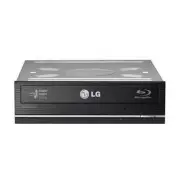
Page 6 - Location and Function of Controls; Front Panel; IDE Interface Connector; Rear Panel; Emergency Eject Hole
3 Location and Function of Controls ❏ Occasionally CD-R and CD-RW discs written by a CD-R/RW drive cannot be read by other CD drives*.These unreadable discs may need to be read using the CD-R/RW drive they were created with * The disc written using the CD-R/RW drive might not be readable by CD-ROMs ...
Page 7 - Installing the Drive; Removing the Computer Cover; Mounting the Drive; NOTE; Jumper Setup; READ
Installing the Drive Before installing the drive, please note the following points. ■ You will need the following:• A screw driver of a suitable size to fit the securing screws for the drive unit.• The manual for the computer, so you can find the mounting positions for the IDE controller cable. ■ Tu...
Page 8 - Only one jumper should be installed on the jumper connector.; PC Connection
NOTE : Only one jumper should be installed on the jumper connector. If more than one jumper is installed, the drive may malfunction or be damaged.Master/Slave setting is determined by jumper installation on the Jumper Connector. The following table shows the possible jumper settings. If you use CSEL...
Page 9 - Beveled edge up; : Improper connection may; keyed and will only fit one way.; Replacing the Computer Cover
To Install as a Slave Drive To install the drive as a Slave, change the jumper setting on the rear panel to SL. Connecting the Power Connector Connect the power cable from the computer’s power supply to the socket on the driveunit, fitting the connector firmly into the power in connector. If there i...
Page 10 - Device Drivers; Please consult the following internet sites:; Add New Hardware; in Control Panel to let PC search again for new device.; Software; Only drives bearing the logo
Device Drivers When using Windows 2000 Professional/XP Home Edition/XP Professional/Vista, no special device driver is required. Your system, upon Power On and bootup afterinstalling and connecting the new Super Multi DVD Rewriter, will recognize and loadnative software drivers automatically. Please...
Page 11 - How to Use the Discs; Emergency Eject; Don’t use this feature; except; Turn the power to OFF.
How to Use the Discs When using CD-ROM discs, CD-R discs, DVD discs or CD-RW discs, don’t attachany stickers or labels to the discs. It could cause read and write errors, but data onthe disc may be lost due to damage to the disc itself. Emergency Eject This drive has a feature that allows the CD to ...
Page 12 - Troubleshooting; Before Requesting Service; Before calling for service, check this list.
Troubleshooting Before Requesting Service Before calling for service, check this list. • The drive doesn’t have power.• Is the power supply cable from the host computer plugged in?• Is the Power Connector to the drive securely attached? • The system doesn’t start.• Are the Primary and Secondary conn...
Page 13 - Specifications
Specifications 10 * Max 22X speed Note : subject to variation depending upon the temperature or the quality of the disc used. * The drive’s appearance and specifications may change without prior notice.* For more SecurDisc information, visit http://www.securdisc.net CD/DVD/CD-RW DVD-ROM(Single/Dual)...