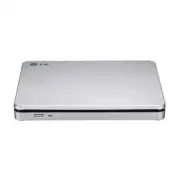
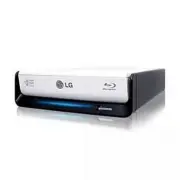
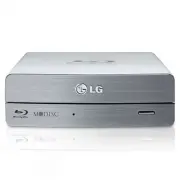
Page 2 - CAUTION; : The laser used in the Super Multi DVD Rewriter can damage; WARNING; : To reduce the risk of fire or electric shock, do not expose this; Industry Canada requirement; This class B digital apparatus complies with Canadian ICES-003.; FCC COMPLIANCE STATEMENT
i CAUTION : The laser used in the Super Multi DVD Rewriter can damage your eyes. Do not attempt to open the cover. To reduce the risk of electric shock,do not remove the cover (or back). There are no user-serviceable parts inside.Refer servicing to qualified service personnel.Use of controls or perf...
Page 3 - ii
This product is manufactured to comply with the radio interference requirements of EEC DIRECTIVE 2004/108/EC, 93/68/EEC and 2006/95/EC. CLASS 1 LASER PRODUCT KLASSE 1 LASER PRODUKT LUOKAN 1 LASER LAITE KLASS 1 LASER APPARAT CLASE 1 PRODUCTO LÁSER CLASSE 1 PRODOTTO LASER ii The appliance is not inten...
Page 5 - • Serial; Computer; LightScribe
Features System Environment • Serial ATA interface. • Power tray loading and ejection of disc. (The disc can also be ejected manually.) • Combination CD-R/RW, DVD-R/RW, DVD-R DL, DVD+R/RW, DVD+R DL, DVD-RAM Drive functions into one drive. • Supports Region playback control Phase II. • Automatic buff...
Page 6 - Location and Function of Controls; Front Panel; Emergency Eject Hole
3 Location and Function of Controls ❏ Occasionally CD-R and CD-RW discs written by a CD-R/RW drive cannot be read by other CD drives*.These unreadable discs may need to be read using the CD-R/RW drive they were created with * The disc written using the CD-R/RW drive might not be readable by CD-ROMs ...
Page 7 - Installing the Drive; Before installing the drive, please note the following points.; Removing the Computer Cover; Mounting the Drive; drive bay panel from the computer. Refer to the manual for the; NOTE; : This is a general installation guide. If your PC hardware appears; READ
Installing the Drive Before installing the drive, please note the following points. ■ You will need the following:• A screw driver of a suitable size to fit the securing screws for the drive unit.• The manual for the computer, so you can find the mounting positions for the SATA cable. ■ Turn off all...
Page 8 - the power connector can only fit one way.; Connecting the SATA Data Cable; Connect the data cable. Be careful not to connect upside down.
PC Connection The Super Multi DVD Rewriter connects to the motherboard of the host computerusing a SATA interface cable. Connecting the SATA Power Cable Connect the power cable so the projection of the cable connector side to come to theleft side. Be careful not to connect upside down. NOTE : Improp...
Page 9 - Device Drivers; Please consult the following internet sites:; Add New Hardware; in Control Panel to let PC search again for new device.; Software; Only drives bearing the logo
Device Drivers When using Windows 2000 Professional/XP Home Edition/XP Professional/Vista, no special device driver is required. Your system, upon Power On and bootup afterinstalling and connecting the new Super Multi DVD Rewriter, will recognize and loadnative software drivers automatically. Please...
Page 10 - How to Use the Discs; Emergency Eject; Don’t use this feature; except; Turn the power to OFF.
How to Use the Discs When using CD-ROM discs, CD-R discs, DVD discs or CD-RW discs, don’t attachany stickers or labels to the discs. It could cause read and write errors, but data onthe disc may be lost due to damage to the disc itself. Emergency Eject This drive has a feature that allows the CD to ...
Page 11 - Troubleshooting; Before Requesting Service; Before calling for service, check this list.
Troubleshooting Before Requesting Service Before calling for service, check this list. • The drive doesn’t have power.• Is the power supply cable from the host computer plugged in?• Is the Power Connector to the drive securely attached? • The system doesn’t start.• Are the power and SATA cables to t...
Page 12 - Specifications
Specifications 9 * The drive’s appearance and specifications may change without prior notice. CD/DVD/CD-RW DVD-ROM(Single/Dual), DVD-RW, DVD-R, DVD-R DL,DVD+RW, DVD+R, DVD+R DL, DVD- RAM, CD-Digital Audio &CD-Extra, CD-Plus, CD-ROM, CD-ROM XA-Ready, CD-I FMV,CD-TEXT, CD-Bridge, CD-R, CD-RW, Phot...