Page 3 - ENGLISH; IMPORTANT SAFETY INSTRUCTIONS; READ ALL INSTRUCTIONS BEFORE USE; Your safety and the safety of others is very important.; DANgEr; WArNiNg
3 ENGLISH IMPORTANT SAFETY INSTRUCTIONS READ ALL INSTRUCTIONS BEFORE USE w WArNiNg For your safety, the information in this manual must be followed to minimize the risk of fire, explosion, or electric shock, or to prevent property damage, injury to persons, or death. Your safety and the safety of ot...
Page 4 - BASIC SAFETY PRECAUTIONS; CALIFORNIA SAFE DRINkINg WATER AND TOXIC ENFORCEmENT ACT
4 iMPOrTANT SAFETY iNSTruCTiONS IMPORTANT SAFETY INSTRUCTIONS READ ALL INSTRUCTIONS BEFORE USE w WArNiNg For your safety, the information in this manual must be followed to minimize the risk of fire, explosion, or electric shock, or to prevent property damage, injury to persons, or death. BASIC SAFE...
Page 5 - gROUNDINg INSTRUCTIONS
5 ENGLISH iMPOrTANT SAFETY iNSTruCTiONS • Properly ground dryer to conform with all governing codes and ordinances. Follow details in the installation instructions. Electric shock can result if the dryer is not properly grounded. • Before use, the dryer must be properly installed as described in thi...
Page 6 - SAFETY INSTRUCTIONS FOR INSTALLATION; SAFETY INSTRUCTIONS FOR STEAm FUNCTIONS
6 IMPORTANT SAFETY INSTRUCTIONS READ ALL INSTRUCTIONS BEFORE USE w WArNiNg For your safety, the information in this manual must be followed to minimize the risk of fire, explosion, or electric shock, or to prevent property damage, injury to persons, or death. SAFETY INSTRUCTIONS FOR INSTALLATION w W...
Page 7 - SAFETY INSTRUCTIONS FOR CONNECTINg ELECTRICITY; SAVE THESE INSTRUCTIONS
7 ENGLISH IMPORTANT SAFETY INSTRUCTIONS READ ALL INSTRUCTIONS BEFORE USE w WArNiNg For your safety, the information in this manual must be followed to minimize the risk of fire, explosion, or electric shock, or to prevent property damage, injury to persons, or death. SAFETY INSTRUCTIONS FOR CONNECTI...
Page 8 - TRANSMITTER MODULE INFORMATION; Wireless LAN module Specifications; Open Source Software Notice Information
8 TrANSMiTTEr MODuLE iNFOrMATiON TRANSMITTER MODULE INFORMATION Wireless LAN module Specifications Model LCW-003 Frequency Range 2412 to 2462 MHz Output Power (Max) IEEE 802.11 b : 17.56 dBm IEEE 802.11 g : 25.53 dBm IEEE 802.11 n : 25.29 dBm FCC Notice (For transmitter module contained in this prod...
Page 9 - SPECIAL FEATURES; EASY-ACCESS rEVErSiBLE DOOr
9 ENGLISH SPECIAL FEATURES EASY-TO-uSE CONTrOL PANEL Rotate the cycle selector knob to select the desired dry cycle. Add cycle options or adjust settings with the touch of a button. EASY-ACCESS rEVErSiBLE DOOr The wide-opening door provides easy access for loading and unloading. The door hinge can b...
Page 10 - PRODUCT OVERVIEW; NOTE; Accessories
10 PRODUCT OVERVIEW PARTS AND ACCESSORIESParts NOTE • Visit www.lg.com to purchase accessories.• Contact LG Customer Service at 1-800-243-0000 (1-888-542-2623 in Canada) if any accessories are missing.• For your safety and for extended product life, use only authorized components. The manufacturer i...
Page 11 - Control Panel Features; Operation
11 ENGLISH Control Panel Features Following are instructions for starting and using your new dryer. Please refer to specific sections of this manual for more detailed information. w WARNING : To reduce the risk of fire, electric shock, or injury to persons, read this entire manual, including the Imp...
Page 12 - Display
12 Display The display shows the settings, estimated time remaining, options, and status messages for your dryer. When the dryer is turned on, the light in the display will illuminate. w WARNING : To reduce the risk of fire, electric shock, or injury to persons, read this entire manual, including th...
Page 13 - INSTALLATION; Installation Overview
13 ENGLISH INSTALLATION Installation Overview Checking and choosing the proper location Leveling the dryer Venting the Dryer installation test Connecting gas Dryers (gas Dryer Type) Connecting Electric Dryers (Electric Dryer Type) Plugging in the power cord and grounding Test run Press and hold 120V...
Page 14 - Installation Location Requirements; Clearances
14 Installation Location Requirements w WArNiNg Read all installation instructions completely before installing and operating your dryer! It is important that you review this entire manual before installing and using your dryer. Detailed instructions concerning electrical connections, gas connection...
Page 15 - Clearances with Optional Pedestal Base
15 ENGLISH Clearances with Optional Pedestal Base recommended InstallatIon spacIng for cabInet InstallatIon • For cabinet installation with a door, minimum ventilation openings in the top of the cabinet are required. *Required spacing** For side or bottom venting, 2 inches (5.1 cm) spacing is allowe...
Page 16 - Leveling the Dryer
16 Leveling the Dryer w WArNiNg • To reduce the risk of injury to persons, adhere to all industry recommended safety procedures including the use of long sleeved gloves and safety glasses. Failure to follow this warning can cause serious injury or death. • The appliances are heavy. Two or more peopl...
Page 17 - Reversing the Door
17 ENGLISH Tools Needed: flat blade screwdriver, Phillips screwdriver Before Starting 1. Unplug the machine or turn off the power supply at the main circuit before reversing the door. Open the dryer door. w WArNiNg Be sure to support the weight of the door before removing the hinge screws. Removing ...
Page 19 - Installing the Side Vent Kit
19 ENGLISH Installing the Side Vent Kit w WArNiNg • Use a heavy metal vent.• Do not use plastic or thin foil duct.• Clean old ducts before installing this dryer.• To reduce the risk of injury to persons, adhere to all industry recommended safety procedures including the use of long sleeved gloves an...
Page 20 - Venting the Dryer
20 Venting the Dryer w WArNiNg To reduce the risk of fire, electric shock, or injury to persons when using this appliance, follow basic precautions, including the following: • Do not crush or collapse ductwork. Failure to follow these instructions can result in fire or death. • Do not allow ductwork...
Page 22 - Connecting the Inlet Hose
22 1. Check the rubber seal in the inlet hose. Two rubber seals are supplied with each inlet hose. They are used for preventing water leaks. Make sure the connection to the cold water tap is tight. 2. Check the installation type. Connect all water supply hoses tightly by hand and then tighten anothe...
Page 23 - Connecting Gas Dryers
23 ENGLISH Connecting Gas Dryers w WArNiNg To reduce the risk of fire, electric shock, or injury to persons when using this appliance, follow basic precautions, including the following: electrical requirements for gas models only w WArNiNg To reduce the risk of fire, electric shock, or injury to per...
Page 25 - Connecting Electric Dryers
25 ENGLISH Connecting Electric Dryers w WArNiNg To help prevent fire, electric shock, serious injury, or death, the wiring and grounding must conform to the latest edition of the National Electrical Code, ANSI/NFPA 70 and all applicable local regulations. Please contact a qualified electrician to ch...
Page 26 - USA only
26 Connecting Electric Dryers (cont.) USA only w WArNiNg • Connect the power cord to the terminal block. Connect each power cord wire to the terminal block screw that has the same colored wire. For example, connect the black power cord wire to the terminal block screw with the black wire. Failure to...
Page 33 - OPERATION; Operating the Dryer
33 ENGLISH OPERATION Operating the Dryer TURN ON THE DRYER Press the POWER button to turn on the dryer. The cycle LEDs illuminate and a signal sounds, if turned on. Refer to page 11. 3 BEgIN CYCLE Press and hold the Start button to begin the cycle. The cycle can be paused at any time either by openi...
Page 34 - Cycle Guide
34 Cycle Guide sensor dry cyclesSensor Dry cycles utilize LG’s unique dual sensor system to detect and compare the moisture level in clothes and in the air and adjust the drying time as needed to ensure superior results. The dryer automatically sets the dryness level and temperature at the recommend...
Page 35 - Check the Lint Filter before Every; Sorting Loads
35 ENGLISH Check the Lint Filter before Every Load Always make sure the lint filter is clean before starting a new load; a clogged lint filter will increase drying times.To clean, pull the lint filter straight up and roll any lint off the filter with your fingers. Do not rinse or wash the filter to ...
Page 36 - Using the Lid
36 w WArNiNg • To avoid injury, do not place fingers under the lid or between the lid and the cabinet when pressing or sliding the top lid open or closed. Using the Lid Opening the lid - Push the front handle to slide the lid open. Closing the lid - Pull the top of the handle to slide the lid closed...
Page 37 - Cycle Modifier Buttons
37 ENGLISH Your dryer features several additional cycle options to customize cycles to meet your individual needs. Certain option buttons also feature a special function (see the following page for details) that can be activated by pressing and holding that option button for 3 seconds. to add cycle ...
Page 38 - Special Functions
38 Special Functions The option buttons also activate special functions, including CHILD LOCK. Select the option by pressing the option button. Press and hold the option button to select special features marked with the asterisk (*), such as Child Lock. * cHIld lockUse this option to prevent unwante...
Page 39 - Custom Program
39 ENGLISH Custom Program If you have a special combination of settings that you use frequently, you can save these settings as a CUSTOM PROGRAM. to save a custom program:1. Turn on the dryer and press the cycle selector buttons repeatedly to select the desired cycle. 2. Use the cycle modifier butto...
Page 40 - Steam Cycle Guide
40 Steam Functions (cont.) w WArNiNg • Do not open the dryer door during steam cycles. Failure to follow this warning can cause serious injury or death. • Do not touch the steam nozzle in the drum during or after the steam cycle. Failure to follow this warning can cause serious injury or death. NOTE...
Page 41 - SMART APPLIANCE CONNECTIVITY; Connectivity Overview
41 ENGLISH SMArT APPLiANCE CONNECTiViTY SMART APPLIANCE CONNECTIVITY Connectivity Overview This smart appliance offers options for how you do laundry. Once it is connected to the internet through a home Wi-Fi network, you can check the progress of a cycle and control the appliance remotely with the ...
Page 42 - Smart ThinQTM
42 SMArT APPLiANCE CONNECTiViTY 9. The application now works to connect the appliance and register it as a Wi-Fi product. A notification appears when the dryer is successfully set up and the product registration and Wi-Fi setup is complete. The Wi-Fi connection indicator illuminates when the machine...
Page 44 - USING Smart Diagnosis; Audible Diagnosis
44 uSiNg SMArT DiAgNOSiS™ USING Smart Diagnosis TM Audible Diagnosis Should you experience any problems with your dryer, it has the capability of transmitting data to your Smart Phone using the LG Smart Laundry&DW Application or via your telephone to the LG call center. Smart Diagnosis™ cannot b...
Page 45 - MAINTENANCE; Regular Cleaning
45 ENGLISH MAINTENANCE Regular Cleaning w WArNiNg To reduce the risk of fire, electric shock, or personal injury when using this appliance, follow basic precautions, including the following:• Unplug the dryer before cleaning to avoid the risk of electric shock. Failure to follow this warning can cau...
Page 46 - TROUBLESHOOTING; Before Calling for Service; Problem
46 TROUBLESHOOTING Before Calling for Service Your dryer is equipped with an automatic error-monitoring system to detect and diagnose problems at an early stage. If your dryer does not function properly or does not function at all, check the following before you call for service. Problem Possible Ca...
Page 49 - SPECIFICATIONS
49 ENGLISH Steam Dryer models DLEX9500* DLgX9501* Description Steam Dryer Electrical Requirements Please refer to the rating label regarding detailed information. Gas Requirements NG: 4-10.5 inches WC LP: 8–13 inches WC Dimensions 29”(W) X 33 3 / 8 ”(D) X 40 7 / 8 ”(H), 56” (D with door open) 73.7 c...
Page 53 - ManUal del UsUario; secadora; a mano en todo momento para futuras consultas.; esP
ManUal del UsUario secadora lea atentamente este manual antes de utilizar su secadora y manténgalo a mano en todo momento para futuras consultas. www.lg.com esP aÑol dlex9500* dlgx9501* MFL67731067_sp_170718.indd 1 2017.7.18 1:4:6 PM
Page 55 - ol; insTRUcciones iMPoRTanTes de seGURidad; LEA TODAS LA INSTRUCCIONES ANTES DE USAR; Su Seguridad y la de los demás son de suma importancia.; peligro; adverTencia
3 es Pa Ñ ol insTRUcciones iMPoRTanTes de seGURidad LEA TODAS LA INSTRUCCIONES ANTES DE USAR w adverTencia Por su seguridad, debe seguir la información indicada en este manual para minimizar el riesgo de incendio o explosión, descarga eléctrica, o para prevenir daños a la propiedad, lesiones persona...
Page 56 - PRECAUCIONES báSICAS DE SEGURIDAD; LEy EjECUtIvA PARA LA SEGURIDAD DEL AGUA POtAbLE y LOS tÓXICOS
4 insTrUcciones iMporTanTes de segUridad insTRUcciones iMPoRTanTes de seGURidad LEA TODAS LA INSTRUCCIONES ANTES DE USAR w adverTencia Por su seguridad, debe seguir la información indicada en este manual para minimizar el riesgo de incendio o explosión, descarga eléctrica, o para prevenir daños a la...
Page 57 - INStRUCCIONES DE CONEXIÓN A tIERRA
5 es Pa Ñ ol insTrUcciones iMporTanTes de segUridad insTRUcciones iMPoRTanTes de seGURidad LEA TODAS LA INSTRUCCIONES ANTES DE USAR w adverTencia Por su seguridad, debe seguir la información indicada en este manual para minimizar el riesgo de incendio o explosión, descarga eléctrica, o para prevenir...
Page 58 - INStRUCCIONES ImPORtANtES PARA LA INStALACIÓN; INStRUCCIONES DE SEGURIDAD PARA fUNCIONES DE vAPOR
6 insTRUcciones iMPoRTanTes de seGURidad LEA TODAS LA INSTRUCCIONES ANTES DE USAR w adverTencia Por su seguridad, debe seguir la información indicada en este manual para minimizar el riesgo de incendio o explosión, descarga eléctrica, o para prevenir daños a la propiedad, lesiones personales o muert...
Page 59 - INStRUCCIONES ImPORtANtES PARA; GUARDE EStAS INStRUCCIONES
7 es Pa Ñ ol insTRUcciones iMPoRTanTes de seGURidad LEA TODAS LA INSTRUCCIONES ANTES DE USAR w adverTencia Por su seguridad, debe seguir la información indicada en este manual para minimizar el riesgo de incendio o explosión, descarga eléctrica, o para prevenir daños a la propiedad, lesiones persona...
Page 60 - inFoRMaciÓn TRansMisoR MÓdUlo; Especificaciones módulo LAN inalámbrico; Información de anuncio de programas de
8 inForMaciÓn sobre TransMisor MÓdUlo inFoRMaciÓn TRansMisoR MÓdUlo Especificaciones módulo LAN inalámbrico Modelo LCW-003 Rango de frecuencia 2412~2462 MHz Rango de frecuencia (max.) IEEE 802.11 b : 17.56 dBm IEEE 802.11 g : 25.53 dBm IEEE 802.11 n : 25.29 dBm Nota de la fCC (Para el módulo trasmis...
Page 61 - caRacTeRÍsTicas esPeciales
9 es Pa Ñ ol caRacTeRÍsTicas esPeciales panel de conTrol FÁcil para Usar Gire la perilla selectora de ciclos al ciclo de secado deseado. Añada los ajustes de ciclo o programe las opciones con el toque de un botón. pUerTa reversible de FÁcil acceso La amplia puerta provee acceso para carga y descarga...
Page 62 - descRiPciÓn del PRodUcTo; noTa; accesorios
10 descRiPciÓn del PRodUcTo Piezas Y acesoRiosPartes noTa • Visita www.lg.com por comprar si falta alguno de los accesorios.• Póngase en contacto con el Departamento de atención al cliente de LG, en el número 1-800-243-0000 (1-888- 542-2623 en Canadá) si falta alguno de los accesorios. • Para su seg...
Page 63 - características del panel de control; operación
11 es Pa Ñ ol características del panel de control a continuación encontrará instrucciones para comenzar a usar su secadora nueva. para más información por favor consulte las secciones específicas de este manual. w adVeRTencia: Para reducir el riesgo de incendios, descargas eléctricas o heridas, lea...
Page 64 - Pantalla
12 Pantalla la pantalla muestra los ajustes, el tiempo restante estimado, las opciones y los mensajes de estado correspondientes a su secadora. cuando se gira el secador, la luz en la exhibición iluminará. w adVeRTencia: Para reducir el riesgo de incendios, descargas eléctricas o heridas, lea este m...
Page 65 - descripción de la instalación
13 es Pa Ñ ol insTalaciÓn descripción de la instalación comprobación y elección de la ubicación adecuada nivelación de la secadora ventilación de la secadora prueba de instalación conexión de secadoras a gas (Tipo de secadoras gas) cómo conectar las secadoras eléctricas (Tipo secadoras eléctricas) c...
Page 66 - Requisitos del lugar de instalación; espacios de instalación
14 Requisitos del lugar de instalación w adverTencia Siga las instrucciones de funcionamiento y cuidado incluidas en este manual y conseguirá que su secadora ofrezca un servicio fiable y duradero. Es importante que revise todo este manual antes de instalar y usar su secadora. Se proporcionan instruc...
Page 67 - separaciones con base pedestal opcional
15 es Pa Ñ ol separaciones con base pedestal opcional Separación recomendada para La inStaLación en un habitácuLo cerrado • Al realizar la instalación en un habitáculo cerrado debe haber salidas de ventilación mínimas en la parte superior e inferior del lugar. *Espacio requerido ** Para la ventilaci...
Page 68 - nivelación de la secadora
16 nivelación de la secadora w adverTencia • Para reducir el riesgo de lesiones personales, cumpla con todos los procedimientos de seguridad recomendados por la industria, incluyendo el uso de use guantes con mangas largas y gafas de seguridad. Si no se cumple con esta advertencia se podrán producir...
Page 69 - inversion de la puerta
17 es Pa Ñ ol Herramientas necesarias: destornillador plano, destornillador Phillips Antes de comenzar 1. Desconecte la máquina o apague la fuente de alimentación desde el circuito principal antes de invertir la puerta. Abra la puerta de la secadora w adverTencia Asegúrese de sostener el peso de la ...
Page 71 - instalación del kit de ventilación lateral
19 es Pa Ñ ol w adverTencia • Utilice material para ventilación de metal pesado.• No utilice conductos de plástico o aluminio delgado.• Limpie los conductos antiguos antes de instalar esta secadora. • Para reducir el riesgo de lesiones personales, cumpla con todos los procedimientos de seguridad rec...
Page 72 - cónexión del conducto de ventilación de la secadora
20 cónexión del conducto de ventilación de la secadora w adverTencia Para reducir el riesgo de incendio, descargas eléctricas o heridas al usar su electrodoméstico, siga las precauciones básicas, incluyendo lo siguiente: • No aplaste ni doble el sistema de conducto. Si no se siguen estas instruccion...
Page 74 - Manguera de entrada
22 insTalaciÓn 1. Compruebe la junta de goma en la manguera de entrada. Dos juntas de goma se suministran con cada manguera de entrada. Se utilizan para evitar fugas de agua. Asegúrese que la conexión al grifo de agua fría está apretada. 2. Compruebe el tipo de instalación. Conecte todas las manguer...
Page 75 - conexión de secadoras a gas
23 es Pa Ñ ol conexión de secadoras a gas w adverTencia Para reducir el riesgo de incendio, descargas eléctricas o heridas al usar su electrodoméstico, siga las precauciones básicas, incluyendo lo siguiente: requisitos eléctricos para modelos a gas únicamente w adverTencia Para reducir el riesgo de ...
Page 77 - cómo conectar las secadoras eléctricas
25 es Pa Ñ ol cómo conectar las secadoras eléctricas w adverTencia Para ayudar a evitar incendios, descargas eléctricas, heridas graves o muerte, el cableado e instalación a tierra deben cumplir con la última edición del Código Eléctrico Nacional, ANSI/NFPA 70 y todas las regulaciones locales aplica...
Page 83 - Prueba de instalación
31 es Pa Ñ ol Prueba de instalación (comprobación del sistema de evacuación) Una vez haya instalado la secadora, haga este prueba para asegurarse de que las condiciones del sistema de evacuación son las adecuadas para el funcionamiento correcto de la secadora. Este prueba tiene como objetivo mostrar...
Page 85 - cÓMo UsaR; Funcionamiento de la secadora
33 es Pa Ñ ol cÓMo UsaR Funcionamiento de la secadora ENCENDER LA SECADORA Presione los botones selectores de ciclos repetidamente hasta seleccionar el ciclo deseado. Si se enciende, los LEDs de ciclo se iluminarán y se emitirá un aviso sonoro. Consulte la página 11. 3 INICIAR EL CICLO Mantenga pres...
Page 86 - Guía de ciclos
34 Guía de ciclos cÓMo Usar ciclos de Secado con SenSor (SenSor dry) Los ciclos de SECADO CON SENSOR utilizan el sistema exclusivo de sensor doble de LG para detectar y comparar el nivel de humedad en las prendas y en el aire, y programar el tiempo de secado del modo necesario para asegurar resultad...
Page 87 - Revise el filtro de pelusa antes de; clasificación de cargas
35 es Pa Ñ ol Revise el filtro de pelusa antes de cada uso Asegúrese siempre de que el filtro de pelusa esté limpio antes de iniciar una carga nueva; un filtro de pelusa bloqueado incrementará los tiempos de secado.Para limpiarlo, tire del filtro de pelusa verticalmente y, con los dedos, enrolle cua...
Page 88 - Uso de la Tapa
36 cÓMo Usar w adverTencia • Para evitar lesiones, no ponga los dedos debajo de la tapa ni entre la tapa y la placa superior cuando haga presión sobre la tapa superior o la deslice para abrirla o cerrarla. Uso de la Tapa Apertura de la tapa - Empuje la manija frontal para deslizar y abrir la tapa. C...
Page 89 - botones modificadores de ciclo
37 es Pa Ñ ol Su secadora dispone de varias opciones de ciclo adicionales, las cuales personalizan los ciclos para satisfacer sus necesidades individuales.Ciertos botones de opción también incorporan una función especial (vea la siguiente página para obtener mayor información) que puede activarse ap...
Page 90 - Funciones especiales
38 Funciones especiales Los botones de opción también activan las funciones especiales, incluyendo, SEGURO A PRUEBA DE NINOS (CHILD LOCK). Seleccione la opción deseada presionando el botón. Al pulsar y mantener presionado el botón se activarán las características especiales marcadas con el asterisco...
Page 91 - Programa personalizado
39 es Pa Ñ ol Programa personalizado Si tiene una combinacion especial de ajustes que usa con frecuencia, puede guardar estos ajustes a manera de PROGRAMA PERSONALIZADO (CUSTOM PROGRAM). para guardar un programa personalizado:1. Encienda la secadora y presione los botones selectores repetidamente pa...
Page 92 - Warning; Guía de ciclo de vapor
40 Funciones de vapor (cont.) w Warning • No abra la puerta de la secadora durante ciclos de vapor. Si no se cumple con esto se podrá producir una explosión, incendio, quemaduras o muerte. • No toque la boquilla de vapor del tambor durante o después del ciclo de vapor. Si no se cumple con esta adver...
Page 93 - conecTiVidad del elecTRodoMÉsTico inTeliGenTe; información general de conectividad
41 es Pa Ñ ol conecTividad del elecTrodoMÉsTico inTeligenTe conecTiVidad del elecTRodoMÉsTico inTeliGenTe información general de conectividad Su electrodoméstico ahora hace algo más que solo lavar la ropa. Una vez conectado a Internet a través de la red Wi-Fi de su hogar, puede comprobar el avance d...
Page 94 - smart ThinQTM
42 conecTividad del elecTrodoMÉsTico inTeligenTe 9. La aplicación ahora trabaja para conectar el aparato y registrarlo como un producto Wi-Fi. Aparece una notificación cuando la secadora se ha configurado con éxito y cuando se ha completado el registro del producto y la configuración de Wi-Fi. El in...
Page 96 - UTilizaciÓn del smart diagnosisTM; diagnóstico sonoro
44 UTiliZaciÓn del sMarTdiagnosis™ UTilizaciÓn del smart diagnosis™ diagnóstico sonoro Si tuviera algún problema con su secadora, la misma posee la capacidad de transmitir datos a un teléfono inteligente utilizando la aplicación Smart Laundry&DW de LG o mediante el teléfono al Centro de atención...
Page 97 - limpieza regular
45 es Pa Ñ ol ManTeniMienTo limpieza regular w adverTencia Para reducir el riesgo de incendio, descargas eléctricas o heridas al usar su electrodoméstico, siga las precauciones básicas, incluyendo lo siguiente: • Desenchufe la secadora antes de limpiar la misma para evitar el riesgo de descargas elé...
Page 98 - ResolUciÓn de PRobleMas; antes de llamar a mantenimiento
46 ResolUciÓn de PRobleMas antes de llamar a mantenimiento Su secadora está equipada con un sistema de monitoreo de errores automático para la detección y el diagnóstico de problemas en una etapa temprana. Si su secadora no funciona adecuadamente o no funciona en lo absoluto, revise lo siguiente ant...
Page 101 - esPeciFicaciones
49 es Pa Ñ ol Secador con vapor DLEX9500* DLGX9501* Descripción Secadora con vapor Requisitos eléctricos Consulte la placa de clasificación para información en detalles. Requisitos de gas NG: 4 a 10,5 pulgadas WC LP: 8 a 13 pulgadas WC Dimensiones 29” (ancho) X 33 3 / 8 ” (profundidad) X 40 7 / 8 ” ...


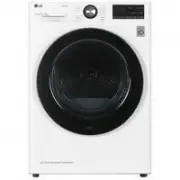 LG DC90V9V9W
Manual
LG DC90V9V9W
Manual
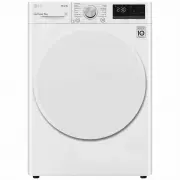 LG DVH45-08W
User Manual
LG DVH45-08W
User Manual
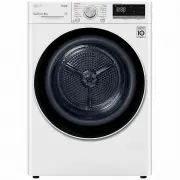 LG DVH5-08W
User Manual
LG DVH5-08W
User Manual
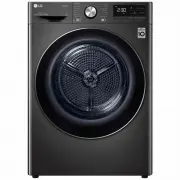 LG DVH9-08B
User Manual
LG DVH9-08B
User Manual
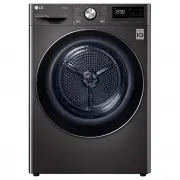 LG DVH9-09B
User Manual
LG DVH9-09B
User Manual
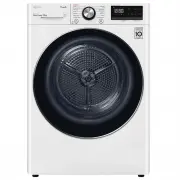 LG DVH9-09W
User Manual
LG DVH9-09W
User Manual
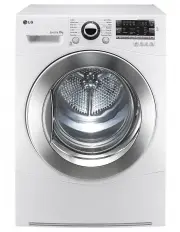 LG TD-C801H
User Manual
LG TD-C801H
User Manual
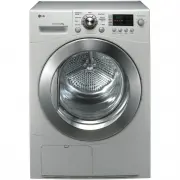 LG TD-C8031E
User Manual
LG TD-C8031E
User Manual
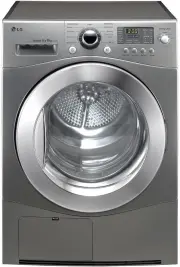 LG TD-C8035E
User Manual
LG TD-C8035E
User Manual
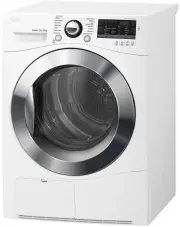 LG TD-C80NPW
User Manual
LG TD-C80NPW
User Manual
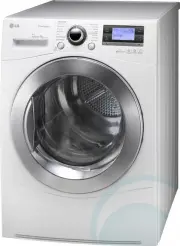 LG TDC901H
User Manual
LG TDC901H
User Manual
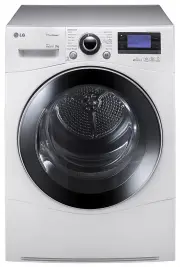 LG TD-C902H
User Manual
LG TD-C902H
User Manual
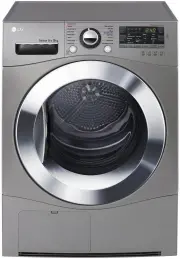 LG TD-C90NPE
User Manual
LG TD-C90NPE
User Manual
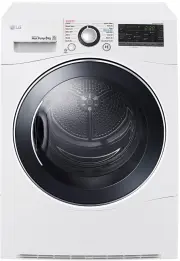 LG TD-H802SJW
User Manual
LG TD-H802SJW
User Manual
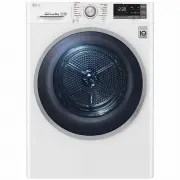 LG TD-H803CSW
User Manual
LG TD-H803CSW
User Manual
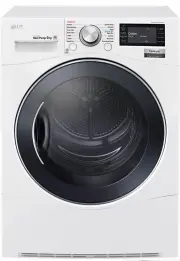 LG TD-H901MW
User Manual
LG TD-H901MW
User Manual
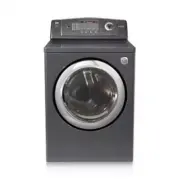 LG DLE0442G
User Manual
LG DLE0442G
User Manual
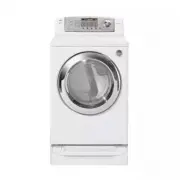 LG DLE0442W
User Manual
LG DLE0442W
User Manual