Page 2 - TABLE OF CONTENTS
2 TABLE OF CONTENTS TABLE OF CONTENTS 3 SAFETY INSTRUCTIONS 4 IMPORTANT SAFETY INSTRUCTIONS 7 GROUNDING INSTRUCTIONS 8 PRODUCT FEATURES 9 PRODUCT OVERVIEW 9 Parts9 Accessories9 Safety Tether Kit 9 Two-Way Reversible Door (on some models) 10 INSTALLATION 10 Installation Overview10 Product Specificati...
Page 3 - SAFETY INSTRUCTIONS; READ ALL INSTRUCTIONS BEFORE USE; WARNING; vicinity of this or any other appliance.
3 SAFETY INSTRUCTIONS IMPORTANT SAFETY INSTRUCTIONS READ ALL INSTRUCTIONS BEFORE USE Safety for a Dryer WARNING WARNING: Fire HazardFailure to follow safety warnings exactly could result in serious injury, death or property damage.Do not install a booster fan in the exhaust duct.Install all clothes ...
Page 4 - WARNING - RISK OF FIRE; and increase the risk of fire.; DANGER
4 SAFETY INSTRUCTIONS WARNING - RISK OF FIRE Install the clothes dryer according to the manufacturer’s instructions and local codes. • Clothes dryer installation must be performed by a qualified installer.• Do not install a clothes dryer with flexible plastic venting materials. If flexible metal (fo...
Page 6 - SAVE THESE INSTRUCTIONS
6 SAFETY INSTRUCTIONS Operation • Read all instructions before using the appliance. • Do not dry articles that have been previously cleaned in, washed in, soaked in, or spotted with gasoline, dry-cleaning solvents, or other flammable or explosive substances, as they give off vapors that could ignite...
Page 7 - GROUNDING INSTRUCTIONS
7 SAFETY INSTRUCTIONS GROUNDING INSTRUCTIONS WARNING Improper connection of the equipment-grounding conductor may result in a risk of electric shock. Check with a qualified electrician or service person if you are in doubt that the appliance is properly grounded. • This appliance must be grounded. I...
Page 8 - PRODUCT FEATURES; Flow SenseTM Duct Blockage Sensing System Indicator; LG ThinQTM
8 PRODUCT FEATURES PRODUCT FEATURES Easy-to-Use Control Panel An entire selection of user-friendly functions make operating the dryer easy. Two-Way Easy-Access Reversing Door The LG EasyLoad™ can be tilted open from the top, hamper-style, allowing you to easily load the dryer without items falling o...
Page 9 - PRODUCT OVERVIEW; Parts; Accessories; Safety Tether Kit; Two-Way Reversible Door
9 PRODUCT OVERVIEW PRODUCT OVERVIEW Parts Control panel Leveling feet Reversible door Power cord location (gas models) Water inlet valve (on some models) Exhaust duct outlet Terminal block access panel (electric models) Gas connection location (gas models) Lint filter Accessories Included Accessorie...
Page 10 - INSTALLATION; Installation Overview; Dryer Models
10 INSTALLATION INSTALLATION Installation Overview Please read the following installation instructions first after purchasing this product or transporting it to another location. Check and choose the proper location Connect the inlet hose (steam models) Connect gas dryers Connect electric dryers Plu...
Page 11 - Installation Location Requirements; Clearances; Installation Spacing for Recessed Area or Closet Installation
11 INSTALLATION Installation Location Requirements WARNING Read all installation instructions completely before installing and operating your dryer! It is important that you review this entire manual before installing and using your dryer. Detailed instructions concerning electrical connections, gas...
Page 12 - Installation Spacing for Recessed Area or Closet; Installation Spacing for Cabinet
12 INSTALLATION Closet Ventilation Requirements Closets with doors must have both an upper and lower vent to prevent heat and moisture buildup in the closet. One upper vent opening with a minimum opening of 48 sq. in. (310 cm 2 ) must be installed no lower than 6 feet above the floor. One lower vent...
Page 13 - Leveling the Dryer; Reversing the Door; Before you Begin; Tools Required
13 INSTALLATION Leveling the Dryer WARNING To reduce the risk of injury to persons, adhere to all industry recommended safety procedures including the use of long-sleeved gloves and safety glasses. Failure to follow this warning may result in serious injury or death. • The appliance is heavy. Two or...
Page 14 - Door Reversal Instructions; Swing door
14 INSTALLATION c. Remove the hinge cover by gently prying it up with a flat blade screwdriver, being careful not to scratch the paint. Rotate the hinge cover 180 degrees and install it on the opposite side, where the hinge was attached. 4 With the door on a protected surface, remove all screws on e...
Page 15 - CAUTION
15 INSTALLATION 7 Reinstall the door. While supporting the door, install the four hinge screws removed in step 2. Test the swing of the door to make sure the hinges and latch are properly aligned and that the door opens, closes and latches properly in both directions. Swing Door Easy load door (on s...
Page 21 - Installing the Side Vent Kit; Option 1: Side Venting
21 INSTALLATION Installing the Side Vent Kit WARNING • Use a heavy metal vent. • Do not use plastic or thin foil ducts. • Clean old ducts before installing this dryer. • To reduce the risk of injury to persons, adhere to all industry recommended safety procedures including the use of long-sleeved gl...
Page 22 - Venting the Dryer; Ductwork
22 INSTALLATION Venting the Dryer WARNING To reduce the risk of fire or explosion, electric shock, property damage, injury to persons or death when using this appliance, follow basic safety precautions, including the following: • Do not crush or collapse ductwork. Failure to follow these instruction...
Page 23 - Routing And Connecting Ductwork; Correct Venting
23 INSTALLATION Routing And Connecting Ductwork NOTE Follow the guidelines below to maximize drying performance and reduce lint buildup and condensation in the ductwork. Ductwork and fittings are NOT included and must be purchased separately. • Use 4-inch (10.2 cm) diameter rigid, semi-rigid or flex...
Page 24 - Connecting the Inlet Hose
24 INSTALLATION Connecting the Inlet Hose (Steam Models) The dryer must be connected to the cold water tap using a new water supply hose. Do not use old hoses. NOTE • Water supply pressure must be between 20 and 120 psi (138—827 kPa) . • Do not strip or cross-thread when connecting the inlet hose to...
Page 25 - Connecting Gas Dryers; Gas Supply Requirements
25 INSTALLATION Connecting Gas Dryers WARNING To reduce the risk of fire or explosion, electric shock, property damage, injury to persons, or death when using this appliance, follow basic safety precautions. Gas Supply Requirements • As shipped from the factory, this dryer is configured for use with...
Page 26 - Connecting the Gas Supply; High-altitude Installations
26 INSTALLATION Connecting the Gas Supply • Installation and service must be performed by a qualified installer, service agency, or the gas supplier. Failure to do so may result in fire, explosion, or death. • Use only a new stainless steel flexible connector and a new AGA-certified connector. Failu...
Page 27 - Connecting Electric Dryers; Electrical Requirements for Electric
27 INSTALLATION Connecting Electric Dryers Electrical Requirements for Electric Models Only WARNING To help prevent fire, electric shock, serious injury, or death, the wiring and grounding must conform to the latest edition of the National Electrical Code, ANSI/NFPA 70 and all applicable local regul...
Page 29 - Four-Wire Direct Wire
29 INSTALLATION Four-Wire Direct Wire • A UL-listed strain relief is required. • Use UL-listed 4-wire #10 AWG- minimum copper conductor cable. Allow at least 5 ft. (1.5 m) of wire to allow for removal and reinstallation of the dryer. 1 Remove 5-inch (12.7 cm) of the outer covering from the wire. Rem...
Page 30 - Three-Wire Power Cord
30 INSTALLATION Three-Wire Power Cord • A 3-wire connection is NOT permitted on new construction after January 1, 1996. • A UL-listed strain relief is required. • Use a 30-amp, 240-volt, 3-wire, UL-listed power cord with #10 AWG-minimum copper conductor and closed loop or forked terminals with uptur...
Page 31 - Three-Wire Direct Wire; Final Installation Check; Testing Dryer Heating; Checking Airflow
31 INSTALLATION Three-Wire Direct Wire • A 3-wire connection is NOT permitted on new construction after January 1, 1996. • A UL-listed strain relief is required. • Use UL-listed 3-wire, #10 AWG-minimum copper conductor cable. Allow at least 5 ft. (1.5 m) length to allow for removal and installation ...
Page 33 - Restricted or Blocked Airflow
33 INSTALLATION • Check the duct condition If the Flow Sense TM LED is turned on, check the exhaust system for restrictions and damage. Repair or replace the exhaust system as needed. NOTE When the dryer is first installed, this test should be performed to alert you to any existing problems with the...
Page 34 - OPERATION; Using the Dryer
34 OPERATION OPERATION WARNING To reduce the risk of fire, electric shock, or injury to persons, read this entire manual, including the IMPORTANT SAFETY INSTRUCTIONS, before operating this dryer. Using the Dryer 1 Clean the Lint Filter If the lint filter has not already been cleaned, lift out the fi...
Page 35 - Check the Lint Filter Before; Fabric Care Labels; Loading the Dryer
35 OPERATION Check the Lint Filter Before Every Load Always make sure the lint filter is clean before starting a new load; a clogged lint filter will increase drying time. To clean, pull the lint filter straight up and roll any lint off the filter with your fingers. Do not rinse or wash the filter t...
Page 36 - Using the LG EasyLoad; Swing Door
36 OPERATION Using the LG EasyLoad TM Swing Door Use the swing door when unloading, or when loading bulkier items, for easy access to the drum.To open the swing door, grasp the top of the door on the side opposite the hinge and pull. NOTE Make sure the hamper door release is completely closed before...
Page 37 - Control Panel
37 OPERATION Control Panel 1 2 3 5 6 4 8 4 7 NOTE Model numbers can be found on the cabinet inside the door. 1 POWER Button Press to turn the dryer ON. Press again to turn the dryer OFF. NOTE Pressing the POWER button during a cycle will cancel that cycle and any load settings will be lost. 2 Cycle ...
Page 39 - Cycle Guide
39 OPERATION Cycle Guide Cycle Fabric Type Dry Level Temp. More Time/ Less Time Wrinkle Care Turbo Steam Damp Dry Signal Reduce Static Energy Saver Steam Fresh TM Comforter, Shirts,Trousers (except especially delicate fabrics) Off Med. High Adjustable Steam Sanitary TM Comforter, Bedding, Children’s...
Page 41 - Cycle Settings and Options; Cycle Modifier Buttons; Cycle Option Buttons
41 OPERATION Cycle Settings and Options Cycle Modifier Buttons SENSOR DRY cycles have preset settings that are selected automatically. MANUAL DRY cycles have default settings, but you may also customize the settings using the cycle modifier buttons. Press the button for that option to view and selec...
Page 42 - Special Functions
42 OPERATION Special Functions Some cycle option buttons also activate secondary functions. These special functions are marked with an asterisk (*). Press and hold the option button marked with the special function to activate it. * Drum Light The drum is equipped with a blue LED that illuminates wh...
Page 43 - Steam Functions
43 OPERATION Steam Functions LG’s new steam technology allows you to inject fabrics with a swirling jet of hot steam to refresh clothes and reduce static, or sanitize clothes. Simply select the Steam Fresh™ cycle or the Steam Sanitary™ cycle. Or you can add a steam option to selected cycles. Using t...
Page 44 - Steam Cycle Guide
44 OPERATION WARNING • Do not open the dryer door during steam cycles. Failure to follow this warning can cause serious injury or death. • Do not fill the steam feeder with gasoline, drycleaning solvents, or other flammable or explosive substances. Failure to do so can result in death, explosion, fi...
Page 45 - SMART FUNCTIONS; LG ThinQ Application; Before Using LG ThinQ; Installing the LG ThinQ Application
45 SMART FUNCTIONS SMART FUNCTIONS LG ThinQ Application The LG ThinQ application allows you to communicate with the appliance using a smartphone. Before Using LG ThinQ 1 Use a smartphone to check the strength of the wireless router (Wi-Fi network) near the appliance. • If the distance between the ap...
Page 46 - LG ThinQ Application Features
46 SMART FUNCTIONS LG ThinQ Application Features Dryer Cycle Download new and specialized cycles that are not included in the standard cycles on the appliance.Appliances that have been successfully registered can download a variety of specialty cycles specific to the appliance.Only one cycle can be ...
Page 47 - Wireless LAN Module Specifications; FCC Notice (For transmitter module; Open Source Software Notice
47 SMART FUNCTIONS Wireless LAN Module Specifications Frequency Range 2412 MHz to 2462 MHz Output Power (Max) IEEE 802.11b: 22.44 dBm IEEE 802.11g: 24.68 dBm IEEE 802.11n: 24.11 dBm FCC Notice (For transmitter module contained in this product) This equipment has been tested and found to comply with ...
Page 48 - Smart Diagnosis; Using LG ThinQ to Diagnose Issues
48 SMART FUNCTIONS Smart Diagnosis This feature is only available on models with the or logo. Use this feature to help you diagnose and solve problems with your appliance. NOTE • For reasons not attributable to LGE’s negligence, the service may not operate due to external factors such as, but not li...
Page 49 - MAINTENANCE; Regular Cleaning; Cleaning the Exterior; Cleaning the Interior
49 MAINTENANCE MAINTENANCE Regular Cleaning WARNING To reduce the risk of fire, electric shock, or injury to persons when using this appliance, follow basic precautions, including the following: • Unplug the dryer before cleaning to avoid the risk of electric shock. Failure to follow this warning ma...
Page 50 - TROUBLESHOOTING; FAQs: Frequently Asked Questions; User Support Videos
50 TROUBLESHOOTING TROUBLESHOOTING FAQs: Frequently Asked Questions Q: When I press a button, why does my dryer beep and then nothing happens? A: The Control Lock feature is turned on. To turn off Control Lock, turn the dryer on, then press and hold the button that has *Control Lock on or under it f...
Page 51 - Before Calling for Service; Operation
51 TROUBLESHOOTING Before Calling for Service This dryer is equipped with an automatic error-monitoring system to detect and diagnose problems at an early stage. If the dryer does not function properly or does not function at all, check the following before you call for service. Operation Problem Po...
Page 54 - Performance
54 TROUBLESHOOTING Performance Problem Possible Cause Solutions Greasy or dirty spots on clothes Fabric softener used incorrectly. Confirm and follow the instructions provided with your fabric softener. Clean and dirty clothes are being dried together. Use your dryer to dry only clean items. Soil fr...
Page 57 - Error Codes
57 TROUBLESHOOTING Error Codes Problem Possible Cause Solutions Error code: tE1 through tE7 Temperature sensor failure. Turn off the dryer and call for service. Display shows error code: PS (electric dryers only) Power cord is connected incorrectly. Check the connection of the power cord to the term...
Page 62 - Memo
Page 65 - SECADORA; MANUAL DEL PROPIETARIO; ESPAÑOL
SECADORA MANUAL DEL PROPIETARIO Lea detenidamente el manual del propietario antes de poner el electrodoméstico en funcionamiento y consérvelo a mano en todo momento para su referencia. DLEX7900*E DLGX7901*E DLEX7800*E DLGX7801*E DLEX7880*E DLGX7881*E www.lg.com Copyright © 2019-2020 LG Electronics I...
Page 66 - ÍNDICE
2 ÍNDICE ÍNDICE 3 INSTRUCCIONES DE SEGURIDAD 4 INSTRUCCIONES IMPORTANTES DE SEGURIDAD 7 INSTRUCCIONES DE CONEXIÓN A TIERRA 8 CARACTERÍSTICAS DEL PRODUCTO 9 DESCRIPCIÓN GENERAL DEL PRODUCTO 9 Partes9 Accesorios9 Kit de fijación de seguridad 9 Puerta reversible de doble sentido (en algunos modelos) 10...
Page 67 - INSTRUCCIONES DE SEGURIDAD; INSTRUCCIONES IMPORTANTES DE SEGURIDAD; LEA TODAS LA INSTRUCCIONES ANTES DE USAR; ADVERTENCIA; • QUÉ HACER SI HUELE GAS
3 INSTRUCCIONES DE SEGURIDAD INSTRUCCIONES IMPORTANTES DE SEGURIDAD LEA TODAS LA INSTRUCCIONES ANTES DE USAR Medidas de seguridad para una Secadora ADVERTENCIA ADVERTENCIA: Peligro de incendioNo seguir exactamente las advertencias de seguridad podría provocar lesiones graves, la muerte o daños a la ...
Page 68 - ADVERTENCIA - RIESGO DE INCENDIO; y los códigos locales.; PELIGRO
4 INSTRUCCIONES DE SEGURIDAD ADVERTENCIA - RIESGO DE INCENDIO Instale la secadora de ropa de acuerdo con las instrucciones del fabricante y los códigos locales. • La instalación de la secadora de ropa debe ser realizada por un técnico calificado. • No instale la secadora de ropa con materiales de ve...
Page 70 - GUARDE ESTAS INSTRUCCIONES
6 INSTRUCCIONES DE SEGURIDAD GUARDE ESTAS INSTRUCCIONES Funcionamiento • Lea todas las instrucciones antes de usar el aparato. • No seque prendas que hayan sido limpiadas, lavadas, remojadas o salpicadas previamente con gasolina, solventes de limpieza en seco u otras sustancias inflamables o explosi...
Page 72 - CARACTERÍSTICAS DEL PRODUCTO; Panel de control fácil de usar
8 CARACTERÍSTICAS DEL PRODUCTO CARACTERÍSTICAS DEL PRODUCTO Panel de control fácil de usar Una completa selección de funciones de fácil manejo simplifica la operación de la secadora. Puerta reversible de doble sentido para un fácil acceso La función LG EasyLoad™ le permite abrir la puerta desde la p...
Page 73 - DESCRIPCIÓN GENERAL DEL PRODUCTO; Partes; Kit de fijación de seguridad; Puerta reversible de doble
9 DESCRIPCIÓN GENERAL DEL PRODUCTO DESCRIPCIÓN GENERAL DEL PRODUCTO Partes Panel de control Patas niveladoras Puerta reversible Ubicación del cable eléctrico (Modelos a gas) Valvula de entrada de agua (en algunos modelos) Salida del conducto de escape Panel de acceso del bloque terminal (Modelos elé...
Page 74 - INSTALACIÓN; Descripción general de la instalación; Especificaciones del producto
10 INSTALACIÓN INSTALACIÓN Descripción general de la instalación Lea las siguientes instrucciones de instalación en primer lugar, después de comprar este producto o transportarlo a otra ubicación. Verifique y elija la ubicación adecuada Conecte la manguera de entrada (modelos de vapor) Conecte las s...
Page 75 - Requisitos del lugar de instalación; Espacios libres; Separación para instalación en áreas cerradas o armarios
11 INSTALACIÓN Requisitos del lugar de instalación ADVERTENCIA ¡Lea todas las instrucciones de instalación antes de instalar y operar su secadora! Es importante que revise este manual por completo antes de instalar y usar su secadora. En las siguientes páginas, se proporcionan instrucciones detallad...
Page 76 - Separación para instalación en gabinetes
12 INSTALACIÓN Requisitos de ventilación para armarios Los armarios con puertas deben tener ventilación tanto en la parte superior como en la inferior para evitar la acumulación de calor y humedad dentro del armario. Se debe instalar una abertura de ventilación superior con una apertura mínima de 48...
Page 77 - Nivelación de la secadora; Inversión de la puerta; Antes de comenzar; Herramientas necesarias
13 INSTALACIÓN Nivelación de la secadora ADVERTENCIA Para reducir el riesgo de lesiones personales, cumpla con todos los procedimientos de seguridad recomendados por la industria, incluso el uso de guantes con mangas largas y gafas de seguridad. Si no se cumple con esta advertencia, se pueden produc...
Page 78 - Instrucciones para la puerta reversible; Puerta abatible
14 INSTALACIÓN c. Retire la cubierta de la bisagra mediante un suave movimiento de palanca con un destornillador de punta plana, cuidando de no rayar la pintura. Gire la cubierta de la bisagra 180 grados e instálela en el lado opuesto, donde estaba sujeta la bisagra. 4 Con la puerta colocada sobre u...
Page 79 - Puerta de apertura superior; PRECAUCIÓN
15 INSTALACIÓN 7 Reinstale la puerta. Mientras sujeta la puerta, instálela con los cuatro tornillos de bisagra retirados en el paso 2. Pruebe el movimiento de apertura y cierre de la puerta para asegurarse de que las bisagras y el pestillo están correctamente alineados y que la puerta abre, cierra y...
Page 85 - Instalación del kit de; Opción 1: Ventilación lateral
21 INSTALACIÓN Instalación del kit de ventilación lateral ADVERTENCIA • Utilice material para ventilación de metal pesado. • No utilice conductos de plástico ni de lámina de metal. • Limpie los conductos antiguos antes de instalar esta secadora. • Para reducir el riesgo de lesiones personales, cumpl...
Page 86 - Ventilación de la secadora; Conductos
22 INSTALACIÓN Ventilación de la secadora ADVERTENCIA Para reducir el riesgo de incendio o explosión, descargas eléctricas, daños a la propiedad, lesiones personales o la muerte al usar este aparato, siga las precauciones básicas de seguridad, incluso lo siguiente: • No aplaste ni haga colapsar los ...
Page 87 - Recorrido y conexión de los conductos; Ventilación correcta
23 INSTALACIÓN Recorrido y conexión de los conductos NOTA Siga las pautas a continuación para maximizar el rendimiento de secado, para reducir la acumulación de pelusa y la condensación en los conductos. Los conductos y las conexiones NO están incluidos y deben adquirirse por separado. • Use conduct...
Page 88 - Conexión de la manguera de entrada
24 INSTALACIÓN Conexión de la manguera de entrada (modelos de vapor) La secadora debe conectarse al grifo de agua fría mediante una manguera de suministro de agua nueva. No utilice mangueras viejas. NOTA • La presión del suministro de agua debe ser de entre 20 y 120 psi (138 a 827 kPa). • No dañe ni...
Page 89 - Conexión de secadoras de gas; Requisitos de suministro de gas
25 INSTALACIÓN Conexión de secadoras de gas ADVERTENCIA Para reducir el riesgo de incendio o explosión, descargas eléctricas, daños a la propiedad, lesiones personales o la muerte al usar este aparato, siga las precauciones básicas de seguridad. Requisitos de suministro de gas • Esta secadora está c...
Page 90 - Conexión del suministro de gas; Instalaciones en lugares de gran
26 INSTALACIÓN Conexión del suministro de gas • La instalación y el mantenimiento deben ser realizados por un instalador, una agencia de mantenimiento o una compañía de gas calificados. Si esto no se cumple, se podrá producir una explosión, un incendio o la muerte. • Utilice únicamente un conector f...
Page 91 - Conexión de secadoras; Requisitos eléctricos para modelos
27 INSTALACIÓN Conexión de secadoras eléctricas Requisitos eléctricos para modelos eléctricos únicamente ADVERTENCIA Para ayudar a evitar incendios, descargas eléctricas, lesiones graves o la muerte, el cableado y la descarga a tierra deben cumplir con la última edición del Código Eléctrico Nacional...
Page 92 - Cable de alimentación de cuatro hilos
28 INSTALACIÓN ADVERTENCIA Conecte el cable de alimentación al bloque de bornes. Cada alambre de color debe conectarse al tornillo del mismo color. El alambre del color indicado en el manual se conecta al tornillo del bloque del mismo color. Si no se siguen estas instrucciones, se podría producir un...
Page 93 - Conexión directa de cuatro hilos
29 INSTALACIÓN Conexión directa de cuatro hilos • Se requiere un aliviador de tensión homologado por UL. • Use un cable conductor de cobre de 4 hilos homologado por UL N.° 10 AWG como mínimo. Deje un mínimo de 5 pies (1,5 m) de longitud de cable para poder retirar y reinstalar la secadora. 1 Retire ...
Page 94 - Cable de alimentación de tres hilos
30 INSTALACIÓN Cable de alimentación de tres hilos • NO se permite una conexión de 3 hilos en construcciones nuevas posteriores al 1 de enero de 1996. • Se requiere un aliviador de tensión homologado por UL. • Use un cable de alimentación de 30 amperios, 240 voltios, de 3 hilos homologado por UL con...
Page 95 - Conexión directa de tres hilos; Revisión final de la instalación; Prueba de calentamiento de la; Revisión del flujo de aire
31 INSTALACIÓN Conexión directa de tres hilos • NO se permite una conexión de 3 hilos en construcciones nuevas posteriores al 1 de enero de 1996. • Se requiere un aliviador de tensión homologado por UL. • Use un cable conductor de cobre de 3 hilos homologado por UL N.° 10 AWG como mínimo. Deje un mí...
Page 96 - Prueba de instalación
32 INSTALACIÓN Prueba de instalación (Revisión de conductos) Después de completar la instalación de la secadora, haga esta prueba para asegurarse de que las condiciones del sistema de escape sean las adecuadas para el funcionamiento correcto de la secadora. Esta prueba debe realizarse para indicarle...
Page 97 - Flujo de aire restringido o bloqueado
33 INSTALACIÓN • Verifique las condiciones del conducto Si el LED de Flow Sense TM está encendido, revise el sistema de escape para verificar que no haya restricciones ni daños. Repare o reemplace el sistema de escape según sea necesario. NOTA Cuando recién se instale la secadora, debe realizarse es...
Page 98 - FUNCIONAMIENTO; Cómo usar la secadora
34 FUNCIONAMIENTO FUNCIONAMIENTO ADVERTENCIA Para reducir el riesgo de incendio, descargas eléctricas o lesiones personales, lea este manual por completo, incluso las INSTRUCCIONES IMPORTANTES DE SEGURIDAD, antes de operar esta secadora. Cómo usar la secadora 1 Limpie el filtro de pelusa Si el filtr...
Page 99 - Revise el filtro de pelusa antes; Clasificación de cargas; Agrupe prendas similares; Carga de la secadora
35 FUNCIONAMIENTO Revise el filtro de pelusa antes de cada carga Asegúrese siempre de que el filtro de pelusa esté limpio antes de iniciar una carga nueva; un filtro de pelusa bloqueado incrementará los tiempos de secado. Para limpiarlo, tire del filtro de pelusa hacia arriba y, con los dedos, haga ...
Page 100 - Uso de la función LG
36 FUNCIONAMIENTO Uso de la función LG EasyLoad TM Puerta abatible Utilice la puerta abatible para cargar o descargar prendas más voluminosas y así para tener un fácil acceso al tambor.Para abrir la puerta abatible, tome la parte superior de la puerta del lado contrario a las bisagras y tire. NOTA A...
Page 101 - Panel de control
37 FUNCIONAMIENTO Panel de control 1 2 3 5 6 4 8 4 7 NOTA Los números de los modelos se encuentran en el gabinete, dentro de la puerta. 1 Botón POWER (Encendido) Presione para ENCENDER la secadora. Presione nuevamente para APAGAR la secadora. NOTA Si presiona el botón POWER durante un ciclo, se canc...
Page 103 - Guía de ciclos
39 FUNCIONAMIENTO Guía de ciclos Ciclo Tipo de tela Nivel de secado Temperatura Más tiempo/ Menos tiempo Cuidado de arrugas Turbo Steam Sonido de secado húmedo Reduc- ción estática El ahorro de energía SteamFresh TM Acolchados, camisas, pantalones (excepto prendas muy delicadas) Apagado Medio Alta R...
Page 105 - Ajustes y opciones de ciclo; Botones de modificación de ciclo
41 FUNCIONAMIENTO Ajustes y opciones de ciclo Botones de modificación de ciclo Los ciclos SENSOR DRY tienen ajustes predefinidos que se seleccionan de manera automática. Los ciclos MANUAL DRY tienen ajustes predeterminados, pero también pueden personalizarse a través de los botones de modificación d...
Page 106 - Funciones especiales
42 FUNCIONAMIENTO Funciones especiales Algunos botones de opciones de ciclo también activan funciones secundarias. Estas funciones especiales están indicadas con un asterisco (*). Mantenga presionado el botón de opción que indica la función especial para activarla. * DRUM LIGHT (ILUMINACIÓN DEL TAMB...
Page 107 - Funciones de vapor
43 FUNCIONAMIENTO Funciones de vapor La nueva tecnologia de vapor de LG le permite inyectar las telas con un chorro giratorio de vapor caliente para refrescar las prendas, reducir la estatica. Simplemente seleccione el ciclo Steam Fresh™ o Steam Sanitary™. o agregue la opción vapor a los ciclos sele...
Page 108 - Guía de ciclo de vapor
44 FUNCIONAMIENTO ADVERTENCIA • No abra la puerta de la secadora durante ciclos de vapor. Si no se cumple con esto se podrá producir una explosión, incendio, quemaduras o muerte. • No llene el alimentador de vapor con gasolina, solventes para limpieza en seco, u otras sustancias inflamables o explos...
Page 109 - FUNCIONES INTELIGENTES; FUNCIONES; Aplicación LG ThinQ; Previo a utilizar LG ThinQ; Instalando la Aplicación LG ThinQ
45 FUNCIONES INTELIGENTES FUNCIONES INTELIGENTES Aplicación LG ThinQ La aplicación LG ThinQ le permite comunicarse con el electrodoméstico usando un teléfono inteligente. Previo a utilizar LG ThinQ 1 Utilice un teléfono inteligente para verificar la potencia del enrutador (Red Wi-Fi) cerca del elect...
Page 110 - Características de la Aplicación LG; Ciclo del secador; Usando el Remote Start; Deshabilitando Inicio Remoto
46 FUNCIONES INTELIGENTES Características de la Aplicación LG ThinQ Ciclo del secador Descargue ciclos nuevos y especiales que no se encuentran incluidos en los ciclos básicos del artefacto.Los artefactos que se encuentran correctamente registrados tienen la posibilidad de descargar una variedad de ...
Page 111 - Especificaciones módulo LAN inalámbrico; Aviso de la FCC (para el módulo transmisor; Información de anuncio de
47 FUNCIONES INTELIGENTES Especificaciones módulo LAN inalámbrico Rango de frecuencia 2412 - 2462 MHz Rango de frecuencia (max.) IEEE 802.11b: 22.44 dBm IEEE 802.11g: 24.68 dBm IEEE 802.11n: 24.11 dBm Aviso de la FCC (para el módulo transmisor contenido en este producto) Este equipo fue probado y se...
Page 112 - Función Smart Diagnosis TM; Uso de LG ThinQ para diagnosticar
48 FUNCIONES INTELIGENTES Función Smart Diagnosis ™ (Diagnóstico Inteligente) Esta característica solo está disponible en el modelo con el logo o . Utilice esta función como ayuda para diagnosticar y resolver problemas con su electrodoméstico. NOTA • Por motivos no atribuibles a la negligencia de LG...
Page 113 - MANTENIMIENTO; Limpieza regular; Limpieza del exterior; Limpieza del interior
49 MANTENIMIENTO MANTENIMIENTO Limpieza regular ADVERTENCIA Para reducir el riesgo de incendio, descargas eléctricas o lesiones personales al usar este equipo, siga las precauciones básicas, incluso lo siguiente: • Desenchufe la secadora antes de la limpieza para evitar el riesgo de descargas eléctr...
Page 114 - SOLUCIÓN DE PROBLEMAS; Preguntas frecuentes
50 SOLUCIÓN DE PROBLEMAS SOLUCIÓN DE PROBLEMAS Preguntas frecuentes P: Cuando presiono un botón, ¿por qué la secadora emite un pitido y luego no sucede nada? R: La función Control Lock está activada. Para desactivar Control Lock, encienda la secadora y, luego, mantenga presionado el botón con la ind...
Page 115 - Antes de llamar al servicio técnico; Funcionamiento
51 SOLUCIÓN DE PROBLEMAS Antes de llamar al servicio técnico Su secadora está equipada con un sistema de monitoreo de errores automático para la detección y el diagnóstico de problemas en una etapa temprana. Si su secadora no funciona correctamente o no funciona en absoluto, consulte la siguiente in...
Page 118 - Rendimiento
54 SOLUCIÓN DE PROBLEMAS Rendimiento Problema Causa posible Soluciones Manchas de grasa o suciedad en la ropa. No se usó correctamente el suavizante de ropa. Confirme y siga las instrucciones provistas por el fabricante del suavizante. Se están secando juntas ropa limpia y sucia. Use la secadora par...
Page 121 - Códigos de error
57 SOLUCIÓN DE PROBLEMAS Códigos de error Problema Causa posible Soluciones Código de error: tE1 a tE7. Falla del sensor de temperatura. Apague la secadora y llame al servicio técnico. La pantalla muestra el código de error: PS (solo para secadoras eléctricas). El cable de alimentación no está bien ...


 LG DC90V9V9W
Manual
LG DC90V9V9W
Manual
 LG DVH45-08W
User Manual
LG DVH45-08W
User Manual
 LG DVH5-08W
User Manual
LG DVH5-08W
User Manual
 LG DVH9-08B
User Manual
LG DVH9-08B
User Manual
 LG DVH9-09B
User Manual
LG DVH9-09B
User Manual
 LG DVH9-09W
User Manual
LG DVH9-09W
User Manual
 LG TD-C801H
User Manual
LG TD-C801H
User Manual
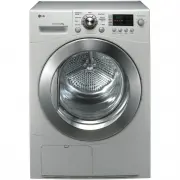 LG TD-C8031E
User Manual
LG TD-C8031E
User Manual
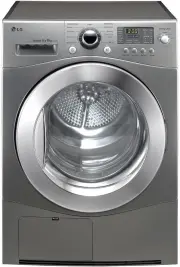 LG TD-C8035E
User Manual
LG TD-C8035E
User Manual
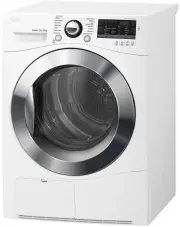 LG TD-C80NPW
User Manual
LG TD-C80NPW
User Manual
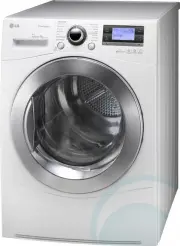 LG TDC901H
User Manual
LG TDC901H
User Manual
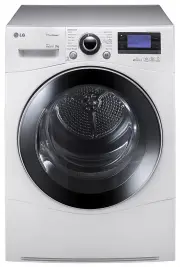 LG TD-C902H
User Manual
LG TD-C902H
User Manual
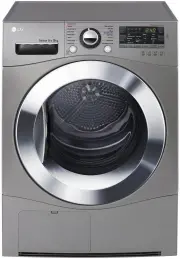 LG TD-C90NPE
User Manual
LG TD-C90NPE
User Manual
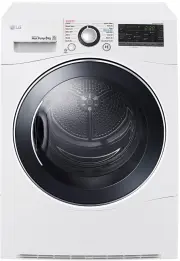 LG TD-H802SJW
User Manual
LG TD-H802SJW
User Manual
 LG TD-H803CSW
User Manual
LG TD-H803CSW
User Manual
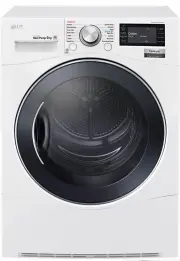 LG TD-H901MW
User Manual
LG TD-H901MW
User Manual
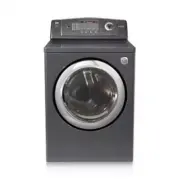 LG DLE0442G
User Manual
LG DLE0442G
User Manual
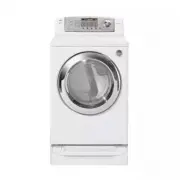 LG DLE0442W
User Manual
LG DLE0442W
User Manual