Page 2 - DRYER; OWNER’S MANUAL
DRYER OWNER’S MANUAL Please read this manual carefully before operatingyour dryer and retain it for future reference. DLEC888WDLEC888RDLEC885W MFL67653090 Rev.06_072318 www.lg.com Copyright © 2016 - 2018 LG Electronics Inc. All Rights Reserved.
Page 3 - Ultra Big Capacity Drum; Reduced drying time; Ease of Use; ontents
2 Ultra Big Capacity Drum The LG Dryer has a large capacity. Reduced drying time Drying time is reduced by the use of an efficient air flow system and an optimized heater. Innovative Noise Reduction The optimized design of the air flow system and the vibration reduction technology helps to reduce no...
Page 4 - afety Instructions; READ ALL INSTRUCTIONS BEFORE USE; Your Safety and the safety of others is very important.; WARNING; GROUNDING INSTRUCTIONS
Safety Instructions 3 S F afety Instructions READ ALL INSTRUCTIONS BEFORE USE BASIC SAFETY PRECAUTIONS Your Safety and the safety of others is very important. We have provided many important safety messages in this manual and on your appliance. Always read and obeyall safety messages. This is the sa...
Page 5 - BASIC SAFETY PRECAUTIONS
Safety Instructions 4 S F afety Instructions • Read all instructions before using the dryer. • Before use, the dryer must be properly installed as described in this manual. • Do not place items exposed to cooking oils in your dryer. Items contaminated with cookingoils may contribute to a chemical re...
Page 6 - SAFETY INSTRUCTIONS FOR INSTALLATION
Safety Instructions 5 S F afety Instructions WARNING To reduce the risk of fire, electric shock, or injury to persons when using thisappliance, follow basic precautions, including the following: SAFETY INSTRUCTIONS FOR INSTALLATION • Properly ground dryer to conform with allgoverning codes and ordin...
Page 7 - SAVE THESE INSTRUCTIONS
Safety Instructions 6 S F afety Instructions SAVE THESE INSTRUCTIONS WARNING To reduce the risk of fire, electric shock, or injury to persons when using thisappliance, follow basic precautions, including the following: • Do not, under any circumstances, cut or remove the ground prong from the power ...
Page 8 - nstallation Instructions; Positioning the Dryer.
Installation Instructions 7 I F nstallation Instructions The following instructions will help guide you through the initial steps of setting up your dryer for use. Please note that every section of this manual provides important information regarding the preparation and use of your dryer, and it is ...
Page 9 - Electrical Connections; Preparation of the Dryer
8 Installation Instructions Prior to the first use of this appliance, use all-purposecleaning products or a solution of detergent and water,with a damp cloth to remove from the inside of thedryer drum/drying compartment any dust or dirt thatmay have accumulated in the inside of the dryer. Plugin you...
Page 10 - Shape; Washer Top plate size; Stacking Kit
9 Installation Instructions I F nstallation Instructions Shape and assembly direction 21 7 / 8 inch (550mm) Washer Top plate size 23 5 / 8 inch (600mm) Stacking Kit In order to stack this dryer an LG stacking kit isrequired. This dryer may only be stacked on top of an LGwasher. DO NOT attempt to sta...
Page 11 - Level the dryer
Installation Instructions 10 Level the dryer 1. Level the dryer is to prevent undesirable noiseand vibration. Locate your dryer on a solid, level floor. Makesure it is not subjected to splashing water orfreezing temperatures. Do not store flammablematerials near the dryer. 2. If the dryer is not pro...
Page 12 - lectrical Requirement; CONNECTING ELECTRIC DRYERS
Electrical Requir ement For E lectric Dryers 11 E F lectrical Requirement CONNECTING ELECTRIC DRYERS Special Electrical Requirements forMobile or Manufactured Homes • This dryer must be connected to a grounded metal,permanent wiring system, or an equipment-grounding conductor must be run with the ci...
Page 13 - a Power supply cord.
Electrical R equir ement For E lectric Dryers 12 E F lectrical Requirement Use the instructions in this section if your home hasa 3-wire receptacle (NEMA type 10-30R) and youwill be using a UL listed, 120/240 volt minimum, 30amp, dryer power supply cord. Review the following options to determine the...
Page 14 - a Power Supply Cord
Electrical Requir ement For E lectric Dryers 13 E F lectrical Requirement 1. Connect neutral wire (white) of power cord to center terminal block screw. 2. Connect ground wire of appliance and neutral wire of power cord to center terminal block screw. 3. Connect red and black wire to the left and rig...
Page 15 - ppearance And Design; Control Panel
Appearance A nd Design 14 A F ppearance And Design Control Panel Additional Function Buttons • More Time • Time Delay • Less Time • Custom PGM • Option • Wrinkle Care • Signal • Drum Light LED Display • Time Display • Indicator Lamps Control Panel Star t/Pause Power Cycle Selector Knob Water Contain...
Page 16 - Operating; perating Your Dryer; Cycle Selection Table; CAUTION
Operating Y o urDryer 15 O F perating Your Dryer Cycle Selection Table CAUTION If the load is less than 2.2lbs (1kg), please use Warm Air cycle in MANUAL DRY cycles Use the Wool cycle for wool items and the Delicates cycle for heat-sensitive fabrics including silk,underwear and lingerie.Be sure to f...
Page 17 - BEFORE YOU USE YOUR DRYER; Place laundr y into the drum after
Operating Y o ur Dryer 16 O F perating Your Dryer BEFORE YOU USE YOUR DRYER 1. When unpacking your dryer, make sure there is no visible damage to the machine. 2. Follow the installation instructions and use a level to ensure proper installation. 3. Check the water reservoir, condenser, door, gasket ...
Page 19 - dditional Functions; Time Delay
Additional Functions 18 A F dditional Functions Note You can only save one Custom PGMprogram at a time. If you press and hold theCustom PGM button for 3 seconds, you willoverwrite any previously stored CustomPGM settings.Once Custom PGM has been recalled, any ofthe memorized modifiers or options can...
Page 20 - More Time / Less Time; Drum Light
Additional Functions 19 A F dditional Functions More Time / Less Time The More Time and Less Time buttons can be used to increase or decrease the dry timewhen MANUAL DRY cycles are selected.These buttons are disabled once the cycle isstarted. Options Gentle - This function keeps the garments more mo...
Page 21 - Turning on the NFC function of the smart phone
Additional Functions 20 A F dditional Functions • The Tag On function allows you to conveniently use the LG SmartDiagnosis™ and Cycle Download features to communicate with your appliance right from your own smart phone. • To use the Tag On function: 1 . Download the LG Smart Laundry & DW App to ...
Page 22 - The Tag On guide
Additional Functions 21 A F dditional Functions • Because of the characteristics of NFC, if the transmission distance is too far, or if there is a metal sticker or a thick case on the phone, transmission will not be good. In some cases, NFC-equipped phones may be unable totransmit successfully. • Pr...
Page 23 - aring For Your Dryer; Clean lint filter; Empty water container
Caring F or Y o ur Dryer 22 C F aring For Your Dryer Note If the dryer is stopped in the middle of acycle, the lint filter may be very hot.Failure to follow these cool downinstructions could result in injury. Clean lint filter To maintain proper air flow and keep your dryeroperating at peak efficien...
Page 24 - Caring; Condenser
Caring F orY o urDryer 23 C F aring For Your Dryer Condenser The condenser is a very important part of your dryer. This is where the moisture is removed form the air so thereis no need for an outside exhaust. If the condenser is not properly maintained, it will greatly increase energyconsumption and...
Page 25 - Moisture Sensor
Caring F or Y o ur Dryer 24 C F aring For Your Dryer Ventilation Grille and Cool Air InletGrille Use a vacuum cleaner to clean the frontventilation grill and the cool air inlet in the back.Failure to remove any lint or dirt buildup willreduce air flow and increase energyconsumption and drying times....
Page 26 - dditional Tips For Smart Use; Below are fabric care labels.; Symbols; Drying Guide
Additional T ipsFor S mart Use 25 A F dditional Tips For Smart Use Woolen Article Dry woolens in wool cycle. Be sure to follow fabriccare label symbols. Wool is not completely driedfrom the program so don't repeat drying. Pullwoolens to their original shape and dry them flat. Woven and loopknit mate...
Page 27 - Spare Parts; Disposal of the dryer
Additional T ips F or Smart U se 26 A F dditional Tips For Smart Use Spare Parts Spare parts are covered under the terms of warranty. Components covered by warranty are provided free of charge. If coverage is expired, spare parts must be purchased from an authorized service center. Disposal of the d...
Page 28 - roubleshooting Guide; Question; Problem: There are greasy spots on my clothes; Question
T roubleshooting G uide 27 T F roubleshooting Guide Troubleshooting Tips Save time and money! Review the charts on the following pages first and you may not need to call for service. 1. Problem: My dryer won’t start Question What to Do Is the dryer plugged in? Is the fuse blown, or is the circuitbre...
Page 29 - Problem: There is static in my clothes after drying
T roubleshooting G uide 28 T F roubleshooting Guide 4. Problem: There is lint on my clothes Question What to Do Is your lint filter full? Did you properly sort your load oflaundry? Do your clothes have excess staticelectricity? Did you overload your dryer? Did you place any paper, tissue, orother si...
Page 30 - Problem: It takes too long for my clothes to dry
T roubleshooting G uide 29 T F roubleshooting Guide 7. Problem: It takes too long for my clothes to dry Question What to Do 8. Problem: My clothes are wrinkled Question What to Do Are you overdrying your laundry? Are you removing your laundry fromthe dryer soon after the drying cycle iscomplete? Ove...
Page 31 - Error Mode; Drum light does not work
T roubleshooting G uide 30 T F roubleshooting Guide Error Mode • LED displays if the door is open. Make sure the door is closed and press the Start/Pause button to operate the dryer. • If display errors continue to occur, unplug the power cord and then call the Service Center. Drum light does not wo...
Page 32 - Using Smart DiagnosisTM; More Time
T roubleshooting G uide 31 T F roubleshooting Guide Should you experience any problems with your dryer, it has the capability of transmitting datato your smart phone using the LG Smart Laundry Application or via your telephone to the LGcall center.Smart Diagnosis™ cannot be activated unless your dry...
Page 33 - echnical Data; Ventilation Requirement; Alcove or
T e chnical D ate 32 T F echnical Data 33 1 / 2 " (850 mm) 25 1 / 4 " (640 mm) 23 5 / 8 " (600 mm) Type : Electric Dryer Rating : Please refer to the rating label regarding detailed information. Size : 23 5 / 8 x 25 1 / 4 x 33 1 / 2 (inch) Capacity : IEC 4.2 cu.ft Weight : 107lb (48.6 kg...
Page 34 - rranty; arranty
W a rranty W F arranty 33 ARBITRATION NOTICE: THIS LIMITED WARRANTY CONTAINS AN ARBITRATION PROVISION THATREQUIRES YOU AND LG TO RESOLVE DISPUTES BY BINDING ARBITRATION INSTEAD OF IN COURT,UNLESS YOU CHOOSE TO OPT OUT. IN ARBITRATION, CLASS ACTIONS AND JURY TRIALS ARE NOTPERMITTED. PLEASE SEE THE SE...
Page 37 - ote
Page 38 - SECADORA; MANUAL DE PROPIETARIO
SECADORA MANUAL DE PROPIETARIO Lea este manual con cuidado antes de utilizar lasecadora y guárdelo para futuras consultas. DLEC888WDLEC888RDLEC885W www.lg.com Copyright © 2016 - 2018 LG Electronics Inc. Todos los Derechos Reservados.
Page 39 - Tambor de capacidad ultragrande; Tiempo de secado reducido; aracterísticas
2 Tambor de capacidad ultragrande LG Secadora tiene una capacidad. Tiempo de secado reducido El tiempo de secado se reduce gracias al uso de un eficaz sistemade flujo de aire y sistema de calor optimizado. Innovador sistema de reducción de ruido El optimizado diseño del sistema de flujo de aire y la...
Page 40 - nstrucciones de seguridad; LEA TODAS LA INSTRUCCIONES ANTES DE USAR; Su Seguridad y la de los dem son de suma importancia.; ADVERTENCIA; precauciones básicas de seguridad, incluyendo las siguientes:; INSTRUCCIONES DE CONEXIÓN A TIERRA
Instrucciones d e seguridad 3 I F nstrucciones de seguridad LEA TODAS LA INSTRUCCIONES ANTES DE USAR PRECAUCIONES BÁSICAS DE SEGURIDAD Su Seguridad y la de los dem son de suma importancia. En este manual y en su electrodoméstico figuran muchos mensajes importantes de seguridad. Lea y cumplasiempre c...
Page 41 - PRECAUCIONES BÁSICAS DE SEGURIDAD
Instrucciones d e seguridad 4 I F nstrucciones de seguridad ADVERTENCIA Una conexión inapropiada del conductor de conexión a tierra del equipo puedeprovocar riesgos de descargas eléctricas. • Lea todas las instrucciones antes de usar la secadora. • Antes de usar, la secadora debe estar correctamente...
Page 42 - INSTRUCCIONES IMPORTANTE PARA LA INSTALACIÓN
Instrucciones d e seguridad 5 I F nstrucciones de seguridad ADVERTENCIA Para reducir el riesgo de incendio, descargas eléctricas o heridas al usar suelectrodoméstico, siga las precauciones básicas, incluyendo lo siguiente: INSTRUCCIONES IMPORTANTE PARA LA INSTALACIÓN • Conecte la secadora adecuadame...
Page 43 - INSTRUCCIONES IMPORTANTE PARA CONECTAR LA ELECTRICIDAD; GUARDE ESTAS INSTRUCCIONES
Instrucciones d e seguridad 6 I F nstrucciones de seguridad INSTRUCCIONES IMPORTANTE PARA CONECTAR LA ELECTRICIDAD ADVERTENCIA Para reducir el riesgo de incendio, descargas eléctricas o heridas al usar suelectrodoméstico, siga las precauciones básicas, incluyendo lo siguiente: • Bajo ninguna circuns...
Page 44 - nstrucciones de instalación
Instrucciones d e instalación 7 I F nstrucciones de instalación Las siguientes instrucciones le servirán de guía a través de los pasos iniciales para la preparación de susecadora para el uso. Por favor note que cada sección de este manual proporciona información importante sobrela preparación y uso ...
Page 45 - Conexión Elèctrica
8 Instrucciones d e instalación I F nstrucciones de instalación Preparación de laSecadora A continuación encontrará advertencias e instruccionesconcernientes a la confección de la conexión eléctricapara secadoras eléctricas. Información detalladaadicional concerniente a la conexión eléctrica essumin...
Page 46 - Forma y; Equipo para apilar
Instrucciones d e instalación 9 Instrucciones d e instalación I F nstrucciones de instalación Forma y dirección de montaje 21,7 pulgadas (550 mm) Tamaño de la placa superior de la lavadora 23,6 pulgadas (600 mm) Equipo para apilar Para apilar esta secadora LG se necesita un kit deapilado. Esta secad...
Page 47 - Nivele la secadora
Instrucciones d e instalación 10 Nivele la secadora 1. Se debe nivelar la secadora para evitar ruidos y vibraciones no deseables. Coloque la secadora en un suelo firme y nivelado.Asegúrese de que en el lugar donde se coloqueno se produzcan salpicaduras de agua nidescensos bruscos de temperatura. No ...
Page 48 - equerimientos eléctricos
11 Requerimientos eléctricos p ara secadora elécrtica R F equerimientos eléctricos CÓMO CONECTAR LASSECADORAS ELÉCTRICAS Requisitos eléctricos especiales paraviviendas móviles o prefabricadas • Esta secadora debe estar conectada a un sistema decableado metálico permanente conectado a tierra, ose deb...
Page 51 - specto y diseño; Panel de control
Aspecto y d iseño 14 A F specto y diseño Panel de control Botones de funciones adicionales • More Time • Time Delay • Less Time • Custom PGM • Option • Wrinkle Care • Signal • Drum Light Pantalla LED • Indicador de tiempo• Luces indicadoras Panel de control Inicio/Pausa Encendido Selector de ciclo C...
Page 52 - uncionamiento de la secadora; Tabla de selección de ciclos; PRECAUCIÓN
Funcionamiento d e la secadora 15 F F uncionamiento de la secadora Tabla de selección de ciclos Si la carga es inferior a 2.2lbs (1kg), use la opción ciclo de calor en ciclo de secado manualLas prendas de lana deben secarse en el Wool program (Programa de lana) y los tejidos sensibles alcalor, como ...
Page 53 - Antes de utilizar la secadora por primera vez; Ponga la ropa en el tambor
Funcionamiento d e la secadora 16 F F uncionamiento de la secadora Antes de utilizar la secadora por primera vez 1. Al desembalar la secadora, asegúrese de que ésta no presenta daños visibles 2. Siga las instrucciones de montaje y utilice un nivel para garantizar que la instalación se realiza de for...
Page 54 - Seleccione el ciclo de secado que; abra la puer ta y saque la ropa.
Funcionamiento d e la secadora 17 F F uncionamiento de la secadora 5. Cierre la puer ta. Antes de cerrar la puerta, es necesario asegurarsede que las prendas estén bien colocadas y que nohaya objetos extraños, especialmente inflamables,atrapados alrededor de la puerta. 6. Seleccione el ciclo de seca...
Page 55 - unciones adicionales
Funciones a dicionales 18 F F unciones adicionales Nota Sólo se puede guardar un programapersonalizado cada vez. Si mantienepresionado el botón Custom PGM (Programapersonalizado) durante 3 segundos, sesobrescribirá la configuración almacenadaanteriormente en programa personalizado.Una vez recuperado...
Page 57 - • Para usar la función Tag On:; Activación de la función NFC en el smartphone; • El proceso de activación de NFC
Funciones a dicionales 20 F F unciones adicionales • La función Tag On le permite utilizar cómodamente las funciones LG SmartDiagnosis™ y Descarga de ciclo para comunicarse con su aparato directamente desde su propiosmartphone. • Para usar la función Tag On: 1 . Descargue la aplicación LG Smart Laun...
Page 58 - sobre cómo usar la función Tag On.; Manual de Tag On
Funciones a dicionales 21 F F unciones adicionales • Debido a las características de la tecnología NFC, si la distancia de transmisión es demasiado grande o el teléfono tiene un adhesivo metálico o una funda gruesa colocada, lacalidad de transmisión podría no ser buena. Puede que, en algunos casos, ...
Page 59 - uidado de la secadora; Limpie el filtro de pelusas; Vacíe el contenedor de agua
C u id a d od el as c a d o r a 22 C F uidado de la secadora Limpie el filtro de pelusas Para mantener un caudal de aire adecuado y unfuncionamiento óptimo de la secadora, es importantevaciar el filtro de pelusa entre una carga y otra. Si seenciende la luz Clean Filter (Limpiar filtro )durante un ci...
Page 60 - Condensador
C u id a d odelasc a d o r a 23 C F uidado de la secadora Condensador El condensador es una pieza muy importante de la secadora. Aquí es donde se extrae la humedad delaire, por lo que no es preciso contar con una salida de aire. Si el mantenimiento del condensador no serealiza correctamente, el cons...
Page 61 - Vaciado del agua condensada; Sensor de humedad
C u id a d od el as c a d o r a 24 C F uidado de la secadora Rejilla de ventilación y Rejilla de entrada de aire frío Utilice un aspirador para limpiar la rejilla de ventilaciónfrontal y la entrada de aire frío de la parte posterior. Sino se retiran las pelusas o la suciedad almacenadas,se reducirá ...
Page 62 - onsejos adicionales para un uso inteligente; Símbolos; Guía para el secado
Consejos adicionales para unuso inteligente 25 C F onsejos adicionales para un uso inteligente Prendas de lana Estírelas hasta que recuperen su forma original yséquelas extendidas. Materiales tejidos y de rizo Algunos materiales tejidos y de rizo pueden encoger,dependiendo de su calidad. Prendas ina...
Page 63 - Piezas de repuesto; Cómo deshacerse de la secadora; Kit de superposición
Consejos adicionales p ara u n uso inteligente 26 C F onsejos adicionales para un uso inteligente Piezas de repuesto Las piezas de repuesto que necesite se proporcionan según los términos de la garantía. Los componentes cubiertos por la garantía se proporcionan gratis. Si la garantía ha expirado, la...
Page 64 - uía para la solución de problemas
Guía para lasolución deproblemas 27 G F uía para la solución de problemas Consejos para la solución de problemasAhorre tiempo y dinero! Primero revise las tablas en las siguientes páginas quizás no necesite llamar aservicio.
Page 67 - Modo de error
Guía para la solución d e p ro blemas 30 G F uía para la solución de problemas Modo de error • La pantalla LED mostrará el símbolo si la puerta está abierta. Debe cerrar la puerta y pulsar el botón Start/Pause (Inicio) para volver a iniciar la operación. • Si continúa experimentando errores en panta...
Page 68 - Uso de Smart DiagnosisTM; More
Guía para lasolución deproblemas 31 G F uía para la solución de problemas Si experimenta algún problema con su secadora, esta tiene la capacidad de transmitir datos asu teléfono inteligente a través de la aplicación Smart Laundry de LG o a través de su teléfonoal centro de atención de LG.Smart Diagn...
Page 69 - atos técnicos; Requisitos de ventilación; Hueco o debajo
Datos técnicos 32 32 D F atos técnicos 33,5" (850 mm) 25,2" (640 mm) 23,6" (600 mm) Nombre : Secadora Eléctrica Suministro de Energìa : Favor de consultar la etiqueta de medición referente a la información detallada Tamaño : 23,6 X 25,2 X 33,5 (inch) Capacidad de la Secadora : IEC 4.2 cu...
Page 70 - Términos; érminos de la garantía
33 Términos delagarantía T F érminos de la garantía 33 GARANTÍA (EE. UU.) AVISO DE ARBITRAJE: ESTA GARANTÍA LIMITADA CONTIENE UNA CLÁUSULA DE ARBITRAJE QUE LEDEMANDA A USTED Y A LG RESOLVER CONFLICTOS A TRAVÉS DE UN ARBITRAJE VINCULANTE EN LUGARDE HACERLO EN LA CORTE, A MENOS QUE USTED DECIDA NO PAR...
Page 73 - ota


 LG DC90V9V9W
Manual
LG DC90V9V9W
Manual
 LG DVH45-08W
User Manual
LG DVH45-08W
User Manual
 LG DVH5-08W
User Manual
LG DVH5-08W
User Manual
 LG DVH9-08B
User Manual
LG DVH9-08B
User Manual
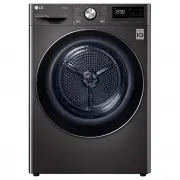 LG DVH9-09B
User Manual
LG DVH9-09B
User Manual
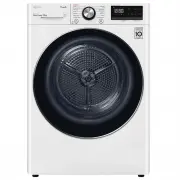 LG DVH9-09W
User Manual
LG DVH9-09W
User Manual
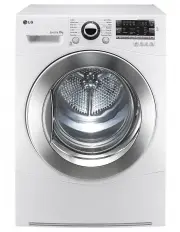 LG TD-C801H
User Manual
LG TD-C801H
User Manual
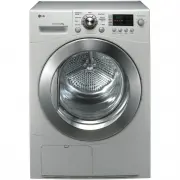 LG TD-C8031E
User Manual
LG TD-C8031E
User Manual
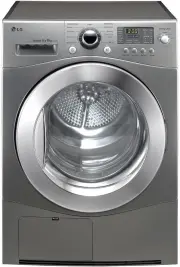 LG TD-C8035E
User Manual
LG TD-C8035E
User Manual
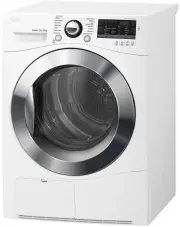 LG TD-C80NPW
User Manual
LG TD-C80NPW
User Manual
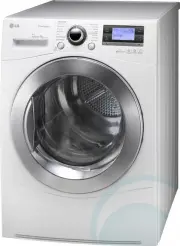 LG TDC901H
User Manual
LG TDC901H
User Manual
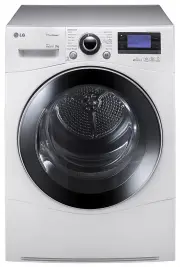 LG TD-C902H
User Manual
LG TD-C902H
User Manual
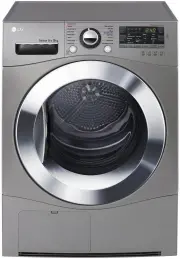 LG TD-C90NPE
User Manual
LG TD-C90NPE
User Manual
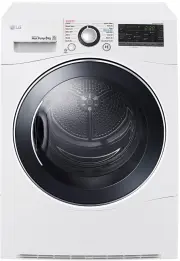 LG TD-H802SJW
User Manual
LG TD-H802SJW
User Manual
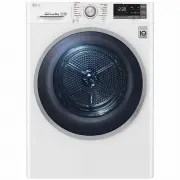 LG TD-H803CSW
User Manual
LG TD-H803CSW
User Manual
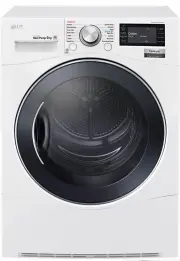 LG TD-H901MW
User Manual
LG TD-H901MW
User Manual
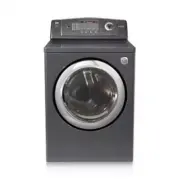 LG DLE0442G
User Manual
LG DLE0442G
User Manual
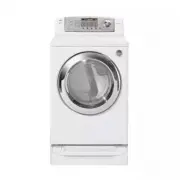 LG DLE0442W
User Manual
LG DLE0442W
User Manual