Page 2 - Important Safety Instruction
2 Important Safety Instruction • Read these instructions. • Keep these instructions. • Heed all warnings. • Follow all instructions. • Do not use this apparatus near water. • Clean only with dry cloth. • Do not block any ventilation openings. Install in accordance with the manufacturer’s instruction...
Page 3 - Optional Extras
3 Title Before reading this manual • Read this manual thoroughly before operating your TV, and keep it for future reference. • On the website you can download the manual including installation, using, troubleshooting, specifications, license etc and view its contents on your PC or mobile device. Use...
Page 4 - Warning! Safety instructions
4 Warning! Safety instructions CAUTION RISK OF ELECTRIC SHOCK DO NOT OPEN CAUTION: TO REDUCE THE RISK OF ELECTRIC SHOCK DO NOT REMOVE COVER (OR BACK). NO USER SERVICEABLE PARTS INSIDE. REFER TO QUALIFIED SERVICE PERSONNEL. The symbol is intended to alert the user to the presence of uninsulated dange...
Page 7 - Preparing; Lifting and moving the TV
7 Preparing Lifting and moving the TV When moving or lifting the TV, read the following to prevent the TV from being scratched or damaged and for safe transportation regardless of its type and size. • It is recommended to move the TV in the box or packing material that the TV originally came in. • B...
Page 8 - Mounting on the Table; Securing TV to the Wall
8 Mounting on the Table 1 Lift and tilt the TV into its upright position on a table. • Leave a minimum of 10 cm (4 inches) space from the wall for proper ventilation. 2 Connect the power cord to a wall outlet. 10 cm 10 cm 10 cm (4 inches) (Depending upon model) • Do not apply foreign substances (oil...
Page 9 - Mounting to the Wall
9 Mounting to the Wall An optional wall mount can be used with your LG Television. Consult with your local dealer for a wall mount that supports the VESA standard used by your TV model. Carefully attach the wall mount bracket at the rear of the TV. Install the wall mount bracket on a solid wall perp...
Page 10 - Wall Mounting Bracket
10 Wall Mounting Bracket (Depending upon model)Make sure to use screws and wall mount bracket that meet the VESA standard. Standard dimensions for the wall mount kits are described in the following table. A B A Model 43/50NANO75*50NANO77*50NANO80*50NANO85* 55/65NANO75*55/65NANO77*55/65NANO80*55/65NA...
Page 12 - Starting TV; Turning on the TV; Using button
12 Starting TV Turning on the TV You can simply operate the TV functions, using the button. Using button Power On (Press)Power Off 1) (Press and Hold) Menu Control (Press 2) ) Menu Selection (Press and Hold 3) ) 1) All running apps will close.2) You can access and adjust the menu by pressing the but...
Page 13 - Inserting the battery; Registering Magic Remote Control; How to register the Magic Remote Control; How to deregister the Magic Remote Control
13 Inserting the battery When the message [Magic Remote battery is low. Please change the battery.] is displayed, replace the batteries.To install batteries, open the battery cover, replace batteries (1.5 V AA) matching the and ends to the label inside the compartment, and close the battery cover.To...
Page 14 - Using Remote Control; Using Magic Remote Control
14 Using Remote Control Using Magic Remote Control (Depending upon model)The descriptions in this manual are based on the buttons on the remote control. Please read this manual carefully and use the TV correctly.This remote uses infrared light. When in use, it should be pointed in the direction of t...
Page 15 - Connections; HDMI
15 Connections You can connect various external devices to the TV. For more information on external device’s connection, refer to the manual provided with each device. HDMI • When connecting the HDMI cable, the product and external devices should be turned off and unplugged. • Supported HDMI Audio f...
Page 16 - Remote
16 External Devices Supported external devices are: Blu-ray player, HD receivers, DVD players, VCRs, audio systems, USB storage devices, PC, gaming devices, and other external devices. For more information on external device’s connection, refer to the manual provided with each device. Note • If you ...
Page 17 - Troubleshooting
17 Troubleshooting Cannot control the TV with the remote control. • Check if anything such as tape has been placed over the receiver. • Check if there is any obstacle between the product and the remote control. • Replace the batteries with new fresh ones. No image display and no sound is produced. •...
Page 18 - Specifications
18 Specifications Product specifications may be changed without prior notice due to upgrade of product functions.Estimated yearly energy consumption indicated on the FTC label is measured in accordance with the Test Procedures for Television Sets (USA only).The actual energy consumption depends on t...
Page 20 - Open Source Software Notice Information; Licenses
20 Open Source Software Notice Information To obtain the source code under GPL, LGPL, MPL, and other open source licenses, that is contained in this product, please visit https://opensource.lge. com . In addition to the source code, all referred license terms, warranty disclaimers and copyright noti...
Page 21 - Regulatory
Page 23 - NOTE TO CABLE/TV INSTALLER; Symbols
23 NOTE TO CABLE/TV INSTALLER (For USA and Canada)This reminder is provided to call the CATV system installer’s attention to Article 820-40 of the National Electric Code (U.S.A.). The code provides guidelines for proper grounding and, in particular, specifies that the cable ground shall be connected...
Page 25 - MANUEL D’UTILISATION; conservez-le pour pouvoir vous y reporter ultérieurement.
FR ANÇAIS 43NANO75UPA50NANO75UPA50NANO77ZPA50NANO80UPA50NANO85APA 55NANO75UPA55NANO77ZPA55NANO80UPA55NANO85APA55NANO90UPA 65NANO75UPA65NANO77ZPA65NANO80UPA65NANO85APA65NANO90UPA 70NANO75UPA75NANO75UPA75NANO80UPA75NANO85APA75NANO90UPA 86NANO75UPA86NANO85APA86NANO90UPA www.lg.com Copyright © 2021 LG E...
Page 26 - Directives de sécurité importantes
2 Directives de sécurité importantes • Lisez ces directives. • Conservez ces directives. • Soyez attentif à tous les avertissements. • Suivez toutes les directives. • N’utilisez pas cet appareil près de l’eau. • Nettoyez-le uniquement avec un linge sec. • Ne bloquez pas les ouvertures d’aération. In...
Page 27 - Articles supplémentaires en option
3 Titre Avant de lire ce manuel • Veuillez lire ce manuel attentivement avant d’utiliser votre téléviseur et le conserver pour pouvoir vous y reporter ultérieurement. • Sur le site Web, vous pouvez télécharger le manuel qui comprend des renseignements sur l’installation, l’utilisation, le dépannage,...
Page 31 - Préparation; Soulèvement et déplacement du téléviseur
7 Préparation Soulèvement et déplacement du téléviseur Lorsque vous désirez déplacer ou soulever le téléviseur, lisez tout d’abord ce qui suit pour éviter d’égratigner ou d’endommager le téléviseur ainsi que pour effectuer un transport sécuritaire sans égard au type ni à la taille du téléviseur. • I...
Page 32 - Installation sur une table; Fixation du téléviseur au mur
8 Installation sur une table 1 Soulevez et placez le téléviseur en position verticale sur une table. • Laissez un espace d’au moins 10 cm (4 po) entre le mur et le téléviseur pour assurer une aération adéquate. 2 Branchez le cordon d’alimentation à une prise murale. 10 cm 10 cm 10 cm (4 po) (Selon l...
Page 33 - Installation sur un mur
9 Installation sur un mur Un support de fixation murale offert en option peut être utilisé pour installer votre téléviseur LG. Consultez votre détaillant local afin de trouver un support de fixation murale qui correspond aux normes VESA de votre modèle de téléviseur. Fixez soigneusement le support d...
Page 34 - Support de fixation murale
10 Support de fixation murale (Selon le modèle)Assurez-vous d’utiliser des vis et un support de fixation murale conformes à la norme VESA. Les dimensions standards des trousses de fixation murale sont indiquées dans le tableau suivant. A B A Modèle 43/50NANO75*50NANO77*50NANO80*50NANO85* 55/65NANO75...
Page 36 - Démarrage du téléviseur; Mise sous tension du téléviseur; Utilisation du bouton
12 Démarrage du téléviseur Mise sous tension du téléviseur Vous pouvez simplement utiliser les fonctions du téléviseur à l’aide du bouton. Utilisation du bouton Mise sous tension (Appuyez)Mise hors tension 1) (Maintenez enfoncé)Commande du menu (Appuyez 2) ) Sélection du menu (Maintenez enfoncé 3) )...
Page 37 - Insertion des piles; Enregistrement de la télécommande Magic; Annulation de l’enregistrement de la télécommande Magic
13 Insertion des piles Lorsque le message [La pile de la télécommande Magic est faible. Veuillez la changer.] s’affiche, remplacez les piles.Pour installer les piles, ouvrez le couvercle de leur compartiment et insérez les piles (AA de 1,5 V) en faisant correspondre leurs bornes et à celles du com...
Page 38 - Utilisation de la télécommande; Utilisation de la télécommande Magic
14 Utilisation de la télécommande Utilisation de la télécommande Magic (Selon le modèle)Les descriptions qui figurent dans le présent manuel font référence aux boutons qui se trouvent sur la télécommande. Veuillez lire le présent manuel attentivement et utiliser le téléviseur correctement.Cette télé...
Page 39 - Connexions
15 Connexions Vous pouvez connecter différents périphériques externes sur le téléviseur. Pour plus de renseignements sur la connectivité des périphériques externes, consultez le manuel fourni avec chaque appareil. HDMI • Lors de la connexion du câble HDMI, le téléviseur et les périphériques externes...
Page 40 - Configuration
16 Périphériques externes Les périphériques externes suivants sont pris en charge : lecteurs Blu-ray, récepteurs HD, lecteurs DVD, magnétoscopes, systèmes audio, dispositifs de stockage USB, ordinateurs, consoles de jeu et autres périphériques externes. Pour plus de renseignements sur la connectivit...
Page 41 - Dépannage
17 Dépannage La télécommande ne fonctionne pas. • Assurez-vous que rien n’a été placé sur le récepteur (p. ex. du ruban adhésif ). • Vérifiez qu’aucun obstacle n’empêche la communication entre l’appareil et la télécommande. • Remplacez les piles par des piles neuves. Le téléviseur ne produit pas d’i...
Page 42 - Caractéristiques techniques
18 Caractéristiques techniques Les caractéristiques techniques sont susceptibles d’être modifiées sans préavis en raison de la mise à niveau des fonctions du produit.La consommation d’énergie annuelle estimée indiquée sur l’étiquette FTC est mesurée conformément aux procédures de test pour les télév...
Page 45 - Réglementation
Page 47 - REMARQUE À L’INTENTION DE L’INSTALLATEUR DU TÉLÉVISEUR/CÂBLE; Symboles
23 REMARQUE À L’INTENTION DE L’INSTALLATEUR DU TÉLÉVISEUR/CÂBLE (Pour les États-Unis et le Canada)Cette remarque a pour but d’attirer l’attention des installateurs de réseaux câblés sur l’article 820-40 du Code national de l’électricité (NEC). Ce code donne des lignes directrices concernant la mise ...
Page 49 - OWNER’S MANUAL; EXTERNAL CONTROL
OWNER’S MANUAL EXTERNAL CONTROL DEVICE SETUP Please read this manual carefully before operating the set and retain it for future reference. www.lg.com P/NO : MFL71445401 (1901-REV00)
Page 50 - KEY CODES
2 ENG ENGLISH 2 KEY CODES KEY CODES • This feature is not available for all models. Code (Hexa) Function Note Code (Hexa) Function Note 00 CH +, PR + R/C Button 53 List R/C Button 01 CH -, PR - R/C Button 5B Exit R/C Button 02 Volume + R/C Button 60 PIP(AD) R/C Button 03 Volume - R/C Button 61 Blue ...
Page 51 - EXTERNAL CONTROL DEVICE SETUP
3 ENG ENGLISH 3 EXTERNAL CONTROL DEVICE SETUP EXTERNAL CONTROL DEVICE SETUP • Image shown may differ from your TV. Connect the USB to Serial(RS-232C) converter/RS-232C(Serial) input jack to an external control device (such as a computer or an A/V control system) to control the product’s functions ex...
Page 52 - Customer Computer
4 ENG ENGLISH 4 EXTERNAL CONTROL DEVICE SETUP Phone jack Type • You need to purchase the phone-jack to RS-232 cable required for the connection between the PC and the TV, which is specified in the manual. * For other models, connect to the USB port.* The connection interface may differ from your TV....
Page 53 - Communication Parameters; Command reference list
5 ENG ENGLISH 5 EXTERNAL CONTROL DEVICE SETUP Communication Parameters • Baud rate : 9600 bps (UART) • Data length : 8 bits • Parity : None • Stop bit : 1 bit • Communication code : ASCII code • Use a crossed (reverse) cable. Command reference list (Depending on model) COMMAND1 COMMAND2 DATA (Hexade...
Page 54 - Transmission / Receiving Protocol
6 ENG ENGLISH 6 EXTERNAL CONTROL DEVICE SETUP Transmission / Receiving Protocol Transmission [Command1][Command2][ ][Set ID][ ][Data][Cr] [Command 1] : First command to control the TV. (j, k, m or x) [Command 2] : Second command to control the TV. [Set ID] : You can adjust the [Set ID] to choose des...
Page 62 - CONFIGURATION DE; et conservez-le pour pouvoir vous y reporter ultérieurement.
MANUEL D’UTILISATION CONFIGURATION DE L’APPAREIL DE COMMANDE EXTERNE Veuillez lire ce manuel attentivement avant d’utiliser votre appareil et conservez-le pour pouvoir vous y reporter ultérieurement. www.lg.com P/NO : MFL71445403 (1903-REV00)
Page 63 - CODES CLÉS
2 ENG FRANÇAIS 2 CODES CLÉS CODES CLÉS • Cette fonction n’est pas offerte sur tous les modèles. Code (hexa) Fonction Remarque Code (hexa) Fonction Remarque 00 CH +, PR + Touche R/C 53 Liste Touche R/C 01 CH -, PR - Touche R/C 5B Sortie Touche R/C 02 Volume + Touche R/C 60 PIP (AD) Touche R/C 03 Volu...
Page 64 - CONFIGURATION DE L’APPAREIL DE
3 ENG FRANÇAIS 3 CONFIGURATION DE L'APPAREIL DE COMMANDE EXTERNE CONFIGURATION DE L’APPAREIL DE COMMANDE EXTERNE • Les illustrations peuvent ne pas correspondre tout à fait à votre téléviseur. Branchez l’adaptateur USB vers Série (RS-232C) ou la prise d’entrée RS-232C (série) sur un appareil de comm...
Page 65 - Ordinateur du client
4 ENG FRANÇAIS 4 CONFIGURATION DE L'APPAREIL DE COMMANDE EXTERNE Type sortie casque • Vous devez disposer du câble de type sortie casque/RS-232 pour établir la connexion entre votre ordinateur et le téléviseur, comme il est indiqué dans le manuel. * Pour les autres modèles, branchez sur le port USB....
Page 66 - Paramètres de communication; Liste de référence des commandes
5 ENG FRANÇAIS 5 CONFIGURATION DE L'APPAREIL DE COMMANDE EXTERNE Paramètres de communication • Débit en baud : 9 600 b/s (UART) • Longueur des données : 8 bits • Parité : aucune • Bit d’arrêt : 1 bit • Code de communication : code ASCII • Utilisez un câble croisé (inversé). Liste de référence des co...
Page 67 - Protocole de transmission/réception
6 ENG FRANÇAIS 6 CONFIGURATION DE L'APPAREIL DE COMMANDE EXTERNE Protocole de transmission/réception Transmission [Commande1][Commande2][ ][Identité télé][ ][Données][Cr] [Commande 1] : Première commande du téléviseur (j, k, m ou x) [Commande 2] : Deuxième commande du téléviseur [Identité télé] : Vo...
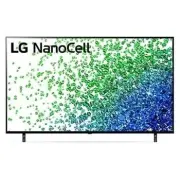


 LG 19
User Manual
LG 19
User Manual
 LG 37
User Manual
LG 37
User Manual
 LG 42
User Manual
LG 42
User Manual
 LG 19LD355
User Manual
LG 19LD355
User Manual
 LG 19LE3300
User Manual
LG 19LE3300
User Manual
 LG 19LS3500
Manual
LG 19LS3500
Manual
 LG 19LV2300
User Manual
LG 19LV2300
User Manual
 LG 19LV2500
Manual
LG 19LV2500
Manual
 LG 19MN43D-PZ
User Manual
LG 19MN43D-PZ
User Manual
 LG 22LB491U
User Manual
LG 22LB491U
User Manual
 LG 22LD351
User Manual
LG 22LD351
User Manual
 LG 22LD355
User Manual
LG 22LD355
User Manual
 LG 22LE5500
User Manual
LG 22LE5500
User Manual
 LG 22LK330
User Manual
LG 22LK330
User Manual
 LG 22LS3510
Manual
LG 22LS3510
Manual
 LG 22LV2300
User Manual
LG 22LV2300
User Manual
 LG 26LD355
User Manual
LG 26LD355
User Manual
 LG 26LE5500
User Manual
LG 26LE5500
User Manual