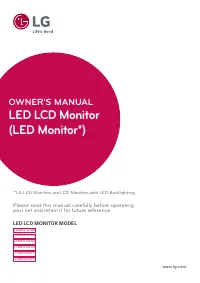
Page 5 - OWNER’S MANUAL; Safety and Reference; Please read this manual carefully before operating your TV and
OWNER’S MANUAL Safety and Reference LED TV** LG LED TVs are LCD TVs with LED backlighting. P/No : MFL69376201 (1601-REV00) www.lg.com *MFL69376201* Please read this manual carefully before operating your TV and retain it for future reference. 22LH453024LH453028LH4530
Page 6 - ENGLISH; TABLE OF CONTENTS
2 ENGLISH WARNING : This product contains chemicals known to the State of California to cause cancer and birth defects or other reproductive harm. Wash hands after handling. TABLE OF CONTENTS 3 IMPORTANT SAFETY INSTRUC- TIONS 7 LICENSES 7 OPEN SOURCE SOFTWARE NOTICE INFORMATION 7 PREPARING 8 LIFTING...
Page 7 - Important Safety Instructions
3 ENGLISH Important Safety Instructions Always comply with the following precautions to avoid dangerous situations and ensure peak performance of your product. WARNING/CAUTION RISK OF ELECTRIC SHOCK DO NOT OPEN TO REDUCE THE RISK OF ELECTRIC SHOCK DO NOT REMOVE COVER (OR BACK). NO USER SERVICEABLE P...
Page 11 - Licenses; NOTE; CAUTION
7 ENGLISH Licenses Supported licenses may differ by model. For more information about licenses, visit www.lg.com . Manufactured under license from Dolby Laboratories. Dolby and the double-D symbol are trademarks of Dolby Laboratories. The terms HDMI and HDMI High-Definition Multimedia Interface, and...
Page 12 - Lifting and Moving the TV; Using the Joystick Button
8 ENGLISH Lifting and Moving the TV When moving or lifting the TV, read the following to prevent the TV from being scratched or damaged and for safe transportation regardless of its type and size. • It is recommended to move the TV in the box or packing material that the TV originally came in. • Bef...
Page 13 - Mounting on a Table; Mounting on a Wall
9 ENGLISH Mounting on a Table 1 Lift and tilt the TV into its upright position on a table. - Leave a 100 mm (3.9 inches) (minimum) space from the wall for proper ventilation. 100 mm 100 mm 100 mm 100 mm 100 mm (3.9 inches) 2 Connect the power cord to a wall outlet. CAUTION • Do not place the TV near...
Page 14 - Connecting to an Antenna or Cable; Other Connections
10 ENGLISH Connections (Notifications) You can connect various external devices to the TV. Supported external devices are: HD receivers, DVD players, VCRs, audio systems, USB storage devices, PC, gaming devices, and other external devices. For more information on an external device’s connection, ref...
Page 15 - Remote Control
11 ENGLISH Remote Control The descriptions in this manual are based on the buttons on the remote control. Please read this manual carefully and use the TV correctly. To install batteries, open the battery cover, replace batteries (1.5 V AAA) matching the and ends to the label inside the compartment,...
Page 16 - Settings; To set up the channels automatically
12 ENGLISH Settings To set up the channels automatically SETTINGS CHANNEL Auto Tuning Memorizes automatically the channels being broadcast. • The channels will not be memorized properly if the antenna/cable is not installed correctly. • Auto Tuning memorizes the channels that are currently being bro...
Page 18 - Supported Photo Formats; To see web manual
14 ENGLISH • The file alignment method of a USB storage device is similar to the one of Windows XP. • You cannot create or delete a folder saved in a USB storage device directly on the TV. • The number of characters for a file name is up to 100 English characters. • If there are too many folders and...
Page 19 - Specifications
15 ENGLISH Specifications Product specifications may be changed without prior notice due to upgrade of product functions. Models Dimensions (W x H x D) Weight Power consumption (Outgoing condition) Power requirement With stand Without stand With stand Without stand 22LH4530 507.6 x 358.0 x 146.3 (mm...
Page 21 - Regulatory; FCC Notice
17 ENGLISH Regulatory FCC Notice (For USA)This equipment has been tested and found to comply with the limits for a Class B digital device, pursuant to Part 15 of the FCC Rules. These limits are designed to provide reasonable protection against harmful interference in a residential installation. This...
Page 22 - Note to Cable/TV Installer
18 ENGLISH WARNING (For Canada) [For product having the wireless function using 5 GHz frequency bands] • The device for operation in the band 5150–5250 MHz is only for indoor use to reduce the potential for harmful interference to co-channel mobile satellite systems; • For devices with detachable an...
Page 23 - THE CONSUMER ELECTRONICS INDUSTRY CARES; TUNE IN TO SAFETY; MOVING AN OLDER TELEVISION TO A NEW PLACE IN; PROPER TELEVISION PLACEMENT MATTERS
THE CONSUMER ELECTRONICS INDUSTRY CARES • Manufacturers, retailers and the rest of the consumer electronics industry are committed to making home entertainment safe and enjoyable. • As you enjoy your television, please note that all televisions – new and old- must be supported on proper stands or in...
Page 25 - MANUEL D’UTILISATION; Sécurité et références; *Les téléviseurs DEL de LG sont dotés d’écrans ACL; et conservez-le pour pouvoir vous y reporter ultérieurement.
MANUEL D’UTILISATION Sécurité et références TÉLÉVISEUR À DEL* *Les téléviseurs DEL de LG sont dotés d’écrans ACL avec rétroéclairage DEL. Veuillez lire ce manuel attentivement avant d’utiliser l’appareil et conservez-le pour pouvoir vous y reporter ultérieurement. 22LH453024LH453028LH4530 www.lg.com
Page 26 - TABLE DES MATIÈRES
2 FR ANÇ AIS TABLE DES MATIÈRES 3 DIRECTIVES DE SÉCURITÉ IMPORTANTES 7 LICENCES 7 INFORMATIONS SUR LES LOGICIELS LIBRES 7 PRÉPARATION 8 SOULÈVEMENT ET DÉPLACE- MENT DU TÉLÉVISEUR 8 UTILISATION DU BOUTON DE LA MANETTE 8 Fonctions de base 8 Réglage du menu 9 MONTAGE SUR UNE TABLE 9 MONTAGE MURAL 10 CO...
Page 27 - DIRECTIVES DE SÉCURITÉ
3 FR ANÇ AIS DIRECTIVES DE SÉCURITÉ IMPORTANTES Conformez-vous toujours aux directives suivantes pour éviter des situations dangereuses et assurer la performance optimale de votre appareil. AFIN DE RÉDUIRE LE RISQUE D’ÉLECTROCUTION, NE RETIREZ PAS LE COUVERCLE (OU LE PANNEAU ARRIÈRE). AUCUNE PIÈCE P...
Page 31 - PRÉPARATION; LICENCES; INFORMATIONS SUR LES
7 FR ANÇ AIS PRÉPARATION REMARQUES y y Les illustrations peuvent ne pas correspondre à votre téléviseur. y y L’afficheur (OSD) de votre téléviseur peut différer légèrement de l’illustration du présent manuel. y y Les menus et options disponibles peuvent différer en fonction de la source d’entrée ou ...
Page 32 - UTILISATION DU BOUTON
8 FR ANÇ AIS SOULÈVEMENT ET DÉPLACEMENT DU TÉLÉVISEUR Lorsque vous désirez déplacer ou soulever le téléviseur, lisez tout d’abord ce qui suit pour éviter d’égratigner ou d’endommager le téléviseur, ainsi que pour effectuer un transport sécuritaire sans égard au type et à la taille du téléviseur. y y...
Page 33 - MONTAGE MURAL; MONTAGE SUR UNE TABLE
9 FR ANÇ AIS MONTAGE MURAL Une fixation murale optionnelle peut être utilisée pour installer votre téléviseur LG. Consultez votre fournisseur local afin de trouver une fixation murale qui correspond aux normes VESA de votre modèle de téléviseur. Posez soigneusement le support de fixation murale au d...
Page 34 - MISES EN GARDE; Autres connexions
10 FR ANÇ AIS Raccordement à une antenne ou au câble Raccordez le téléviseur à une antenne, au câble ou à un terminal de câblodistribution. Les illustrations peuvent différer des articles réels et l’utilisation d’un câble RF est facultative. MISES EN GARDE • Assurez-vous de ne pas plier le fil de cu...
Page 35 - TÉLÉCOMMANDE
11 FR ANÇ AIS Permet d’alterner entre les deux dernières chaînes sélectionnées (en appuyant de façon répétée). Règle le volume. Affiche la liste de vos chaînes favorites. Signal numérique : Permet de modifier la langue audio. Signal analogique : Permet de modifier le son MTS. (MTS : Multichannel Tel...
Page 36 - Réglage des options d’image supplémentaires; RÉGLAGES; Réglage automatique des chaînes
12 FR ANÇ AIS y Couleur de la peau Le spectre de couleurs de la peau peut être réglé séparément afin de permettre à l’utilisateur de définir la couleur de la peau. y Couleur du ciel La couleur du ciel est réglée séparément. y Couleur de l’herbe Le spectre des couleurs naturelles (prairies, collines,...
Page 37 - Pour utiliser la fonction Mode Confort des
13 FR ANÇ AIS Utilisation du mode d’économie d’énergie SETTINGS IMAGE ꕊ Économie d’énergie Permet de réduire la consommation d’énergie en réglant la brillance de l’écran. y Arrêt désactive la fonction Économie d’énergie. y Minimum/Moyen/Maximum permet d’appliquer un des types prédéfinis de la fo...
Page 38 - POUR AFFICHER LE GUIDE
14 FR ANÇ AIS y Si le téléviseur ne reconnaît pas un dispositif de stockage USB connecté, remplacez le câble et réessayez. Évitez d’utiliser un câble d’une longueur excessive. y Le téléviseur ne prend pas correctement en charge certains dispositifs de stockage USB. y Vous pouvez utiliser un disposit...
Page 39 - CARACTÉRISTIQUES
15 FR ANÇ AIS CARACTÉRISTIQUES Les caractéristiques techniques des produits peuvent être modifiées sans préavis en raison de mises à niveau des fonctions des produits en question. Modèles Dimensions (L x H x P) Poids Consommation électrique (Conditions par défaut) Alimentation Avec support Sans supp...
Page 41 - RÉGLEMENTATION; RENSEIGNEMENTS RELATIFS À LA; Exigences de la FCC en matière; Avis d’Industrie Canada
17 FR ANÇ AIS RÉGLEMENTATION RENSEIGNEMENTS RELATIFS À LA RÉGLEMENTATION FCC (Pour les États-Unis) Cet équipement a été testé et jugé conforme aux limites relatives aux appareils numériques de catégorie B imposées par le paragraphe 15 de la réglementation de la FCC. Ces limites sont établies pour fo...
Page 42 - REMARQUE À L’INTENTION DES
18 FR ANÇ AIS AVERTISSEMENT (Pour le Canada) [Pour un produit doté de la fonction sans fil utilisant la bande de fréquences 5 GHz] y Les dispositifs fonctionnant dans la bande de 5150 a 5250 MHz sont reserves uniquement pour une utilisation a l’interieur afin de reduire les risques de brouillage pre...
Page 43 - LA SÉCURITÉ DES ENFANTS:; L’IMPORTANCE D’UN EMPLACEMENT APPROPRIÉ POUR LE TÉLÉVISEUR
L’INDUSTRIE DE L’ÉLECTRONIQUE GRAND PUBLIC EST SOUCIEUSE DE VOTRE SÉCURITÉ • Les fabricants, les détaillants et l’industrie de l’électronique grand public dans son ensemble sont déterminés à faire en sorte que le divertissement domestique soit sûr et plaisant. • Alors que vous vous divertissez devan...
Page 44 - Centre d’information à la clientèle LG; Enregistrez votre produit en ligne!; Attestation de conformité
Centre d’information à la clientèle LG Pour toute question ou commentaire, accédez à www.lg.com ou appelez : 1-888-542-2623 CANADA 1-800-243-0000 États-Unis, résidentiel 1-888-865-3026 États-Unis, commercial Enregistrez votre produit en ligne! www.lg.com Ce produit est conforme aux normes ENERGY STA...