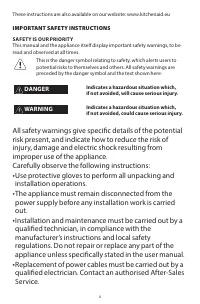
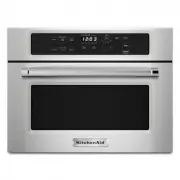
Page 4 - IMPORTANT SAFETY INSTRUCTIONS; SAFETY IS OUR PRIORITY; read and observed at all times.; DANGER; WARNING; Indicates a hazardous situation which,
4 These instructions are also available on our website: www.kitchenaid.eu IMPORTANT SAFETY INSTRUCTIONS SAFETY IS OUR PRIORITY This manual and the appliance itself display important safety warnings, to be read and observed at all times. This is the danger symbol relating to safety, which alerts user...
Page 9 - Safeguarding the environment
9 Disposal of packing materials • The packaging material is 100 % recyclable and is marked with the recycle symbol ( ) • The various parts of the packing must therefore be disposed of responsibly and in full compliance with local authority regulations governing waste disposal. Energy saving tips • O...
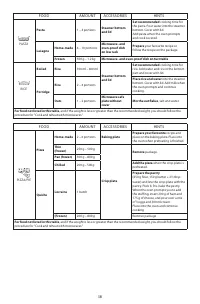
Page 11 - Accessories
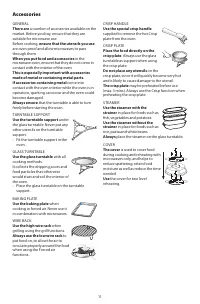
11 GENERAL There are a number of accessories available on the market. Before you buy, ensure that they are suitable for microwave use.Before cooking, ensure that the utensils you use are oven proof and allow microwaves to pass through them. When you put food and accessories in the microwave oven, en...
Page 12 - Start protection
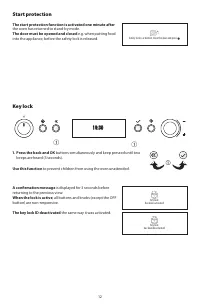
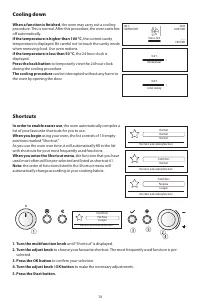
12 Key lock 19:30 q q 1. Press the back and OK buttons simultaneously and keep pressed until two beeps are heard (3 seconds). Use this function to prevent children from using the oven unattended. A confirmation message is displayed for 3 seconds before returning to the previous view. When the lock i...
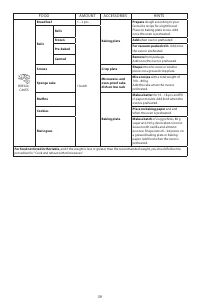
Page 13 - Messages
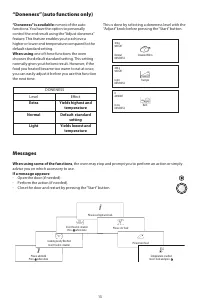
13 Messages When using some of the functions , the oven may stop and prompt you to perform an action or simply advise you on which accessory to use. If a message appears: - Open the door (if needed). - Perform the action (if needed). - Close the door and restart by pressing the “Start” button. Inser...
Page 15 - Language; Changing settings
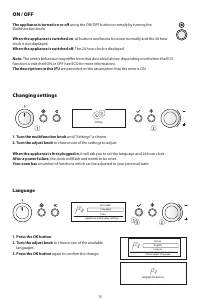
15 Language 1. Press the OK button2. Turn the adjust knob to choose one of the available languages. 3. Press the OK button again to confirm the change. q w e Eco mode Language Time Appliance and display settings TürkçeEnglish Français Please select language Language has been set Changing settings w ...
Page 16 - Clock setting; Volume setting; wr
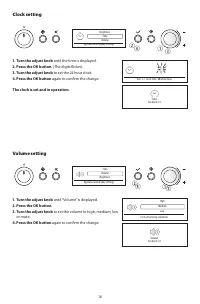
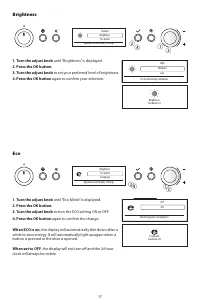
16 Clock setting q wr e Brightness Time Volume Appliance and display settings 1. Turn the adjust knob until the time is displayed. 2. Press the OK button. (The digits flicker). 3. Turn the adjust knob to set the 24 hour clock. 4. Press the OK button again to confirm the change. The clock is set and ...
Page 18 - During cooking; Kitchen timer
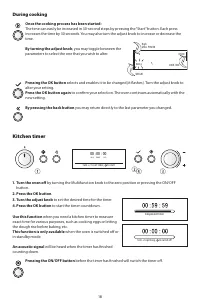
18 During cooking Once the cooking process has been started: The time can easily be increased in 30-second steps by pressing the “Start” button. Each press increases the time by 30 seconds. You may also turn the adjust knob to increase or decrease the time. By turning the adjust knob , you may toggl...
Page 19 - Cooking and reheating with microwaves; Power level
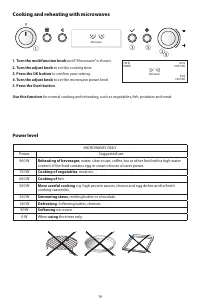
19 Cooking and reheating with microwaves r t e q w Microwave 1. Turn the multifunction knob until “Microwave” is shown. 2. Turn the adjust knob to set the cooking time. 3. Press the OK button to confirm your setting. 4. Turn the adjust knob to set the microwave power level. 5. Press the Start button...
Page 20 - Jet start; Turn the multifunction knob; Press the Start button to automatically start; This function is used
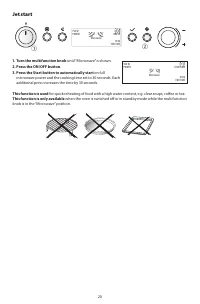
20 Jet start w q Microwave 00:05 MM:SS 19:03 END TIME 750 W POWER 1. Turn the multifunction knob until “Microwave” is shown. 2. Press the ON/OFF button . 3. Press the Start button to automatically start on full microwave power and the cooking time set to 30 seconds. Each additional press increases t...
Page 22 - Grill; ry
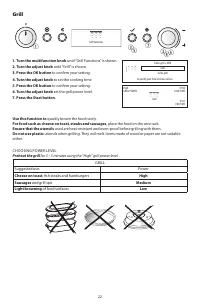
22 Grill q w e u t ry Grill functions 1. Turn the multifunction knob until “Grill Functions” is shown. 2. Turn the adjust knob until “Grill” is shown. 3. Press the OK button to confirm your setting. 4. Turn the adjust knob to set the cooking time. 5. Press the OK button to confirm your setting. 6. T...
Page 23 - Turbo grill
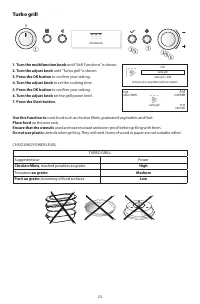
23 Turbo grill u e q wr t y Grill functions 1. Turn the multifunction knob until “Grill Functions” is shown. 2. Turn the adjust knob until “Turbo grill” is shown. 3. Press the OK button to confirm your setting. 4. Turn the adjust knob to set the cooking time. 5. Press the OK button to confirm your s...
Page 24 - Turbo grill combi
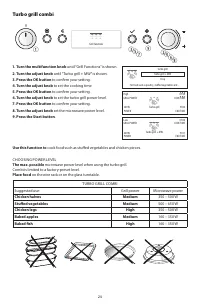
24 Turbo grill combi o e q wr t y u i Grill functions 1. Turn the multifunction knob until “Grill Functions” is shown. 2. Turn the adjust knob until “Turbo grill + MW” is shown. 3. Press the OK button to confirm your setting. 4. Turn the adjust knob to set the cooking time. 5. Press the OK button to...
Page 25 - Rapid preheat
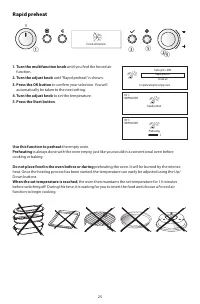
25 Rapid preheat t e q wr Forced air functions 1. Turn the multifunction knob until you find the forced air function. 2. Turn the adjust knob until “Rapid preheat” is shown. 3. Press the OK button to confirm your selection. You will automatically be taken to the next setting. 4. Turn the adjust knob...
Page 26 - Forced air
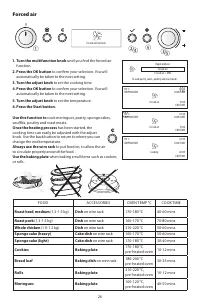
26 Forced air y w q et r Forced air functions 1. Turn the multifunction knob until you find the forced air function. 2. Press the OK button to confirm your selection. You will automatically be taken to the next setting. 3. Turn the adjust knob to set the cooking time. 4. Press the OK button to confi...
Page 27 - Forced air combi
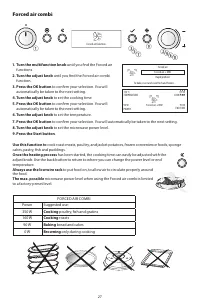
27 Forced air combi e q w o t ry u i Forced air functions 1. Turn the multifunction knob until you find the Forced air functions. 2. Turn the adjust knob until you find the Forced air combi function. 3. Press the OK button to confirm your selection. You will automatically be taken to the next settin...
Page 28 - Sensor reheat
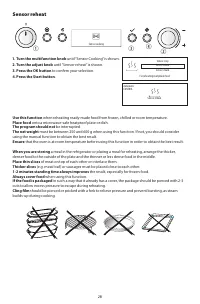
28 Sensor reheat e q w r Sensor cooking 1. Turn the multifunction knob until “Sensor Cooking” is shown. 2. Turn the adjust knob until “Sensor reheat” is shown. 3. Press the OK button to confirm your selection. 4. Press the Start button . Use this function when reheating ready-made food from frozen, ...
Page 30 - Jet defrost
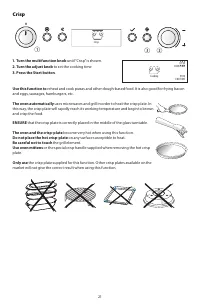
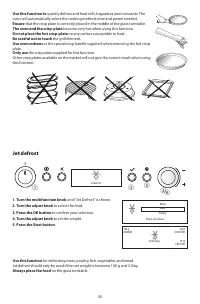
30 Use this function to quickly defrost and heat rolls, baguettes and croissants. The oven will automatically select the cooking method, time and power needed. Ensure that the crisp plate is correctly placed in the middle of the glass turntable. The oven and the crisp-plate become very hot when usin...
Page 31 - This function needs to know; If the weight is less or greater than the recommended weight
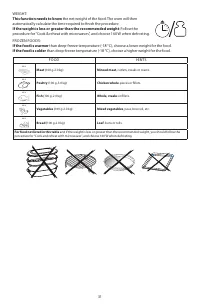
31 WEIGHT: This function needs to know the net weight of the food. The oven will then automatically calculate the time required to finish the procedure. If the weight is less or greater than the recommended weight : Follow the procedure for “Cook & reheat with microwaves”, and choose 160 W when ...
Page 33 - Sensor crisp
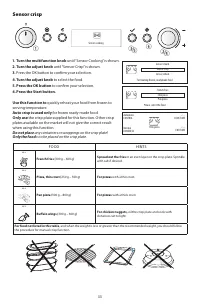
33 Sensor crisp e q w y r t Sensor cooking 1. Turn the multifunction knob until “Sensor Cooking” is shown. 2. Turn the adjust knob until “Sensor Crisp” is shown. 3. Press the OK button to confirm your selection. 4. Turn the adjust knob to select the food. 5. Press the OK button to confirm your selec...
Page 34 - Sensor steam
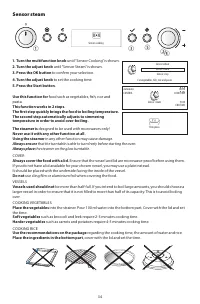
34 Sensor steam e q wr t Sensor cooking 1. Turn the multifunction knob until “Sensor Cooking” is shown. 2. Turn the adjust knob until “Sensor Steam” is shown. 3. Press the OK button to confirm your selection. 4. Turn the adjust knob to set the cooking time. 5. Press the Start button . Use this funct...
Page 35 - Recipes
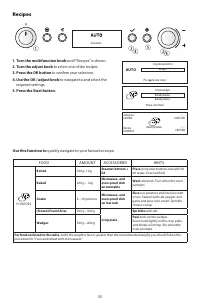
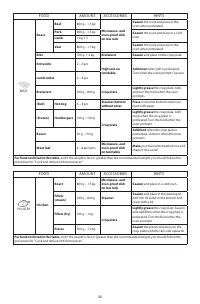
35 Recipes e q wr t r Automatic 1. Turn the multifunction knob until “Recipes” is shown. 2. Turn the adjust knob to select one of the recipes. 3. Press the OK button to confirm your selection. 4. Use the OK / adjust knob to navigate to and select the required settings. 5. Press the Start button. Use...
Page 41 - Maintenance & cleaning
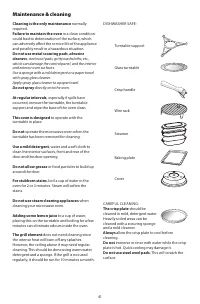
41 Cleaning is the only maintenance normally required. Failure to maintain the oven in a clean condition could lead to deterioration of the surface, which can adversely affect the service life of the appliance and possibly result in a hazardous situation. Do not use metal scouring pads , abrasive cl...
Page 43 - Recommended use and tips
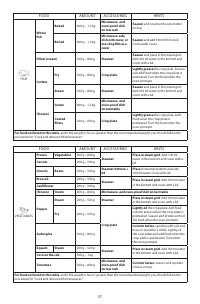
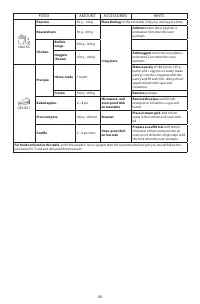
43 Recommended use and tips How to read the cooking table The table indicates the best functions to use for any given type of food. Cooking times, where indicated, start from the moment when food is placed in the microwave oven cavity, excluding pre-heating (where required).Cooking settings and time...
Page 44 - The appliance does not work; The electronic programmer does not work; Troubleshooting guide; Before calling the After-Sales Service; Scrapping of household appliances
44 The appliance does not work • The turntable support is in place.• The door is properly closed.• Check the fuses and ensure that there is power available. • Check that the appliance has ample ventilation.• Wait for 10 minutes, then try to operate the appliance once more. • Open and then close the ...