Page 2 - Attach the battery pack; Video recording; The camera turns on automatically.; Playing back; Select
2 Easy Start Guide Preparation 1 Q Attach the battery pack R Open the lens cover Video recording 2 Q Select ! (video) mode R Select recording (REC) mode The camera turns on automatically. BATT. PLAY/REC SELECT PLAY/REC SELECT Playing back 3 Q Select ! (video) mode R Select playback (PLAY) mode to di...
Page 3 - Open the LCD monitor; Press the START/STOP button to start recording; To stop playback
3 ENGLISH S Open the LCD monitor The camera turns on automatically. S Press the START/STOP button to start recording S Select the desired fi le using the touch sensor. And then touch the OK button to start playback • To stop playback Select L .
Page 4 - Safety Precautions; CAUTION; Caution on Replaceable lithium battery
4 Safety Precautions CAUTION RISK OF ELECTRIC SHOCK DO NOT OPEN CAUTION: TO REDUCE THE RISK OF ELECTRIC SHOCK, DO NOT REMOVE COVER (OR BACK). NO USER-SERVICEABLE PARTS INSIDE. REFER SERVICING TO QUALIFIED SERVICE PERSONNEL. The lightning flash with arrowhead symbol, within an equilateral triangle, i...
Page 5 - IMPORTANT SAFETY INSTRUCTIONS
5 ENGLISH IMPORTANT SAFETY INSTRUCTIONS 1. Read these instructions.2. Keep these instructions.3. Heed all warnings.4. Follow all instructions.5. Do not use this apparatus near water.6. Clean only with dry cloth.7. Do not block any ventilation openings. Install in accordance with the manufacturer’s i...
Page 6 - How to Select an Item Using the Touch Sensor; Using on-screen buttons; To select an on-screen button appearing; Selecting an item from the menu list; Slide your fi nger up and down on the; OK
6 Read This First! How to Select an Item Using the Touch Sensor An example screen in English is used for the guidance below. L Using on-screen buttons (e.g. during playback pg. 18) A B A To select an on-screen button appearing on the left side, touch the portion of the sensor next to the on-screen b...
Page 7 - Make a backup of important recorded data; all data before requesting repairs or inspections.
7 ENGLISH Make a backup of important recorded data JVC will not be responsible for any lost data. It is recommended to copy your important recorded data to a DVD or other recording media for storage. ( pg. 22) Make a trial recording Before the actual recording of important data, make a trial recordi...
Page 8 - Contents; GETTING STARTED; Using a DVD Burner to Copy Files from the; PC OPERATION; File Backup on the PC without Using; Other Windows
8 Contents GETTING STARTED Accessories ............................................ 9 How to Use the Everio Dock* ........................ 9 Index ...................................................... 10 Indications on LCD Monitor ................. 12 Necessary Settings before Use ........... 14 Ch...
Page 9 - Accessories; Pre-installed in the; How to Use the Everio Dock*
9 ENGLISH Accessories GETTING STARTED Everio Dock* CU-VC4U ( below) AC Adapter AP-V18U/14U Battery Pack BN-VF808U Audio/Video Cable USB Cable ( pg. 22, 25 and 30) Shoulder Strap ( pg. 15) CD-ROM ( pg. 24, 28) Remote Control Unit RM-V751U ( pg. 15) NOTE Make sure to use the provided cables for connec...
Page 10 - Index; The LCD monitor can rotate 270°.; Power-linked operation; You can also turn the camera on/off by
10 Index NOTES • The LCD monitor can rotate 270°. • Power-linked operation You can also turn the camera on/off by opening/closing the LCD monitor during the recording mode. • Be careful not to cover 4 , 5 , 7 and 9 during shooting.
Page 11 - Camera
11 ENGLISH Camera ! Touch Sensor ( pg. 6) # OK (DISP) Button [OK/DISP] ( pg. 13) $ Menu Button [MENU] % Power Switch [POWER] (You can turn off the camera by pressing and holding this button.) & Speaker ( Playback/Recording Mode Switching Button [SELECT PLAY/REC] ( pg. 16) ) Access/Charge Lamp [A...
Page 12 - Indications on LCD Monitor; During Video Recording Only; MQ; During Still Image Recording Only
12 During both Video and Still Image Recording J A N . 2 0 . 2 0 0 7 4 : 5 5 P M 1/250 ! Selected Operation Mode Indicator 4 : Auto Mode 3 : Manual Mode # Effect Mode Indicator $ Tele Macro Mode Indicator % LED Light Indicator & Program AE Mode Indicator ( AV/S-Video Input Jack Indicator* ) Zoom...
Page 13 - During Video Playback; DISP
13 ENGLISH During Video Playback X - 6 0 9 : 5 5 : 0 1 J A N . 2 0 . 2 0 0 7 4 : 5 5 P M ! Mode Indicator ( pg. 18) # Effect Mode Indicator $ Wipe/Fader Effect Indicator % 6 : Playlist Playback Indicator (Appears when playing back a playlist.) ¨ª : Event Search Playback Indicator (Appears when playi...
Page 14 - Necessary Settings before Use; Charging the Battery Pack; Date/Time Setting; Set the date and time.
14 Necessary Settings before Use Charging the Battery Pack 1 Close the LCD monitor to turn off the camera. 2 Attach the battery pack. Slide the battery pack down until it locks in place. Bottom of the Camera BATT. 3 Connect the AC adapter. • You can also connect the AC adapter using the Everio dock ...
Page 15 - Preparing the Remote Control; Other Settings; Attaching the Shoulder Strap; Eyelet
15 ENGLISH Checking the Remaining Battery Power Preparation: • Attach the battery pack. • Press the SELECT PLAY/REC button to select recording mode. For ! mode: Press the INFO button twice or the INFO button and then select ; . For # mode: Press the INFO button. DIRECT BACK UP INFO BATTERY CONDITION...
Page 16 - Recording Files; Video Recording; Open the LCD monitor to turn on the camera.; To stop recording; Press the; To view the video you just recorded; To change the picture quality; Slide the mode switch to select; RECORDING
16 Recording Files Video Recording Preparation: Open the LCD monitor to turn on the camera. Press the SELECT PLAY/REC button to select recording mode. PLAY/REC SELECT Press the START/STOP button to start recording. R E C [ 5 h 5 6 m ] Approximate remaining time for recording appears. L To stop recor...
Page 17 - Still Image Recording; The; To view the image you just recorded
17 ENGLISH Still Image Recording Preparation: Open the LCD monitor to turn on the camera. Slide the mode switch to select # (still image) mode. Press the SELECT PLAY/REC button to select recording mode. PLAY/REC SELECT Press and hold the SNAPSHOT button halfway. [ FINE 640 The ? indicator becomes gr...
Page 18 - Playing Back Files; Video/Still Image Playback; Select the desired fi le.
18 Playing Back Files Video/Still Image Playback 1 Slide the mode switch to select ! (video) or # (still image) mode. 2 Press the SELECT PLAY/REC button to select playback mode. PLAY/REC SELECT The index screen for videos appears. 3 Select the desired fi le. VIDEO PLAYBACK L To watch on TV See page ...
Page 19 - Watching Images on TV; pg. 9) When other devices such as a DVD; Turn on the camera and the TV.; If the aspect ratio of the image is not correct as
19 ENGLISH Watching Images on TV Preparation: • Set [SWITCH TO ANALOG I/O] to [OUTPUT] from the MENU. (Factory-preset = [OUTPUT])* • Turn off all units. * This does not apply to the GZ-MG330 model. NOTES • You can also connect the cables using the Everio dock connectors. The S-Video cable (optional)...
Page 20 - Managing Files; Deleting/ Protecting Files; After performing steps; Deleting/Protecting Files
20 Managing Files EDITING/COPYING CAUTION Do not remove the recording medium or perform any other operation (such as turning off the power) while accessing fi les. Also, be sure to use the provided AC adapter, as the data on the recording medium may be corrupted if the battery becomes exhausted duri...
Page 21 - Deleting/Protecting All Files; To quit the screen; Select the protected fi le in step; To release protection of all fi les
21 ENGLISH 6 Select [EXECUTE AND QUIT] (when performing [DELETE]) or [YES] (when performing [PROTECT]). DELETE? EXECUTE AND QUIT QUIT RETURN Deleting/Protecting All Files After performing steps 1 - 2 ( pg. 20) 3 Select [DELETE ALL] or [PROTECT ALL]. 4 When [DELETE ALL?] or [PROTECT ALL?] appears, se...
Page 22 - Copying Files; Regarding fi nalization after copying; Press the DIRECT DVD button.; The DVD disc begins to be created.
22 Copying Files Types of Copying and Connectable Device The Camera You can copy still images from HDD onto microSD card or from microSD card to HDD with this camera alone. DVD Burner(CU-VD3) You can copy video/still image fi les recorded on this camera onto DVD discs. ( right column) PC You can cop...
Page 23 - System Requirements; File Backup on a Windows
23 ENGLISH Install the software that came with the camera to your PC.You can back up your fi les on your PC with a simple one-touch operation, edit your fi les on your PC, and also create discs.Even if you do not install the software, you can still back up your fi les on your PC. ( pg. 27) System Re...
Page 24 - Software Installation; CyberLink DVD Solution
24 File Backup on a Windows ® PC (Continued) Software Installation Please read the “JVC SOFTWARE LICENCE AGREEMENT” in the CD-ROM instruction before you install software.The following software is included in the CD-ROM that came with your camera. • CyberLink DVD Solution Comprehensive application so...
Page 25 - Connecting the Camera to the PC; When installation is completed
25 ENGLISH Connecting the Camera to the PC Preparation: Close the LCD monitor to turn off the camera. NOTES • Never disconnect the USB cable while the access/charge lamp on the camera lights or blinks. • Do not turn off the camera when the USB cable is connected, to prevent malfunctions of the PC. •...
Page 26 - File Backup from a Specifi ed Media; When you have fi nished operation; File Backup on the PC; Install the software from the provided CD-
26 File Backup on a Windows ® PC (Continued) 1 Open the LCD monitor to turn on the camera. 2 On the camera, press the DIRECT BACK UP button. Although a dialog box appears on the PC, you do not need to use it. File copy starts automatically. When the progress bar disappears, the process is complete. ...
Page 28 - Getting More Use of the Software; PowerCinema NE for Everio
28 Other Windows ® PC Operations Getting More Use of the Software For more information on operations of the software, see the Tutorials for each software program or the User’s Guides. PowerCinema NE for Everio 1 Double-click the PowerCinema NE for Everio icon.Start PowerCinema NE for Everio. 2 Click...
Page 29 - Folder Structure and Extensions; Extensions
29 ENGLISH Folder Structure and Extensions [XXXJVCSO][XXXJVCSO][XXXJVCSO] [DCIM] [SD_VIDEO] [EXTMOV] [MISC] [PRIVATE] [MGR_INFO] [PRGXXX] [PRGXXX][PRGXXX] [PRGXXX.PGI][MOVXXX.MOD][MOVXXX.MOI] [MOV_XXX.MOD] [DEM_XXX.MPG] * Information such as the date and time of recording, recorded with the video fi...
Page 30 - File Backup on a Macintosh
30 You can back up camera fi les onto your computer. System Requirements Hardware: Macintosh must be standard equipped with USB 2.0 port OS: Mac OS X (v10.3.9, v10.4.2 to v10.4.10) Connecting the Camera to the Macintosh Preparation: Close the LCD monitor to turn off the camera. NOTES • Never disconn...
Page 31 - File Backup on the Macintosh
31 ENGLISH • DCIM: Folder that contains still image fi les. If you want to back up fi les individually, open this folder, and drag & drop fi les such as [PIC_0001.JPG] one by one. NOTE For further details on the use of folders, see page 29. File Backup on the Macintosh Preparation: Connect the c...
Page 32 - Contact us for Information on the Provided Software; JVC; Product Name; CyberLink; Telephone/fax support; Customer Support Information
32 Contact us for Information on the Provided Software Use of this software is authorized according to the terms of the software license. JVC When contacting the nearest JVC offi ce or agency in your country (refer to the JVC Worldwide Service Network at http://www.jvc-victor.co.jp/english/worldmap/...
Page 33 - FURTHER INFORMATION; To reset the camera; No power is supplied.; Recor; Troubleshooting
33 ENGLISH FURTHER INFORMATION The camera is a microcomputer-controlled device. External noise and interference (from a TV, a radio, etc.) might prevent it from functioning properly. The following phenomena are not malfunctions. • The camera heats up when it is used for a long time. • The battery he...
Page 34 - Cleaning; To clean the exterior; Wipe gently with a soft cloth. Be careful not to damage the monitor.; To clean the lens; Wipe gently with lens cleaning paper.; Avoid using strong cleaning agents such as benzine or alcohol.; Trouble; Files cannot be deleted.
34 Cleaning Before cleaning, turn off the camera and remove the battery pack and AC adapter. L To clean the exterior Wipe gently with a soft cloth. If the camera is particularly dirty, dip the cloth into diluted mild soap and wring it out well before wiping. Then wipe again with a dry cloth. L To cl...
Page 35 - Warning Indications; Indication; CHECK LENS COVER
35 ENGLISH Warning Indications Indication Meaning/Action (Battery indicator) • Displays the remaining battery power. – • As the battery power comes close to nil, the battery indicator blinks. When the battery power is exhausted, power turns off automatically. – SET DATE/TIME! • Appears when the date...
Page 36 - Specifi cations; AC Adapter; Power requirement
36 Specifi cations Camera L For general Power supply DC 11 V (Using AC adapter)DC 7.2 V (Using battery pack) Power consumption Approx. 2.7 W** When the LED light is off and the monitor backlight is set to [STANDARD] mode. Dimensions (W x H x D) 113 mm x 68 mm x 54 mm(4-1/2" x 2-11/16" x 2-3/...
Page 37 - Approximate number of storable images (for still image); Remote Control; Power supply
37 ENGLISH Approximate recording time (minutes) (for video) Recording medium Quality HDD microSD Card 30 GB* 1 60 GB* 2 4 GB ULTRA FINE 430 860 57 FINE 640 1280 85 NORMAL 850 1700 113 ECONOMY 2250 4500 298 * 1 GZ-MG335/330 * 2 GZ-MG365 Approximate number of storable images (for still image) Recordin...
Page 38 - Recording Medium; Cautions
38 AC Adapter When using the AC adapter in areas other than the USA The provided AC adapter features automatic voltage selection in the AC range from 110 V to 240 V. USING HOUSEHOLD AC PLUG ADAPTER In case of connecting the unit’s power cord to an AC wall outlet other than American National Standard...
Page 39 - Main Unit; Avoid using the unit; Declaration of Conformity
39 ENGLISH Main Unit • For safety, DO NOT ... open the camera’s chassis.... disassemble or modify the unit.... allow infl ammables, water or metal objects to enter the unit. ... remove the battery pack or disconnect the power supply while the power is on. ... leave the battery pack attached when the...
Page 40 - Terms
40 Terms A AC Adapter ...................................................... 14, 38 B Battery Pack .............................................. 14, 15, 38 C Clock Adjust ........................................................... 14Copying (Moving) Still Images ......................... 23, 30Copy...
Page 41 - MEMO
Page 42 - © 2007 Victor Company of Japan, Limited; Términos
© 2007 Victor Company of Japan, Limited Printed in Malaysia1007FOH-AL-VM US A Adaptador de CA ............................................. 14, 38Ajuste del idioma ................................................... 14Ajuste del reloj ....................................................... 14 B Base...


 JVC GC-PX100
Manual
JVC GC-PX100
Manual
 JVC GR-D20
Manual
JVC GR-D20
Manual
 JVC GR-D200
User Manual
JVC GR-D200
User Manual
 JVC GR-D220
Manual
JVC GR-D220
Manual
 JVC GR-D225
Manual
JVC GR-D225
Manual
 JVC GR-D240
Manual
JVC GR-D240
Manual
 JVC GR-D246
User Manual
JVC GR-D246
User Manual
 JVC GR-D290
Manual
JVC GR-D290
Manual
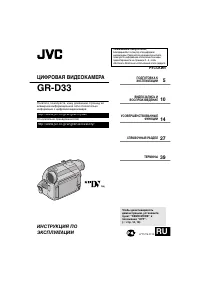 JVC GR-D33
Manual
JVC GR-D33
Manual
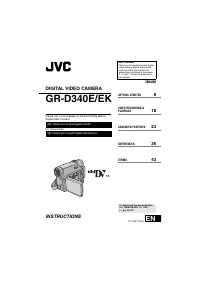 JVC GR-D340EK
User Manual
JVC GR-D340EK
User Manual
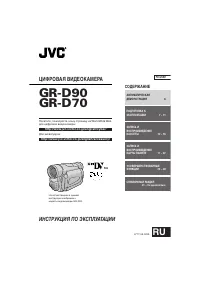 JVC GR-D70
Manual
JVC GR-D70
Manual
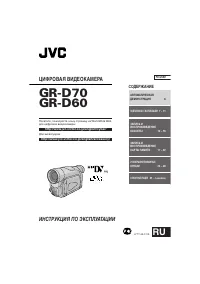 JVC GR-D90
Manual
JVC GR-D90
Manual
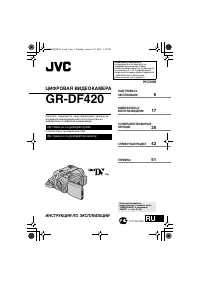 JVC GR-DF420
Manual
JVC GR-DF420
Manual
 JVC GR-DF470
Manual
JVC GR-DF470
Manual
 JVC GR-DF570
Manual
JVC GR-DF570
Manual