Page 2 - Easy Start Guide; CAUTION; JVC battery packs, safety and performance can not be guaranteed.; Close the LCD monitor after you fi nish recording.; Charge the battery before recording; Turn off the camera and attach the battery pack.; Battery Pack
2 EN Easy Start Guide CAUTION • Charge the battery pack before use. ( 墌 p. 16) • Be sure to use JVC battery packs. If you use any other battery packs besides JVC battery packs, safety and performance can not be guaranteed. ACCESS POWER/CHARGE The power turns on if you open the LCD monitor Close the ...
Page 3 - Preparation; Open the LCD monitor to turn on the camera; Power Button; Set the date and time; Open the lens cover
3 EN Before recording, charge the battery and set the date/time.See the next page for recording videos. Preparation Q Open the LCD monitor to turn on the camera R Select [YES] within 10 seconds T Power Button SET DATE/TIME! YES NO SELECT SET QUIT SELECT SET QUIT DATE TIME JAN 31 11 AM 07 2008 CLOCK ...
Page 4 - Video recording; Select recording mode; Select auto mode; Start recording; This camera records video in accordance with the AVCHD format.
4 EN Video recording Before recording an important scene, it is recommended to conduct a trial recording. Q Select recording mode PLAY/REC SELECT When recording The mode changes when you press the button R Select auto mode / INFO AUTO The mode changes when you press the button (recording mode only) ...
Page 5 - Playing back; Select playback mode; Select the desired fi le; Press down the set lever; To perform operations such as fast forwarding or fast rewinding (; Don’t forget to make copies after recording!; To copy fi les onto DVD discs (
5 EN Playing back Q Select playback mode PLAY/REC SELECT The mode changes when you press the button R Select the desired fi le VIDEO 1/1 SELECT SET SORT Index screen S Press down the set lever Playback screen Press down the set lever to start playback, and press it again to stop To perform operation...
Page 6 - Safety Precautions; Caution on Replaceable lithium battery
6 EN Safety Precautions CAUTION RISK OF ELECTRIC SHOCK DO NOT OPEN CAUTION: TO REDUCE THE RISK OF ELECTRIC SHOCK, DO NOT REMOVE COVER (OR BACK). NO USER-SERVICEABLE PARTS INSIDE. REFER SERVICING TO QUALIFIED SERVICE PERSONNEL. The lightning flash with arrowhead symbol, within an equilateral triangle...
Page 7 - IMPORTANT SAFETY INSTRUCTIONS
7 EN IMPORTANT SAFETY INSTRUCTIONS 1. Read these instructions.2. Keep these instructions.3. Heed all warnings.4. Follow all instructions.5. Do not use this apparatus near water.6. Clean only with dry cloth.7. Do not block any ventilation openings. Install in accordance with the manufacturer’s instru...
Page 8 - Contents; GETTING STARTED
8 EN Contents GETTING STARTED Accessories ............................................10 Preparing the Remote Control ...................... 11 Index ........................................................12 Indications on LCD Monitor ...................14 Necessary Settings before Use ...............
Page 9 - Make a backup of important recorded data; Make a trial recording; Do not cover the fan (; For Windows; For Macintosh; PC OPERATION
9 EN Read This First! Make a backup of important recorded data It is recommended to copy your important recorded data to a DVD or other recording media for storage. ( 墌 p. 31) JVC will not be responsible for any lost data. Make a trial recording Before the actual recording of important data, make a ...
Page 10 - Accessories
10 EN Accessories GETTING STARTED AC Adapter AP-V14U Battery Pack BN-VF808U Component Cable ( 墌 p. 26) Audio/Video Cable ( 墌 p. 27, 33) USB Cable Shoulder Strap ( 墌 p. 18) CD-ROM ( 墌 p. 9) Remote Control RM-V750U ( 墌 p. 11) Lithium Battery CR2025 Pre-installed in the remote control unit. NOTE Make s...
Page 11 - Preparing the Remote Control; Beam Effective Area; Remote Sensor
11 EN Preparing the Remote Control A battery is included inside the remote control at the time of purchase.Remove the insulation sheet before use. Beam Effective Area To Reinsert the Battery NOTE The transmitted beam may not be effective or may cause incorrect operation when the remote sensor is dir...
Page 12 - Index; The LCD monitor can rotate 270°.; Power-linked operation; You can also turn on/off the camera by
12 EN Index NOTES • The LCD monitor can rotate 270°. • Power-linked operation You can also turn on/off the camera by opening/closing the LCD monitor. • Be careful not to cover sensors 7 , > and ? during shooting.
Page 13 - Remote Control; Camera
13 EN 7 Stereo Microphone 8 Grip Strap ( 墌 p. 18) 9 HDMI Connector [HDMI] ( 墌 p. 26) : DC Connector [DC] ( 墌 p. 16) ; Microphone Input Connector [MIC] < LED Light = USB Connector [ 2 ] > Remote Sensor ( 墌 p. 11) ? Lens Cover/Lens @ Shoe (for external microphone, etc) A Shoe Cover B Lens Cover ...
Page 14 - Indications on LCD Monitor; During Video Recording Only; MQ; During Still Image Recording Only
14 EN Indications on LCD Monitor During both Video and Still Image Recording W T 0 FOCUS 200X 1/4000 LCD 1080p 4 : 5 5 P M J A N . 2 0 . 2 0 0 8 ! Selected Recording Mode Indicator ( 墌 p. 23) # Tele Macro Mode Indicator $ Approximate Zoom Ratio % Output with 1080p & Quick Review Indicator ( Zoom...
Page 15 - During Video Playback; QF; During Still Image Playback; Operation guide display
15 EN During Video Playback 1 : 5 5 : 0 1 X - 6 0 XP xvC 1080p 4 : 5 5 P M J A N . 2 0 . 2 0 0 8 ! Mode Indicator ( 墌 p. 24) # 6 : Playlist Playback Indicator (Appears when playing back a playlist.) $ Output with 1080p % x.v.Color™ & Picture Quality ( Playback Mode ( 墌 p. 24) F : Playback Q : Pa...
Page 16 - Necessary Settings before Use; Charging the Battery Pack
16 EN Necessary Settings before Use Charging the Battery Pack 1 Close the LCD monitor to turn off the camera. 2 Attach the battery pack. BATT. 3 Connect the AC adapter. • The power/charge lamp blinks to indicate charging has started. • When the lamp goes out, charging is fi nished. Required charging...
Page 17 - Move the set lever to; Language Setting; Open the LCD monitor to turn on the; Select the desired language.; Move the set lever to
17 EN Date/Time Setting 1 Open the LCD monitor to turn on the camera. 2 Press MENU. MENU 3 Select [BASIC SETTINGS]. Select Set x.v.Color REGISTER EVENT BASIC SETTINGS GAIN UP SET QUIT 4 Select [CLOCK ADJUST]. Select Set SET DATE/TIME BASIC SETTINGS LANGUAGE DATE DISPLAY STYLE CLOCK ADJUST MONITOR BR...
Page 18 - Other Settings; Grip Adjustment; Open the pad and make grip adjustments.; Attaching the Shoulder Strap; Tripod Mounting; Eyelet
18 EN Other Settings Grip Adjustment Open the pad and make grip adjustments. Attaching the Shoulder Strap Lens Cover When not using the camera, close the lens cover to protect the lens. NOTE Do not push the lens cover strongly. Doing so may cause damage to the lens. Tripod Mounting Align the camera ...
Page 19 - When Using a microSD Card; Open the microSD card cover.; Changing the Menu Settings; Select the desired menu.; Select the desired setting.
19 EN When Using a microSD Card If you want to record to a microSD card, the following 3 operations need to be performed. • Operations are confi rmed on the following microSD cards. - Panasonic - TOSHIBA - SanDisk - ATP Video recording: Class 4 or 6 compatible microSDHC card (4 GB, 8 GB) Still image...
Page 20 - Video Recording; Recording Files; RECORDING; Slide the mode switch to select
20 EN Video Recording Preparation: Open the LCD monitor to turn on the camera. Recording Files RECORDING Press PLAY/REC to select the recording mode. PLAY/REC SELECT Press START/STOP to start recording. START /STOP R E C [ 4 h 5 9 m ] XP 0 : 0 1 : 3 0 To stop recording Press START/STOP again. To vie...
Page 21 - Still Image Recording
21 EN Slide the mode switch to select # (still image) mode. Press PLAY/REC to select the recording mode. PLAY/REC SELECT 19 Press and hold SNAPSHOT halfway. [ FINE 1920 The ? indicator becomes green when the captured image is focused. Press SNAPSHOT fully to take the picture. PHOTO [ 9 9 9 9 ] FINE ...
Page 22 - Zooming; Zoom out; LED Light; No display; Registering Files to Events; Select the event that you want to; To quit the screen
22 EN Recording Files (Continued) Zooming Preparation: • Select ! or # mode. • Select the recording mode. Zoom out Zoom in W : Wide angle T : Telephoto Maximum zoom ratio (factory-preset) ! mode # mode 10x 8x To change the maximum zoom ratio ( ! mode only) Change the settings in [ZOOM]. NOTE Macro s...
Page 23 - Program AE; Manual Setting in Menu; Manual Recording
23 EN To Change to Manual Recording Mode Preparation: • Select ! or # mode. • Select the recording mode. / INFO AUTO To return to the auto recording mode Press AUTO/INFO so that the 4 indicator appears. Program AE You can record videos or still images with optimum brightness by adjusting the exposur...
Page 24 - PLAYBACK; Playing Back Files; Video Playback; Select the desired fi le.
24 EN Operations during Playback Return to the fi rst scene of the fi le Reverse search/Frame-by-frame playback (during pause) Play/Pause Forward search/Frame-by-frame playback (during pause) Go to the fi rst scene of the next fi le During forward/reverse search, moving the set lever to £ / ¤ alters...
Page 25 - Select the playback mode.
25 EN To return to the index screen Press INDEX . To check the fi le information Press AUTO/INFO . To delete a still image Press DELETE . 䡵 䡵 䡵 Select the playback mode. PLAY/REC SELECT IMAGE 1/1 SELECT SET SORT The index screen appears. Select the desired fi le. Select Set Slide the mode switch to ...
Page 26 - Connection with TV; To connect using the HDMI connector; Watching Images on TV
26 EN This camera is designed to be used with high-defi nition or NTSC-type color television signals. It cannot be used with a television of a different standard. Connection with TV You can output videos from the HDMI connector, COMPONENT connector, or AV connector. Select the connector that best su...
Page 27 - To connect using the AV connector; Playback Operation; After the connection with TV is completed; Turn on the camera and the TV.
27 EN To connect using the AV connector NOTE Change the settings in [VIDEO OUTPUT] to suit the screen size of your television. 䡵 Playback Operation After the connection with TV is completed 1 Turn on the camera and the TV. 2 Set the TV to its VIDEO mode. 3 (Only when connecting the camera to the VCR...
Page 28 - Managing Files; Deleting/ Protecting Files
28 EN Managing Files EDITING/PRINTING CAUTION Do not remove the recording medium or perform any other operation (such as turning off the power) while accessing fi les. Also, be sure to use the provided AC adapter, as the data on the recording medium may be corrupted if the battery becomes exhausted ...
Page 29 - Changing the Event Registration; Select the fi le you want to register.
29 EN Changing the Event Registration ! Preparation: • Select ! mode. • Select the playback mode. Changing the Event of the Currently Displayed File 1 Press MENU. MENU 2 Select [CHANGE EVENT REG.]. Select Set CHANGE EVENT REG. SEARCH EVENT MONITOR OFF PLAYBACK PLAYLIST CHANGE REGISTERED EVENT SET QU...
Page 30 - Playlists; Creating Playlists; Select an item and display fi les.; Select the fi le to add to playlist.; INDEX; Select the insertion point.
30 EN Playlists ! It is a list that enables you to organize recorded videos in order of preference. Preparation: • Select ! mode. • Select the playback mode. Creating Playlists 1 Press MENU. MENU 2 Select [EDIT PLAYLIST]. Select Set CHANGE EVENT REG. PLAYBACK PLAYLIST CREATE/EDIT PLAYLIST EDIT PLAYL...
Page 31 - Copying Files; COPYING; Types of Copying and Connectable Device; Copying/Moving Files; mode; Connection with a DVD Burner
31 EN Copying Files COPYING Types of Copying and Connectable Device The Camera You can copy fi les between the HDD and microSD card with this camera alone. ( 墌 see below) DVD Burner (CU-VD50/CU-VD3)* You can copy fi les recorded on this camera onto DVD discs. ( 墌 right column) * AVCHD discs can be p...
Page 33 - At the point you want to start; To stop dubbing
33 EN Standard-defi nition Dubbing You can dub videos in standard-defi nition to a DVD recorder. Preparation: Turn off all units. To connect using the AV connectors (analog dubbing) Preparation: Create a playlist. 1 Set the VCR/DVD recorder to its AUX input mode. Check that the images from the camer...
Page 34 - Troubleshooting; Trouble; To solve the problem, fi rst follow the
34 EN Troubleshooting Trouble Action Car d Cannot insert the microSD card. • Check that the microSD card is facing the right direction. Pow e r No power is supplied. • Connect the AC adapter correctly. • Recharge the battery. After the low temperature message is displayed, the power turns off when t...
Page 36 - Warning Indications; Indication
36 EN Warning Indications Indication Action SET DATE/TIME! • Set the date and time. (Connect the camera to an AC outlet using the AC adapter for over 24 hours to charge the clock’s built-in lithium battery. Then set the date/time.) CANNOT USE INVIDEO MODE • Set [REC MEDIA FOR VIDEO] in the [BASIC SE...
Page 37 - Specifi cations; For general; AC Adapter
37 EN Specifi cations Camera For general Power supply DC 11 V (Using AC adapter)DC 7.2 V (Using battery pack) Power consumption Approx. 4.8 W** When the LED light is off and the monitor backlight is set to [STANDARD] mode. Dimensions (W x H x D) 71 mm x 68 mm x 123 mm(2-13/16" x 2-11/16" x 4...
Page 38 - Power supply; Approximate number of storable images (for still image)
38 EN Remote Control Power supply DC 3 V Battery life Approx. 1 year (depending on the frequency of use) Operating distance Within 5 m (16.4 ft) Operating temperature 0°C to 40°C (32°F to 104°F) Dimensions (W x H x D) 42 mm x 14.5 mm x 91 mm(1-11/16" x 5/8" x 3-5/8") Weight Approx. 30 g ...
Page 39 - Cautions; Recording Medium
39 EN Cautions AC Adapter When using the AC adapter in areas other than the USA The provided AC adapter features automatic voltage selection in the AC range from 110 V to 240 V. USING HOUSEHOLD AC PLUG ADAPTER In case of connecting the unit’s power cord to an AC wall outlet other than American Natio...
Page 40 - Main Unit; Avoid using the unit; Declaration of Conformity
40 EN Cautions (Continued) Main Unit • For safety, DO NOT ... open the camera’s chassis.... disassemble or modify the unit.... allow infl ammables, water or metallic objects to enter the unit. ... remove the battery pack or disconnect the power supply while the power is on. ... leave the battery pac...
Page 41 - MEMO
Page 44 - Terms
44 EN A AC Adapter .................................................. 16, 39AV Connection ............................................. 27, 33 B Battery Pack ................................................ 16, 39 C Clock Adjust ...................................................... 17Component Conn...
Page 46 - Guía de inicio rápido; PRECAUCIÓN; de JVC, no se puede garantizar la seguridad ni el rendimiento.; La cámara se enciende al abrir la pantalla LCD; Cierre la pantalla LCD tras terminar de grabar.; Cargue la batería antes de grabar; Apague la cámara e inserte la batería.; Luz de alimentación/carga; Batería
2 SP Guía de inicio rápido PRECAUCIÓN • Cargue la batería antes del uso. ( p. 16) • Asegúrese de utilizar baterías JVC. Si utiliza alguna otra batería que no sea de JVC, no se puede garantizar la seguridad ni el rendimiento. ACCESS POWER/CHARGE La cámara se enciende al abrir la pantalla LCD Cierre l...
Page 47 - Preparativos; Abra la pantalla LCD para encender la cámara; Ajuste la fecha y la hora
3 SP Antes de grabar, cargue la batería y ajuste la fecha/hora.Consulte la página siguiente para saber cómo grabar vídeos. Preparativos Q Abra la pantalla LCD para encender la cámara R Seleccione [SÍ] en 10 segundos T Botón de alimentación ¡AJUSTE FECHA/HORA! SÍ NO SELECC AJUSTE SALIR SELECC AJUSTE ...
Page 48 - Grabación de vídeo; Esta cámara graba vídeo de acuerdo con el formato AVCHD.; Seleccione el modo de grabación; Seleccione el modo automático; Inicie la grabación; STOP
4 SP Grabación de vídeo PRECAUCIÓN • Esta cámara graba vídeo de acuerdo con el formato AVCHD. • Primero pruebe a grabar con el modo [AUTO], que es más sencillo. Q Seleccione el modo de grabación PLAY/REC SELECT A la hora de grabar El modo cambia al pulsar el botón R Seleccione el modo automático / I...
Page 49 - Reproducción; Seleccione el modo de reproducción; Seleccione el archivo que desee; Pulse el botón selector; Para realizar operaciones, como avance rápido o retroceso rápido (; ¡No olvide realizar copas tras la grabación!; Para copiar archivos en discos DVD (
5 SP Reproducción Q Seleccione el modo de reproducción PLAY/REC SELECT El modo cambia al pulsar el botón R Seleccione el archivo que desee VÍDEO 1/1 SELECC AJUSTE CLASIF Pantalla de índice S Pulse el botón selector Pantalla de reproducción Pulse el botón selector para iniciar la reproducción y vuelv...
Page 50 - Precauciones de seguridad
6 SP Precauciones de seguridad ADVERTENCIA: PARA EVITAR RIESGO DE INCENDIOS O ELECTROCUCIONES, NO EXPONGA ESTE APARATO A LA LLUVIA O HUMEDAD. NOTAS: • La placa de valores nominales y la precaución de seguridad se encuentran en la parte inferior y/o en la parte posterior de la unidad principal. • La ...
Page 52 - Contenido; PREPARATIVOS; Para cambiar al modo de grabación; REPRODUCCIÓN
8 SP Contenido PREPARATIVOS Accesorios ..............................................10 Preparación del mando a distancia .............. 11 Índice .......................................................12 Indicaciones en la pantalla LCD ............14 Ajustes preliminares necesarios ..........16 Car...
Page 53 - Realice una grabación de prueba; No cubra el ventilador (; Para Windows; Para Macintosh
9 SP No olvide leer esta información. Realice una copia de seguridad de los datos importantes que ha grabado Se recomienda que guarde los datos importantes que haya grabado copiándolos en un DVD o cualquier otro soporte de grabación. ( p. 31) JVC no se responsabilizará de cualquier pérdida de datos....
Page 54 - Accesorios
10 SP Accesorios PREPARATIVOS Adaptador de CA AP-V14U Batería BN-VF808U Cable componente ( p. 26) Cable de audio/vídeo ( p. 27, 33) Cable USB Correa para hombro ( p. 18) CD-ROM ( p. 9) Mando a distancia RM-V750U ( p. 11) Pila de litio CR2025 Preinstalada en el mando a distancia. NOTA Asegúrese de ut...
Page 55 - Preparación del mando a distancia; Área efectiva del haz de infrarrojos; Sensor remoto
11 SP Preparación del mando a distancia El mando a distancia se suministra con una pila instalada.Antes de su uso, retire el plástico de aislamiento. Área efectiva del haz de infrarrojos Para volver a insertar la pila NOTA El haz transmitido no será efectivo o puede provocar un funcionamiento incorr...
Page 56 - Índice; La pantalla LCD puede girar 270°.; Funcionamiento siempre listo para grabar; La cámara también se puede encender y
12 SP Índice NOTAS • La pantalla LCD puede girar 270°. • Funcionamiento siempre listo para grabar La cámara también se puede encender y apagar abriendo y cerrando la pantalla LCD. • Procure no tapar los sensores 7 , > y ? durante la fi lmación.
Page 57 - Mando a distancia; Cámara
13 SP 7 Micrófono estéreo 8 Correa de mano ( p. 18) 9 Conector HDMI [HDMI] ( p. 26) : Conector de CC [DC] ( p. 16) ; Conector de entrada del micrófono [MIC] < Luz LED = Conector USB [ 2 ] > Sensor remoto ( p. 11) ? Cubierta del objetivo/objetivo @ Zapata (para micrófono externo, etc.) A Cubier...
Page 58 - Indicaciones en la pantalla LCD; Sólo durante la grabación de vídeo
14 SP Indicaciones en la pantalla LCD Durante la grabación de vídeo e imágenes fi jas W T 0 FOCUS 200X 1/4000 LCD 1080p 4 : 5 5 P M J A N . 2 0 . 2 0 0 8 ! Indicador de modo de grabación seleccionado ( p. 23) # Indicador de modo telemacro $ Porcentaje aproximado de zoom % Salida con 1080p & Indi...
Page 59 - Durante la reproducción de vídeo
15 SP Durante la reproducción de vídeo 1 : 5 5 : 0 1 X - 6 0 XP xvC 1080p 4 : 5 5 P M J A N . 2 0 . 2 0 0 8 ! Indicador de modo ( p. 24) # 6 : Indicador de reproducción de lista de reproducción (Aparece al reproducir una lista de reproducción.) $ Salida con 1080p % x.v.Color™ & Calidad de imagen...
Page 60 - Ajustes preliminares necesarios; Carga de la batería
16 SP Ajustes preliminares necesarios Carga de la batería 1 Cierre la pantalla LCD para apagar la cámara. 2 Instale la batería. BATT. 3 Conecte el adaptador de CA. • La luz de alimentación/carga parpadea para indicar que la carga se ha iniciado. • La carga fi naliza cuando la luz se apaga. Tiempo de...
Page 61 - Ajuste de la fecha/hora; Ajuste la fecha y la hora.; Ajuste del idioma; Seleccione un idioma.; Mueva el botón selector hacia
17 SP Ajuste de la fecha/hora 1 Abra la pantalla LCD para encender la cámara. 2 Pulse MENU. MENU 3 Seleccione [AJUSTES BÁSICOS]. Seleccionar Ajustar x.v.Color REGISTRAR EVENTO AJUSTES BÁSICOS GANANCIA AJUSTE SALIR 4 Seleccione [AJUS.RELOJ]. Seleccionar Ajustar AJUSTAR FECHA/HORA AJUSTES BÁSICOS LANG...
Page 62 - Otros ajustes; Ajuste de la correa de mano; Instalación en trípode; Orifi cio
18 SP Otros ajustes Ajuste de la correa de mano Abra la almohadilla y ajuste la correa a sus necesidades. Colocación de la correa para hombro Cubierta del objetivo Cuando no utilice la cámara, cierre la cubierta del objetivo para proteger el objetivo. NOTA No presione con fuerza la cubierta del obje...
Page 63 - Cuando se utiliza una tarjeta microSD; Abra la tapa de la tarjeta microSD.; Cambio de las confi guraciones de menús; Seleccione el menú que desee.; Seleccione el ajuste que desee.
19 SP Cuando se utiliza una tarjeta microSD Para grabar en una tarjeta microSD, realice las 3 operaciones siguientes. • Se ha confi rmado el funcionamiento con las siguientes tarjetas microSD. - Panasonic - TOSHIBA - SanDisk - ATP Grabación de vídeo: Tarjeta microSDHC compatible de clase 4 ó 6 (4 GB...
Page 64 - Grabación de archivos; GRABACIÓN
20 SP Grabación de vídeo Preparativos: Abra la pantalla LCD para encender la cámara. Grabación de archivos GRABACIÓN Pulse PLAY/REC para seleccionar el modo de grabación. PLAY/REC SELECT Pulse START/STOP para empezar la grabación. START /STOP R E C [ 4 h 5 9 m ] XP 0 : 0 1 : 3 0 Para detener la grab...
Page 65 - Grabación de imágenes fi jas
21 SP Deslice el interruptor de modo para seleccionar el modo # (imagen fi ja). Pulse PLAY/REC para seleccionar el modo de grabación. PLAY/REC SELECT 19 Mantenga pulsado SNAPSHOT hasta la mitad de su recorrido. [ FINE 1920 El indicador ? se vuelve verde cuando la imagen capturada queda enfocada. Pul...
Page 66 - Uso del zoom; Luz LED; Registro de archivos en eventos; Seleccione el evento en el que desea
22 SP Grabación de archivos (continuación) Uso del zoom Preparativos: • Seleccione el modo ! o # . • Seleccione el modo de grabación. Reducción Ampliación W : Gran angular T : Telefoto Porcentaje de zoom máximo (preajuste de fábrica). Modo ! Modo # 10X 8X Para cambiar el porcentaje de zoom máximo (s...
Page 67 - Programa AE; Ajuste manual en el menú; Grabación manual
23 SP El modo de grabación manual permite ajustar manualmente el enfoque, el brillo de la pantalla, etc. Para cambiar al modo de grabación manual Preparativos: • Seleccione el modo ! o # . • Seleccione el modo de grabación. / INFO AUTO Para regresar al modo de grabación automático Pulse el botón AUT...
Page 68 - Reproducción de archivos; Reproducción de vídeo; Seleccione el archivo que desee.
24 SP Operaciones durante la reproducción Reproducción/Pausa Si durante la búsqueda hacia adelante/atrás se mueve el botón selector hacia £ / ¤ , se modifi ca la velocidad de búsqueda (máximo 60x). Volver a la primera escena del archivo Búsqueda hacia atrás/Reproducción fotograma a fotograma (durant...
Page 69 - Reproducción de imágenes fi jas
25 SP Para volver a la pantalla de índice Pulse INDEX . Para consultar la información del archivo Pulse AUTO/INFO . Para eliminar una imagen fi ja Pulse DELETE . Seleccione el modo de reproducción. PLAY/REC SELECT IMAG. 1/1 SELECC AJUSTE CLASIF Aparece la pantalla de índice. Seleccione el archivo qu...
Page 70 - Conexión con el televisor; Apague todas las unidades.; Para realizar la conexión con el conector; Visionado de imágenes en el televisor
26 SP Esta cámara está diseñada para ser utilizada con señales de televisión en color de tipo NTSC o de alta defi nición. No se puede usar con un televisor de otra norma. Conexión con el televisor Los vídeos se pueden emitir por el conector HDMI, el conector COMPONENT o el conector AV. Seleccione el...
Page 71 - Operación de reproducción
27 SP Para realizar la conexión con el conector AV NOTA Cambie los ajustes de [SALIDA DE VÍDEO] de acuerdo con el tamaño de la pantalla de su televisor. Operación de reproducción Una vez realizada la conexión con el televisor 1 Encienda la cámara y el televisor. 2 Ajuste el televisor en el modo de v...
Page 72 - Gestión de archivos; Eliminación/ protección de archivos; Para salir de la pantalla
28 SP Gestión de archivos EDICIÓN/IMPRESIÓN PRECAUCIÓN No extraiga el soporte de grabación ni realice ninguna otra operación (por ejemplo, apagar la alimentación) mientras se accede a los archivos. Asimismo, asegúrese de utilizar el adaptador de CA suministrado, ya que los datos del soporte de graba...
Page 73 - Cambio del registro de eventos; Cambio del evento del archivo visualizado
29 SP Cambio del registro de eventos ! Preparativos: • Seleccione el modo ! . • Seleccione el modo de reproducción. Cambio del evento del archivo visualizado 1 Pulse MENU. MENU 2 Seleccione [CAMBIAR REG. EVENTO]. Seleccionar Ajustar CAMBIAR REG. EVENTO BUSCAR EVENTO MONITOR APAGADO REPR. LISTA REPRO...
Page 74 - Listas de reproducción; Creación de listas de reproducción; Seleccione una opción y visualice los; Seleccione el punto de inserción.
30 SP Listas de reproducción ! Una lista de reproducción es una lista que permite organizar los vídeos grabados por preferencias. Preparativos: • Seleccione el modo ! . • Seleccione el modo de reproducción. Creación de listas de reproducción 1 Pulse MENU. MENU 2 Seleccione [EDITAR LISTA REPR.]. Sele...
Page 75 - Copia de archivos; COPIA; Copia/traslado de archivos
31 SP Copia de archivos COPIA Tipos de copia y dispositivos conectables La cámara Se pueden copiar archivos entre la unidad de disco duro y la tarjeta microSD en la propia cámara. ( abajo) Grabadora de DVD (CU-VD50/CU-VD3)* Se pueden copiar en discos DVD archivos grabados en esta cámara. ( columna d...
Page 77 - Copia de defi nición estándar; Ajuste la grabadora de vídeo o de
33 SP Copia de defi nición estándar Se pueden copiar en defi nición estándar en una grabadora de DVD. Preparación: Apague todas las unidades. Para realizar la conexión con los conectores AV (copia analógica) Preparación: Cree una lista de reproducción. 1 Ajuste la grabadora de vídeo o de DVD en el m...
Page 78 - Solución de problemas; Problema; Para resolver el problema, siga primero las
34 SP Solución de problemas Problema Acción T arjeta No se puede insertar la tarjeta microSD. • Compruebe que la tarjeta microSD se esté insertando en la dirección correcta. Alimentación No hay alimentación. • Conecte bien el adaptador de CA. • Recargue la batería. Cuando aparece el mensaje de baja ...
Page 80 - Indicaciones de advertencia; Indicación; Unidad de disco duro:; FORMATO INCOMPATIBLE
36 SP Indicaciones de advertencia Indicación Acción ¡AJUSTE FECHA/HORA! • Ajuste la fecha y la hora. (Conecte la cámara a una toma de CA mediante el adaptador de CA durante más de 24 horas para cargar la pila de litio integrada en el reloj. A continuación, ajuste la fecha/hora.) NO SE PUEDE UTILIZAR...
Page 81 - Especifi caciones; Aspectos generales; Adaptador de CA
37 SP Especifi caciones Cámara Aspectos generales Fuente de alimentación eléctrica CC 11 V (con adaptador de CA)CC 7,2 V (con batería) Consumo eléctrico Aprox. 4,8 W** Cuando la luz LED está apagada y la luz de fondo de la pantalla está ajustada en modo de [ESTÁNDAR]. Dimensiones (anchura x altura x...
Page 82 - Fuente de alimentación eléctrica; Número aproximado de imágenes almacenables (para imágenes fi jas)
38 SP Mando a distancia Fuente de alimentación eléctrica CC 3 V Duración de la batería 1 año aproximadamente (dependiendo de la frecuencia de uso) Distancia de funcionamiento Dentro de 5 m Temperatura de funcionamiento 0°C a 40°C Dimensiones (anchura x altura x fondo) 42 mm x 14,5 mm x 91 mm Peso Ap...
Page 83 - Precauciones; Terminales; Soporte de grabación
39 SP Precauciones Adaptador de CA Si utiliza el adaptador de CA en países fuera de los EE.UU. El adaptador de CA suministrado tiene una función de selección automática de tensión en la escala de corriente alterna de 110 V a 240 V. USO DEL ENCHUFE ADAPTADOR DE CA En caso de conectar el cable de alim...
Page 84 - Equipo principal
40 SP Equipo principal • Por seguridad, NO DEBE ... abrir el chasis de la cámara.... desmontar o modifi car el equipo.... permitir que productos infl amables, agua u objetos metálicos entren en el equipo. ... extraer la batería ni desconectar el suministro de energía con el aparato encendido. ... de...
Page 88 - © 2008 Victor Company of Japan, Limited; Términos
0608MNH-AL-VP1 US © 2008 Victor Company of Japan, Limited A Adaptador de CA ......................................... 16, 39Ajuste del idioma ............................................... 17Ajuste del reloj ................................................... 17 B Batería .............................


 JVC GC-PX100
Manual
JVC GC-PX100
Manual
 JVC GR-D20
Manual
JVC GR-D20
Manual
 JVC GR-D200
User Manual
JVC GR-D200
User Manual
 JVC GR-D220
Manual
JVC GR-D220
Manual
 JVC GR-D225
Manual
JVC GR-D225
Manual
 JVC GR-D240
Manual
JVC GR-D240
Manual
 JVC GR-D246
User Manual
JVC GR-D246
User Manual
 JVC GR-D290
Manual
JVC GR-D290
Manual
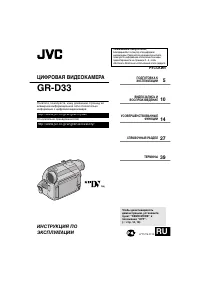 JVC GR-D33
Manual
JVC GR-D33
Manual
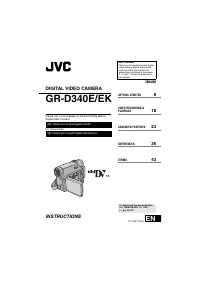 JVC GR-D340EK
User Manual
JVC GR-D340EK
User Manual
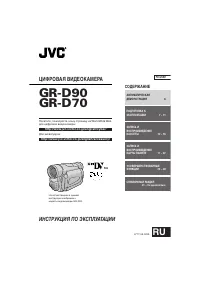 JVC GR-D70
Manual
JVC GR-D70
Manual
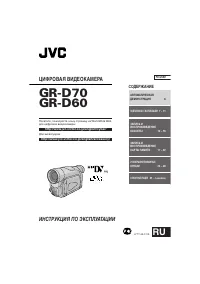 JVC GR-D90
Manual
JVC GR-D90
Manual
 JVC GR-DF420
Manual
JVC GR-DF420
Manual
 JVC GR-DF470
Manual
JVC GR-DF470
Manual
 JVC GR-DF570
Manual
JVC GR-DF570
Manual