Page 2 - EN; Using This Instruction Manual; SAFETY PRECAUTIONS; UNIT TO RAIN OR MOISTURE.
2 EN This camcorder is designed to be used with PAL-type colour television signals. It cannot be used forplayback with a television of a different standard. However, live recording and LCD monitor/viewfinderplayback are possible anywhere. Use the BN-V408U/V416U/V428U battery packs and, to recharge t...
Page 3 - can be used with this unit.
EN 3 When the equipment is installed in a cabinet or on a shelf, make sure that it has sufficient space on allsides to allow for ventilation (10 cm or more on both sides, on top and at the rear).Do not block the ventilation holes.(If the ventilation holes are blocked by a newspaper, or cloth etc. he...
Page 4 - PROVIDED ACCESSORIES
4 EN PROVIDED ACCESSORIES • AC Power Adapter/Charger AA-V40EA (GR-DVL300EA/DVL100EA)AA-V40A/AS (GR-DVL300A) • Remote Control UnitRM-V716U • DC Cord • CD-ROM (GR-DVL300A/DVL300EA only)The CD ROM contains the following5 software programmes: • JLIP Video Capture • JLIP Video Producer Presto! • Mr. Phot...
Page 5 - AUTOMATIC DEMONSTRATION; How To Attach The Core Filter
EN 5 AUTOMATIC DEMONSTRATION Automatic Demonstration takes place when“DEMO. MODE” is set to “ON” (factory-preset). Available when the Power Switch is set to “ ” or “ ” and no cassette is in the camcorder. Performing any operation during the demonstration stopsthe demonstration temporarily. If no ope...
Page 6 - GETTING STARTED; Power; CHARGING THE BATTERY PACK; About Batteries; The Benefits Of Lithium-Ion Batteries
6 EN GETTING STARTED Power This camcorder’s 2-way power supply system lets youchoose the most appropriate source of power. Do not useprovided power supply units with other equipment. CHARGING THE BATTERY PACK 1 Make sure you unplug the camcorder’s DC cord fromthe AC Power Adapter/Charger. Plug the A...
Page 7 - USING THE BATTERY PACK; BATTERY RELEASE; Approximate recording time; USING AC POWER
EN 7 1 3 2 To DC Inputconnector To DC OUTconnector To AC outlet AC PowerAdapter/Charger DC cord ATTENTION: Before detaching the power source,make sure that the camcorder’s poweris turned off. Failure to do so can resultin a camcorder malfunction. USING THE BATTERY PACK 1 Tilt the viewfinder upward 1...
Page 8 - Grip Adjustment; Shoulder Strap Attachment
8 EN PAUS E 3 1 2 Grip Adjustment 1 Separate the Velcro strip. 2 Pass your right hand through the loop and graspthe grip. 3 Adjust so that your thumb and fingers can easilyoperate the Recording Start/Stop Button andPower Zoom Lever. Refasten the Velcro strip. Viewfinder Adjustment 1 Set the Power Sw...
Page 10 - Loading/Unloading A Cassette
10 EN Loading/Unloading A Cassette The camcorder needs to be powered up to load or eject acassette. 1 Slide and hold OPEN/EJECT in the direction of the arrow then pull the cassette holder cover open until itlocks. The cassette holder opens automatically.• Do not touch internal components. 2 Insert o...
Page 11 - Recording Mode Setting
EN 11 P LA Y O FF 1 R SZ G T I DS R E OOAAD E I E C UO I L M D C T N M N L NOE AU M D YU . M R O U MM L EN D M P BOE R E O EDD A D RE E MEN S L U P P Recording Mode Setting Set the tape recording mode depending on your preference. 1 Set the Power Switch to “ ” while pressing down the Lock Button loc...
Page 12 - RECORDING; Basic Recording; Shooting while using the LCD monitor:
12 EN 2 5 90 min 89 min 3 min 2 min 1 min 0 min min 180 ° 90 ° BR I GH T – + P L A Y O FF RECORDING Basic Recording Tally lamp(lights whilerecording isin progress) Lock Button Tape remainingtime indicator(Approximate) (Now calculating) (Blinking) (Blinking) (Blinking) Display MENU/ BRIGHT Wheel Powe...
Page 13 - JOURNALISTIC SHOOTING; To turn the tally lamp off during recording,
EN 13 Self-Recording JOURNALISTIC SHOOTING In some situations, different shooting angles may providemore dramatic results. Hold the camcorder in the desiredposition and tilt the LCD monitor in the most convenientdirection. It can rotate 270° (90° downward, 180°upward). SELF-RECORDING You can shoot y...
Page 14 - Snapshot; SNAPSHOT MODE SELECTION; MODE; SNAPSHOT RECORDING; Motor Drive Mode; SNAPSHOT
14 EN P L A Y O FF F U L L RECORDING Basic Recording (cont.) Snapshot This feature lets you record still images that look likephotographs onto a tape. SNAPSHOT MODE SELECTION 1 Set the Power Switch to “ ” or “ ” while pressing down the Lock Button located on the switch. 2 Choose the appropriate Snap...
Page 16 - Zooming; Zoom In; Zoom Out
16 EN 1 0 xW T 1 xW T 1 0 xW T 20xW T 40xW T RECORDING Basic Recording (cont.) Zoom in (T: Telephoto) Zoom out (W: Wide angle) Power Zoom Lever Zoom display FEATURE: Zooming PURPOSE: To produce the zoom in/out effect, or an instantaneouschange in image magnification. OPERATION: Zoom In Slide the Pow...
Page 17 - NOTE: Recording From The Middle Of A Tape; Time Code; When a blank portion is recorded on a tape
EN 17 NOTE: Recording From The Middle Of A Tape Time Code During recording, a time code is recorded on the tape. This code is to confirm the location of the recordedscene on the tape during playback.If recording starts from a blank portion, the time code begins counting from “00:00:00”(minute:second...
Page 18 - DANGER; OFF
18 EN RECORDING Basic Recording (cont.) DANGER 䡲 The video light can becomeextremely hot. Do not touchit either while in operation orsoon after turning it off,otherwise serious injury mayresult. 䡲 Do not place the camcorder into thecarrying case immediately after using thevideo light, since it remai...
Page 19 - FOCUS; Advanced Features
EN 19 While focusing on a nearersubject While focusing on a furthersubject FEATURE: Auto Focus PURPOSE: The camcorder’s Full Range AF system offers continuous shooting ability from close-up (as close as approx.5 cm to the subject) to infinity.However, correct focus may not be obtainable in the situa...
Page 20 - Using Menus For Detailed Adjustment; If you have selected “
20 EN 1 D T WW C R I E II A E S L DN M M T EED AU R NR MM CE UN AOUS A CD TE L RE T O ME O O N N F U F P LA Y O FF END 1 OD T C RNA I L DE T M O I TSEE C SUC / K PRR T C L NE I O A A E M D D Y NEE MEN 1 U . 1 12 . : 00 00 J. 4 F AD WW RO FFF E II A F AAA R PPNFDDD / EED EEE W –– O RRR I SS M ––– P C...
Page 21 - Menu Screen Explanations; CONTINUED ON NEXT PAGE
EN 21 Menu Screen Explanations : Factory-preset Refer to “Fade/Wipe Effects” ( 墌 pg. 24, 25). Refer to “Programme AE With Special Effects” ( 墌 pg. 26). Refer to “Exposure Control” and “Iris Lock” ( 墌 pg. 27). Refer to “White Balance Adjustment” and “Manual White Balance Operation”( 墌 pg. 28). Allows...
Page 22 - CAMERA MENU
22 EN : Factory-preset Menu Screen Explanations (cont.) RECORDING Advanced Features (cont.) DIS TELEMACRO Demonstrates certain functions such as Programme AE with special effects,etc., and can be used to confirm how these functions operate. When “DEMO.MODE” is set to “ON” and the Menu Screen is clos...
Page 24 - and
24 EN RECORDING Advanced Features (cont.) Fade/Wipe Effects These effects let you make pro-style scenetransitions. Use them to spice up the transitionfrom one scene to the next. You can also varytransitions from scene to scene. IMPORTANT: Some Fade/Wipe Effects cannot be used withcertain modes of Pr...
Page 25 - Fader And Wipe Menu; Menu
EN 25 Fader And Wipe Menu Menu Effect Fade in or out with a white screen. Fade in or out with a black screen. Fade in or out with a full-screen mosaic effect. Fade in to a colour screen from a black and white screen, or fade outfrom colour to black and white. Wipe in on a black screen from the upper...
Page 26 - Programme AE With Special Effects
26 EN 1/501/1001/250 1/501/1001/250 4 P . A SSV SSS E LL I O HHH / OOD F UUU E WW E F TTT F O TTT F 1 EEE E 40E RRR C xx C T HO RECORDING Advanced Features (cont.) Programme AE With Special Effects 1 Set the Power Switch to “ ” while pressing down the Lock Button located on the switch. 2 Press MENU/...
Page 27 - Exposure Control; Iris Lock
EN 27 E X 0 P . Exposure Control Manual exposure adjustment is recommended in thefollowing situations:• When shooting using reverse lighting or when thebackground is too bright. • When shooting on a reflective natural backgroundsuch as at the beach or when skiing. • When the background is overly dar...
Page 28 - White Balance Adjustment; AUTO; Manual White Balance Operation
28 EN White Balance Adjustment A term that refers to the correctness of colourreproduction under various lighting. If the whitebalance is correct, all other colours will be accu-rately reproduced.The white balance is usually adjusted automatically.However, more advanced camcorder operatorscontrol th...
Page 29 - PLAYBACK; Basic Playback; Playback Zoom and Playback Special Effects
EN 29 PLAYBACK Basic Playback PL AY OFF Power Switch Rewind Button ( 2 ) Fast-Forward Button( 3 ) Play/Pause Button( 4 / 6 ) Stop Button ( 5 ) 1 Load a tape ( 墌 pg. 10). 2 Set the Power Switch to “ ” while pressing down the Lock Button located on the switch. To startplayback, press 4 / 6 . • To stop...
Page 30 - DISPLAY
30 EN PLAYBACK Advanced Features PL AY OFF 1 S 1S R R O 2YE E U BNC VT N I C I U D T H M DR RO EN M MOD O O O E D D M E E ENU S SS T OO E UU R NN E DD O L R 1 OD T RNA I DE T M I TSE E SUC / PRRT C L NE I O A E M D Y NE E MEN O O U N F F Using Menus For Detailed Adjustment The following procedure ap...
Page 31 - Playback Sound
EN 31 1 2 B I T / SOUND 1 S P 4 2 5 . 1 1 27 . : 03 00 T C 1 2 : 3 4 : 2 4 Playback Sound During playback, the camcorder detects the sound mode in which the recording was made, and plays thesound back. Select the type of sound to accompany your playback picture. According to the menu accessexplanati...
Page 32 - Basic Connections; B. Connection to a TV or VCR equipped only with A/V input connectors
32 EN PLAYBACK Basic Connections These are some basic types of connections. When making the connections, refer also to your VCR and TVinstruction manuals. * When connecting the cables, open this cover. ** Provided with GR-DVL300EA/DVL100EA, optional for GR-DVL300A. Core filter Yellow:Not connected S...
Page 34 - Advanced Connections
34 EN PLAYBACK Advanced Connections Connection To A Personal Computer This camcorder can transfer still images to a PC by usingthe image transfer software (GR-DVL300A/DVL300EA:provided, GR-DVL100EA: optional software such as theHS-V14KIT) when connected as shown in the illustration.It is also possib...
Page 36 - DUBBING; Dubbing To A VCR
36 EN DUBBING Dubbing To A VCR 1 Following the illustration, connect the camcorder andthe VCR. Also refer to pg. 32 and 33. 2 Set the camcorder’s Power Switch to “ ” while pressing down the Lock Button located on the switch,turn on the VCR’s power, and insert the appropriatecassettes in the camcorde...
Page 39 - Installing The Batteries; USING THE REMOTE CONTROL UNIT
EN 39 5m 30 ° 30 ° 1 3 2 + – + – The Full-Function Remote Control Unit can operate thiscamcorder from a distance as well as the basic operations(Playback, Stop, Pause, Fast-Forward and Rewind) of yourVCR. It also makes additional playback functions possible. Installing The Batteries The remote contr...
Page 40 - Buttons
40 EN USING THE REMOTE CONTROL UNIT (cont.) 1 0 ) @ $ ! #% ^ & * ( 2 3 4 68 5 79 Buttons 1 Infrared beam transmitting window 2 Zoom (T/W) Buttons 3 DISPLAY Button 4 SHIFT Button 5 SLOW Rewind/Forward ButtonsLeft/Right Buttons 6 REW Button 7 FADE/WIPE Button 8 EFFECT ON/OFF Button 9 EFFECT Button...
Page 41 - Playback Zoom
EN 41 SHIFT PAUSE PLAY STOP Press T Normal playback Left or SLOW Rewind Button To move image,press (Right) while keepingSHIFT held down. Zoom Buttons Remote sensor Right or SLOW Forward Button Up Button DownButton FEATURE: Slow-Motion Playback PURPOSE: To allow slow-speed search in either direction ...
Page 42 - Playback Special Effects; PLAY
42 EN P 4 L O A F12345 Y F BACK CMSSV L O ET I E ANPRD F S O I O E F STAB O E I O E C CN E T E C F H I O LM EFFECT PLAY EFFECT ON/OFF PLAYBACKEFFECT SelectMenu Remote sensor FEATURE: Playback Special Effects PURPOSE: To allow you to add creative effects to the playbackimage. OPERATION: 1) To start p...
Page 43 - MBR SET; SHIFT
EN 43 VCR CODE LIST 6 26 47 7 MITSUBISHI 6 76 8 NEC 3 73 8 GRUNDIG 1 43 4 HITACHI 6 66 3 PANASONIC 1 31 71 19 41 8 JVC 9 19 69 3 BLAUPUNKT AKAI 9 79 83 2 FERGUSON 1 3 ABC VCR BRANDNAME BUTTONS (A) (B) SANYO 3 63 5 SHARP 1 51 ` TOSHIBA 6 96 1 SONY 6 56 `3 93 1 THOMSON,TELEFUNKEN,SABA,NORDMENDE 9 19 6...
Page 44 - MAKE CONNECTIONS
44 EN DISPLAY MAKE CONNECTIONS Also refer to pg. 32 and 33. 1 A JVC VCR equipped with a remote pauseconnector . . . ... connect the editing cable to the Remote PAUSE connector. A JVC VCR not equipped with a remotepause connector but equipped with anR.A.EDIT connector . . . ... connect the editing ca...
Page 45 - SELECT SCENES
EN 45 1 2345678 – – TT I O M T – EA I – L N : C – O – D ~~~~~~~~ E O –0 U –0 T :: –0 –0 MODE PLAY R.A.EDITON/OFF EFFECT FADE/WIPE EDIT IN/OUT CANCEL SELECT SCENES 4 Point the remote control at the camcorder’s remotesensor. Press PLAY ( 4 ) and then press R.A.EDIT ON/ OFF on the remote control. The R...
Page 46 - AUTOMATIC EDITING TO VCR; PAUSE
46 EN 12345 6 78 – – – – TT I O M T 00001– EA I 07395– L N :::::: C 21335– O 58305– D ~~~~~~~~ E O 00011 1 U 28536 69 T ::::: :: 03512 33 51350 09 M – – O – – DE –– – –– – STOP PAUSER.A.EDITON/OFF VCR RECSTBY FADE/WIPE EFFECT EDIT IN/OUT CANCEL REW AUTOMATIC EDITING TO VCR 11 Rewind the tape in the ...
Page 47 - For More Accurate Editing; DIAGNOSING VCR/CAMCORDER TIMING; VCR; TV
EN 47 1 2345678 – – TT I O M T – EA I – L N : C – O – D ~~~~~~~~ E O –0 U –0 T :: –0 –0 MODE R.A.EDITON/OFF For More Accurate Editing Some VCRs make the transition from Record-Pause toRecord mode faster than others. Even if you begin editingfor the camcorder and the VCR at exactly the same time,you ...
Page 49 - Audio Dubbing
EN 49 6e PAUSE A.DUB STOP PLAY Audio Dubbing The audio track can be customized only when recorded inthe 12-bit mode ( pg. 21). NOTES: ● Audio Dubbing is not possible on a tape recorded in16-bit audio, on a tape recorded in the LP mode or on ablank portion of a tape. ● To perform Audio Dubbing while ...
Page 50 - SYMPTOM; TROUBLESHOOTING; BRIGHT
50 EN SYMPTOM POSSIBLE CAUSES CORRECTIVE ACTION TROUBLESHOOTING 1. No power is supplied. 2. “SET DATE/TIME!”appears. 3. Recording cannot beperformed. 4. There is no picture. 5. Some functions are notavailable using MENU/ BRIGHT . 6. The focus does not adjustautomatically. 7. The cassette will not lo...
Page 51 - BACKLIGHT
EN 51 SYMPTOM POSSIBLE CAUSES CORRECTIVE ACTION 8. Snapshot mode cannot beused. 9. The colour of Snapshotlooks strange. 10. The image taken usingSnapshot is too dark. 11. Digital Zoom does notwork. 12. Programme AE withspecial effects and Fade/Wipe Effects do not work. 13. The Black & White Fade...
Page 57 - LCD Monitor/Viewfinder Indications During Recording; H T –; INDEX; Indications
EN 57 LCD Monitor/Viewfinder Indications During Recording F . 2 T A C U P T H 2 O 4 O B 3 0 T R : x O I 2 W G 5 H T – T 1 S + . P 1 12 3 R 4 . : 5 E 46 00 C 4w 00 q * ) & % # * ^ $ ( 0 @ 1 2 3 * 4 * 5 7 9 6 * 8 ! * * Setting “ON SCREEN” to “SIMPLE” in the Menu Screen removes indications marked w...
Page 58 - LCD Monitor/Viewfinder Indications During Playback; I T; Warning Indications; CHECK TAPE’S ERASE
58 EN LCD Monitor/Viewfinder Indications During Playback 1 L 2 T B C I T V 1 / O 0 S L : O U 0 U M 6 N E : D 2 1 0 1 L . P 1 12 . : 4 00 00 5 2 4 6 1 3 1 Displays the sound mode. ( 墌 pg. 30, 31) 2 Displays the tape speed. ( 墌 pg. 11) 3 Appears while a tape is running. 4 : Playback 3 : Fast-Forward/S...
Page 59 - TAPE END
EN 59 Indications Function Appears if condensation occurs. When this indication is displayed, waitmore than 1 hour until condensation disappears. Appears if a tape is not loaded when the Recording Start/Stop Button orSNAPSHOT Button is pressed while the Power Switch is set to “ ” or “ ”. Appears whe...
Page 60 - Controls, Connectors And Indicators
60 EN INDEX Controls, Connectors And Indicators PL AY OF F 1 e o i r y u q ) w 3 4 5 6 7 8 Q t $ % # T E Y R W ^ & * ( ! @ 9 0 p 2
Page 62 - USER MAINTENANCE; Cleaning The Camcorder; PUSH OPEN; After Use
62 EN 2 1 USER MAINTENANCE Cassette holdercover OPEN/EJECTSwitch PUSH HERE Cassette holder Cover Cleaning The Camcorder 1 To clean the exterior, wipe gently with a softcloth.Put the cloth in diluted mild soap and wring itwell to wipe off heavy dirt. Then wipe againwith a dry cloth. 2 Press PUSH OPEN...
Page 63 - Video Light; General Battery Precautions; CAUTIONS; Battery Packs
EN 63 Video Light DANGER 䡲 The video light can become extremelyhot. Do not touch it either while inoperation or soon after turning it off,otherwise serious injury may result. 䡲 Do not place the camcorder into the carrying caseimmediately after using the video light, since itremains extremely hot for...
Page 64 - Cassettes; Be aware of the following phenomena for LCD; Main Unit; Dirty heads can cause the following problems:
64 EN CAUTIONS (cont.) Cassettes To properly use and store your cassettes, be sure toread the following cautions: 1. During use . . . .... make sure the cassette bears the Mini DV mark..... be aware that recording onto prerecorded tapes automatically erases the previouslyrecorded video and audio sig...
Page 65 - Serious malfunctioning; How To Handle A CD-ROM
EN 65 Serious malfunctioning If malfunctioning occurs, stop using the unitimmediately and consult your local JVC dealer. The camcorder is a microcomputer-controlleddevice. External noise and interference (from aTV, a radio, etc.) might prevent it from function-ing properly. In such cases, first disc...
Page 66 - TERMS
66 EN TERMS F Fade-In/Out ........................................ 墌 pg. 24, 25 Fast-Forward The Tape .............................. 墌 pg. 29 Frame-By-Frame Playback .................. 墌 pg. 29, 41 G Gain Up ................................................... 墌 pg. 21 Grip Adjustment ..................
Page 68 - SPECIFICATIONS; Camcorder; For General; For Digital Video Camera
68 EN SPECIFICATIONS Camcorder For General Power supply : DC 6.3 V (Using AC Power Adapter/Charger) DC 7.2 V (Using battery pack) Power consumption LCD monitor off, viewfinder on : Approx. 4.3 W LCD monitor on, viewfinder off : Approx. 5.3 W Video light : Approx. 3.5 W Dimensions (W x H x D) : 80 mm...
Page 69 - For Connectors
EN 69 For Connectors S : Y : 1 V ( p-p ) , 75 Ω , analogue output C : 0.29 V ( p-p ) , 75 Ω , analogue output AV Video output : 1 V ( p-p ) , 75 Ω , analogue Audio output : 300 mV (rms), 1 k Ω , analogue, stereo DV Input/output : 4-pin, IEEE 1394 compliant PC (DIGITAL PHOTO) Digital still output : ø...
Page 70 - MEMO


 JVC GC-PX100
Manual
JVC GC-PX100
Manual
 JVC GR-D20
Manual
JVC GR-D20
Manual
 JVC GR-D200
User Manual
JVC GR-D200
User Manual
 JVC GR-D220
Manual
JVC GR-D220
Manual
 JVC GR-D225
Manual
JVC GR-D225
Manual
 JVC GR-D240
Manual
JVC GR-D240
Manual
 JVC GR-D246
User Manual
JVC GR-D246
User Manual
 JVC GR-D290
Manual
JVC GR-D290
Manual
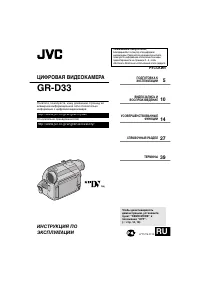 JVC GR-D33
Manual
JVC GR-D33
Manual
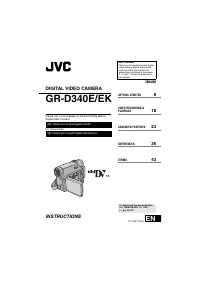 JVC GR-D340EK
User Manual
JVC GR-D340EK
User Manual
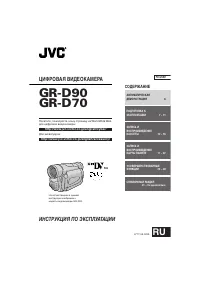 JVC GR-D70
Manual
JVC GR-D70
Manual
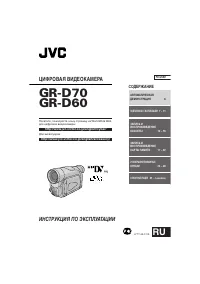 JVC GR-D90
Manual
JVC GR-D90
Manual
 JVC GR-DF420
Manual
JVC GR-DF420
Manual
 JVC GR-DF470
Manual
JVC GR-DF470
Manual
 JVC GR-DF570
Manual
JVC GR-DF570
Manual