Page 2 - lis
English Thank you . . . � 2 1. Getting started . . . . . . . . . . . . . . . . . . . . . . . . . . . . . . . . . . . . . . . . . . . . . . . . . . . . . . . . . . 3 2. Using your Jabra BT110 headset . . . . . . . . . . . . . . . . . . . . . . . . . . . . . . . . . . . . . . . . 5 3. Using your Jabra...
Page 3 - Jabra BT110 Overview; Answer / end button; Summary of features; BEFORE USING YOUR Jabra BT110; Insert an AAA battery; Thank you
En g lis h 2 Thank you for purchasing the Jabra BT110 Bluetooth ® Headset, we hope you will be totally delighted with its operation. The Jabra BT110 is a simple and easy way to enjoy hands-free use of your Bluetooth mobile phone. The Jabra BT110 is designed to be comfortable enough to be worn all da...
Page 4 - Using your Jabra BT110 headset
4 En g lis h 5 En g lis h 2. Pairing 3 The Jabra BT110 will always go into pairing mode whenever you insert / replace the battery. The yellow light will come on and remain on for approximately 5 minutes. During this time the headset can be paired 3 (connected) to your mobile phone. To exit this mode...
Page 5 - Troubleshooting and frequently asked questions; LED status indicators; Using your Jabra BT110 with the Jabra A210 Bluetooth adaptor
7 The Jabra BT110 is ready to wear on the right ear. If you prefer the left, gently rotate the MiniGel 180°. For optimal performance, wear the Jabra BT110 and your mobile phone on the same side of your body or within line of sight. In general, you will get better performance when there are no obstru...
Page 6 - Certification and safety approvals; Storage of the Jabra BT110
9 • Unless otherwise instructed in the User Manual, the user may not, under any circumstances, attempt to perform service, adjustments or repairs on this unit, whether in or out of warranty. It must be returned to the purchase point, factory or authorized service agency for all such work • Jabra (GN...
Page 7 - Français; Bluetooth profiles; Pairing; Standby mode; Glossary
Fr an ça is Français Merci . . . . . . .� 12 1. Mise en route . . . . . . . . . . . . . . . . . . . . . . . . . . . . . . . . . . . . . . . . . . . . . . . . . . . . . . . . . . 13 2. Utilisation de votre casque Jabra BT110 . . . . . . . . . . . . . . . . . . . . . . . . . . . . . . . . . 15 3. Util...
Page 8 - AVANT TOUTE UTILISATION DE VOTRE; Insérez une pile de; Synthèse des fonctions; Respectez la législation locale.; an; Merci
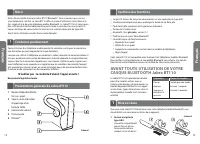
Le Jabra BT110 est spécialement étudié pour être simple à utiliser avec un minimum de boutons de commande. Le bouton Répondre/Mettre fin à un appel assure divers types de fonctions selon la durée pendant laquelle il est maintenu enfoncé. • Jusqu’à 15 heures de temps de conversation sur une seule pil...
Page 9 - Utilisation de votre casque Jabra BT110
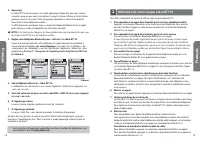
Vous êtes maintenant en mesure d’utiliser votre casque Jabra BT110. 1. Pour répondre à un appel directement à partir de votre téléphone mobile Appuyez sur le bouton Répondre sur le clavier de votre téléphone. Vous pouvez ensuite transférer l'appel sur votre casque en pressant sur le bouton Répondre/...
Page 10 - Choisissez votre mode de port du casque préféré; Utilisation de votre Jabra BT110 avec l’adaptateur; Voyants d’état
Si vous entendez des craquements : Pour une qualité audio optimale, portez toujours votre casque sur le même côté du corps que votre téléphone mobile. Si vous n’entendez rien dans votre casque : 1. augmentez-en le volume. 2. vérifiez que le casque est bien appairé au téléphone. 3. assurez-vous que l...
Page 11 - Certification et agréments en matière de sécurité; Garantie
• Jabra (GN Netcom) n’est pas responsable des dommages accessoires ou indirects résultant de l’utilisation appropriée ou inappropriée de l’un des produits Jabra (GN Netcom) • Cette garantie vous donne des droits spécifiques et vous pouvez bénéficier d’autres droits qui varient d’un pays à l’autre • ...
Page 12 - Deutsch; eu; L’appairage; Le mode veille; Glossaire
Deutsch Danke . . . . . . � 22 1. Bevor es losgeht . . . . . . . . . . . . . . . . . . . . . . . . . . . . . . . . . . . . . . . . . . . . . . . . . . . . . . . 23 2. Verwendung Ihres Jabra BT110 Headset . . . . . . . . . . . . . . . . . . . . . . . . . . . . . . . . 25 3. Verwendung Ihres Jabra BT1...
Page 13 - VOR DEM VERWENDEN IHRES Jabra BT110; Legen Sie eine AAA; Zusammenfassung der Leistungsmerkmale; Denken Sie daran, das Fahren geht vor, nicht das Telefongespräch!; Halten Sie sich an das Gesetz.; Danke
Das Jabra BT110 wurde so entworfen, dass es mit einem Minimum an Kontrollknöpfen einfach bedient werden kann. Der Knopf zur Gesprächsannahme/-beendigung am Headset bietet je nach Dauer des Knopfdrucks alternative Funktionen. • Bis zu 15 Stunden Gesprächszeit mit einer einzigen AAA Batterie • Schalte...
Page 14 - Verwendung Ihres Jabra BT110 Headset
Sie sind jetzt bereit, Ihr Jabra BT110 Headset zu benutzen. 1. Gespräch direkt mit Ihrem Mobiltelefon annehmen Drücken Sie den Knopf zur Gesprächsannahme auf der Tastatur Ihres Telefons. Im Anschluss können Sie das Gespräch mit einem leichten Druck auf den Knopf zur Gesprächsannahme/-beendigung an I...
Page 15 - Bevorzugte Tragweise auswählen; Verwendung Ihres Jabra BT110 mit dem; LED Status-Indikatoren
Wenn Sie knisternde Geräusche hören; Um die beste Tonqualität zu erhalten, tragen Sie Ihr Headset immer an der gleichen Körperseite wie Ihr Mobiltelefon. Wenn Sie gar nichts in Ihrem Headset hören; 1. Drehen Sie die Lautstärke an Ihrem Headset auf. 2. Vergewissern Sie sich, dass das Headset mit dem ...
Page 16 - Zertifizierung und Sicherheitszulassungen; Wird weitere Hilfe benötigt?; aufhört zu klingeln, bevor das Headset aktiviert wurde
• Jede implizierte Garantie auf Produkte von Jabra (GN Netcom) beschränkt sich für alle Teile einschließlich der Kabel und Anschlüsse auf zwei Jahre ab dem Kaufdatum • Ausgenommen von der Garantie sind Verschleißteile mit begrenzter Lebensdauer wie z. B. Mikrofon-Windschutz, Ohrpolster, Zierteile, A...
Page 17 - Italiano; al; Paaren
Italiano Grazie . . . . . .� 32 1. Guida rapida all'avvio . . . . . . . . . . . . . . . . . . . . . . . . . . . . . . . . . . . . . . . . . . . . . . . . . . 33 2. Utilizzo dell'auricolare Jabra BT110 . . . . . . . . . . . . . . . . . . . . . . . . . . . . . . . . . . . . . 35 3. Utilizzo dell'auric...
Page 18 - PRIMA DI UTILIZZARE L'AURICOLARE Jabra; batteria AAA; Riassunto delle caratteristiche; Ricordarsi che la guida ha sempre la precedenza sulle chiamate!; Rispettare le leggi locali.; Ita; Grazie
Jabra BT110 è stato progettato per funzionare in modo semplice mediante un numero minimo di pulsanti di comando. Il pulsante di risposta / fine conversazione posto sull'auricolare svolge diverse funzioni, a seconda della durata della pressione esercitata su di esso. • Fino a 15 ore di autonomia in c...
Page 19 - Utilizzo dell'auricolare Jabra BT110
A questo punto è possibile iniziare ad utilizzare l'auricolare Jabra BT110. 1. Per rispondere a una chiamata direttamente dal telefono cellulare Premere il pulsante di risposta sulla tastiera del telefono. Dopodiché, è possibile trasferire la chiamata sull'auricolare premendo brevemente il pulante d...
Page 20 - Se l'auricolare emette un disturbo simile a un crepitio; Risoluzione guasti e domande frequenti; Accensione e spegnimento dell'auricolare; Utilizzo dell'auricolare Jabra BT110 con l'adattatore; Indicatori di stato LED; conversazione
Se l'auricolare emette un disturbo simile a un crepitio; Per una qualità audio ottimale, indossare sempre l'auricolare sullo stesso lato del corpo in cui si porta il telefono cellulare. Se l'auricolare non emette alcun suono; 1. Alzare il volume sull'auricolare. 2. Assicurarsi che l'auricolare sia a...
Page 21 - Norme di certificazione e di sicurezza; Conservazione di Jabra BT110; telefono non segnali alcuna anomalia
• La garanzia è nulla qualora vengano rimossi il numero di serie, l'etichetta del codice data o l'etichetta del prodotto, oppure qualora il prodotto venga danneggiato, installato non correttamente, modificato o riparato da terzi non autorizzati • La responsabilità di Jabra (GN Netcom) verso i propri...
Page 22 - Nederlands; ed; La chiave di accesso o PIN; Glossario
Nederlands Dank u . . . . .� 42 1. Voorbereiding voor gebruik . . . . . . . . . . . . . . . . . . . . . . . . . . . . . . . . . . . . . . . . . . . . 43 2. Gebruik van de Jabra BT110 headset . . . . . . . . . . . . . . . . . . . . . . . . . . . . . . . . . . . . 45 3. Gebruik van de Jabra BT110 met ...
Page 23 - VOORDAT U DE Jabra BT110 BLUETOOTH; Overzicht van functies en kenmerken; Denk eraan, rijden gaat vóór het gesprek!; Houd u aan de plaatselijke wettelijke voorschriften.; Overzicht van de Jabra BT110
De Jabra BT110 is eenvoudig in het gebruik en heeft zo weinig mogelijk bedieningsknoppen. Met de antwoord-/verbreekknop op de headset kunt u verschillende handelingen verrichten, afhankelijk van de tijd dat deze wordt ingedrukt. • 15 uur gesprekstijd op één AAA-batterij • Wordt automatisch uitgescha...
Page 24 - Gebruik van de Jabra BT110 headset
U kunt nu uw Jabra BT110 headset gebruiken. 1. Een gesprek direct beantwoorden vanaf uw mobiele telefoon Druk op de antwoordknop op het toetsenset van uw telefoon. U kunt daarna het gesprek doorschakelen naar uw headset door te tikken op de antwoord/verbreekknop van de headset. 2. Een gesprek direct...
Page 25 - De gewenste draagstand kiezen; Gebruik van de Jabra BT110 met de Jabra A210 Bluetooth adapter; LED statusindicatoren
Als u gekraak hoort; Voor de beste geluidskwaliteit verdient het aanbeveling de headset en uw mobiele telefoon aan dezelfde kant van het lichaam te dragen. Als u niets hoort in uw headset; 1. Zet het volume op de headset hoger. 2. Controleer of de headset is verbonden met de telefoon. 3. Controleer ...
Page 26 - Certificering en veiligheidsgoedkeuring; Hebt u meer hulp nodig?
• Jabra (GN Netcom) is niet aansprakelijk voor incidentele schade of gevolgschade die voortvloeit uit het gebruik of misbruik van Jabra (GN Netcom) producten • Deze garantie geeft u specifieke rechten, maar u kunt ook over andere rechten beschikken die plaatselijk kunnen verschillen • Behoudens ande...
Page 27 - Español; añ; wachtwoord of PIN
Español Gracias . . . . .� 52 1. Cómo empezar . . . . . . . . . . . . . . . . . . . . . . . . . . . . . . . . . . . . . . . . . . . . . . . . . . . . . . . . . 53 2. Uso del auricular Jabra BT110 . . . . . . . . . . . . . . . . . . . . . . . . . . . . . . . . . . . . . . . . . . . 55 3. Uso del Jabr...
Page 28 - ANTES DE USAR SU AURICULAR; Inserte una pila AAA; Resumen de funciones; Botón contestar/terminar llamada; Gracias
El Jabra BT110 está diseñado para ser sencillo de operar, con un mínimo de botones de control. El botón contestar/ terminar del auricular ofrecerá operaciones alternativas, dependiendo de la duración de la pulsación. • Hasta 15 horas de conversación con una sola pila AAA • Se apaga automáticamente p...
Page 29 - Uso del auricular Jabra BT110
Ahora puede usar su auricular Jabra BT110. 1. Para contestar una llamada directamente desde su teléfono móvil Pulse el botón contestar del teclado de su teléfono. Luego puede transferir la llamada a su auricular dando un golpe seco en el botón contestar/terminar del auricular. 2. Para contestar una ...
Page 30 - Colocación del auricular; Uso del Jabra BT110 con el Adaptador Bluetooth Jabra A210; Indicadores de estado LED
Si oye “crujidos”; Para obtener la mejor calidad de audio, lleve siempre el auricular en el mismo lado del cuerpo que el teléfono móvil. Si no oye nada en el auricular; 1. Aumente el volumen del auricular. 2. Asegúrese de que el auricular está emparejado con el teléfono. 3. Asegúrese de que el teléf...
Page 31 - Certificación y autorizaciones de seguridad; Almacenamiento del Jabra BT110
• Jabra (GN Netcom) no será responsable de cualquier daño incidental o consecuente que surja del uso o mal uso de cualquier producto de Jabra (GN Netcom) • Esta garantía le otorga a usted derechos legales específicos, y es posible que usted tenga otros derechos que varían de un lugar a otro • A meno...
Page 32 - Dansk; Glosario
Dansk Tak . . . . . . . .� 62 1. Kom godt i gang . . . . . . . . . . . . . . . . . . . . . . . . . . . . . . . . . . . . . . . . . . . . . . . . . . . . . . . 63 2. Brug af Jabra BT110-headset . . . . . . . . . . . . . . . . . . . . . . . . . . . . . . . . . . . . . . . . . . . 65 3. Brug af Jabra B...
Page 33 - FØR BRUG AF Jabra BT110; Oversigt over funktioner; Husk, at trafikken er vigtigere end opkaldet; Lydstyrkeknap; Tak
Jabra BT110 er designet til at være let at betjene med et minimum af betjeningsknapper. Besvar/afslut-knappen på headsettet har forskellige funktioner, afhængigt af hvor længe du trykker på den. • Op til 15 timers taletid med et enkelt AAA-batteri • Slukker automatisk for at spare på batteriet • Vej...
Page 34 - Brug af Jabra BT110-headset
Du er nu klar til at bruge Jabra BT110-headsettet. 1. Sådan besvares et opkald direkte fra mobiltelefonen Tryk på besvar-knappen på telefonens tastatur. Du kan derefter overføre opkaldet til headsettet ved at trykke kort på besvar/afslut-knappen på headsettet. 2. Sådan besvares et opkald direkte fra...
Page 35 - Vælg, hvordan du vil bære headsettet; Sådan tændes og slukkes headsettet; Brug af Jabra BT110 med Jabra A210 Bluetooth-adapter; Statusindikatorer
Hvis der høres knitrende støj Den bedste lydkvalitet opnås ved at bære headsettet og mobiltelefonen på samme side af kroppen. Hvis der ikke høres noget i headsettet 1. Skru op for lydstyrken på headsettet. 2. Sørg for, at headsettet er sluttet til telefonen. 3. Kontroller, om der er forbindelse til ...
Page 36 - Certificering og sikkerhedsgodkendelser; Har du brug for mere hjælp?
• Denne garanti giver dig specifikke rettigheder, og du kan have andre rettigheder, der varierer fra område til område • Brugeren må under ingen omstændigheder forsøge at udføre service, justeringer eller reparationer af denne enhed, uanset om det ligger inden for garantien eller ej, medmindre det e...
Page 37 - Suomi; Su; Standbytilstand; Ordliste
Suomi Kiitos . . . . . .� 72 1. Aloitus .� 73 2. Jabra BT110 -kuulokkeen käyttö . . . . . . . . . . . . . . . . . . . . . . . . . . . . . . . . . . . . . . . . 75 3. Jabra BT110 -kuulokkeen käyttö Jabra A210 Bluetooth-sovittimen kanssa . . . . . . . . . . . . . . . . . . . . . . . . . . . . . . . . ...
Page 38 - ENNEN Jabra BT110 BLUETOOTH -; Yhteenveto ominaisuuksista; Muista, että ajaminen on aina puhelua tärkeämpää!; Noudata paikallisia lakeja.; Kiitos
Jabra BT110 on suunniteltu helppokäyttöiseksi. Siksi siinä on mahdollisimman vähän painikkeita. Kuulokkeen vastaus-/lopetuspainike toimii eri tavalla sen mukaan, kuinka pitkään sitä painetaan. • Jopa 15 tuntia puheaikaa yhdellä AAA-akulla • Automaattinen virrankatkaisu akkujen säästämiseksi • Kokona...
Page 39 - Jabra BT110 -kuulokeen käyttö
Jabra BT110 -kuuloke on nyt käyttövalmis. 1. Puheluun vastaaminen matkapuhelimella Paina vastauspainiketta puhelimen näppäimistöltä. Puhelu voidaan siirtää kuulokkeeseen napsauttamalla kuulokkeen vastaus-/lopetuspainiketta. 2. Puheluun vastaaminen kuulokkeella Napsauta kerran kuulokkeen vastaus-/lop...
Page 40 - Käyttöpuolen valinta; Jabra BT110 -kuulokkeen käyttö Jabra A210 Bluetooth; Merkkivalot
Jos kuuluu rasahtelevaa ääntä; Paras äänenlaatu saavutetaan, kun kuuloke ja matkapuhelin ovat kehon samalla puolella. Jos kuulokkeesta ei kuulu mitään; 1. Lisää kuulokkeen äänenvoimakkuutta. 2. Varmista, että kuuloke on liitetty puhelimeen. 3. Varmista, että puhelimen ja kuulokkeen yhteys on toiminn...
Page 41 - Sertifikaatit ja turvahyväksynnät; Lisäohjeita
• Tämä takuu antaa käyttäjälle tietyt oikeudet, ja käyttäjällä saattaa olla muitakin oikeuksia asuinpaikasta riippuen • Ellei käyttöoppaassa muuta mainita, käyttäjä ei missään tilanteessa saa yrittää huoltaa, säätää tai korjata tätä laitetta, ovatpa huoltokohteet takuunalaisia tai eivät. Kaikkia täl...
Page 42 - Svenska; Liittäminen; Valmiustilassa; Sanasto
Svenska Tack . . . . . . . .� 82 1. Komma igång . . . . . . . . . . . . . . . . . . . . . . . . . . . . . . . . . . . . . . . . . . . . . . . . . . . . . . . . . . 83 2. Använda Jabra BT110 headset . . . . . . . . . . . . . . . . . . . . . . . . . . . . . . . . . . . . . . . . . . 85 3. Använda Jabr...
Page 43 - INNAN DU ANVÄNDER Jabra BT110; Sammanfattning av funktioner; Följ lokala bestämmelser; Tack
Jabra BT110 är utformad för att vara enkel att använda, med minsta möjliga antal kontrollknappar. Svars-/avslutningsknappen på headsetet har olika funktioner beroende på hur lång tid den trycks in. • Upp till 15 timmars samtalstid på ett enda AAA-batteri • Stängs av automatiskt för att öka batteriet...
Page 44 - Använda Jabra BT110 headset
Du kan nu börja använda Jabra BT110 headset. 1. Så här gör du för att svara direkt från mobiltelefonen Tryck ner svarsknappen på telefonens knappsats. Du kan därefter överföra samtalet till headsetet genom att nudda vid headsetets svars-/avslutningsknapp. 2. Så här gör du för att svara direkt från h...
Page 45 - Använda Jabra BT110 med Jabra A210 Bluetooth-adapter
Om du hör sprakande ljud; För bästa ljudkvalitet, bär alltid ditt headset på samma sida av kroppen som din mobiltelefon. Om du inte hör något i ditt headset; 1. Öka volymen i headsetet. 2. Kontrollera att headsetet har parats ihop med telefonen. 3. Kontrollera att telefonen är ansluten till headsete...
Page 46 - Intyg om uppfyllande av säkerhetsbestämmelser
• Den här garantin ger dig särskilda rättigheter och du kan även ha andra rättigheter som varierar mellan olika områden • Om inte annat anges i användarhandboken får användaren under inga omständigheter försöka utföra service på, göra justeringar av eller reparera den här enheten, vilket gäller ober...
Page 47 - rs; Norsk
N o rs k Norsk Takk . . . . . . .� 92 1. Komme i gang . . . . . . . . . . . . . . . . . . . . . . . . . . . . . . . . . . . . . . . . . . . . . . . . . . . . . . . . . 93 2. Bruke Jabra BT110-headsettet . . . . . . . . . . . . . . . . . . . . . . . . . . . . . . . . . . . . . . . . . . 95 3. Bruke J...
Page 48 - Oppsummering av funksjoner; FØR DU TAR I BRUK Jabra BT110; Komme i gang; Husk at kjøringen er førsteprioritet, ikke anropet!; Følg lokale bestemmelser.; Oversikt over Jabra BT110; Gul lysdiode som viser; Takk
N o rs k Oppsummering av funksjoner Jabra BT110 er spesielt utformet slik at det skal være enkelt i bruk og ha færrest mulig kontrollknapper. Svar-/avsluttknappen på headsettet har ulike funksjoner avhengig av hvor lenge den trykkes inne. • Opp til 15 timers taletid på ett enkelt AAA-batteri • Slår ...
Page 49 - Bruke Jabra BT110-headsettet
N o rs k Du kan nå bruke Jabra BT110-headsettet. 1. For å svare et anrop direkte fra mobiltelefonen Trykk på svarknappen på telefontastaturet. Du kan deretter overføre anropet til headsettet ved å trykke lett på svar-/avsluttknappen på headsettet. 2. For å svare et anrop direkte fra headsettet Trykk...
Page 50 - Feilsøking og ofte stilte spørsmål; Bruke Jabra BT110 med Jabra A210 Bluetooth-adapter; LED-statusindikasjoner
N o rs k Hvis du hører sprakelyder; For å oppnå best mulig lydkvalitet, bør du alltid bære headsettet på samme side av kroppen som mobiltelefonen. Hvis du ikke kan høre noe i headsettet; 1. Øke volumet på headsettet. 2. Kontroller at headsettet er paret mot telefonen. 3. Kontroller at telefonen er f...
Page 51 - Sertifisering og sikkerhetsgodkjenninger; Trenger du mer hjelp?
N o rs k • Denne garantien gir deg spesifikke rettigheter, og du kan også ha andre rettigheter som varierer avhengig av område • Med mindre annet er oppgitt i Brukerhåndboken, må brukeren ikke, under noen omstendigheter, prøve å utføre service, justeringer eller reparasjoner på denne enheten, innenf...
Page 52 - Português; Paring; Standbymodus
Po rt u g u ês Português Obrigado .� 102 1. Introdução . . . . . . . . . . . . . . . . . . . . . . . . . . . . . . . . . . . . . . . . . . . . . . . . . . . . . . . . . . . . 103 2. Utilizar o auricular Jabra BT110 . . . . . . . . . . . . . . . . . . . . . . . . . . . . . . . . . . . . . . . . 105 3...
Page 53 - Resumo das características; ANTES DE UTILIZAR O AURICULAR; pilha AAA; Introdução; Po; Respeite a legislação local.; Descrição geral do Jabra BT110
Po rt u g u ês Resumo das características O Jabra BT110 foi concebido para um funcionamento simples, utilizando um número mínimo de botões de controlo. O tempo durante o qual carrega no botão Atender/Terminar do auricular determina o tipo de operação. • Até 15 horas de conversação com uma única pilh...
Page 54 - Utilizar o auricular Jabra BT110
Po rt u g u ês Pode agora utilizar o auricular Jabra BT110. 1. Para atender uma chamada directamente no telefone móvel Carregue no botão Atender do telefone. Depois, pode transferir a chamada para o auricular tocando no botão Atender/Terminar deste último. 2. Para atender uma chamada directamente no...
Page 55 - Resolução de problemas e perguntas mais frequentes; Utilizar o Jabra BT110 com o adaptador Bluetooth Jabra A210
Po rt u g u ês Se ouvir crepitações; Para obter a melhor qualidade de som, use sempre o auricular e o telefone móvel no mesmo lado. Se não conseguir ouvir nada no auricular; 1. Aumente o volume no auricular. 3. Verifique se o auricular está unido ao telefone. 2. Certifique-se de que o telefone está ...
Page 56 - Aprovações de segurança e certificação; Precisa de mais ajuda?
Po rt u g u ês • A Jabra (GN Netcom) não se responsabiliza por quaisquer danos acidentais ou consequenciais, resultantes do uso ou utilização indevida de qualquer produto Jabra (GN Netcom) • Esta garantia fornece direitos específicos, sendo que o utilizador poderá ter outros direitos que podem varia...
Page 57 - Ελληνικά; A união; O modo de espera; Glossário
Ελ λη νι κά 111 Ελληνικά Ευχαριστίες . � 112 1. Τα πρώτα βήματα . . . . . . . . . . . . . . . . . . . . . . . . . . . . . . . . . . . . . . . . . . . . . . . . . . . . . . . 1142. Χρήση του ακουστικού Jabra BT110. . . . . . . . . . . . . . . . . . . . . . . . . . . . . . . . . . . . . . 1163. Χρήση ...
Page 58 - Τα χαρακτηριστικά του Jabra BT110 εν συντομία; ΠΡΟΤΟY ΧΡΗΣΙΜΟΠΟΙΗΣΕΤΕ ΤΟ; Διάρκεια πίεσης του πλήκτρου:; Ελ; Γνωριμία με το Jabra BT110
Ελ λη νι κά Τα χαρακτηριστικά του Jabra BT110 εν συντομία • Έως 15 ώρες χρόνος ομιλίας με μία μόνο μπαταρία τύπου AAA • Τίθεται αυτόματα εκτός λειτουργίας παρατείνοντας κατ’ αυτό τον τρόπο τη διάρκεια ζωής της μπαταρίας • Συνολικό βάρος – περιλαμβανομένης της μπαταρίας – μόλις 26 γραμμάρια • Εμβέλει...
Page 59 - Το τηλέφωνό σας θα εντοπίσει το «JABRA BT110»; Τοποθετήστε μια μπαταρία τύπου AAA; Τα πρώτα βήματα...; Ρυθμίστε το τηλέφωνο Bluetooth έτσι ώστε να «εντοπίσει»
115 Ελ λη νι κά Σχήμα 3 4. Το τηλέφωνό σας θα εντοπίσει το «JABRA BT110» Στη συνέχεια, το τηλέφωνο θα σας ρωτήσει εάν θέλετε να ζευγοποιηθεί με αυτό. Επιβεβαιώστε ότι θέλετε να ζευγοποιηθούν μεταξύ τους οι δύο συσκευές, επιλέγοντας «Yes» (Ναι) ή «OK». 5. Πληκτρολογήστε το passkey ή PIN⁴ = 0000 (4 μη...
Page 60 - Χρήση του Jabra BT110 σε συνδυασμό με τον; Χρήση του ακουστικού Jabra BT110
Ελ λη νι κά 117 7. Μεγιστοποίηση της ζωής της μπαταρίας Ο σχεδιασμός του Jabra BT110 στοχεύει στην εξασφάλιση του μεγαλύτερου δυνατού χρόνου ομιλίας, που φθάνει έως και τις 15 ώρες (ανάλογα με τη μπαταρία AAA και το μοντέλο του ακουστικού). Για τη μεγιστοποίηση της ζωής της μπαταρίας, το Jabra BT110...
Page 61 - Αντιμετώπιση προβλημάτων και συνηθισμένες; Επιλέξτε πώς θέλετε να φοράτε το ακουστικό σας
Ελ λη νι κά Ακούω ενοχλητικούς διακεκομμένους θορύβους… Για βέλτιστη ποιότητα ήχου, φοράτε πάντοτε το ακουστικό σας στην ίδια πλευρά του σώματος με το κινητό τηλέφωνό σας. Δεν ακούω τίποτε από το ακουστικό μου… 1. Αυξήστε την ένταση του ήχου στο ακουστικό 2. Βεβαιωθείτε ότι το ακουστικό έχει ζευγοπο...
Page 62 - Πιστοποίηση και εγκρίσεις ασφαλείας; Για περισσότερη βοήθεια:
Ελ λη νι κά Πιστοποίηση και εγκρίσεις ασφαλείας 10 121 • Ειδικότερα, εξαιρούνται όλων των εγγυήσεων τα αναλώσιμα μέρη περιορισμένης διάρκειας ζωής τα οποία υπόκεινται σε φυσιολογική φθορά, όπως π.χ. οι διατάξεις προστασίας μικροφώνων, τα αφρολέξ για το αυτί, τα διακοσμητικά μέρη, οι μπαταρίες και άλ...
Page 63 - Γλωσσάριο
123 Ελ λη νικ ά 1 Το Bluetooth είναι μια ραδιοτεχνολογία που αναπτύχθηκε για τη σύνδεση συσκευών, όπως π.χ. κινητών τηλεφώνων και ακουστικών, χωρίς καλώδια και με εμβέλεια 10 μέτρων περίπου. Για περισσότερες πληροφορίες, επισκεφθείτε τη διεύθυνση www.bluetooth.com στο Διαδίκτυο 2 Τα προφίλ Bluetooth...
Page 64 - EMEA Customer Contact Details:
Phone Numbers: Belgique/Belgie 00800 722 52272 Danmark 70252272 Deutschland 08001826756 Die Schweiz 00800 722 52272 España 900984572 France 0800900325 Israel 00800 722 52272 Italia 800786532 Luxembourg 00800 722 52272 Nederland 08000223039 Norge 80061272 Österreich 00800 722 52272 Portugal 00800 722...












 Jabra 100-91430000-02
User Manual
Jabra 100-91430000-02
User Manual
 Jabra 100-40100000-60
User Manual
Jabra 100-40100000-60
User Manual
 Jabra 100-92010000-61
User Manual
Jabra 100-92010000-61
User Manual
 Jabra 250
User Manual
Jabra 250
User Manual
 Jabra 5067-228-102
User Manual
Jabra 5067-228-102
User Manual
 Jabra 5700
User Manual
Jabra 5700
User Manual
 Jabra 620
User Manual
Jabra 620
User Manual
 Jabra 6317-208-102
User Manual
Jabra 6317-208-102
User Manual
 Jabra 6430
User Manual
Jabra 6430
User Manual
 Jabra 6470
User Manual
Jabra 6470
User Manual
 Jabra 70101-01
User Manual
Jabra 70101-01
User Manual
 Jabra 81-00277
User Manual
Jabra 81-00277
User Manual
 Jabra 9128-01
User Manual
Jabra 9128-01
User Manual