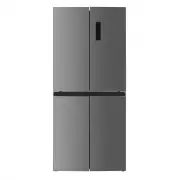
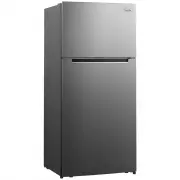
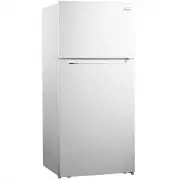
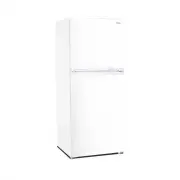
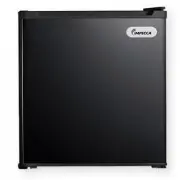
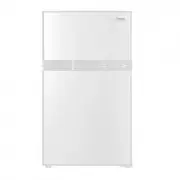
Page 2 - Unit Overview
4 LED Light Refrigerator Shelves Crisper Cover Chiller Zone Sliding Tray Leveling Feet Freezer Drawer Door Balcony Crisper Zone Unit Overview
Page 3 - WARNING; What you need to know about Safety; This symbol indicates that hazards or unsafe; State of California Proposition 65; The California Safe Drinking Water and Toxic; Precautions; Risk of fire or electric shock; To reduce the risk of fire or electric
5 WARNING What you need to know about Safety Instructions: Warnings and Important Safety Instructions in this manual DO NOT cover all possible conditions and situations that may occur. It is your responsibility to use common sense, caution and care when installing, maintaining and operating this app...
Page 4 - To reduce the risk of fire, electric shock, burns; Keep ventilation openings, in the appliance; Do not use mechanical devices or other; Do not damage the refrigerant circuit.
6 IMPORTANT SAFET Y & PRECAUTIONS WARNING To reduce the risk of fire, electric shock, burns or injury to people when using the refrigerator, follow basic precautions, including the following: • Read all instructions before using this appliance. • Plug into a grounded 3 prong outlet. • DO NOT remo...
Page 5 - Never allow children to play with,; appliances, unless they are approved for this; To avoid the risk of an electrical shock do not
7 IMPORTANT SAFET Y & PRECAUTIONS WARNING Any electrical components (plug, power cord, compressor, etc) must be replaced by a certified service agent or qualified service technician. WARNING DANGER: Never allow children to play with, operate, or crawl inside the refrigerator. • Risk of child entra...
Page 6 - Installation Instructions
8 INSTALL ATION INSTRUC TIONS WARNING Critical Installation Warnings: The installation of this appliance MUST be performed by a qualified technician or service company. Failing to have a qualified technician or service company install the refrigerator may result in electric shock, fire, an explosion...
Page 7 - Electrical Shock Hazard
9 INSTALL ATION INSTRUC TIONS WARNING Electrical Connection & Requirements: Improper use of the grounded plug can result in the risk of electrical shock. If the power cord is damaged, have it replaced by an authorized service center. • This refrigerator should be properly grounded for your safet...
Page 8 - Location Requirements:; an ice maker, allow extra space at the back for; Explosion Hazard; Use nonflammable cleaner.
10 INSTALL ATION INSTRUC TIONS Location Requirements: IMPORTANT: This refrigerator is designed for indoor, household use, not commercial. To ensure proper ventilation for your refrigerator, allow ¹⁄₂” (1.25 cm) of space on each side and between the top of the refrigerator and overhead cabinets. Allo...
Page 9 - Materials Required
Leveling and Anchoring the Refrigerator: • You can easily level and anchor your refrigerator by adjusting the feet on the unit. • To heighten the feet, rotate them clockwise, by hand. • To lower the feet, rotate them counterclockwise, by hand. Leveling Refrigerator Doors: • If your refrigerator door...
Page 10 - DO NOT pull on the rubber blocks.
12 WARNING INSTALL ATION INSTRUC TIONS Rubber Door Blocks: • Each door contains one rubber block that functions as a spring to reduce the impact of the door as it closes. Installation Instructions • Please Use Caution to Avoid Getting your Fingers Clipped by the Door. • Keep C-Type Washers and Tools...
Page 11 - Operating Your Refrigerator
13 OPERATING YOUR REFRIGERATOR Operating Your Refrigerator Control Panel & Features: Please reference the diagram below to help understand the features and functions on the control panel. 1 Temperature of Refrigerator Compartment 2 Temperature of Freezer Compartment 3 ECO Mode 5 Super Mode 4 Hol...
Page 12 - Operating your Refrigerator:
14 OPERATING YOUR REFRIGERATOR Operating Your Refrigerator Operating your Refrigerator: • The control panel is 100% lit up for 3 seconds and operates exactly as per the setting (mode and temperature) before the power off. • The system will be automatically locked after 25 seconds after the last key ...
Page 13 - Switching between C and F:; error signal will flash three times if you try to; Holiday Mode; In Holiday mode the refrigerator is set at 17; Freezing Mode; Press “mode” to choose Freezer Mode, the
15 Switching between C and F: Press and hold the freezer button for 3-seconds, the display will automatically change between Celsius and Fahrenheit. ECO Mode: • Press “mode” to choose ECO Mode, the ECO icon will stay lit after 5 seconds flashing. • In ECO mode the refrigerator is set at 5 degrees Ce...
Page 14 - Using the Temperature Controls; To adjust the temperature level push the; Adjusting the Crisper Zone; humidity level is ideal for vegetables.
16 OPERATING YOUR REFRIGERATOR Operating Your Refrigerator Using the Temperature Controls • To adjust the temperature level push the knob upward from the bottom and the temperature level will gradually decrease. • When the knob is in the “CRISPER” position, the fresh zone will function as a crisper ...
Page 15 - Cleaning the Interior:; Before using the appliance for the first time,
17 OPERATING YOUR REFRIGERATOR Cleaning the Interior: Before using the appliance for the first time, wash the interior and all internal accessories with lukewarm water and a cloth. This will remove the typical “new product smell.” Be sure to dry thoroughly. IMPORTANT: DO NOT use detergents or abrasi...
Page 16 - Refrigerating Foods:; aluminum foil or polythene bags to exclude; Refrigerator Storage:
18 OPERATING YOUR REFRIGERATOR Refrigerating Foods: • For best results, DO NOT store warm food or evaporating liquids in the refrigerator. • Make sure to cover foods that have strong flavors and odors. • Cooked foods and cold dishes should be covered prior to placing them on any shelf. • Fruit and v...
Page 17 - This appliance may NOT be; Preparing for Vacation:; In case of children, use extreme caution, this; Relocating your Refrigerator:; Tape both doors shut.
19 CARE & MAINTENANCE Care & Maintenance Cleaning: For hygienic reasons the appliance interior, including accessories, should be cleaned regularly. WARNING CAUTION: This appliance may NOT be connected during cleaning. Danger of electrical shock! Before cleaning switch the appliance off and r...
Page 18 - Locate this refrigerator in a cool area, away; Daily Use Suggestions:; Refrigerator
20 CARE & MAINTENANCE • Locate this refrigerator in a cool area, away from direct exposure to heat producing appliances and/or out of direct sunlight. • Let hot foods cool to room temperature prior to placing them inside the refrigerator. • Keep your refrigerator organized to reduce the amount o...
Page 19 - Trouble Shooting Guide; Symptom; into a grounded 3-prong outlet. Do not use an extension; Compressor turns on
21 TROUBLE SHOOTING GUIDE Trouble Shooting Guide First try the solutions suggested here prior to a service call. Symptom Possible Cause and/or Recommended Solutions Refrigerator not operating Not connected to an electrical supply – Plug the power cord into a grounded 3-prong outlet. Do not use an ex...
Page 20 - of time. 4-hours are required for the refrigerator to cool; Temperature inside; The exterior refrigerator walls can be as much as 30°F
22 TROUBLE SHOOTING GUIDE Symptom Possible Cause and/or Recommended Solutions Temperature inside the refrigerator is too warm: Temperature control is set too warm. Turn the control to a cooler setting and allow several hours for the temperature to stabilize. Door is kept open too long or is opened t...
Page 21 - Metal parts undergo expansion and contraction, as in hot
23 TROUBLE SHOOTING GUIDE Symptom Possible Cause and/or Recommended Solutions Popping or cracking sound when compressor comes on: Metal parts undergo expansion and contraction, as in hot water pipes. This is normal. Sound will level off or disappear as refrigerator continues to run. Bubbling or Gurg...
Page 22 - CUSTOMER SUPPORT; fi
CUSTOMER SUPPORT Before contacting customer support, please see the trouble- shooting guide above. Visit our website to contact us, find answers to Frequently Asked Questions, and for other resources which may include an updated version of this user's manual. D WWW.IMPECCA.COM If you wish to contact...
Page 23 - SIX; SIX MONTH LIMITED WARRANTY
–13– ENGLISH ESP AÑOL FRANÇAIS Impecca ® warrants this product against defects in material and workmanship to the original purchaser as specified below. Please register your product online within fourteen (14) days of purchase. PARTS – if the product is determined to have a manufacturing defect, wit...