Page 2 - Table of contents
2 Dear customer! Thank you for purchasing our product. For safety, it is strongly recommended to read this manual carefully before connecting,operating and/or adjusting the product and keep the manual for reference in the future. Table of contents Table of contents .....................................
Page 3 - IMPORTANT SAFEGUARDS; cause serious damage to the unit.
3 IMPORTANT SAFEGUARDS Using the device at temperature below -10º may cause the breakage of the device. BEFORE USING PLEASE HEAT UP THEPASSENGER COMPARTMENT TO THE RECOMMENDED TEMPERATURE! Read carefully through this manual to familiarize you with this high-quality sound system.Disconnect the vehicl...
Page 4 - Installation/ Connections
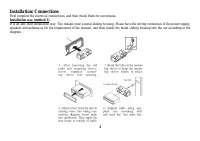
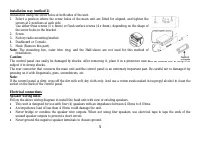
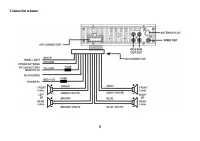
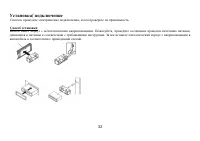
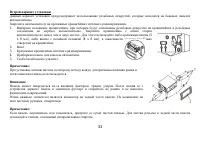
4 Installation/ Connections First complete the electrical connections, and then check them for correctness. Installation way (method 1) It is an anti-theft installation way. The chassis wear a metal sliding housing. Please have the wiring connection of the power supply,speakers and antenna as for th...
Page 7 - Using the ISO Connector; Location
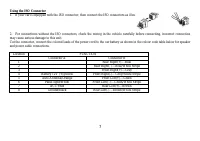
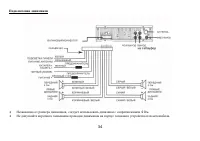
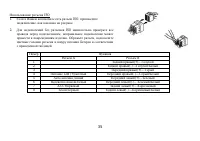
7 Using the ISO Connector 1. If your car is equipped with the ISO connector, then connect the ISO connectors as illustrated. 2. For connections without the ISO connectors, check the wiring in the vehicle carefully before connecting, incorrect connectionmay cause serious damage to this unit.Cut the c...
Page 8 - Controls description; Front panel; Press it to remove the front panel.
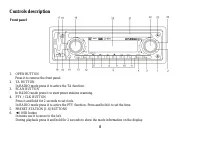
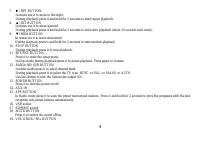
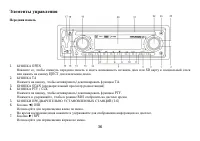
8 Controls description Front panel 1. OPEN BUTTON Press it to remove the front panel. 2. TA BUTTON In RADIO mode press it to active the TA function. 3. SCAN BUTTON In RADIO mode press it to start preset stations scanning. 4. PTY / CLK BUTTON Press it and hold for 2 seconds to set clock.In RADIO mode...
Page 10 - Back of the front panel; Press the OPEN button to open the panel.
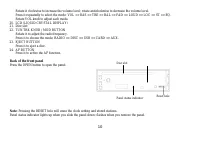
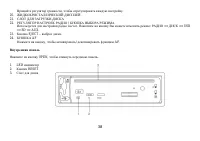
10 Rotate it clockwise to increase the volume level; rotate anticlockwise to decrease the volume level.Press it repeatedly to select the mode: VOL => BAS => TRE => BAL => FAD => LOUD => LOC => ST => EQ.Rotate VOL knob to adjust each mode. 20. LCD (LIQUID CRYSTAL DISPLAY)21. D...
Page 12 - General operations; resume the stored status you set.
12 General operations Reset the unit Operating the unit for the first time or after replacing the car battery, you must reset the unit.Press OPEN button and remove the panel, then press the RESET button to restore the unit to the original factory settings. Power button Press any button to turn the u...
Page 13 - Press the PTY/CLK button on the panel to show the time on the display.
13 Sound settings Press SEL button shortly and repeatedly to select the mode: VOL => BAS => TRE => BAL => FAD => LOUD => LOC => ST =>EQ. Rotate the VOL knob or use VOL +/- buttons to adjust each mode. VOLUME: 00, 02,......, 44, 46BASS/TREBLE: -6, -5,......, 0, +1, +2,......+5...
Page 14 - Radio operations; the following service is not available, either.; Band select; station downward or upward step by step.; Programming tuner stations
14 Radio operations Note: RDS (Radio Data System) service availability varies with areas. Please understand if RDS service is not available in you area, the following service is not available, either. Band select Press the BAND button on the front panel or BND/SYS button on RC repeatedly to select y...
Page 15 - Local/Distance control
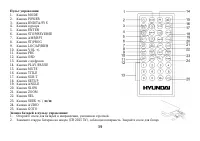
15 Auto memory store: press APS button on the panel for more than 2 seconds to enter auto store mode. The radio will automatically store the 6 strongest available stations to the 6 preset memories of the current band. To stop auto store, press thisbutton again. Stereo/ Mono mode Press the ST/PROG bu...
Page 16 - time to switch the PTY function off.
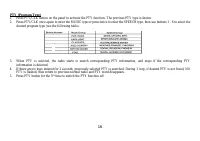
16 PTY (Program Type) 1. Press PTY/CLK button on the panel to activate the PTY function. The previous PTY type is shown.2. Press PTY/CLK once again to enter the MUSIC type or press twice to enter the SPEECH type, then use buttons 1 - 6 to select the desired program type (see the following table). 3....
Page 17 - Discs operations; Title; The following file types are supported:
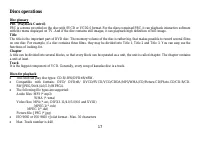
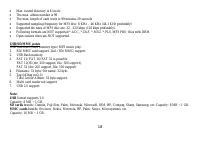
17 Discs operations Disc glossaryPBC (PlayBack Control) PBC is a menu recorded on the disc with SVCD or VCD2.0 format. For the discs contained PBC, it can playback interactive softwarewith the menu displayed on TV. And if the disc contains still images, it can playback high definition of still image...
Page 21 - GOTO function
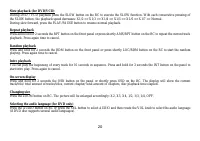
21 Changing angle (for DVD only) If DVD disc supports multi-angle playback, press ANGLE button on RC to play images in different camera angles. If discs doesn'tsupport multi-angle playback, this function will not work. If no operation within 1 second, angle description will disappear. Selecting the ...
Page 22 - MP3 overview; Notes on MP3
22 MP3 overview Notes on MP3 MP3 is short for MPEG Audio Layer 3 and refers to an audio compression technology standard.This product allows playback of MP3 files on CD-ROM, CD-R or CD-RW discs.The unit can read MP3 files written in the format compliant with ISO 9660. However it does not support the ...
Page 23 - System setup; Screen saver
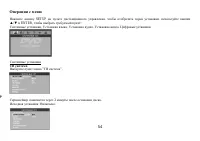
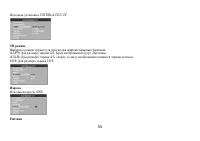
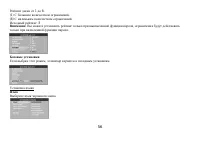
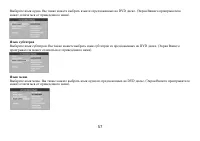
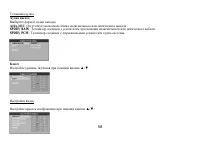
23 System setup Press SETUP button on the RC to display setup screen, use , ENTER buttons to select the desired item: System, Language, Audio, Video, Digital. System setupTV system Select the TV system in the setting menu (PAL or NTSC). Screen saver The screen saver appears if disc stop last more th...
Page 25 - Select the output mode:; LINE OUT; Select the audio channel from STEREO, MONO L, MONO R and MIX MONO.
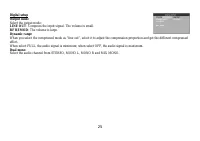
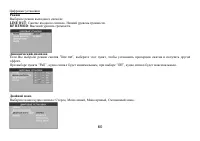
25 Digital setupOutput mode Select the output mode: LINE OUT : Compress the input signal. The volume is small. RF REMOD : The volume is large. Dynamic range When you select the compressed mode as “line out”, select it to adjust the compression proportion and get the different compressedeffect.When s...
Page 26 - Detaching the front panel; Push the panel to the right and then pull it towards you.; Attaching the control panel; Insert left side of the control panel into the main unit.; Remove the unit; Insert both T-Keys into hole in front of the set until they lock.
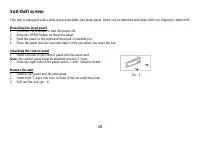
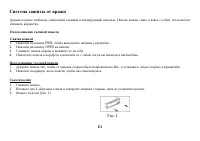
26 Anti-theft system This unit is equipped with a slide-down detachable and mask panel. Panel can be detached and taken with you, helping to deter theft. Detaching the front panel 1. Press the PWR button to turn the power off.2. Press the OPEN button on the front panel.3. Push the panel to the right...
Page 27 - Cleaning; Discs holding
27 Cleaning Discs holding Dirty, scratched or warped discs may cause skip ping or noise.Handle the disc only by the edges. To keep clean do not touch its surface.Discs should be stored in their cases after use to avoid scratches.Do not expose discs to direct sunlight, high humidity, high temperature...
Page 28 - Troubleshooting guide; Symptom; Disc cannot be loaded.
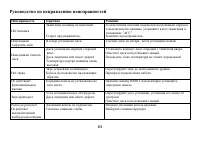
28 Troubleshooting guide Symptom Cause Solution No power. The car ignition is not on.The fuse is blown. If the power supply is properly connected tothe car accessory switch the ignition key to“ACC”.Replace the fuse. Disc cannot be loaded. Presence of disc inside the player. Remove the disc in the pl...
Page 29 - Specification; Maximum power output:
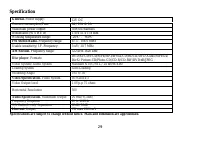
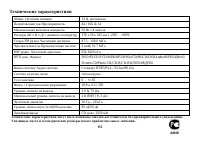
29 Specification Specifications are subject to change without notice. Mass and dimension are approximate. General. Power supply: 12V DC Current consumption/Fuse: 8A/ 10A & 1A Maximum power output: 50Wx4 channels Dimensions (W x H x D) 178 x 51 x 178 mm Working temperature range: -20º - +60º FM S...
Page 40 - POWER
40 RESET ( ) OPEN. RESET, . : , , . POWER, . POWER 3 , . : , , , . , . , . VOL+/- . , MUTE, . , . , . MOD, : AUX => RADIO => DISK => USB => CARD ( , ). : USB, CARD, DISK , .
Page 42 - RDS
42 : RDS ( ) . , RDS , . BAND/NP/SUB BND/TA/SYS , : FM1, FM2, FM3, AM1, AM2. / : 2 SEEK +/- , . , . , . : SEEK +/- , . 6 5 . : ( ). << -/ >> + SEEK +/- . 1~6, . : ( ). 1~6.
Page 44 - PTY
44 TA ( ) (ON) (OFF). 2 BND/TA/SYS , . . , . , . PTY ( ) FM- , RDS, . PTY/CLK, PTY. PTY . , . 2 , . , .
Page 50 - GOTO
50 DVD . 1. SUBTITLE . , . 2. ENTER, . DVD . 1. TITLE , . 2. . 3. ENTER. / . PBC ( ) VCD . VCD PBC, 1- . 2. , . 3. , – . 4. , ENTER, . 5. STOP , VCD. 6. , . GOTO , , . GOTO , .
Page 51 - VCD; DVD; ENTER
51 VCD GOTO, . , , ( ). , 18 20 00 , : 1 => 8 => 2 => 0 => 0 => 0. ENTER , . DVD GOTO, . . , 234, : 2 => 3 => 4. ENTER, . , . . ENTER, . , . , , ( ). , 18 20 00 , : 1 => 8 => 2 => 0 => 0 => 0. ENTER , . ST/PROG button . . ( DVD/VCD) PN/ SUB/ BAND : NTSC => PAL ...
Page 54 - SETUP
Page 61 - OPEN
61 . , . 1. PWR, . 2. OPEN . 3. . 4. , . 1. , , . 2. , . 1. . 2. , . 3. ( . 1). . 1
Page 63 - RESET
63 . . , “ ”. . . , . . . . . . , . . . . . . RESET . 30 . . , 30 . . . . . . .