Hyundai H-1204 - User Manual

Hyundai H-1204 Car Radio – User Manual, read for free online in PDF format. We hope this helps you resolve any issues you may have. If you have further questions, please contact us through the contact form.
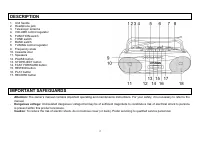
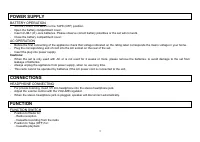
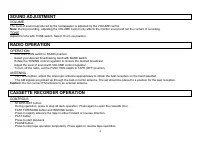
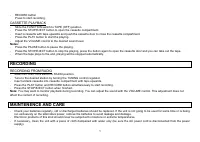
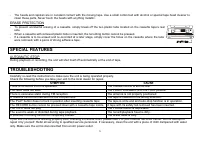
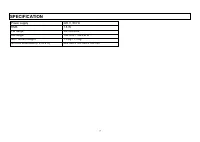

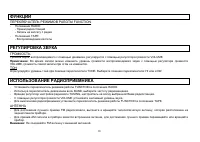


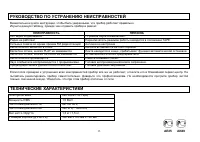
Table of Contents:
- Page 3 – POWER SUPPLY; BATTERY OPERATION; CONNECTIONS; HEADPHONE CONNECTING; FUNCTION; FUNCTION SW ITCH
- Page 4 – SOUND ADJUSTMENT; VOLUME; RADIO OPERATION; OPERATION; ANTENNA; CASSETTE RECORDER OPERATION; CONTROLS
- Page 5 – CASSETTE PLAYBACK; RECORDING; RECORDING FROM RADIO; MAINTENENCE AND CARE
- Page 6 – ERASE PROTECTION; SPECIAL FEATURES; AUTOMATIC STOP; TROUBLESHOOTING
- Page 7 – SPECIFICATION
H-1204
PORTABLE STEREO RADIO CASSETTE RECORDER
Instruction manual
"Loading the manual" means you need to wait until the file loads and becomes available for online reading. Some manuals are very large, and the time they take to appear depends on your internet speed.
Summary
3 POWER SUPPLY BATTERY OPERATION Set the FUNCTION switch to the TAPE (OFF) position. Open the battery compartment cover. Insert 4 UM-1 (D) -size batteries. Please observe correct battery polarities or the set will not work. Close the battery compartment cover. AC OPERATION Before the first connectin...
4 SOUND ADJUSTMENT VOLUME The level of sound reproduced by the loudspeaker is adjusted by the VOLUME control. Note: During recording, adjusting the VOLUME control only affects the monitor sound and not the content of recording. TONE Adjust the tone with TONE switch. Select Hi or Low position. RADIO ...
5 RECORD buttonPress to start recording. CASSETTE PLAYBACK Slide the FUNCTION switch to TAPE (OFF) position. Press the STOP/EJECT button to open the cassette compartment. Insert a cassette with tape upwards and push the cassette door to close the cassette compartment. Press the PLAY button to start ...









