Page 2 - Table of contents
2 Dear customer! Thank you for purchasing our product. For safety, it is strongly recommended to read this manual carefully beforeconnecting, operating and/or adjusting the product and keep the manual for reference in the future. Table of contents Table of contents .....................................
Page 3 - Important safeguards
3 Important safeguards Read carefully through this manual to familiarize yourself with this high-quality sound system.Disconnect the vehicle's negative battery terminal while mounting and connecting the unit.When replacing the fuse, be sure to use one with an identical amperage rat ing. Using a fuse...
Page 4 - Installation/Connections; Installation way
4 Installation/Connections First complete the electrical connections, and then check them for correctness. Installation way It is an anti-theft installation way. The chassis wear a metal sliding housing. Please have the wiring connection of thepower supply, speakers and antenna as for the requiremen...
Page 6 - Speaker connection
6 Speaker connection Notes: In spite of having any kinds of speaker system, must use 4 ohms impedance of speaker to reduce the distortionduring high volume level.Prohibit to make the conductors of auto antenna and ground touch with each other. 0.5A&10A
Page 7 - Panel controls; Rotate it to adjust the volume level.
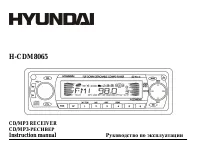
7 Panel controls 1. VOLUME knob Rotate it to adjust the volume level. 2. SEL button Press the button to enter the characteristics list. 3. LCD (LIQUID CRYSTAL DISPLAY)4. MOD button Press it to select RADIO or CD mode. 5. BND button Press it repeatedly to select your desired radio band during RADIO m...
Page 9 - General operations; Rotate the VOL knob to adjust volume level.
9 General operations Reset the unit Operating the unit for the first time or after replacing the car battery, you must reset the unit.Press OPEN button and remove the front panel, then press the RESET button on the inner panel to restore the unitto the original factory settings. Power button Press a...
Page 10 - Setting the clock; Rotate the VOL knob clockwise to adjust minute.; Setting the sound characteristics
10 Setting the clock To show the time:- In Radio mode when RDS data is received press the CLK button to select the mode: PS NAME =>FREQUENCY => PTY => CLOCK. - In Radio mode when RDS data is not received press the CLK button to select the item: FREQUENCY =>PTY NONE => CLOCK. - In Disc...
Page 11 - Setting other characteristics; STEREO mode: rotate the VOL knob to choose the mode: Stereo or Mono.
11 Setting other characteristics Press and hold for 2 seconds the SEL button to enter the setting mode.Press the SEL button or button to select the setting: EQ => CLK 12H/24H => CT => STEREO => LO/DX => AREA => VOL PGM => BEEP => CLK ON => SEEK RDS => TA SEEK => TA V...
Page 12 - MASK; mode: rotate the VOL knob to choose MASK DPI or MASK ALL mode
12 When TP information gets lost at the current station for retune time which is set by retune time (40 seconds), theradio start to retune to next same PI station. When same PI station does not catch in 1 cyclic search, the radioretunes to next station with TP information. TA alarm: when this mode i...
Page 13 - Digital tuner operations; Band selection
13 Digital tuner operations Note: RDS (Radio Data System) service availability varies with areas. Please understand if RDS service is not available in your area, the following service is not available, either. Band selection Press the BND button to select a band: FM1, FM2, FM3, AM1, AM2. Display wil...
Page 14 - for about 5 seconds. To stop preset scan, press this button again.; Auto memory store function
14 for about 5 seconds. To stop preset scan, press this button again. Auto memory store function Press the A.P button on the panel and hold for 2 seconds to enter auto store mode. The radio will automaticallystore the 6 strongest available stations to the 6 preset memories of the current band. To st...
Page 16 - Disc operations; Discs for playback; During disc playback press the
16 Disc operations Discs for playback This unit can play disc types: CD/CD-R/-RW.Compatible with formats: MP3/WMA/CDDA. Loading a disc 1. Turn the power on.2. Press the OPEN button on the panel to flip it down.3. Insert the disc with the printed side facing upward into the slot.4. Close the front pa...
Page 17 - Repeat playback; MP3/WMA track number search; Press BND button once, the LCD will display TRACK.
17 Fast-forward/ fast-backward playing Press and hold the / buttons to start fast playing in backward or forward direction. Repeat playback During CD playback press the RPT button to start repeat playback. Press again to cancel.During MP3/WMA playback press it and hold for 2 seconds to start repeat ...
Page 18 - MP3/WMA directory search; Press BND button twice, the LCD will display NAVIGA.; ID3 tags mode
18 MP3/WMA directory search Press BND button twice, the LCD will display NAVIGA. Rotate the VOL knob or press the SEL button to enter the navigate search mode.Rotate the VOL knob to select the desired track or directory on the disc. To enter the selected directory press SELbutton. Rotate the VOL kno...
Page 19 - MP3 overview; Notes on creating your own CD-R or CD-RW containing MP3 files:
19 MP3 overview Notes on MP3: MP3 is short for MPEG Audio Layer 3 and refers to an audio compression technology standard.This product allows playback of MP3 files on CD-ROM, CD-R or CD-RW discs.The unit can read MP3 files written in the format compliant with ISO 9660. However it does not support the...
Page 22 - Cleaning the cabinet and panel
22 Handling discs Dirty, scratched or warped discs may cause skip ping or noise.Handle the disc only by the edges. To keep clean do not touch its surface.Discs should be stored in their cases after use to avoid scratches.Do not expose discs to direct sunlight, high humidity, high temperature or dust...
Page 23 - Troubleshooting guide; Symptom
23 Troubleshooting guide Symptom Cause Solution GeneralNo power The car ignition is not on. The fuse is blown. If the power supply is properly connected to the car accessory switch the ignition key to “ACC”. Replace the fuse. DiscDisc cannot be loaded. Presence of disc inside the player. Remove the ...
Page 25 - Specification; AM Section
25 Specification General. Power supply: 12 V DC Current consumption max. 10A Maximum power output: 50Wx4 channels Fuse: 10A Dimensions (W x H x D) 178 x 50 x 165 mm FM Stereo Radio. Frequency range: 87.5 -108.0 MHz Usable sensitivity: 3 uV I.F. Frequency: 10.7 MHz AM Section Frequency range: 522 kHz...
Page 39 - RDS
38 A. , 5 . . , . . 2 A. , . 6 . , . , A. . RDS : PI, PS, TP, PTY, TA, AF, DATA. PI: . PS: – . TP: – , . TA: – . AF: – , . TA ( ) , / . , .
Page 40 - PTY
39 PTY PTY, / PTY. VOL, : NEWS, AFFAIRS, INFO, SPORT, EDUCATE, DRAMA, CULTURE, SCIENCE, VARIED, POP M, ROCK M, EAST M, LIGHT M, CLASSIC,OTHER M, WEATHER, FINANCE, CHILDREN, SOCIAL, RELIGION, PHONE IN, TRAVEL, LEISURE, JAZZM, COUNTRY M, NATION M, OLDIES M, FOLK M, DOCUMENT, TEST, ALARM. PTY . , , . A...
Page 42 - OPEN
41 : CD/CD-R/-RW. : MP3/WMA/CDDA. 1. . 2. OPEN , . 3. . 4. . 5. , OPEN, . 6. EJECT, . 7. . / , . . PLAY/PAUSE/TOP, , , . 1. , . , . 2. , .
Page 43 - Intro; INT
42 2 , / . PLAY/PAUSE, . : , , . RPT, . , . MP3/WMA , 2 RPT, . , . RDM, . , . MP3/WMA , 2 RDM, . , . Intro 10 . INT. . INT , .
Page 47 - PWR
46 . , . 1. PWR . 2. OPEN, . 3. , , . 4. , . 1. , , . 2. , . 3. , . , . 1. . 2. , . 3. .
Page 50 - CD
49 . . 12 , : 50 4 .10 : 10 ( ) 178 50 165 FM . : 87.5 - 108.0 : 3 : 10.7 AM : 522-1620 : 40 : 450 . : : CD/ CD-R/ CD-RW/ MP3/WMA 1 : 44,1 : 20-100 5 10-20 5 CD: 50 (1 ) : 2 : CD . 2000