Hyundai H-CDM8065 - User Manual
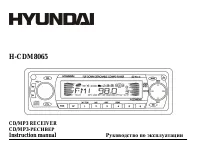
Hyundai H-CDM8065 Car Radio – User Manual, read for free online in PDF format. We hope this helps you resolve any issues you may have. If you have further questions, please contact us through the contact form.


Table of Contents:
- Page 2 – Table of contents
- Page 3 – Important safeguards
- Page 4 – Installation/Connections; Installation way
- Page 6 – Speaker connection
- Page 7 – Panel controls; Rotate it to adjust the volume level.
- Page 9 – General operations; Rotate the VOL knob to adjust volume level.
- Page 10 – Setting the clock; Rotate the VOL knob clockwise to adjust minute.; Setting the sound characteristics
- Page 11 – Setting other characteristics; STEREO mode: rotate the VOL knob to choose the mode: Stereo or Mono.
- Page 12 – MASK; mode: rotate the VOL knob to choose MASK DPI or MASK ALL mode
- Page 13 – Digital tuner operations; Band selection
- Page 14 – for about 5 seconds. To stop preset scan, press this button again.; Auto memory store function
- Page 16 – Disc operations; Discs for playback; During disc playback press the
- Page 17 – Repeat playback; MP3/WMA track number search; Press BND button once, the LCD will display TRACK.
- Page 18 – MP3/WMA directory search; Press BND button twice, the LCD will display NAVIGA.; ID3 tags mode
- Page 19 – MP3 overview; Notes on creating your own CD-R or CD-RW containing MP3 files:
- Page 22 – Cleaning the cabinet and panel
- Page 23 – Troubleshooting guide; Symptom
- Page 25 – Specification; AM Section
- Page 39 – RDS
- Page 40 – PTY
- Page 42 – OPEN
- Page 43 – Intro; INT
- Page 47 – PWR
- Page 50 – CD
H-CDM8065
CD/MP3 RECEIVER
CD/MP3-
Instruction manual
"Loading the manual" means you need to wait until the file loads and becomes available for online reading. Some manuals are very large, and the time they take to appear depends on your internet speed.
Summary
2 Dear customer! Thank you for purchasing our product. For safety, it is strongly recommended to read this manual carefully beforeconnecting, operating and/or adjusting the product and keep the manual for reference in the future. Table of contents Table of contents .....................................
3 Important safeguards Read carefully through this manual to familiarize yourself with this high-quality sound system.Disconnect the vehicle's negative battery terminal while mounting and connecting the unit.When replacing the fuse, be sure to use one with an identical amperage rat ing. Using a fuse...
4 Installation/Connections First complete the electrical connections, and then check them for correctness. Installation way It is an anti-theft installation way. The chassis wear a metal sliding housing. Please have the wiring connection of thepower supply, speakers and antenna as for the requiremen...









