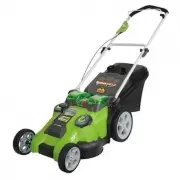
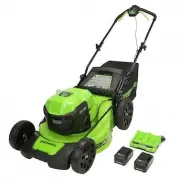
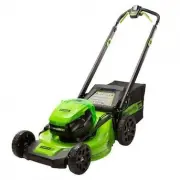
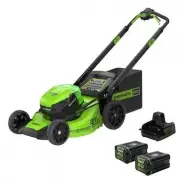
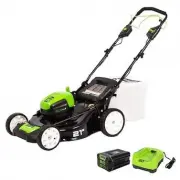
Page 2 - PRODUCT SPECIFICATIONS; 0 V LITHIUM-ION DUAL BLADE MOWER; CONTENTS
2 Contents .............................................................................................................................. 2 Product specifications .......................................................................................................... 2 Safety information ............
Page 3 - SAFETY INFORMATION; these instructions may result in personal injury.; D A N G E R; reduce the risk of fire, electric shock, and personal injury.; W A R N I N G
3 SAFETY INFORMATION GENERAL SAFETY RULESREAD ALL INSTRUCTIONS CAREFULLY W A R N I N G This symbol indicates important safety instructions. If these instructions are not followed, it could endanger the personal safety and/or property of the operator and others. Read and understand all instructions i...
Page 5 - Vibration is generally a warning of trouble.; CHILD SAFETY; manual, and must be trained and supervised by a parent.; C A U T I O N
5 SAFETY INFORMATION • Stop the blade when crossing gravel driveways, walkways, or roads.• If the mower starts to vibrate excessively, stop the motor and check for the cause immediately. Vibration is generally a warning of trouble. • Stop the motor and wait until the blade comes to a complete stop b...
Page 6 - PROPER CARE FOR BATTERY
6 SAFETY INFORMATION PROPER CARE FOR BATTERY Off-season storage To obtain the longest possible battery life, we suggest the following: operating condition. Be aware of possible hazards when not using your battery tool or when changing accessories. Following this rule will reduce the risk of electric...
Page 7 - SAVE THESE INSTRUCTIONS; CHARGER SAFETY RULES; does not indicate a problem.; reproductive harm. Some examples of these chemicals are:
SAVE THESE INSTRUCTIONS 77 SAFETY INFORMATION • Remove the battery pack from the charger once it is fully charged and ready for use.For battery pack storage longer than 30 days: • Store the battery pack where the temperature is below 80°F and away from moisture.• Store battery packs in a 30%-50% cha...
Page 8 - SYMBOLS; SYMBOL DESIGNATION/EXPLANATION
8 SYMBOLS 8 Some of the following symbols may be used on this product. Please study them and learn their meaning. Proper interpretation of these symbols will allow you to operate the product better and safer. SYMBOL DESIGNATION/EXPLANATION V Volts A Amperes Hz Hertz W Watts Hrs Hours Precautions tha...
Page 10 - KNOW YOUR LAWN MOWER
10 KNOW YOUR LAWN MOWER Fig. 1 Motor/blade control assembly Start button Height adjustment lever Bail Upper handle Lower handle 40V Charger (Model#:29482) Mulching plug Read this operator's manual and safety rules before operating your lawn mower. Compare the illustration in Figure 1 to your lawn mo...
Page 11 - UNPACKING; listed in the packing list are included.; PACKING LIST; leading to possible serious personal injury.; pack from the product when assembling parts.; parts could result in serious personal injury.; ASSEMBLY INSTRUCTIONS
11 UNPACKING • Carefully remove the product and any accessories from the box. Make sure that all items listed in the packing list are included. • Inspect the product carefully to make sure no breakage or damage occurred during shipping. • Do not discard the packing material until you have carefully ...
Page 12 - UNFOLDING AND ADJUSTING HANDLE ASSEMBLY; To raise handle assembly:; and the mower housing.; • To secure the upper handle in place, close the upper handle locks.; Upper handle lock; Open
UNFOLDING AND ADJUSTING HANDLE ASSEMBLY (See Figure 2-3) To raise handle assembly: • Open the lower handle locks.• Pull up and back on the lower handle until it is aligned with the slot between the handle locks and the mower housing. NOTE: If the lower handle is difficult to move, turn the lower han...
Page 13 - To lower the handle assembly:; • Open the upper handle locks.; Lower handle; Loosen
13 ASSEMBLY INSTRUCTIONS To lower the handle assembly: • Open the upper handle locks. NOTE: If the handle lock is difficult to open, loosen the knobs on the upper handle locks by turning them counterclockwise. • Lower the upper handle.• Open the lower handle lock.• Push outward on each side of the l...
Page 14 - INSTALLING THE MULCHING PLUG (FOR MULCHING OPERATION); Rear discharge opening
14 INSTALLING THE MULCHING PLUG (FOR MULCHING OPERATION) (See Figure 4) NOTE: When using the mulching plug, do not install the grass catcher. • Remove key and battery pack.• Lift and hold the rear discharge door.• Grasp the mulching plug by its handle and insert it at a slight angle, as shown.• Push...
Page 15 - INSTALLING THE GRASS CATCHER (FOR REAR BAGGING OPERATION); on the grass catcher are seated onto the slots on the mower housing.
INSTALLING THE GRASS CATCHER (FOR REAR BAGGING OPERATION) (See Figure 5-6) NOTE: When using the grass catcher, do not install the mulching plug. • Remove key and battery pack.• Lift the rear discharge door.• Lift the grass catcher by its handle and place under the rear discharge door so that the hoo...
Page 16 - TO INSTALL BATTERY PACK; starting that could cause serious personal injury.; Battery pack
TO INSTALL BATTERY PACK (See Figure 7) W A R N I N G Always remove battery pack and key from your tool when you are assembling parts, making adjustments, cleaning, or when not in use. Removing battery pack and key will prevent accidental starting that could cause serious personal injury. • Raise the...
Page 17 - TO REMOVE BATTERY PACK; transporting the tool.; TO INSTALL KEY; Key
17 ASSEMBLY INSTRUCTIONS TO REMOVE BATTERY PACK (See Figure 7) • Raise the battery cover.• Press and hold the battery latch button at the top of the battery pack.• Remove battery pack from the mower. W A R N I N G To avoid serious personal injury, always remove the battery pack and key when carrying...
Page 18 - STARTING/STOPPING THE MOWER; OPERATING YOUR LAWN MOWER; Start button
18 STARTING/STOPPING THE MOWER (See Figure 9) • Raise the battery cover.• Install battery pack.• Lower the battery cover.• Raise the key cover.• Insert the key into the slot.• Lower the key cover.• Press and hold the start button. Pull the bail toward the handle and release the button to start the m...
Page 19 - SETTING BLADE HEIGHT; • Reinstall key and battery pack when you are ready to mow.
19 SETTING BLADE HEIGHT (See Figure 10) When shipped, the wheels on the mower are set to a low-cutting position. Before using the mower for the first time, raise the cutting position to the height best suited for your lawn. The average lawn should be between 1-1/2 in. to 2 in. during cool months and...
Page 20 - SLOPE GAUGE; changing direction on a slope.
20 SLOPE GAUGE (See Figure 11) W A R N I N G Slopes are a major factor related to accidents involving slips and falls, which can result in severe injury. Operating the mower on a slope requires extra caution. If you feel uneasy on a slope, do not mow it. For your safety, use the slope gauge that is ...
Page 21 - MOWING TIPS; a proper discharge of the clippings.; MULCHING TIPS; before operating the mower.
21 OPERATING YOUR LAWN MOWER MOWING TIPS NOTE: A sharp blade will greatly enhance the performance of the mower, especially when cutting high grass. Be sure to check the blade and to sharpen it at least once per year, as described in the Maintenance section. • Verify that the lawn is free of stones, ...
Page 22 - EMPTYING THE GRASS CATCHER BAG; Full bag
22 OPERATING YOUR LAWN MOWER EMPTYING THE GRASS CATCHER BAG (See Figure 12-13) • Stop the mower and allow blades to completely stop. • Remove key and battery pack. • Lift the rear discharge door. • Lift the grass catcher by its handle to remove from mower. • Empty grass clippings. • Lift the rear di...
Page 23 - BATTERY CHARGER; CHARGING PROCEDURE; • Plug the charger into an AC power outlet.; CHECKING THE CHARGE; If the battery pack does not charge properly:
23 23 BATTERY CHARGER CHARGING PROCEDURE (See Figure 14) NOTE: The battery is not shipped fully charged. It is recommended to fully charge before first use to ensure that maximum run time can be achieved. This lithium-ion battery will not develop a memory and may be charged at any time. A fully disc...
Page 24 - CHARGER MAINTENANCE; performed by a qualified service technician.; CHARGER MOUNTING
24 24 BATTERY CHARGER CHARGER MAINTENANCE • Keep the charger clean and clear of debris. Do not allow foreign material into the recessed cavity or on the contacts. Wipe with a dry cloth. Do not use solvents, water, or place in wet conditions. • Always unplug the charger when there is no battery pack ...
Page 25 - MAINTENANCE; Tighten; BLADE I
25 MAINTENANCE REPLACING THE CUTTING BLADE (See Figure 16-17) W A R N I N G Always protect your hands by wearing heavy gloves and/or wrapping the cutting edges with rags or other materials when performing any maintenance on the blades. ALWAYS remove the key and battery when servicing or transporting...
Page 26 - • For the
26 MAINTENANCE • Replace the blade insulator and spacer, then thread the blade nut on the shaft and finger tighten. NOTE: Make certain all parts are replaced in the exact order in which they were removed. • For the BLADE I , torque the blade nut down counterclockwise using a torque wrench (not provi...
Page 27 - REPLACING THE BATTERY; Charge the new battery pack before use.; To install a new battery:; Never dispose of battery in fire or regular household trash.
27 MAINTENANCE REPLACING THE BATTERY The mower battery is designed for maximum life; however, like all batteries, it will eventually need to be replaced. Charge the new battery pack before use. To install a new battery: • Remove the key.• Carefully unlock and remove the battery pack.• Install the ne...
Page 28 - CLEANING THE MOWER; STORING THE MOWER
28 MAINTENANCE CLEANING THE MOWER W A R N I N G In order to reduce the risk of electric shock, do not expose the mower to water. The underside of the mower deck should be cleaned after each use, because grass clippings, leaves, dirt, and other debris will accumulate, which will cause rust and corros...
Page 29 - SERVICE; improper performance, and may compromise safety.; ALWAYS REMOVE KEY AND BATTERY WHEN SERVICING OR TRANSPORTING THE
29 SERVICE • W he n se r v i c ing t he m owe r, use o nly re p lac e m e nt par t s t hat are availab l e f r o m t he manufacturer. In order to obtain replacement parts, call the toll-free helpline, at 1-888-909- 6757. The use of parts that do not meet the original equipment specifications may lea...
Page 30 - ENVIRONMENTALLY SAFE BATTERY DISPOSAL
30 ENVIRONMENTALLY SAFE BATTERY DISPOSAL The batteries used in this mower's battery pack contain the following toxic and corrosive material: LITHIUM-ION. W A R N I N G Toxic materials must be disposed of in a specified manner in order to prevent contamination of the environment. Before disposing of ...
Page 31 - TROUBLESHOOTING; PROBLEM
31 TROUBLESHOOTING PROBLEM POSSIBLE CAUSE SOLUTION The mower does not start. The mower cuts the grass unevenly. The mower does not mulch properly. The mower is hard to push. The mower is excessively noisy and vibrates. The mower speeds up and slows down while in operation. The battery is not charged...
Page 32 - owners’ manual supplied with the product from new.; ITEMS NOT COVERED BY WARRANTY:; writing by GREENWORKS.; LIMITED FOUR-YEAR WARRANTY
32 GREENWORKS™ hereby warranties this product, to the original purchaser with proof of purchase , for a period of four (4) years against defects in materials, parts or workmanship. GREENWORKS™, at its own discretion will repair or replace any and all parts found to be defective, through normal use, ...
Page 33 - EXPLODED VIEW
Page 34 - PARTS LIST; DESCRIPTION
34 PARTS LIST ITEM NO. PART NO. DESCRIPTION QTY 1 31104488 Upper handle assy. 1 1.1 34135486 Foam grip 1 1.2 33310470-2 Upper handle 1 2 32207115 Washer 6 3 33323250-1 Stop sheet 1 4 3220439 Lock nut M5 1 5 32208234A Screw M5x30 1 6 31107486-1 Motor engagement box assy. 1 6.1 34136486 Start button 1...
Page 37 - Printed in China on 100% Recycled Paper
TOLL-FREE HELPLINE: 1-888-90WORKS (888.909.6757) Rev: 01 (11-15-12) Printed in China on 100% Recycled Paper