Page 3 - Warnings
3 Do not operate this unit unless it is completely assembled. Eye damage may result from directly viewing the light produced by the lamp inside this unit for a continuous and extended period of time. Do not block the ventilation or filters. Do not use Away Mode in an occupied space. The unit should ...
Page 4 - Diagrams
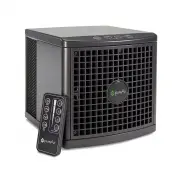
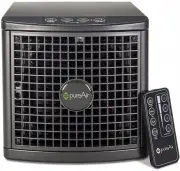
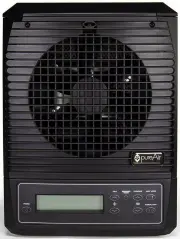
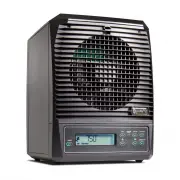
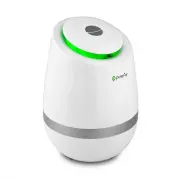
4 Diagrams Unit Front Power Plug Ioni zation B r ushes Fan Front G r i l le Powe r Adapte r Control Panel Rea r Panel Release Tab Unit Rear (Closed)
Page 6 - Getting Started
6 Getting Started 1. Remove the UNIT and POWER ADAPTER from the packaging. 2. Find a suitable location to place your unit. (Ideal location is an area of the room with good circulation, or near the source of pollution.) 3. Plug the POWER ADAPTER into a wall outlet and then plug the other end into the...
Page 7 - Away Mode; Settings
7 There are multiple ways to change the output of your unit. If you need the unit to be quieter, change the Fan Speed, if you need a larger or smaller area covered, change the Purification Level, and if you need a tough odor removed, use Away Mode. Fan Speed Three fan speeds are available (Low, Medi...
Page 8 - Disassembly; Rear Cover
8 Disassembly Rear Cover After unplugging and removing the POWER CORD and POWER ADAPTER, press down on the tab above the POWER ADAPTER space and then pull back on the REAR COVER. Side Filters After removing the REAR COVER, slide each of the FILTER ASSEMBLIES straight out. These separate and contain ...
Page 9 - Assembly
9 Assembly Front Grille Replace the FRONT GRILLE and the four FRONT GRILLE SCREWS using a Phillips Head Screwdriver. Be careful to not over-tighten the screws or damage the IONIZATION BRUSH. PCO Cell (a) Slide the PCO CELL back into the upper slot with the warning at the top, facing out. (b) Plug th...
Page 10 - Cleaning; Unit Exterior
10 Cleaning For proper operation, the unit should be cleaned at least once per month. Unit Exterior Wipe down the exterior with a damp cloth or use compressed air or a vacuum cleaner to remove dust. A non-abrasive cleaner may be used on the sur faces of the exterior. Filter Assembly Clean water or c...
Page 11 - Unit Interior
11 Cleaning Unit Interior Using a damp cloth, a clear alcohol based cleaner, or compressed air/vacuum cleaner carefully clean the walls and components inside of the unit, after completing the DISASSEMBLY procedures. PCO Cell Using compressed air or a vacuum blow/suck the dust out of the PCO Cell. Do...
Page 12 - Maintenance; General Maintenance
12 Maintenance General Maintenance Your unit should need little to no maintenance, besides an occasional PCO Cell or Purification Plate Replacement, but sometimes problems arise. If you can’t find a resolution in the Troubleshooting Section (Pg. 13) contact GreenTech Environmental for further instru...
Page 13 - Troubleshooting
13 Troubleshooting Unit Fails to Turn On 1. Check to make sure that the POWER PLUG, POWER CORD, and POWER ADAPTER are all properly connected. 2. Verify that the POWER BUTTON has been activated on the CONTROL PANEL If further problems persist, contact GreenTech Environmental (www.GreenTechEnv.com) fo...
Page 14 - Specifications
14 Specifications Input Voltage . . . . . . . . . . . . . . . . . . 100 - 240VAC | 50/60Hz | 2.5A Output Voltage . . . . . . . . . . . . . . . . . . . . . . . . . . . . . . . . . . 15V DC 3A Power Consumption . . . . . . . . . . . . . . . . . . . . . . . . . . . . . . . . . . . . . 21W Unit Dimensio...
Page 15 - Warranty Information
15 Warranty Information Your pureAir 1500 Air Purifier is warranted to be free from all defects in material and workmanship in normal household use for a period of 1 Year from date of purchase. The warranty is granted only to the original purchaser and members of his or her immediate household. The ...