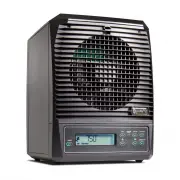
Page 4 - WARNINGS; Review this list before using or maintaining your purifier!
4 WARNINGS Review this list before using or maintaining your purifier! • Never operate purifier near heat source, open flame or flammable/combustible fluids . • Do not operate purifier unless all parts (including PCO CELL, ACTIVATED OXYGEN PLATE, REAR FILTER ASSEMBLY and REAR COVER) are properly ins...
Page 5 - DIAGRAMS - PURIFIER EXTERIOR; Front Grille Screws; Side of Purifier; Power Adapter Inlet
5 Front of Purifier 1 . IONIZATION NEEDLE 2 . FRONT GRILLE SCREWS 3 . FRONT GRILLE 4 . CONTROL PANEL Side of Purifier 5 . REAR COVER 6 . PURIFIER REAR 7 . PURIFIER FRONT Rear of Purifier 8 . REAR COVER SCREW 9 . DC POWER ADAPTER INLET DIAGRAMS - PURIFIER EXTERIOR Front of Purifier 1. Ionization Need...
Page 6 - DIAGRAMS - PURIFIER INTERIOR/POWER ADAPTER; Rear Cover Removed; Filter Assembly Clasps; Filter Assembly Removed; PCO Cell Connector
6 DIAGRAMS - PURIFIER INTERIOR/POWER ADAPTER Rear - Rear Cover Removed 1. Brass Thumbscrews 2. Filter Assembly 3. Filter Assembly Clasps Rear - Filter Assembly Removed 4. PCO Cell 5. PCO Cell Nuts 6. PCO Cell Connector 7. Purification Plate Power Adapter & Cord 8. Power Cord 9. Power Cord Plug 1...
Page 7 - Control Panel & Remote; Sleep Mode Control
7 DIAGRAMS - CONTROLS Control Panel & Remote 1. Power Button 2. Sleep Mode Control 3. Fan Speed Control 4. Reminder Reset 5. Infrared Receiver 6. Purifier Level Control 7. Away Mode Toggle 8. Normal/High Mode Toggle 1 1 2 3 3 6 6 4 5 7 8 7 8 CONTROL PANEL & REMOTE 1 . POWER BUTTON 2 . SLEEP ...
Page 8 - LCD Display; Fan Speed Indicator
8 DIAGRAMS - DISPLAY 1 3 6 2 4 5 PC O (Nor mal) H igh M ode Aw ay M ode LCD Display 1. Fan Speed Indicator 2. Mode Specific Display 3. Mode Indicator 4. Purification Level Warning 5. Maintenance Reminders 6. Away Mode Warning DISPLAY 1 . FAN SPEED INDICATOR 2 . MODE SPECIFIC DISPLAY 3 . MODE INDICAT...
Page 9 - SETTING UP; MAINTENANCE REMINDERS
9 SETTING UP This is going to be easy . 1. Unpack Your pureAir 3000 Remove everything from the box . Check and make sure you have everything listed in “PRODUCT CONTENTS” on page 2 . Keep your packaging in case you need to return or exchange your purifier . When you are satisfied with your purifier, ...
Page 10 - INITIAL SETTINGS
10 INITIAL SETTINGS Before using your pureAir 3000 you will need to find the area (or square footage) of the environment . To do this accurately, take into account all connected rooms with open doorways (the purification does not flow through closed doors) . The pureAir 3000 can purify up to 3,000 s...
Page 11 - CONTROLS
11 CONTROLS Turning the Purifier On/Off Press the POWER BUTTON on the CONTROL PANEL or REMOTE to turn the purifier on . The purifier will initially be set to NORMAL MODE (PCO) . Press the POWER BUTTON once more to turn the power off . Using NORMAL MODE (PCO) Press NORMAL/HIGH MODE TOGGLE until “PCO”...
Page 12 - DISASSEMBLY
12 DISASSEMBLY Tools Required You will need a #2 Phillips screwdriver . Workspace Recommendations A counter top or flat sur face is ideal for disassembling/assembling your purifier . You will need 2ft x 3ft of clean, accessible workspace . It is recommended to use a small bowl or cup to hold any scr...
Page 14 - ASSEMBLY
14 ASSEMBLY Refer to “TOOLS & WORKSPACE” from “DISASSEMBLY” on Page 12 Installing the FRONT GRILLE: 1 . Gently set the bottom of the FRONT GRILLE in place on the lower front of the purifier and swing the top of the FRONT GRILLE into place, being careful not to damage the IONIZATION NEEDLE at the...
Page 16 - CLEANING
16 CLEANING Your purifier should be cleaned at least monthly to keep it running at peak per formance, but more often if its operating environment is heavily contaminated . Cleaning the Purifier (Exterior): Wipe down the exterior with a damp cloth or use compressed air or a vacuum cleaner to remove d...
Page 17 - TROUBLESHOOTING
17 TROUBLESHOOTING The Purifier Fails to Turn On 1 . Verify that the POWER PLUG is plugged into an operational wall outlet . 2 . Ensure that the POWER CORD is fully inserted (leaving less than an 1/8”) into the DC POWER ADAPTER and the green light on the DC POWER ADAPTER is illuminated . 3 . Ensure ...
Page 19 - LIMITED WARRANTY INFORMATION
19 LIMITED WARRANTY INFORMATION Your pureAir 3000 Whole Home Air Purifier (Product) is warranted to be free from all defects in material and workmanship in normal household use for a period of 1 Year from date of purchase . The warranty is granted only to the original purchaser . The warranty is sub...
Page 20 - ACCESSORY PRODUCTS
20 ACCESSORY PRODUCTS To maximize the effectiveness of your pureAir 3000 we recommend the use of . . . Ozone Plate Cleaning Kit • Deeper, more effective cleaning than scrubbing . • Convenient and simple cleaning procedure . • Dramatically increased ozone plate life span . • Three replacement plates ...