Greentech pureAir 50 - User Manual
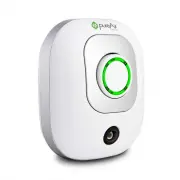
A user manual for the pureAir 50 air purifier covers its core functionality, emphasizing operation, maintenance, and safety. The guide explains how to configure the device’s purification levels based on environmental conditions, ensuring optimal performance while highlighting essential care routines like cleaning the intake and output components. Key specifications–such as voltage requirements, coverage area, and ozone output–are also outlined to inform users about its technical capabilities and operational limits.


Table of Contents:
- Page 1 – Product Identification and Manual Overview
- Page 2 – Welcome and Table of Contents
- Page 3 – Device Diagram and Assembly Warnings
- Page 4 – Initial Setup and Operational Settings
- Page 5 – Cleaning and Maintenance Procedures
- Page 6 – Technical Specifications
- Page 7 – Warranty Terms and Registration
OWNER’S MANUAL
50
"Loading the manual" means you need to wait until the file loads and becomes available for online reading. Some manuals are very large, and the time they take to appear depends on your internet speed.
Was this manual helpful?
About this manual
- Brand
- Greentech
- Model
- pureAir 50
- Document type
- User Manual
- Category
- Air Purifier
- Language(s)
- English
- Pages
- 8
- File size
- 527.5 KB
- Format
Summary
Identification of the device and branding, along with the structure of the owner's manual.
Introduction to the product purpose and listing of sections within the owner's manual.
Labeling of physical components such as the Purification Dial, Outlet Plug, and Air Intake, along with warnings against operating the unit before full assembly.


