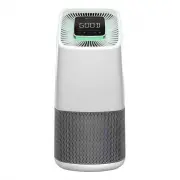
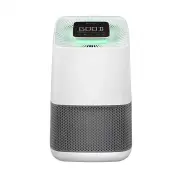
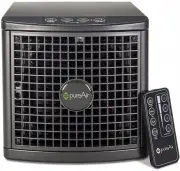
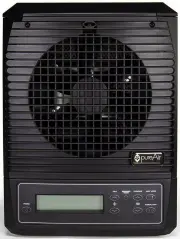
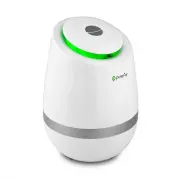
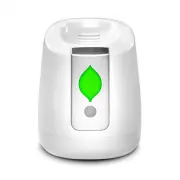
Page 2 - Do not operate this unit unless it is completely assembled.; Welcome
2 Important Safety Information Table of Contents Do not operate this unit unless it is completely assembled. Do not block the ventilation filter. Do not directly view UV lights while in operation. Unplug unit before any cleaning or maintenance. This unit is not intended for outdoor use. NOTE: Read t...
Page 3 - Initial Setup; Contents / Initial Setup
3 Initial Setup • Active HEPA+ Unit • Unit Storage Bag • Power Cord • Owner’s Manual • Quickstart Guide • Remove your unit from the packaging. (Keep your bag and included materials) • Open the unit and take the filter out of the protective wrap and place the filter back into the unit before operatio...
Page 4 - Diagrams
4 Air Intake (Pre-Filter) Power Cord Power Cord Inlet/Cover Power Cord Management Area Control Panel Air Vent NOTE: All diagrams shown are of the Active HEPA+ Room, but also apply to the Active HEPA+ Pro. Handle/BPI Module Access Unit Housing Button (Press to remove unit top) Air Quality Sensor Diag...
Page 6 - GOOD; Controls
6 GOOD Component Status Display Active Display Information Unit Power Fan Speed Manual Mode Auto Mode Night Mode Information Environment & Components WiFi Status Indicator Controls
Page 7 - Greentech Connect
7 Active HEPA+ can be controlled with the unit’s control panel as well as with the mobile application, Greentech Connect. • Scan this QR Code to download from your app store. • Create your account. • Make sure your Bluetooth is turned on to communicate with the unit. • Phone must be connected to the...
Page 8 - Unit Power; Auto Mode; Operation
8 Unit Power Press the Power Button to turn the unit ON or OFF. Fan Speed (Manual Mode) Press the Fan Speed Button (FAN) to cycle through the 5 fan speeds (Low, Med-Low, Medium, Med-High, High). Auto Mode Press the Auto Mode Button (AUTO) to put the unit into Auto Mode. During Auto Mode your unit wi...
Page 9 - Night Mode - Dims all lights; Information
9 Night Mode - Dims all lights (Control Panel, Air Quality LED, PCO UV LEDS) First, choose your preferred purification mode/fan speed. Press the Night Mode button to turn Night Mode ON. Press any button to “wake” the unit up before the set 8 hour Night Mode period ends. Note: Using Night Mode will t...
Page 10 - Cleaning; Maintenance; Cleaning & Maintenance
10 WARNING: UNPLUG UNIT BEFORE CLEANING OR MAINTENANCE Cleaning For proper operation, the unit should be cleaned once a month. Note: For medical facilities, use CaviWipes™ or any similar type of disinfecting wipe to clean the exterior of the unit. · Unit Exterior – Wipe down with damp cloth · Air In...
Page 11 - Greentech Environmental or a Greentech Environmental retailer.; Part Replacement - HEPA Filter with ODOGard® Coating
11 (1) Remove the top. (2) Remove filter. ( 3) Replace with new filter. (4) Replace top. Additional Filters, PCO Cells, and BPI Modules can be purchased through Greentech Environmental or a Greentech Environmental retailer. (5) Reset the Filter Life by navigating the information menu to the Filter L...
Page 12 - Part Replacement - PCO Cell
12 (1) Remove the top. (2) Pull the PCO Cell straight up to remove it from the internal post. (3) Replace with the new cell by aligning the keys on the cell and post then slide it down until fully seated. (4) Replace the top. 1 2 3 4 Part Replacement - PCO Cell (5) Reset the PCO Cell Life by navigat...
Page 13 - Part Replacement - BPI Module Brushes
13 (1) Remove the two screws located on the inner/top edge of the rear handle. (2) Remove the handle cover. (3) Remove the two BPI Brush Plugs by grabbing the tabs and lifting them up and out. (4) Replace with the new BPI Brush Plugs by inserting them into their color-coordinated outlets until they ...
Page 14 - Troubleshooting; Specifications
14 Troubleshooting Active HEPA+ ROOM · Model: . . . . . . . . . . . . . . . . . . . . . . . . . . . . . . . . . . . . . . . . . 1X5825 · Unit Dimensions: . . . . . . . . . . . . . . . . . . . 10.6” * 10.6” * 17.5” . . . . . . . . . . . . . . . . . . . . . . . . 26.9cm * 26.9cm * 44.5cm · Unit Weight...
Page 15 - Warranty Information
15 Your Active HEPA+ is warranted to be free from all defects in material and workmanship in normal household use for a period of 3 years from date of purchase. The warranty is granted only to the original purchaser and members of his or her immediate household. The warranty is subject to the follow...
Page 16 - Fresh Air Starts Here
Greentech-pureAir-Active-HEPA-Plus-Owners-Manual-v3-220301 Fresh Air Starts Here OM Revision: Greentech-Active-HEPA-Plus-Owners-Manual-v6-221118 www.GreenTechEnv.com