Graco 15V534 - Manuals
Graco 15V534 – Manual in PDF format online.
Manuals:
Manual Graco 15V534


Summary
Related Manuals 2 313212A Contents Related Manuals . . . . . . . . . . . . . . . . . . . . . . . . . . . 2 Overview . . . . . . . . . . . . . . . . . . . . . . . . . . . . . . . . . . 2 Installation . . . . . . . . . . . . . . . . . . . . . . . . . . . . . . . . 3 Location . . . . . . . . . . . . . ...
Installation 313212A 3 Installation Location Install the gun flush box module enclosure (1) within 15 ft (4.5 m) of the RoboMix, to ensure that the cable (23) will reach the RoboMix. The module is approved for use in a hazardous location. See F IG . 1. Mount the Enclosure 1. See Dimensions, page 13....
Installation 4 313212A Install the Cable 1. Loosen the captive screws and remove the front cover from the enclosure. 2. The cable (23) has bare wires at both ends. Thread the shortest end (4 in. [102 mm]) into the enclosure through the strain relief bushing (7). See F IG . 2. 3. Connect the cable wi...
Graco Manuals
-
 Graco 04511 10F
Manual
Graco 04511 10F
Manual
-
 Graco 04586 2115
Manual
Graco 04586 2115
Manual
-
 Graco 9AU100
User Manual
Graco 9AU100
User Manual
-
 Graco 19F547
User Manual
Graco 19F547
User Manual
-
Graco 19F548
User Manual
-
Graco 19F552
User Manual
-
Graco 19F711
User Manual
-
 Graco 20B432
User Manual
Graco 20B432
User Manual
-
 Graco 1AV
User Manual
Graco 1AV
User Manual
-
 Graco 04530 371
Manual
Graco 04530 371
Manual
-
 Graco 04586 711
Manual
Graco 04586 711
Manual
-
 Graco 00524 2101
Manual
Graco 00524 2101
Manual
-
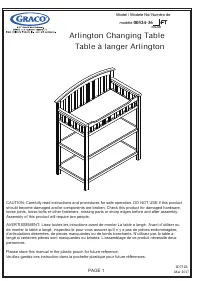 Graco 00524 369
User Manual
Graco 00524 369
User Manual
-
 Graco 03310 001
Manual
Graco 03310 001
Manual
-
 Graco 03706 101
Manual
Graco 03706 101
Manual
-
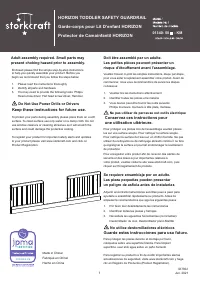 Graco 01340 501
Manual
Graco 01340 501
Manual
-
 Graco 03706 201
Manual
Graco 03706 201
Manual
-
 Graco 06710 410
Manual
Graco 06710 410
Manual
-
 Graco 04522 401
Manual
Graco 04522 401
Manual
-
 Graco 04521 33F
Manual
Graco 04521 33F
Manual