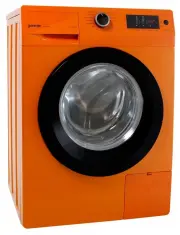
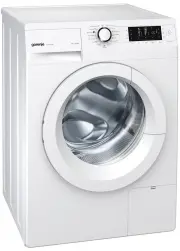
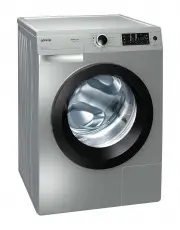
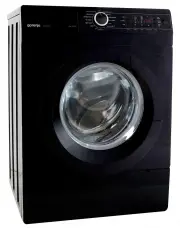
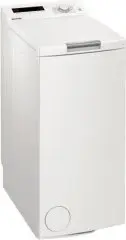
Page 3 - / PRESENTATION OF YOUR APPLIANCE; This appliance is designed for domestic; • ENERGY SAVINGS; or
• PROTECTING THE ENVIRONMENT • SAFETY RECOMMENDATIONS 5 1 / PRESENTATION OF YOUR APPLIANCE EN 4 1 / PRESENTATION OF YOUR APPLIANCE EN Important : This appliance is designed for domestic use only, for washing, rinsing and spinningmachine-washable textiles.You must follow the instructions given. Wedec...
Page 4 - • DESCRIPTION OF YOUR APPLIANCE; II; • DESCRIPTION OF YOUR APPLIANCE (continued)
7 EN 6 EN 1 / PRESENTATION OF YOUR APPLIANCE 1 / PRESENTATION OF YOUR APPLIANCE • DESCRIPTION OF YOUR APPLIANCE H H II Detergent dispenser Detergent dispenser unlocking button Drying filter J J II H H Fig. 02 Control panel Lid opening knob (remains locked during the cycle) Retractable front baseboar...
Page 5 - • REMOVING THE TRANSPORT BRACES (continued); Before use, the following operations; Front transport brace :; / INSTALLING YOUR APPLIANCE; Rear transport brace :; We recommend that you keep all parts
9 EN 8 EN 2 / INSTALLING YOUR APPLIANCE • REMOVING THE TRANSPORT BRACES (continued) D D E E E E F F G G Fig. 08 Fig. 09 H H • REMOVING THE TRANSPORT BRACES Important : Before use, the following operations must be performed. These operations involve removing all partsused to immobilise the tank of yo...
Page 6 - • CONNECTING YOUR APPLIANCE; Check presence of the seal.; Electrical power supply; — Connect the emptying hose :; Discharge of waste water; • SETTING UP YOUR APPLIANCE; Placement on rollers :; There
11 EN 10 EN 2 / INSTALLING YOUR APPLIANCE • CONNECTING YOUR APPLIANCE — Connect the intake hose to a valve with athreaded end Ø 20x27 (3/4 BSP). Check presence of the seal. Water intake : — Min. water pressure : 0,1 MPa or 1 bar — Max. water pressure : 1 MPa or 10 bars • • Electrical power supply (F...
Page 7 - • TEXTILE CARE CODES; / PREPARING YOUR LAUNDRY AND YOUR APPLIANCE; They are expressed in codes by the symbols below:; • TREATING STUBBORN STAINS; •Use of stain removers; To avoid risk of fire and explosion:; WASHING
• TEXTILE CARE CODES 13 EN 12 EN 3 / PREPARING YOUR LAUNDRY AND YOUR APPLIANCE 3 / PREPARING YOUR L AUNDRY AND YOUR APPLIANCE Tip : To help you care for your textiles, they have a label giving the necessary information. They are expressed in codes by the symbols below: Important : Before the first w...
Page 8 - • PREPARING YOUR LAUNDRY
15 EN 14 EN 3 / PREPARING YOUR LAUNDRY AND YOUR APPLIANCE 3 / PREPARING YOUR LAUNDRY AND YOUR APPLIANCE Fig. 15 A A Fig. 14 •Laundry loads Important : For optimum results, do not overload the drum and do not exceed the follo- wing maximum loads : Cotton/Colors ____________________ 6 kg Mixed _______...
Page 9 - / PROGRAMMING YOUR APPLIANCE; • LOADING DETERGENTS; Do not exceed the MAX level.; Turning the selector to a position other than
• PROGRAMMING A WASH CYCLE • DESCRIPTION OF THE CONTROL PANEL 17 EN 16 EN 4 / PROGRAMMING YOUR APPLIANCE •Operations to perform Display 3 / PREPARING YOUR LAUNDRY AND YOUR APPLIANCE • LOADING YOUR LAUNDRY (continued) • LOADING DETERGENTS Fig. 16 cl •Measuring the detergent The quantity of detergent ...
Page 10 - “Spin”; •Indication of End of cycle; • PROGRAMMING A WASH CYCLE WITH SUBSEQUENT DRYING; To ensure proper drying, the load must not; Display; •Operations to be perform; in order to avoid an over-drying of your laundry.
19 4 / PROGRAMMING YOUR APPLIANCE EN 18 EN 4 / PROGRAMMING YOUR APPLIANCE • PROGRAMMING A WASH CYCLE (continued) You can delay your cycle by pressing the delayed Start but- tons (refer to the chapter on “OTHER FUNCTIONS” “ Delayed Start ”). The display then shows the time before the cycle starts. (W...
Page 11 - • EXAMPLES OF PROGRAMS; • OPERATIONS POSSIBLE DURING A PROGRAM; •Changing the program during the cycle; Pause”; •Add or remove an item during the cycle; option buttons; •Child safety device; Choosing an option changes the cycle duration, for example:; Table of; Possible; Specific programs; Drying programs
21 EN 20 EN 4 / PROGRAMMING YOUR APPLIANCE • EXAMPLES OF PROGRAMS To choose the most appropriate program for your load, follow the indications given on the labelsattached to most textiles. 4 / PROGRAMMING YOUR APPLIANCE • OPERATIONS POSSIBLE DURING A PROGRAM — During the cycle or during the delayed ...
Page 12 - • DETAILS OF OPTIONS; • CHANGING A WASH PROGRAM; •During programming; • DETAILS OF PROGRAMS; Intensive
• DETAILS OF OPTIONS 23 EN 22 EN 4 / PROGRAMMING YOUR APPLIANCE 4 / PROGRAMMING YOUR APPLIANCE • CHANGING A WASH PROGRAM • PROGRAM FOR COMPARATIVE AND STANDARDISED TESTS - Wash : Cotton - 60°C - 6kg - No option - Max spin - Drying : Cotton - High drying - 4kg - Properties : 230V - 50Hz - 10A - 2200W...
Page 13 - • OTHER FUNCTIONS; Depending on the moment during the
25 EN 24 EN 4 / PROGRAMMING YOUR APPLIANCE 4 / PROGRAMMING YOUR APPLIANCE • OTHER FUNCTIONS • DETAILS OF OPTIONS (continued) •Automatic cooldown If you select the “Colors” option and a “Washing and subsequend drying” cycle your laundry is cooled for 2 hours at the end of thedrying cycle. This preven...
Page 14 - • CLEANING THE DRYING FILTER; / EVERYDAY MAINTENANCE OF YOUR APPLIANCE; penser upwards
27 EN 26 EN 5 / EVERYDAY MAINTENANCE OF YOUR APPLIANCE • CLEANING THE DRYING FILTER • ACCESS TO THE BOTTOM OF THE TANK Important : The filter must be cleaned after every drying cycle. The purpose of this filter is to catch the lintthat forms during drying, so that it does notenter the air circulatio...
Page 15 - / INCIDENTS THAT MAY OCCUR; The cycle does not start :; The sensitive buttons are inactive :; First remove the plug or cut off the; • MISCELLANEOUS MAINTENANCE; •Upkeep of internal parts; • CLEANING YOUR APPLIANCE; When cleaning the control panel, the
29 EN 6 / INCIDENTS THAT MAY OCCUR Tip : Certain incidents may arise when using your washing machine; here are the points to be checked. Problems : Possible causes / Remedies : The cycle does not start : - you have not pressed the “Start” button.- the appliance is not connected to the power source: ...
Page 16 - Detection of a load that is too large to run subsequent drying.; • INCIDENTS THAT YOU CAN FIX YOURSELF; Emptying fault; ped, the power cord disconnected and the water intake valve closed.
31 EN 30 EN 6 / INCIDENTS THAT MAY OCCUR Detection of a load that is too large to run subsequent drying. Reduce the load and restart the drying. • INCIDENTS THAT YOU CAN FIX YOURSELF Your appliance detects certain operating incidents itself and informs you via specific messages onthe display. Below ...
Page 17 - NOTES; Any repairs that are made to your appliance; • INTERVENTIONS
33 NOTES EN 32 EN 7 / AFTER -SALES SERVICE Any repairs that are made to your appliance must be handled by a qualified professionalauthorised to work on the brand. When youcall, mention your appliance's complete refe-rence (model, type, serial number). This infor-mation appears on the manufacturer's ...