Page 3 - Contents; SAVE THESE INSTRUCTIONS; or contact your local Fisher & Paykel dealer.
1 Introduction 2 Installation instructions 3 Water supply 4 Levelling 5 Accessories and spare parts 6 Before you do your first wash 7 Machine information 7 Getting started quickly 8 CleanSmart™ controls 10 CleanSmart™ safety features 11 The unique CleanSmart™ wash 12 Sorting and loading 13 Detergent...
Page 4 - Welcome to; CleanSmart; CleanSmartTM; Introduction
2 Welcome to CleanSmart ™ Thank you for buying a Fisher & Paykel CleanSmart™ clothes washer. We are proud of this washer and trust it will serve you well for many years. At Fisher & Paykel we aim to provide innovative products that are simple to use, ergonomic and kind to the environment. Th...
Page 5 - Installation instructions; Unpacking; Removing the packaging; Location; To prevent siphoning the drain hose should not
3 Installation instructions Unpacking To ensure the best performance from your new CleanSmart™ clothes washer please follow the instructions below. Removing the packaging 1 Remove the outer packaging. 2 Tilt the machine backwards and walk it off the base packer one foot at a time (ensure the lid is ...
Page 6 - Draining; Inlet hose replacement; Electrical; Hot ‘N’ Safe Valves available are:
4 Installation instructions Draining Regularly check that your standpipe or tub is free from lint or other obstructions which may affect how your machine works or may cause flooding. In multi-storey apartments or any upper floor the machine should be installed on a floor that is equipped with a drai...
Page 7 - Levelling instructions; Keep your spirit level for the next time you move or
5 Installation instructions Fig.6 Levelling – Step 4 Spirit level Spirit level Fig.7 Levelling – Step 5 Fig.8 Levelling – Step 6 Spirit level Adjustable feet Rubber insert Fig.4 Levelling – Step 1 Fig.5 Levelling – Step 3 Spirit level Elbow (machine) end Levelling instructions It is IMPORTANT to lev...
Page 8 - Completing your installation; Touch POWER to activate your washer.; Clothes washer safety; To open the lid during operation, you must touch START /PAUSE.; Accessories and spare parts
6 Installation instructions Completing your installation Turn on the water and check all hose connections for leaks. Make sure there are no kinks in the hoses. Check the hose connections for leaks again after 24 hours. Uncoil the power cord, remove and discard the plastic pin cover, and plug into wa...
Page 9 - CleanSmartTM capacity; Machine information; Specifications; Model; Before you do your first wash
7 Before you start, it is a good idea to go through the following checklist: 1 Has the base packer been removed? 2 Is the drain hose threaded through the ‘U bend’ hose guide (with no more than 20 mm extended) and hooked into your standpipe? 3 Is the hot hose connected to the Hot valve marked ‘H’? Is...
Page 10 - Getting started quickly; Before you start; Low Sudsing
8 Getting started quickly Before you start It is important to sort your clothes, particularly separating white/light colours from dark colours, as well as separating out sheets and towels. Refer to page 13 for more details on sorting and loading. Wash new, highly coloured and dark coloured items sep...
Page 11 - Using your washer; The buttons require only a gentle touch to activate.
9 Getting started quickly Using your washer The buttons require only a gentle touch to activate. 1 Touch POWER to activate your CleanSmart™ washer. 2 Select your desired wash cycle by turning the SmartTouch Control Dial. The wash cycle icons will illuminate as you turn the dial, showing which cycle ...
Page 12 - SmartTouch Control Dial; Keylock mode
10 CleanSmart ™ controls SmartTouch Control Dial The SmartTouch Control Dial provides easy and efficient cycle selection. As you rotate the dial, the cycle selected will be illuminated, along with the default settings for that cycle on the right of the control panel. SmartTouch buttons The smooth, e...
Page 13 - Lid lock; To unlock the lid at any time during the cycle touch START / PAUSE.; Auto drain
11 CleanSmart ™ safety features Lid lock The lid of your CleanSmart™ washer is locked during the wash cycle, ensuring safety for you and your family while it is operating. The ‘Lid locked’ light (above the START / PAUSE button) is illuminated when the lid lock is activated, letting you know at a gla...
Page 14 - Detergent Activating wash; High Efficiency On (High Efficiency mode); HE On
12 The unique CleanSmart ™ wash The CleanSmart™ washer has two modes of washing, HE ‘On’ (High Efficiency) and HE ‘Off ’ (Conventional) . Both modes start the same way, with a Detergent Activating wash. Detergent Activating wash CleanSmart™ fills the bowl at the selected water temperature, with just...
Page 15 - Sorting and loading; Sorting; Lint givers; Before you load; Loading
13 Sorting and loading When sorting your wash load and loading your CleanSmart™ there are some important things to consider: Sorting Care labels provide valuable information about the fabric type and how the garment should be washed. Sort items according to what they are soiled with – some soils, li...
Page 16 - You may notice that your; Sorting and loading explained; Your
14 Sorting and loading You may notice that your CleanSmart ™ clothes washer behaves differently from your previous washer. Your CleanSmart™, like all High Efficiency washers, has fully automatic water level selection. This means that, like front loaders, the selection of the water level is left enti...
Page 17 - Choosing the right detergent; Low Sudsing Detergent; If your clothes are not clean enough, try using a bit more.; Where do I put my detergent?; Detergent
15 Choosing the right detergent Your CleanSmart™ is a High Efficiency clothes washer and needs a Low Sudsing Detergent to prevent oversudsing problems. This is the same type of detergent Front Loaders use and is labelled, “Low Suds”, “Matic”, “High Efficiency” or “HE”. We recommend the use of liquid...
Page 18 - Fabric softener; Choosing the right cycle; If you wish to use fabric softener we recommend to:
16 Fabric softener Choosing the right cycle If you wish to use fabric softener you will need to select SOFTENER by touching the OPTIONS button which will give you a deep rinse. If the SOFTENER option is not selected, the fabric softener will not be dispensed correctly.Note: a small volume of water r...
Page 19 - Wash Boost; Wash Boost options
17 Wash Boost Wash Boost options Your CleanSmart™ washer has an extra dispenser located on the right hand side called the Wash Boost dispenser. You can use this dispenser to boost your wash performance in two ways: Stain Treatment The STAIN TREATMENT option allows you to add a liquid in-wash fabric ...
Page 20 - Wash cycles explained; Wash cycles
18 Your CleanSmart™ washer has a number of wash cycles to suit your laundering needs. Selecting the most appropriate cycle for each particular wash load will help ensure you get the best possible wash result. Wash cycles explained Regular Regular – High Efficiency On For normally soiled everyday cot...
Page 25 - Wash cycle options; Wash cycle options explained; Controlled Cold; Soil level
23 Wash cycle options Wash cycle options explained Once you have selected your wash cycle you may wish to change the default wash options. High Efficiency This option lets you choose between a High Efficiency (ie High Efficiency On) and Conventional (ie High Efficiency Off ) mode of washing. Some cy...
Page 26 - Spin Speed; Soak; Ensure items are colourfast before using soak.; Eco; Delay Start; button to increase the delay
24 Wash cycle options Spin Speed Your CleanSmart™ washer offers three spin speeds: FAST (1100 rpm), MEDIUM (670 rpm) and SLOW (330 rpm), plus an additional SPIN HOLD option. Simply increase or decrease your spin speed by touching the SPIN SPEED button. SPIN HOLD will pause the washer at the end of t...
Page 27 - Customising wash cycles; To customise a cycle; You can program your
25 Customising wash cycles To customise a cycle You can program your CleanSmart ™ washer to remember the wash options you prefer for each wash cycle. For instance, you may want to set the TOWELS cycle to a WARM / HOT wash or set the HEAVY cycle to include a SOAK. 1 Press POWER. 2 Turn the dial to se...
Page 28 - Changing pre-set options; Option Adjustment mode; There are a number of pre-set options which can be altered:; To enter Option Adjustment mode
26 Changing pre-set options Option Adjustment mode After using your washer a number of times you may want to fine tune some of the options to suit your wash needs. There are a number of pre-set options which can be altered: 1 The wash temperatures, including changing the COLD wash temperature to CON...
Page 29 - Adjusting your options; settings of your selected option.
27 Changing pre-set options Adjusting your options 1 Enter the Option Adjustment mode (refer to page 26). 2 The diagram below shows how the wash cycle icons relate to the pre-set options you can change. It also shows what will be displayed when you first enter Option Adjustment mode. Options you can...
Page 30 - Wash temperatures; To modify the wash temperature:; Controlled cold
28 Changing pre-set options Wash temperatures All wash temperatures can be individually adjusted if you think they are too hot or too cold.Note: the hot temperature will be the same as the hot water supply temperature. To modify the wash temperature: 1 Enter Option Adjustment mode (refer to page 26)...
Page 31 - Out of balance recovery routine; Automatic recovery ON; End of cycle beeps; To modify the number of beeps sounding at the end of the cycle:
29 Changing pre-set options Out of balance recovery routine When your washer is spinning it can sense if the wash load is out of balance. If an out of balance load is detected, the machine will stop and re-try spinning one more time. If it still senses an unbalanced load there are two options the ma...
Page 32 - Factory reset; To reset your washer to its factory settings:; Select the EASY IRON cycle.
30 Changing pre-set options Factory reset You can reset your washer to the default settings it left the factory with. To reset your washer to its factory settings: 1 Enter Option Adjustment mode (refer to page 26). 2 Select the EASY IRON cycle. 3 The display will show “rSt”. Touch START / PAUSE for ...
Page 33 - Caring for your washer; When you have finished using your washer; Turn off the taps to prevent the chance of flooding should a; Cleaning your; Before you start cleaning your; Cleaning the control panel, topdeck and lid; Cleaning steps; Touch POWER to turn your machine on and select the BOWL CLEAN cycle.
31 Caring for your washer When you have finished using your washer Turn off the taps to prevent the chance of flooding should a hose burst. Unplug the machine from the power socket. Cleaning your CleanSmart ™ Before you start cleaning your CleanSmart™ washer, ensure that it is disconnected from the ...
Page 34 - Cleaning your low-profile agitator; Automatic lint disposal system; With; Nappy sanitisers / bleach
32 Cleaning your low-profile agitator If your low-profile agitator becomes stained we recommend you use household bleach to clean it. Ensure you wear gloves. Tip a small amount of household bleach onto a soft cloth and apply to the stain. Be careful to avoid metal surfaces of your machine. Leave it ...
Page 35 - Before you call for service; Please read the following pages before you call for service.; “no hot” (no hot – I am not getting any hot water)
33 Before you call for service Please read the following pages before you call for service. Your CleanSmart™ is capable of diagnosing its own problems. If your washer gives a musical series of beeps every 5 seconds it is telling you that it has a problem which you can correct yourself with the help ...
Page 36 - “Sud LOC” (suds lock – I have too many suds); Turn your machine off at the wall.
34 Before you call for service “Sud LOC” (suds lock – I have too many suds) Your machine has a suds build-up. Too much detergent may have been used for the amount of soil in the load.Ensure that you are using a HE, Low Sudsing, Matic or Front Loader type detergent.Wait for suds to dissolve (about 20...
Page 37 - Solving operating problems
35 Solving operating problems Pressing POWER does not turn on machine Is the power switched on at the wall?Unplug from wall. Wait 60 seconds, plug back in, turn on and try again.Could household power supply be at fault? Try plugging in another appliance.Keylock mode may be activated. Try holding dow...
Page 38 - Small puddle of water coming from under machine
36 Solving operating problems Small puddle of water coming from under machine The detergent dispenser may be blocked (refer to page 31).Fabric softener dispenser may not be fitted correctly (refer to page 16).Machine may have been overloaded, causing splash from clothes as machine filled. Try reduci...
Page 39 - Solving wash problems; Creasing
37 Solving wash problems Creasing Was the washer (or dryer) overloaded?Selecting the EASY IRON cycle will minimise creasing.Try selecting a slower spin speed.Try not to leave wet clothes sitting in the washer or laundry basket.Try selecting a lower wash temperature.Sort your load so that items of si...
Page 40 - Black or grey marks on clothes
38 Solving wash problems Black or grey marks on clothes Are you using enough detergent for the amount of dirt?Empty machine and put through a BOWL CLEAN cycle (refer to page 31). Tangling Try separating out larger items from smaller items.Try using High Efficiency OFF.Try using the EASY IRON cycle t...
Page 41 - Manufacturer’s Warranty; Note; These warranties DO NOT cover; eg instruction on correct use of detergents and fabric softeners.
39 Manufacturer’s Warranty You automatically receive a 2 year Manufacturer’s Warranty with the purchase of this Product covering parts and labour for servicing within the country of purchase. Fisher & Paykel undertakes to: Repair or, at its option, replace without cost to the owner either for ma...
Page 42 - Fisher & Paykel authorised repairer or the selling dealer.; For Australian Customers
40 Manufacturer’s Warranty E Normal recommended maintenance as set out in the product’s user guide. F Repairs when the appliance has been dismantled, repaired or serviced by other than a Fisher & Paykel authorised repairer or the selling dealer. G Pick-up and delivery. H Transportation or travel...
Page 43 - Customer Care; Before you call for service or assistance...; Your appliance is correctly installed.; Product details
41 Customer Care Before you call for service or assistance… Check the things you can do yourself.Refer to your User Guide and check: 1 Your appliance is correctly installed. 2 You are familiar with its normal operation. 3 You have read the ‘Before you call for service’ section at the back of the boo...


 Fisher & Paykel MW513
User Manual
Fisher & Paykel MW513
User Manual
 Fisher & Paykel WA1068G1
User Manual
Fisher & Paykel WA1068G1
User Manual
 Fisher & Paykel WA1068G2
User Manual
Fisher & Paykel WA1068G2
User Manual
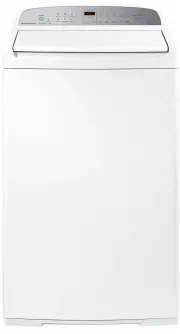 Fisher & Paykel WA7060G2
User Manual
Fisher & Paykel WA7060G2
User Manual
 Fisher & Paykel WA70T60GW1
User Manual
Fisher & Paykel WA70T60GW1
User Manual
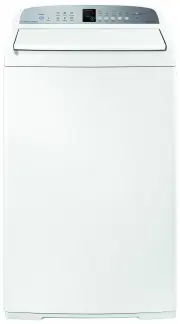 Fisher & Paykel WA7560E1
User Manual
Fisher & Paykel WA7560E1
User Manual
 Fisher & Paykel WA80T65GW1
User Manual
Fisher & Paykel WA80T65GW1
User Manual
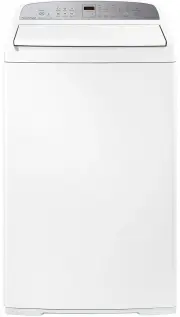 Fisher & Paykel WA8560G1
User Manual
Fisher & Paykel WA8560G1
User Manual
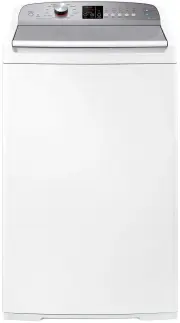 Fisher & Paykel WA8560P1
User Manual
Fisher & Paykel WA8560P1
User Manual
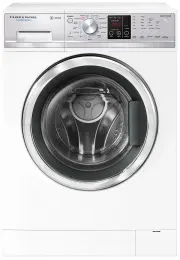 Fisher & Paykel WD8560F1
User Manual
Fisher & Paykel WD8560F1
User Manual
 Fisher & Paykel WH1060P4
User Manual
Fisher & Paykel WH1060P4
User Manual
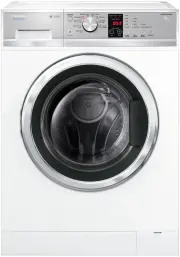 Fisher & Paykel WH7560J3
User Manual
Fisher & Paykel WH7560J3
User Manual
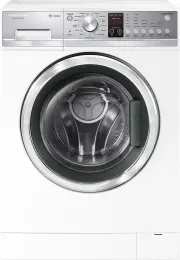 Fisher & Paykel WH7560P2
User Manual
Fisher & Paykel WH7560P2
User Manual
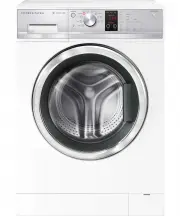 Fisher & Paykel WH8060J3
User Manual
Fisher & Paykel WH8060J3
User Manual
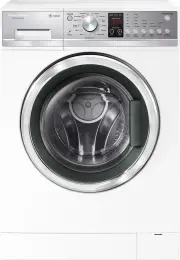 Fisher & Paykel WH8560P2
User Manual
Fisher & Paykel WH8560P2
User Manual
 Fisher & Paykel WH8560P3
User Manual
Fisher & Paykel WH8560P3
User Manual
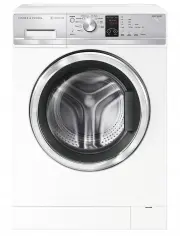 Fisher & Paykel WH9060J3
User Manual
Fisher & Paykel WH9060J3
User Manual
 Fisher & Paykel WH9060P3
User Manual
Fisher & Paykel WH9060P3
User Manual
 Fisher & Paykel WH9060P4
User Manual
Fisher & Paykel WH9060P4
User Manual
 Fisher & Paykel WL1064G1
User Manual
Fisher & Paykel WL1064G1
User Manual