Page 3 - CONTENTS; Registration
3 Safety and warnings 5 Before your first wash 7 Safety features 8 control panel 10 Wi-Fi 13Wash cycles 14 Detergent and softener 15 Where to put the detergent 16 Wash preparation 18 Getting started quickly 19 Wash cycle options 21 Customising a wash cycle 27 Changing pre-set options 29 Caring for y...
Page 5 - SAFETY AND WARNINGS; Electric Shock Hazard; Failure to follow this advice may result in; • If you are using an extension cord or a portable; General
5 SAFETY AND WARNINGS ! WARNING! Electric Shock Hazard Failure to follow this advice may result in electric shock or death. • If you are using an extension cord or a portable electrical outlet device (eg multi-socket outlet box), ensure that it is positioned so that it does not come into contact wit...
Page 6 - MODEL CODE; detergents out of the reach of children.; Disposal
6 MODEL CODE MAXIMUM CAPACITY* (KG) WH9060P4 9.0 WH1060P4 10.0 *Capacity refers to the maximum dry weight of items the washer can wash at any one time SAFETY AND WARNINGS z Read and follow the detergent manufacturers’ instructions carefully. Instructions on how to use the detergent will be clearly i...
Page 7 - BEFORE YOUR FIRST WASH; Have the packaging and transit bolts been removed?
7 BEFORE YOUR FIRST WASH Check you have done everything you need to before you start your first wash:
Have the packaging and transit bolts been removed?
Is the washer correctly levelled, feet are extended and cabinet corners are clear of the floor?
Is the drain hose threaded through the hose g...
Page 8 - SAFETY FEATURES; Door lock; The door of your washer will lock once you press; Add a Garment; The; function can be used to interrupt the cycle to add or remove a; Drum light; , the LED light in the drum will turn on, after two minutes it will
8 SAFETY FEATURES Door lock The door of your washer will lock once you press and will stay locked until the washer beeps at the end of the cycle, ensuring safety for you and your family while your washer is operating. To unlock the door during a cycle Add a Garment The ADD A GARMENT function can be ...
Page 9 - to restart your washer.; Opening the door during a power failure
9 When power is restored, your washer will resume the interrupted wash cycle. If the cycle doesn’t resume automatically, simply press to restart your washer. SAFETY FEATURES Opening the door during a power failure If there is a power failure during a wash cycle your washer will stop and the door wil...
Page 10 - CONTROL PANEL
10 CONTROL PANEL 1 Power Press to turn the washer ON/OFF. 2 Keylock Press to disable all buttons on the control panel, except the POWER button. This prevents accidental button presses. 3 SmartTouch™ Control Dial Rotate to select your desired wash cycle. z Red LED illuminates to indicate the selected...
Page 11 - Keylock
11 CONTROL PANEL To turn your washer on if KEYLOCK is ON and the washer is powered OFF : Keylock To turn KEYLOCK ON or OFF when the washer is powered on: Add a Garment Enables you to add or remove items during the wash stage of the cycle, under certain conditions. Press ADD A GARMENT , wait until yo...
Page 12 - Press
12 If KEYLOCK is ON and you want to pause your washer: If KEYLOCK is ON and you want to power OFF your washer at any time: To pause your washer at any time during the cycle, press and hold for three seconds then press . Press POWER . CONTROL PANEL
Page 13 - Connecting to your home Wi-Fi; Enabling remote mode
13 WI-FI Your appliance can be connected to your home wireless network and operated remotely using the app. Getting started z Ensure your home Wi-Fi network is turned on. z You will be given step by step guidance on both your appliance and mobile device. z It may take up to 10 minutes to connect you...
Page 14 - WASH CYCLES; Woolmark Wool Care
14 WASH CYCLES Your washer has a number of wash cycles to suit your laundering needs. Selecting the most appropriate cycle for each particular wash load will help ensure you get the best wash result. CYCLE DESIGNED FOR MAX. LOAD SIZE (KG)** WASH TEMP. (°C) SPIN SPEED (RPM) Cottons* A comprehensive c...
Page 15 - Scrud; DETERGENT AND SOFTENER
15 Detergent type Your washer requires low-sudsing detergent to prevent oversudsing problems. Low sudsing detergent comes in powder, liquid or pod form and is labelled front loading, low suds, high efficiency or HE. Using top loader detergent in your front loader washer may lead to excessive suds fo...
Page 16 - WHERE TO PUT THE DETERGENT; Liquid detergent; Pods
16 WHERE TO PUT THE DETERGENT Liquid detergent Detergent is added to the main wash compartment on the left side of the dispenser drawer marked with a . As the washer fills, water is flushed into this compartment and is mixed with the detergent, the detergent solution is then delivered into the drum...
Page 17 - Slide it back into the drawer marked; To replace the liquid detergent compartment
17 Slide it back into the drawer marked . 1 2 WHERE TO PUT THE DETERGENT To replace the liquid detergent compartment To remove the liquid detergent compartment, firmly grasp and twist the left hand side of the internal compartment and pull upwards. 1 Powdered detergent If you wish to use powdered de...
Page 18 - WASH PREPARATION
18 Sorting Sort items according to colour, fabric type, and soil type. Wash fine, delicate fabrics separately from thick, heavy fabrics. Always separate coloured items from whites, especially when they are new. Colour run could be an issue if you wash items at higher temperatures. Some soils, like m...
Page 19 - GETTING STARTED QUICKLY
19 2 Press to activate your washer. 3 Select your desired wash cycle by turning the Control Dial. The wash cycle icons will illuminate as you turn the dial showing which cycle is selected, along with the default wash cycle settings. GETTING STARTED QUICKLY 1 Open the detergent drawer.Pour liquid or ...
Page 20 - ‘Wash cycle
20 GETTING STARTED QUICKLY 6 Use to lock the buttons on the control panel, preventing them from being activated accidently by a washing basket or little fingers, refer to the ‘Wash cycle options’ section. 5 Press to start the cycle. The washer will start to fill with water and select the correct was...
Page 21 - WASH CYCLE OPTIONS
21 WASH CYCLE OPTIONS Once you have selected your wash cycle you may wish to change the default wash options. Wash cycle options All wash cycles default to the recommended options for that cycle based on the average expected load to be washed. You can vary the options (eg WASH TEMP , SPIN SPEED ) to...
Page 22 - No Spin; Speed
22 WASH CYCLE OPTIONS No Spin Selecting NO SPIN will end the cycle after the rinse, allowing you to remove items you wish to drip dry.The washer will complete the default wash and rinse spins for the cycle; only the final spin will not be completed. Remove the items you wish to drip dry and then sel...
Page 23 - Wash Boost; Pre wash; Options; Wrinkle Free
23 WASH CYCLE OPTIONS Wash Boost Pre wash For extra dirty loads you can perform a PRE WASH . Your washer will start the wash with a short wash in cool water to remove excess soil. After this the washer will drain and then fill at the selected temperature for the main wash.Simply press the WASH BOOST...
Page 24 - option enables you to add or remove items during the wash stage of; Wait until you hear the door unlock. The
24 WASH CYCLE OPTIONS Add a Garment The ADD A GARMENT option enables you to add or remove items during the wash stage of the cycle, under certain conditions. Press the ADD A GARMENT button. Wait until you hear the door unlock. The button will flash. Open the door and add or remove items. Close the d...
Page 25 - KEYLOCK
25 1 Press the button, then press and hold for three seconds. This will activate the control panel. Wash cycles and options can now be selected.If a button is pressed while KEYLOCK is activated, the LED above KEYLOCK will flash. 1 Press for three seconds.When activated, the light above the button is...
Page 26 - Delay Start; Washing bulky items
26 Delay Start The DELAY START option can delay the start of the wash cycle between 15 minutes and 12 hours. This can be useful to time your washing to finish when you arrive home from work, or to start once you have finished in the shower. Avoid using DELAY START for damp, non-colourfast items as t...
Page 27 - CUSTOMISING A WASH CYCLE; To customise a cycle
27 CUSTOMISING A WASH CYCLE To customise a cycle You can program your washer to remember the wash options you prefer for each wash cycle. For instance, you may want to set the EVERYDAY cycle to default to a COLD wash or set HEAVY cycle to include a SOAK . 1 Press to activate your washer. 2 Turn the ...
Page 28 - To change your customised wash cycle simply repeat these steps.
28 CUSTOMISING A WASH CYCLE To change your customised wash cycle simply repeat these steps. 5 Press to store your customised cycle. A long beep will sound to confirm that your changes have been saved.
Page 29 - CHANGING PRE-SET OPTIONS; Option adjustment mode; To enter Option Adjustment mode:
29 CHANGING PRE-SET OPTIONS Option adjustment mode This allows you to change the CONTROLLED COLD default setting wash temperature to COLD TAP . If your incoming cold water temperature is very low and you choose to do a COLD TAP wash, the wash may be less effective. To enter Option Adjustment mode: T...
Page 30 - Factory reset; To reset your washer to factory default settings:
30 Factory reset You can reset your washer to factory default settings by following the steps below. To reset your washer to factory default settings: 1 Select the SPIN cycle. 2 Press MORE , LESS and OPTIONS buttons together for three seconds, will appear on the screen and the washer will beep.Your ...
Page 31 - CARING FOR YOUR WASHER; Rinse it under warm water and re-insert.; When you have finished using your washer; Unplug the washer from the power socket.; Cleaning your washer; Cleaning the detergent dispenser drawer
31 CARING FOR YOUR WASHER 1 To remove the drawer, pull it open, push down on the tab in the fabric softener compartment and pull out. 2 Wipe out the detergent dispenser drawer with a damp cloth. 3 Rinse it under warm water and re-insert. Clean the drawer regularly, especially if you use fabric softe...
Page 32 - Cleaning the inside of your washer; NEED
32 Cleaning the inside of your washer It is important that you regularly clean the inside of your washer using the DRUM CLEAN cycle. After 100 cycles icon will flash every time you turn your washer on to remind you to do this. If your washer starts to smell this is a sign that you should complete a ...
Page 33 - cycle and
33 Aside from the detergent dispenser, water hose(s), and the pump filter, no other parts are designed to be removed from the washer for cleaning. Do not attempt to remove any other part of the washer. Cleaning the drum and the door z Use a soft damp cloth to wipe the door, cleaning any water marks ...
Page 34 - Cleaning the pump filter
34 CARING FOR YOUR WASHER Cleaning the pump filter Unhook the pump outlet hose and pull it out (about 150mm). Remove the plug and allow any water (approximately 250ml) to drain into a shallow dish.After the draining process is complete, replace the plug into the hose and refit the hose back into the...
Page 35 - Products that might damage your washer
35 CARING FOR YOUR WASHER Products that might damage your washer z Concentrated bleaches, laundry pre-soakers/sanitisers, stain removers and hydrocarbon solvents (eg petrol and paint thinners) can cause damage to the surfaces eg control panel, and components of your washer. z Be careful when washing...
Page 36 - BEFORE YOU CALL FOR SERVICE; User warnings
36 BEFORE YOU CALL FOR SERVICE User warnings Your washer is capable of self diagnosis and may sound a series of beeps and display a notification or warning to inform you when there is a problem. In most cases you will be able to address the problem the washer is alerting you to. Check this chart bef...
Page 37 - PROBLEM
37 BEFORE YOU CALL FOR SERVICE PROBLEM DISPLAYED AS WHAT TO DO The washer has too many suds Washer will stop and flash while waiting for suds to dissipate. The washer will not beep during this time. When the suds have dissipated the washer will automatically restart. If a suds event has occurred dur...
Page 38 - FAULT CODES
38 FAULT CODES When a continuous series of beeps is sounded, all the lights turn off on the control panel and a number appears on the display, a fault has occurred. The washer will automatically enter this mode if a fault occurs. The fault code will be displayed as followed by a number on the digita...
Page 39 - TROUBLESHOOTING
39 TROUBLESHOOTING The following is a list of problems you may encounter when using this appliance and some suggestions that may help to correct the problem. If you still have problems, contact your Fisher & Paykel trained and supported service technician. PROBLEM POSSIBLE CAUSES WHAT TO DO Wash...
Page 45 - These Manufacturer’s Warranties DO NOT cover; Water on the floor due to incorrect loading or excessive suds.; MANUFACTURER’S WARRANTY
45 For New Zealand and Australia only. You automatically receive a two-year Manufacturer’s Warranty with the purchase of this clothes washer covering parts and labour for servicing within the country of purchase. Fisher & Paykel undertakes to: Repair or, at its option, replace without cost to th...
Page 46 - For Australian customers; Keep this user guide in a safe place.
46 MANUFACTURER’S WARRANTY Nothing in this Manufacturer’s Warranty is intended to, nor limits, any rights you may have under law to recover the costs of inspecting or returning the goods to us.This product has been designed for use in a normal domestic (residential) environment. This product is not ...
Page 47 - CUSTOMER CARE; Before you call for service or assistance:; Your product is correctly installed.; In New Zealand if you need service or assistance:
47 CUSTOMER CARE Before you call for service or assistance: Check our website, fisherpaykel.com, for ‘Product Help’ to see the latest updates, hints and tips, and information about your product. We recommend that you also refer to your user guide to ensure: 1 Your product is correctly installed. 2 Y...
Page 48 - Complete and keep for safe reference:
48 CUSTOMER CARE Registration Register your product with us so we can provide you with the best service possible. To register your product visit our website: fisherpaykel.com Complete and keep for safe reference: Model Serial No. Purchase Date Purchaser Dealer Suburb Town Country


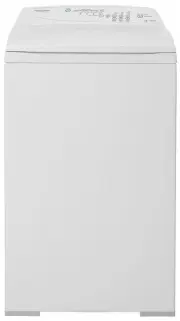 Fisher & Paykel MW513
User Manual
Fisher & Paykel MW513
User Manual
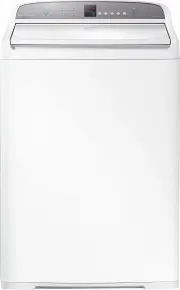 Fisher & Paykel WA1068G1
User Manual
Fisher & Paykel WA1068G1
User Manual
 Fisher & Paykel WA1068G2
User Manual
Fisher & Paykel WA1068G2
User Manual
 Fisher & Paykel WA7060G2
User Manual
Fisher & Paykel WA7060G2
User Manual
 Fisher & Paykel WA70T60GW1
User Manual
Fisher & Paykel WA70T60GW1
User Manual
 Fisher & Paykel WA7560E1
User Manual
Fisher & Paykel WA7560E1
User Manual
 Fisher & Paykel WA80T65GW1
User Manual
Fisher & Paykel WA80T65GW1
User Manual
 Fisher & Paykel WA8560G1
User Manual
Fisher & Paykel WA8560G1
User Manual
 Fisher & Paykel WA8560P1
User Manual
Fisher & Paykel WA8560P1
User Manual
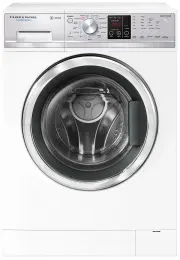 Fisher & Paykel WD8560F1
User Manual
Fisher & Paykel WD8560F1
User Manual
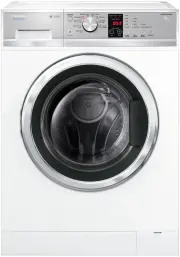 Fisher & Paykel WH7560J3
User Manual
Fisher & Paykel WH7560J3
User Manual
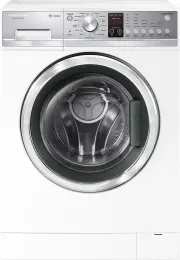 Fisher & Paykel WH7560P2
User Manual
Fisher & Paykel WH7560P2
User Manual
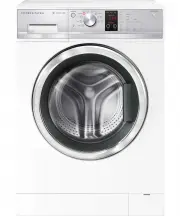 Fisher & Paykel WH8060J3
User Manual
Fisher & Paykel WH8060J3
User Manual
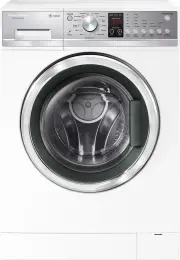 Fisher & Paykel WH8560P2
User Manual
Fisher & Paykel WH8560P2
User Manual
 Fisher & Paykel WH8560P3
User Manual
Fisher & Paykel WH8560P3
User Manual
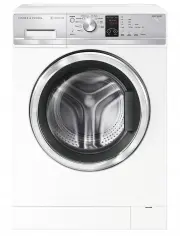 Fisher & Paykel WH9060J3
User Manual
Fisher & Paykel WH9060J3
User Manual
 Fisher & Paykel WH9060P3
User Manual
Fisher & Paykel WH9060P3
User Manual
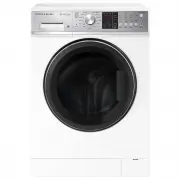 Fisher & Paykel WH9060P4
User Manual
Fisher & Paykel WH9060P4
User Manual
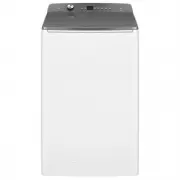 Fisher & Paykel WL1064G1
User Manual
Fisher & Paykel WL1064G1
User Manual
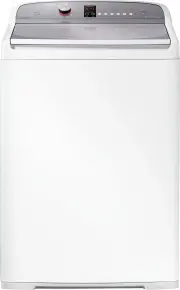 Fisher & Paykel WL1068P1
User Manual
Fisher & Paykel WL1068P1
User Manual