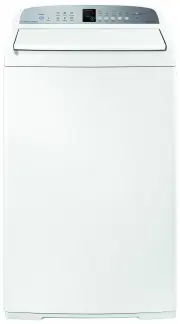
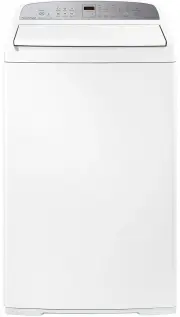
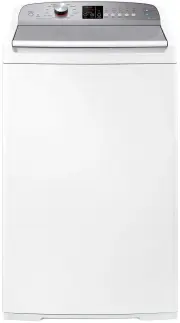
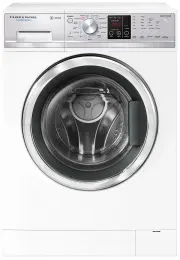
Page 2 - Intelligence working for you
Intelligence working for you 75 years of laundry experience has led to the development of one of the world’s most advanced wash systems, the Smart Drive™ . Unlike conventional machines, Smart Drive™ clothes washers use intelligence to adapt the wash action and water levels to save on water and elect...
Page 3 - Contents; SAVE THESE INSTRUCTIONS
1 Contents Important! SAVE THESE INSTRUCTIONS The models shown in this User Guide may not be available in all markets and are subject to change at any time. For current details about model and specification availability in your country, please visit our local website listed on the back cover or cont...
Page 4 - Installation instructions; Unpacking; Removing the packaging; Location; To prevent syphoning:
2 Installation instructions Unpacking To ensure the best performance from your new Smart Drive™ please follow the instructions below. Removing the packaging 1 Remove the outer packaging. 2 Tilt the machine backwards and walk it off the bottom packer one foot at a time. 3 Remove the bottom packer fro...
Page 5 - To check if your machine is level:
3 Inlet hoses 1 Connect the straight ends of the inlet hoses to the taps. There are washers fitted in both ends. 2 Connect the elbow ends of the inlet hoses to the machine inlet valves. Inlet valves are marked on the back of the machine H = Hot C = Cold 3 Ensure you have correctly connected hot to h...
Page 6 - Electrical Shock Hazard; Accessories and spare parts; Hot ‘N’ Safe Valves available are:
4 Water supply For best operating conditions your hot water should be approximately 65°C. Your cold water should not exceed 35°C or your hot water exceed 75°C. Temperatures above these may cause the machine to fault or cause damage to the machine. If you have an uncontrolled water heating source (eg...
Page 7 - Getting started; Before you do your first wash
5 Getting started Thank you for buying a Fisher & Paykel Smart Drive™ washing machine. We are very proud of this washer and trust it will serve you well for many years. At Fisher & Paykel we aim to provide innovative products that are simple to use, ergonomic and energy efficient. Thousands ...
Page 8 - Using your EXCELLENCE washer
6 Using your EXCELLENCE washer Place the load evenly around the agitator (refer to ‘Sorting’ and ‘Loading’, page 19). Remove fabric softener dispenser. A. Detergent Follow the instructions on the detergent package. Use the mark on the agitator, nearest to the top of the clothes, as a guide to the co...
Page 9 - If you wish to stop your EXCELLENCE washer
7 Using your EXCELLENCE washer C. Power Press POWER to turn the machine on. D. Wash cycles Select the desired wash cycle by pressing the button. E. Wash options Select the WASH TEMPERATURE and other wash options (refer to pages 12 – 16). F. Advance Use to advance through to the desired part of the w...
Page 10 - Using your PRIDE washer
8 Using your PRIDE washer Place the load evenly around the agitator (refer to ‘Sorting’ and ‘Loading’, page 19). Remove fabric softener dispenser. A. Detergent Follow the instructions on the detergent package. Use the mark on the agitator, nearest to the top of the clothes, as a guide to the correct...
Page 11 - If you wish to stop your PRIDE washer
9 Using your PRIDE washer C. Power Press POWER to turn the machine on. D. Wash cycles Select the cycle you want by pressing the SMART TOUCH CYCLES button located below the REGULAR option. Scroll through the cycles until the light for the one you want is lit. E. Wash options Select the WASH TEMPERATU...
Page 12 - Lid lock; EXCELLENCE
10 Lid lock Your Smart Drive™ has a lid lock, which locks when your machine is spinning. This ensures the lid cannot be opened during hazardous parts of the cycle, providing added safety for you and your family. The LID LOCK light (above the START/PAUSE button) comes on when the lid is locked to tel...
Page 13 - Wash cycles and options; Default settings
11 Wash cycles and options Default settings EXCELLENCE model REGULAR HEAVY DUTY HAND WASH ALLERGY EASY IRON Wash time 12 min 15 min 6 min 12 min 9 min Wash action REGULAR HEAVY DUTY HAND WASH REGULAR REGULAR Wash temp WARM-COLD WARM WARM-COLD HOT WARM-COLD Rinse Spray rinse + cold deep rinse Spray r...
Page 14 - To advance the wash cycle; Wash options and advancing the cycle
12 To select the wash options EXCELLENCE model 1 Select the wash cycle, temperature, water level and spin speed (refer to page 7). 2 Press the OPTIONS button if you want to choose ECO, SOAK or QUICK WASH (refer to pages 14 and 15). 3 Press START/PAUSE. PRIDE model 1 Select the wash cycle, temperatur...
Page 15 - Water levels; Manual water level selection; Auto water level; EXCELLENCE model only
13 Water levels Fig.13 Water level guide on agitator Manual water level selection The agitator has five levels marked on its stem that can be used to help you select the correct water level. Select the correct water level by using the mark nearest to the top of the load. The levels marked on the agi...
Page 16 - Wash options – saving water and time; Eco; EXCELLENCE and PRIDE model; Quick wash
14 Wash options – saving water and time Eco EXCELLENCE and PRIDE model Press the ECO option in order to save water. The ECO option uses an Eco Spray rinse which has been specially designed to use at least 25% less water than a traditional rinse. Use this option when you want to use less detergent an...
Page 17 - Wash options; Soak; Nappy sanitisers/bleach; EXCELLENCE & PRIDE model; Delay Start
15 Wash options Soak EXCELLENCE model only Use the SOAK option to soak clothes at the end of the wash phase or when you wish to re-use the wash water. When you select SOAK your Smart Drive™ will soak for a period of 2 hours before completing RINSE and SPIN. During SOAK your Smart Drive™ will agitate...
Page 18 - Washing bulky items
16 Wash options Washing bulky items Forcing large items into the machine may result in them being damaged during washing. Make sure there is enough room in the machine for items to move when being washed. Some items float up during the wash (eg duvets/doonas and pillows). If they sit too high they m...
Page 19 - Favourite cycle; FAVOURITE cycle; To set your favourite cycle; To use your favourite cycle
17 Favourite cycle FAVOURITE cycle EXCELLENCE model only The FAVOURITE cycle lets you design the wash cycle. It can be any wash cycle with any of its wash options and it can start from any point in the cycle. For instance, it may be a cycle to wash your gym gear or it may be a rinse and spin to fini...
Page 20 - Customising the wash cycles; To customise a cycle
18 Customising the wash cycles To customise a cycle EXCELLENCE model only You can program your Smart Drive™ to remember the wash options you prefer for each wash cycle. For instance, you may want to set the REGULAR cycle to a COLD wash or set HEAVY DUTY to include a SOAK. 1 Press POWER. 2 Press the ...
Page 21 - Before you wash; Sorting; Lint givers
19 Before you wash Sorting To get the best wash results it pays to sort your clothes before washing. Care labels The care label will tell you about the fabric of the garment and how it should be washed. Soil Sort clothes according to the type and amount of soil. Some soils suit warmer washes, eg oil...
Page 22 - Detergent; Choosing the right detergent; Adding the detergent; Concentrate
20 Detergent Choosing the right detergent We recommend using domestic detergent, (powder or liquid). Soap flakes or granulated soap powders should not be used in your Smart Drive™ , eg Lux Soap Flakes.When washing woollens remember to use a recommended detergent. How much detergent? Use the instruct...
Page 23 - Fabric softener; How the fabric softener is dispensed
21 Fabric softener How the fabric softener is dispensed The fabric softener goes into the dispenser on the top of the agitator. During the rinse the machine spins to release the fabric softener, delivering it down the agitator stem as the machine fills for the final deep rinse. Note: ECO and QUICK W...
Page 24 - Changing pre-set options; Option adjustment mode; To enter option adjustment mode
22 Changing pre-set options Option adjustment mode After using your Smart Drive™ you may want to fine tune some of the options to suit your wash needs. There are a number of pre-set options, which can be altered. In the EXCELLENCE model the following pre-set options can be changed: The wash temperat...
Page 26 - Wash temperatures; Rinse options; Rinse 1
24 Changing pre-set options Wash temperatures On the PRIDE model the WARM temperature can be adjusted if you think it is too hot or too cold. Note: on these models the hot temperature will be the same as the hot water supply temperature. On EXCELLENCE model all wash temperatures can be individually ...
Page 27 - Controlled cold; End of cycle beeps; Light on
25 Changing pre-set options Controlled cold EXCELLENCE model only If your cold water temperature is very low you will not get a very effective wash. The CONTROLLED COLD option solves this problem by adding a small amount of hot water to raise the temperature of the wash. We have called this “CONTROL...
Page 28 - Out of balance recovery routine; Machine information; Specifications
26 Changing pre-set options Out of balance recovery routine When your Smart Drive™ is spinning it can sense if the wash load is out of balance and will stop and re-try spinning up to three times. If it still senses an unbalanced load there are two options the machine can take. Automatic recovery opt...
Page 29 - When you have finished; Cleaning the inside of your; Smart Drive; open the lid
27 Machine information When you have finished Turn off the taps to prevent the chance of flooding should a hose burst. Turn off the power at the wall. Cold water washing If you always use cold water, we recommend that a WARM or HOT wash be used at regular intervals, eg every 5th wash should be at le...
Page 30 - Products that might damage your; TM sounds and beeps; Automatic lint system
28 Machine information Products that might damage your Smart Drive ™ Concentrated bleaches, nappy sanitisers and hydrocarbon solvents (eg petrol and paint thinners) can cause damage to the paintwork and components of your washer. (Be careful when washing garments stained with solvents as they are fl...
Page 31 - Saving water; Recycling the wash water; Recycling the water from a deep rinse
29 Saving water Full loads are more efficient than part loads. Use the ECO option (refer to page 14). Adjust the RINSE option on REGULAR and HEAVY DUTY cycles (EXCELLENCE model), and REGULAR, HEAVY DUTY and WOOL cycles (PRIDE model) to one deep rinse (refer to page 24). Adjust AUTO water level to fi...
Page 32 - Manual suds save with syphon back
30 Saving water Manual suds save with syphon back If you have a large tub near your washing machine and a separate drain outlet you can set up another method of reusing the water. (The tub should hold a minimum of 100 litres or have an overflow). 1 Select SOAK on the first wash cycle. 2 At the end o...
Page 33 - If your; beeps for help; HOT water temperature light is flashing.
31 If your Smart Drive ™ beeps for help Your Smart Drive™ is capable of diagnosing its own problems. If your Smart Drive™ gives a musical series of beeps every 5 seconds it is telling you that it has a problem which you can solve using the checklist below. * The beeps are the same sound your washer ...
Page 34 - LID LOCK light is flashing.
32 If your Smart Drive ™ beeps for help LID LOCK light is flashing. Make sure the lid is closed.Press START/PAUSE (refer to page 10).If the symptom persists call your Fisher & Paykel Dealer or Authorised Repairer. First RINSE or SPIN progress light is flashing as well as the SPIN SPEED light. Wa...
Page 35 - Operating problems
33 Operating problems Pressing POWER does not turn the machine on. Is the power switched on at the wall?Switch the power off at the wall and wait 60 seconds before turning the power on again.Could your household power supply be at fault? Try plugging in another electrical appliance. Pressing START/P...
Page 36 - Wash problems; Black or grey marks on clothes.
34 Wash problems Listed below are possible causes and solutions to some common wash problems. Creasing. Overloading the washer or dryer.Choose an EASY IRON or HAND WASH cycle (EXCELLENCE model), or a DELICATE cycle (PRIDE model) as these cycles have been designed to minimise creasing. Try selecting ...
Page 38 - Manufacturer’s Warranty; Fisher & Paykel undertakes to; Note
36 Manufacturer’s Warranty You automatically receive a 2 year Manufacturer’s Warranty with the purchase of this Product covering parts and labour for servicing within the country of purchase. Fisher & Paykel undertakes to Repair or, at its option, replace without cost to the owner either for mat...
Page 39 - Customer Care; Before you call for service or assistance...; Product details
37 Customer Care Before you call for service or assistance… Check the things you can do yourself.Refer to your User Guide and check: 1 Your appliance is correctly installed. 2 You are familiar with its normal operation. 3 You have read the problem solving at the back of the book. If after checking t...