Page 3 - CONTENTS; Registration
3 CONTENTS Safety and warnings 4 Integrated refrigerator-Freezer 9 Before you begin 10 Control panel 11 Food modes 12 Storage features 13 Special features 14 Wifi connection 15 Care and cleaning 21 Food care 28 User warnings and sounds 29 Troubleshooting 30Service & warranty 34 Registration To r...
Page 4 - SAFETY AND WARNINGS; Electric Shock Hazard; Failure to do so can result in death, electric; • Read and follow the safety and warnings; This appliance contains flammable
4 SAFETY AND WARNINGS ! WARNING! Electric Shock Hazard Failure to do so can result in death, electric shock, fire or injury to persons. • Read and follow the safety and warnings outlined in this user guide before operating this appliance. ! WARNING! This appliance contains flammable refrigerant is...
Page 5 - READ AND SAVE THIS GUIDE; including the following:; General Use
5 SAFETY AND WARNINGS READ AND SAVE THIS GUIDE WARNING! Read entire manual. Failure to follow all guides and rules could cause personal injury or property damage. When using this appliance, always exercise basic safety precautions including the following: General Use z This product has been designed...
Page 6 - Food safety
6 SAFETY AND WARNINGS z WARNING: Do not use electrical appliances inside the food storage compartments of the appliance, unless they are of the type recommended by the manufacturer. z When positioning the appliance, ensure the power cord is not trapped or damaged. z Do not locate multiple portable s...
Page 7 - Water connection; To reduce the risk associated with choking:
7 SAFETY AND WARNINGS z WARNING: Risk of child entrapment. Before you throw away your old refrigerator or freezer, the doors and panels should be removed and the racks left in place so that children may not easily climb inside. z Consult your local energy authority or local codes as to the best way ...
Page 8 - Ice making; following conditions:
8 SAFETY AND WARNINGS Ice making z Avoid contact with the moving parts of the ice maker ejector mechanism, and do not place your fingers on the automatic ice- making mechanism while the appliance is in operation. z At first use or after water filter has been replaced, there may be discolouration in ...
Page 9 - INTEGRATED REFRIGERATOR-FREEZER; Right Hinge
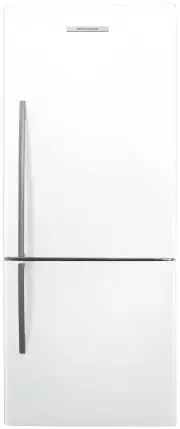
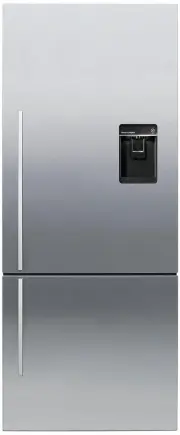
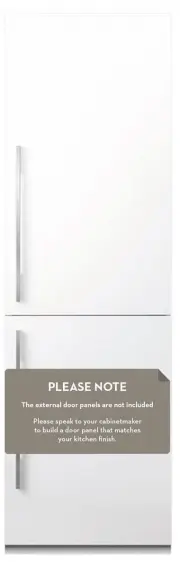
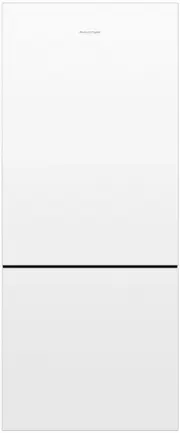
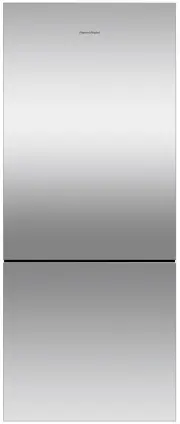
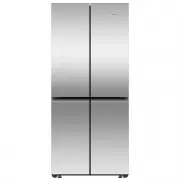
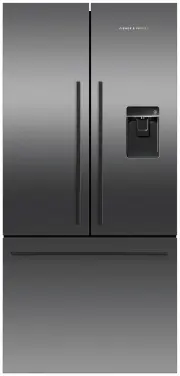
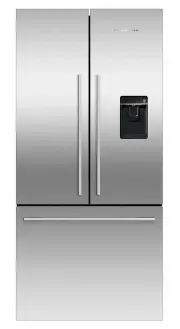
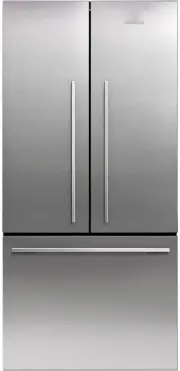
9 INTEGRATED REFRIGERATOR-FREEZER 24" Refrigerator-Freezer RS2484WR Right Hinge 30" Refrigerator-Freezer RS3084WL Left Hinge 24" Refrigerator-Freezer RS2484WL Left Hinge 30" Refrigerator-Freezer RS3084WR Right Hinge
Page 10 - BEFORE YOU BEGIN; Refrigerator features; Freezer Compartment
10 BEFORE YOU BEGIN Refrigerator features 1 Bottle racks 2 Shelving 3 Internal water dispenser 4 Soft close bins with humidity control 5 Dairy compartment 6 Door shelf 7 Gallon shelf Freezer features 1 Top bin with ice storage 2 Mid tray 3 Large bottom steel bin 4 Water filter z Ensure the installer...
Page 11 - CONTROL PANEL
11 CONTROL PANEL 1 2 3 4 5 8 7 6 1 COMPARTMENT activates the control panel when pressed. Allows you to select the compartment to adjust the temperature. z UPPER to indicate the refrigerator compartment is selected. z LOWER to indicate the freezer compartment is selected. 2 Allows you to select the f...
Page 12 - FOOD MODES
12 Variable temperature zones Separate food modes, in both fridge and freezer, allow you adjust the temperature independently for optimal storage. Refrigerator FOOD MODES DESCRIPTION TYPES OF FOOD TO STORE Pantry(12°C/54°F) Pantry mode provides a cool, dark place for a wide variety of foods that per...
Page 13 - STORAGE FEATURES; REFRIGERATOR
13 STORAGE FEATURES REFRIGERATOR Fruit and vegetable bins/Slim bin with humidity control lids Separate fruits and vegetables to prevent the ethylene-sensitive produce from ripening too quickly-helps to extend their storage life. Also used for storing deli items and beverages, or for defrosting foods...
Page 14 - SPECIAL FEATURES
14 Max Cold Boosts the cooling speed of the selected compartment by dropping to its coldest temperature for a set time (Pantry - 6 hours, Fridge - 6 hours), dependent on the food mode in use. We recommend using ‘Max Cold’ when you are adding food items to your appliance, such as after grocery shoppi...
Page 15 - WIFI CONNECTION; Getting started
15 WIFI CONNECTION Your appliance can be connected to your home wireless network and operated remotely using the FISHER & PAYKEL app. Getting started z Ensure your home WiFi network is turned on. z You will be given step by step guidance on both your appliance and mobile device. z It may take up...
Page 16 - USING YOUR APPLIANCE; Select the desired compartment,; Press to scroll through the available; A light illuminates to indicate the matching; as you scroll down the list.; Selecting the Food Mode
16 Once you turn on your refrigerator for the first time, the compartments will automatically default to the recommended temperature setting. The control panel enables you to change and control the temperature of all compartments accurately and independently.For best storage of general household foo...
Page 17 - for the compartment and food; Key lock; will flash and will illuminate after the
17 1 1 2 Allows you to disable the buttons on the control panel. Suitable when cleaning your appliance. It is automatically activated when the refrigerator door opens. Press to scroll through the available FEATURES for the compartment and food mode you have selected. To activate: Select from the lis...
Page 18 - alarm are; Key mute; To deactivate manually:; will deactivate after; Alarm mute
18 1 To activate: Press for 2 seconds, a single beep will sound to indicate key mute is activated. All key sounds are now muted. Door alarms and the BOTTLE CHILL alarm are still operational. Key mute USING YOUR APPLIANCE 1 To activate: Press , and together for 4 seconds.The icon on the control panel...
Page 19 - Water filter; To reset the filter indicator:; Internal water dispenser
19 USING YOUR APPLIANCE Water filter The water supplied to your appliance is filtered through a water filter to remove impurities. The water filter is located at the bottom front of your appliance, and must be replaced every 6 months. Refer to your installation guide for instructions on how to remov...
Page 20 - Automatic ice maker; Turn your Ice maker on, select; Flushing through the ice maker; Turn the ice maker off if:; There is no water supply for several hours.
20 USING YOUR APPLIANCE Automatic ice maker 1 2 Before turning on your automatic ice maker, the system must be flushed to remove any impurities or trapped air in the filter system. Turn your Ice maker on, select LOWER COMPARTMENT > FREEZER > ICE. 3 Empty the water, dry the bin and return it co...
Page 21 - CARE AND CLEANING; Toe kick grilles and filter; Exterior cleaning; Humidity control lids — Fixed shelf
21 CARE AND CLEANING The condenser coils of your Integrated Column require periodic cleaning by a Fisher & Paykel trained service technician. Toe kick grilles and filter Your Integrated Column is fitted with a toe kick grille to protect the internal working components. We recommend cleaning the ...
Page 22 - Removing the top bin
22 CARE AND CLEANING 1 2 3 To remove a bin, extend the bin on its runners ( A ), and empty the bin. Push the securing tabs on both sides of the bin corners, then push the bin firmly upwards to dislodge from the runners ( B ) . Pull the bin towards you to remove. Push both runners back into the appli...
Page 23 - Returning the top bin
23 1 2 To return the bin, extend the runners and place the bin on top of the runners ( D ) . Push the bin slowly onto the securing tabs until you feel it clip onto the runners ( E ) . Ensure the bin tabs are clipped securely onto the runners before use. Returning the top bin d E CARE AND CLEANING
Page 24 - When removing the steel bin, we; Removing the bottom steel bin
24 CARE AND CLEANING 1 3 Open the bottom drawer fully. Unclip the mid tray from the sliders and lift the front of the tray. Lift the steel bin slightly and slide back inside the appliance to unseat the steel bin from seating pockets. When removing the steel bin, we recommend to wear protective glove...
Page 26 - Returning the bottom steel bin
26 CARE AND CLEANING 1 Open the bottom drawer fully. Insert the rear end of the steel bin at an angle into the bottom drawer. Lower the front end of the steel bin ensuring the sides are sitting on the sliders. Slide the steel bin slightly forward to locate into the seating pockets. 2 3 Returning the...
Page 28 - FOOD CARE; We recommend using; when you are adding food items to your appliance, such; Items stored in your refrigerator; We recommend cooling carbonated beverages only when the; function; For best food care
28 FOOD CARE z Store only high-quality, fresh food in your appliance. z Store perishable foods in the appliance immediately after purchase. Storing at room temperature increases the rate of deterioration and can allow harmful microbial growth. z Foods such as meat, poultry and seafood should be well...
Page 29 - USER WARNINGS AND SOUNDS; To silence the fault alarm press any button on the; SOUND; Faults
29 USER WARNINGS AND SOUNDS z Count the number of beeps made when the fresh food compartment door is opened. z Record the number and sequence of temperature lights displayed on the internal control panel and contact a Fisher & Paykel trained and supported service technician in order to repair th...
Page 30 - TROUBLESHOOTING; PROBLEM
30 TROUBLESHOOTING If there is a problem with your appliance, please check the following points before contacting your local Fisher & Paykel trained and supported service technician or the Customer Care Center. Product parts and accessories can be purchased through the Fisher & Paykel Custom...
Page 34 - Complete and keep for safe reference:
34 SERVICE & WARRANTY For details of your manufacturer’s warranty and contacts for servicing, refer to your separate service and warranty book provided with your appliance.This product has been designed for use in a normal domestic (residential environment). This product is not designed for any ...