Page 3 - CONTENTS; Registration
3 CONTENTS Registration To register your product visit our website: fisherpaykel.com/register Safety and warnings 4 Before you begin 9 Using the control panel 10 Storage features 11 Using your appliances 12 Temperature control 12 Door alarms 13 Alarm mute 13 Key mute 13 Key lock 13 Sabbath mode 14 F...
Page 4 - SAFETY AND WARNINGS; Electric Shock Hazard; Failure to do so can result in death, electric; • Read and follow the safety and warnings; This appliance contains flammable
4 SAFETY AND WARNINGS WARNING! Electric Shock Hazard Failure to do so can result in death, electric shock, fire or injury to persons. • Read and follow the safety and warnings outlined in this user guide before operating this appliance. WARNING! This appliance contains flammable refrigerant isobutan...
Page 5 - READ AND SAVE THIS GUIDE; including the following:; General Use
5 SAFETY AND WARNINGS READ AND SAVE THIS GUIDE WARNING! Read entire manual. Failure to follow all guides and rules could cause personal injury or property damage. When using this appliance, always exercise basic safety precautions including the following: General Use z This refrigerating appliance i...
Page 6 - Food safety
6 SAFETY AND WARNINGS z Repair or replace immediately all electric service cords that have become frayed or otherwise damaged. Do not use a cord that shows cracks or abrasion along its length or at either the plug or appliance end. z If the power supply cord is damaged, it must only be replaced by y...
Page 7 - Disposal
7 SAFETY AND WARNINGS Disposal z Extreme care must be taken when disposing of your old appliance to avoid hazards: z The flammable refrigerant gas must be safely removed by a qualified service technician. z The thermal insulation foam in this appliance may contain flammable insulation blowing gases,...
Page 8 - To reduce the risk associated with choking:; installation of the water filter.; Light source information; this appliance is not suitable for room illumination.
8 WARNING! To reduce the risk associated with choking: z DO NOT allow children under 3 years of age to have access to small parts during the installation of the water filter. Ice making z Avoid contact with the moving parts of the ice maker ejector mechanism, and do not place your fingers on the aut...
Page 9 - BEFORE YOU BEGIN; Refrigerator features
9 BEFORE YOU BEGIN z Ensure the installer has completed the final checklist in the installation guide. z Read this guide, taking special note of the safety and warnings section. z Remove all packaging and dispose of it responsibly. Recycle items that you can. Refrigerator features 1 Shelving 2 Water...
Page 10 - USING THE CONTROL PANEL
10 USING THE CONTROL PANEL 1 Wi-Fi illuminates when functionality is activated. Illuminates to indicate that the keys on the control panel are locked. When the door is closed the display is automatically locked. Illuminates when the water filter needs replacing. IIluminates to indicate that Sabbath ...
Page 11 - STORAGE FEATURES; REFRIGERATOR
11 STORAGE FEATURES REFRIGERATOR Humidity control compartment Lids create a humid microclimate by reducing dry air going into the bins. The specially designed groves retain condensation, keeping humidity high and reduce dripping onto the produce below. Cantilever glass shelving Heat-treated safety g...
Page 12 - How to adjust the temperature — Refrigerator compartment; Temperature control; USING YOUR APPLIANCES; How to adjust the temperature — Freezer compartment
12 How to adjust the temperature — Refrigerator compartment Press until the refrigerator compartment light is illuminated, indicated by the top light. Press to increase the temperature, Press to decrease the temperature. 1 2 Temperature control When you turn your refrigerator on for the first time, ...
Page 13 - USING YOUR APPLIANCE; Key lock
13 Key mute To activate/deactivate KEY MUTE , press for four seconds. Once KEY MUTE is activated the icon on the internal control panel illuminates, all key sounds are silenced. Door alarms and the BOTTLE CHILL alarm are still operational. 86.116% 150%>70% Door alarms If the refrigerator compartm...
Page 14 - Sabbath mode; Once in Sabbath mode:
14 Sabbath mode In SABBATH MODE , alarms, lights and displays are deactivated for 80 hours. Once in Sabbath mode: z The interior light will not turn on when you open the refrigerator. z The door alarms will not operate. z The display will not illuminate, except the Sabbath mode icon. z The internal ...
Page 15 - Features; Fast Freeze; light will illuminate.; is deactivated the
15 USING YOUR APPLIANCE Features Fast Freeze For best results activate the function before it is required. Alternatively, activate it when placing food into the freezer. 2 To activate, press on the internal display. The FAST FREEZE light will illuminate. To deactivate before the 12 hours has elapsed...
Page 16 - Bottle Chill; For non water-dispensing models; is deactivated, the
16 USING YOUR APPLIANCE Bottle Chill To activate, press on the control panel. The BOTTLE CHILL light will illuminate. The icon will illuminate on the external display (Ice & Water models only). 1 BOTTLE CHILL rapidly chills your beverages in the freezer for a set time of 15 minutes. Depending on...
Page 17 - Ice Ice Boost
17 USING YOUR APPLIANCE 2 Ice Ice Boost When you first turn your ice maker on, ICE BOOST is off. To activate, press . The light above the button will illuminate. ICE BOOST will pause once your ice bin is full. To manually deactivate press again. The light will not illuminate.Activating ICE BOOST wil...
Page 19 - Your water dispenser is designed for one-handed operation.; is activated and
19 USING YOUR APPLIANCE To dispense water, gently press the dispensing pad with a glass or container.To stop the flow of water, simply pull your glass or container away from the dispensing pad.Pressing hard against the dispensing pad will not increase the flow or dispense more water.When dispensing ...
Page 20 - Dispenser lock; The; is located on the external display and can be activated to prevent; Water filter
20 Dispenser lock The DISPENSER LOCK is located on the external display and can be activated to prevent water from being dispensed. This is useful when you are cleaning the external display or when there are small children around. To activate/deactivate DISPENSER LOCK , press for four seconds. When ...
Page 21 - To flush the automatic icemaker
21 USING YOUR APPLIANCE To flush the automatic icemaker 1 Press and hold , and together for 4 seconds then close the door(s). The ice tray will flip twice and empty the water into the bin below. The ice tray will flip only after the doors are closed.Repeat the cycle to help remove any dust in the ic...
Page 22 - Shelves
22 USING YOUR APPLIANCE Shelves The two full-width cantilever glass shelves are removable and can be repositioned in your refrigerator. The fixed glass shelf can be removed, but not repositioned.Refer to ‘Cleaning and care’ for details on how to remove glass shelves. Humidity Control Lid The Humidit...
Page 24 - CLEANING AND CARE; Cabinet surround; Door gasket
24 CLEANING AND CARE Cabinet surround To maximise operating efficiency regularly vacuum the flooring around your refrigerator. Cleaning behind your refrigerator is required once or twice a year. Vacuum the flooring behind your refrigerator and the rear compartment cover (where fitted) to remove dust...
Page 25 - Interior; Activate the; to prevent
25 CLEANING AND CARE Drip tray (Water-dispensing models only) Remove the drip tray from the dispenser panel.Pull the two halves of the tray apart.Clean with liquid detergent dissolved in water and a soft lint-free cloth.Rinse with clean water and dry with a clean, lint-free cloth. Securely clip the ...
Page 26 - Glass shelf; To remove
26 CLEANING AND CARE Glass shelf To remove To replace Lift the shelf up vertically. The Humidity Control Lid is attached to the shelf and will be removed together. Holding the shelf vertically, slide back into the compartment. 1 1 Slide the shelf towards you.As you pull the shelf towards you, tilt t...
Page 27 - To replace; Cantilever glass shelves
27 CLEANING AND CARE To replace Slide shelf into the compartment. 1 Holding the front and back edge of the shelf firmly, push the shelf down to secure to back support lugs. 2 Cantilever glass shelves To remove Holding the front and back edge of the shelf firmly, push the shelf up vertically to dislo...
Page 28 - Mid bins and humidity control compartment
28 CLEANING AND CARE Mid bins and humidity control compartment To remove 1 2 Remove food from the bin.Pull the bin out to full extension. 1 2 How to replace Extend the slide out from the refrigerator.Place the bin on top of the runners. Gently push the bin down on both sides at the same time, until ...
Page 29 - Ice storage bin
29 Ice storage bin Clean your ice bin and discard any old ice in the bottom of the bin(s) regularly. Ensure that the ice scoop is placed in the centre of the bin. CLEANING AND CARE Bottom bins & trays To remove 1 Remove food from the tray or bin.Lift the tray/bin up at the front and pull out ove...
Page 30 - FOODCARE; For best food care; We recommend using; when you are adding food items to your product,; Items stored in your refrigerator
30 FOODCARE For best food care z Store only high-quality, fresh food in your refrigerator. z Store perishable foods in the refrigerator immediately after purchase. Storing at room temperature increases the rate of deterioration and can allow harmful microbial growth. z Foods such as meat, poultry an...
Page 31 - Items stored in your freezer; We recommend cooling carbonated beverages only when the
31 Items stored in your freezer z We recommend cooling carbonated beverages only when the BOTTLE CHILL function is active. z Do not store carbonated drinks without this function in the freezer. Failure to remove beverages could lead to freezing liquid and the likelihood of bottle/can explosion. z En...
Page 32 - MOVING OR STORING YOUR APPLIANCE; Moving your refrigerator; Holiday/Vacation time
32 MOVING OR STORING YOUR APPLIANCE If your refrigerator is turned off for any reason, wait 10 minutes before turning it back on. This will allow the refrigeration system pressures to equalise before restarting. Moving your refrigerator Turn off the refrigerator and unplug from the power point. Remo...
Page 33 - USER WARNINGS AND SOUNDS; Faults
33 USER WARNINGS AND SOUNDS Faults z Count the number of beeps made when the refrigerator compartment door is opened. z Record the number and sequence of temperature lights displayed on the internal control panel and contact a Fisher & Paykel trained and supported service technician in order to ...
Page 34 - TROUBLESHOOTING; All models
34 TROUBLESHOOTING If there is a problem with your refrigerator, please check the following points before contacting your local Fisher & Paykel trained and supported service technician or the Customer Care Centre.Product parts and accessories can be purchased through Fisher & Paykel Customer...
Page 36 - Ice & Water models only
36 TROUBLESHOOTING Ice & Water models only PROBLEM POSSIBLE CAUSES WHAT TO DO Automatic ice maker does not work Ice maker has not been turned on. Switch on ice maker. Bin is in the wrong way or there is no bin in place. Place bin so scoop is in the front of the ice bin.Ice bin sits directly unde...
Page 38 - MANUFACTURER’S WARRANTY; Complete and keep for safe reference:
38 MANUFACTURER’S WARRANTY For details of your Manufacturer’s Warranty and contacts for servicing, please refer to your separate ‘Service & Warranty’ book provided with your refrigerator.This product has been designed for use in a normal domestic (residential environment). This product is not de...
Page 39 - WASTE ELECTRICAL AND ELECTRONIC EQUIPMENT (WEEE); The symbol
39 EUROPEAN DIRECTIVE 2012/19/EU ON WASTE ELECTRICAL AND ELECTRONIC EQUIPMENT (WEEE) GB This appliance is marked according to the European directive 2012/19/EU on Waste Electrical and Electronic Equipment (WEEE). By ensuring this product is disposed of correctly, you will help prevent potential nega...
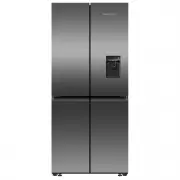




 Fisher & Paykel RF201ADJSX5 User Manual
 Fisher & Paykel RF442BRPW6 User Manual
 Fisher & Paykel RF442BRPX6 User Manual
 Fisher & Paykel RF500QNUX1 User Manual
 Fisher & Paykel RF500QNX1 User Manual
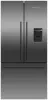 Fisher & Paykel RF522ADUB5 User Manual
 Fisher & Paykel RF522ADUX5 User Manual
 Fisher & Paykel RF522ADX5 User Manual
 Fisher & Paykel RF522BLPX6 User Manual
 Fisher & Paykel RF522BRPX6 User Manual
 Fisher & Paykel RF605QDUVB2 User Manual
 Fisher & Paykel RF605QDUVX1 User Manual
 Fisher & Paykel RF605QNUVB1 User Manual
 Fisher & Paykel RF610ADUB5 User Manual
 Fisher & Paykel RF610ADUX5 User Manual