Page 3 - CONTENTS; Registration
3 CONTENTS Safety and warnings 5 Before you begin 9 Using the control panel (RF605QD models) 10 Main compartment 10 Variable temperature zone 11 Using the control panel (RF605QN & RF605QZ models) 12 Using your appliance (all models) 13 Temperature control 13 Door alarms 14 Alarm mute 14 Key mute...
Page 5 - Electric Shock Hazard; Failure to follow this advise may result in; • Read and follow the safety and warnings; Risk of fire/flammable material; This refrigerator contains flammable refrigerant; including the following:; safe way and understand the hazards involved.; SAFETY AND WARNINGS
5 WARNING! Electric Shock Hazard Failure to follow this advise may result in death, electric shock, fire or injury to persons. • Read and follow the safety and warnings outlined in this user guide before operating this appliance. WARNING! Risk of fire/flammable material This refrigerator contains fl...
Page 8 - Ice making
8 z To reduce the risk associated with choking: z DO NOT allow children under 3 years of age to have access to small parts during the installation of the water filter. z If using the automatic icemaker after an extended period of no use, or if the ice has developed an unpleasant taste of odour, disp...
Page 9 - BEFORE YOU BEGIN; Refrigerator features
9 BEFORE YOU BEGIN z Ensure the installer has completed the final checklist in the installation guide. z Read this guide, taking special note of the safety and warnings section. z Remove all packaging and dispose of it responsibly. Recycle items that you can. Refrigerator features 1 Water filter 2 S...
Page 10 - Main compartment
10 USING THE CONTROL PANEL (RF605QD MODELS) 1 Illuminates to indicate that the keys on the control panel are locked. When the door is closed the display is automatically locked. Illuminates when the water filter needs replacing. IIluminates to indicate that Sabbath mode is activated. Illuminates to ...
Page 11 - Is an extension of; Temperature; Allows you to adjust the temperature of the selected; Variable temperature zone
11 1 2 3 4 5 6 7 1 FOOD MODE Enables you to change the setting of the Variable Temperature Zone — FREEZER , SOFT FREEZE , CHILL , FRIDGE . 2 KEYLOCK Illuminates to indicate that the keys on the control panel are locked. When the door is closed the display is automatically locked. 3 FREEZER MODE (-1...
Page 12 - . Lights illuminate to indicate which food mode is selected.
12 1 Illuminates to indicate that the keys on the control panel are locked. When the door is closed the display is automatically locked. Illuminates when the water filter needs replacing. IIluminates to indicate that Sabbath mode is activated. Illuminates to indicate key press sounds are deactivated...
Page 13 - How to adjust the temperature — Fresh food compartment; Temperature control
13 How to adjust the temperature — Fresh food compartment Press once.The fresh food compartment light will illuminate. Press to increase the temperature, press to decrease the temperature. 1 2 Temperature control When you turn your refrigerator on for the first time, the cooling system will automati...
Page 14 - Key mute; Door alarms; How to adjust the temperature — Frozen food compartment
14 1 Key mute To activate/deactivate KEY MUTE , press for four seconds. Once KEY MUTE is activated the icon on the internal control panel illuminates, all key sounds are silenced. Door alarms and the BOTTLE CHILL alarm are still operational. 86.116% 150%>70% Door alarms If the fresh food compartm...
Page 15 - Once in Sabbath mode:
15 Key lock KEY LOCK allows you to disable the buttons on the internal control panel. This is useful when cleaning your refrigerator. To activate/deactivate KEY LOCK , press and together for four seconds. When KEY LOCK is activated the icon on the internal control panel will illuminate. Pressing any...
Page 16 - Your water dispenser is designed for one-handed operation.; is activated and flashes; Water-dispensing models only
16 Using your water dispenser Ensure you have followed the steps outlined in your installation guide prior to your first use of the water dispenser. To dispense water, gently press the dispensing pad with a glass or container.To stop the flow of water, simply pull your glass or container away from t...
Page 17 - Dispenser lock; Information about your ice maker; Turn your ice maker off if:; Water filter
17 Dispenser lock The DISPENSER LOCK is located on the external display and can be activated to prevent water from being dispensed. This is useful when you are cleaning the external display or when there are small children around. To activate/deactivate DISPENSER LOCK , press for four seconds. When ...
Page 18 - To make ice
18 Manual ice system (where present) Ice scoop Ice tray An ice storage bin which sits inside the top freezer bin provides storage for and gives you access to clean, clear ice cubes. Attached to the ice storage bin is the ice scoop which provides hygienic access to ice. 1 Fill the ice tray with clean...
Page 20 - scrolls from left to right; selected will illuminate.
20 Changing the Food Mode Change the mode by pressing . FOOD MODE scrolls from left to right (coldest setting to warmest setting).The FOOD MODE selected will illuminate. The Variable Temperature Zone display will automatically lock after 10 seconds or once the compartment is closed. 2 Unlock the Va...
Page 22 - Features
22 Fast Freeze For best results activate the function before it is required. Alternatively, activate it when placing food into the freezer. 2 To activate, press on the internal display. The FAST FREEZE light will illuminate. To deactivate before the 12 hours has elapsed, press again. When FAST FREEZ...
Page 23 - is deactivated, the
23 An alarm will sound after 15 minutes to remind you to remove your beverage. For non water-dispensing models Open the fresh food compartment door and press any button on the control panel to silence the alarm. 2 4 To deactivate BOTTLE CHILL before 15 minutes, press the button on the control panel....
Page 25 - Food modes; Changing the Food Mode
25 USING YOUR APPLIANCE (RF605QN & RF605QZ MODELS) Food modes FREEZER MODE (-18°C) For general frozen food items that require storage between 1 – 12 months. Meat, poultry, seafood, pre-cooked foods and leftovers, some fruits and vegetable, ice cream, and other frozen desserts. SOFT FREEZE MODE (...
Page 26 - Adjusting the temperature
26 Adjusting the temperature To increase the temperature of your selected FOOD MODE press . The digital display will change, at the warmest point pressing the button again will sound the invalid button press melody and nothing will change. To decrease the temperature of your selected FOOD MODE press...
Page 27 - To activate, press the button, scroll to; Press button for two seconds.; Fast Freeze; Bottle Chill
27 For best results activate the function before it is required. Alternatively, activate it when placing food into the freezer. 2 To activate, press the button to scroll through the features to FAST FREEZE . The light next to the feature will flash.To select the feature, press the button for two sec...
Page 28 - is deactivated the light
28 USING YOUR APPLIANCE (RF605QN & RF605QZ MODELS) To deactivate before the time has elapsed, press the button, scroll to BOTTLE CHILL . Press button for two seconds.When BOTTLE CHILL is deactivated the light will not illuminate. 3 To activate, press the button, scroll to ICE ON/OFF. The light n...
Page 29 - is deactivated the light will; To flush the automatic icemaker
29 2 To activate, press the button, scroll to ICE BOOST. The light next to the feature will flash.Press the button for two seconds until the light turns solid. 1 To deactivate, press the button, scroll to ICE BOOST. Press button for two seconds.When ICE BOOST is deactivated the light will not illumi...
Page 30 - CLEANING AND CARE; Cabinet surround; Door gasket
30 CLEANING AND CARE Cabinet surround To maximise operating efficiency regularly vacuum the flooring around your refrigerator. Cleaning behind your refrigerator is required once or twice a year. Vacuum the flooring behind your refrigerator and the rear compartment cover (where fitted) to remove dust...
Page 31 - Interior; Activate the; to prevent
31 CLEANING AND CARE Drip tray (Water-dispensing models only) Remove the drip tray from the dispenser panel.Pull the two halves of the tray apart.Clean with liquid detergent dissolved in water and a soft lint-free cloth.Rinse with clean water and dry with a clean, lint-free cloth. Securely clip the ...
Page 32 - Glass shelves – Refrigerator; Cantilever glass shelves — half-width and full-width; To remove
32 CLEANING AND CARE Glass shelves – Refrigerator To remove Hold the shelf firmly and pull the shelf towards you. 1 Slide the shelf towards you. 3 Lift the shelf up vertically. 2 Cantilever glass shelves — half-width and full-width To remove Hold the front and back edge of the shelf firmly. Push the...
Page 33 - Fixed bins and Freezer bins
33 CLEANING AND CARE 1 2 Fixed bins and Freezer bins To remove Remove food from the bin.Hold the centre front of the bin handle. Lift vertically to unclip from the runners. Pull bin towards you to remove from the refrigerator. Push both runners back into the refrigerator. 1 2 How to replace Extend t...
Page 34 - Support lugs; Humidity control lid
34 Support lugs Remove all shelving, follow the steps in section ‘Glass shelves- Refrigerator’.Clean the support lugs with liquid detergent dissolved in water and a tube brush or a clean lint-free cloth. 1 CLEANING AND CARE Humidity control lid To remove Remove all shelving, follow the steps in sect...
Page 35 - Ice storage bin
35 CLEANING AND CARE Ice storage bin Clean your ice bin and discard any old ice in the bottom of the bin(s) regularly. Ensure that the ice scoop is placed in correct position in the bin, right hand side or at the front of the bin (model dependent). Glass shelves - Freezer (if present) To remove Remo...
Page 36 - FOODCARE; For best food care; We recommend using; when you are adding food items to your refrigerator,; Items stored in your refrigerator; We recommend cooling carbonated beverages only when the
36 FOODCARE For best food care z Store only high-quality, fresh food in your refrigerator. z Store perishable foods in the refrigerator immediately after purchase. Storing at room temperature increases the rate of deterioration and can allow harmful microbial growth. z Foods such as meat, poultry an...
Page 37 - MOVING OR STORING YOUR APPLIANCE; Moving your refrigerator; Holiday/Vacation time
37 MOVING OR STORING YOUR APPLIANCE If your refrigerator is turned off for any reason, wait 10 minutes before turning it back on. This will allow the refrigeration system pressures to equalise before restarting. Moving your refrigerator Turn off the refrigerator and unplug from the power point. Remo...
Page 38 - ACTIVESMARTTM SOUNDS; Normal refrigerator sounds; Normal operational sounds include:
38 ACTIVESMART™ SOUNDS Normal refrigerator sounds Your refrigerator is designed with innovative ActiveSmart™ features that can produce sounds that may be different from your old refrigerator. Normal operational sounds include: z Fan air flow sound. ActiveSmart™ refrigerators have fans which change s...
Page 39 - TROUBLESHOOTING; All models
39 TROUBLESHOOTING If there is a problem with your refrigerator, please check the following points before contacting your local Fisher & Paykel trained and supported service technician or the Customer Care Centre.Product parts and accessories can be purchased through Fisher & Paykel Customer...
Page 41 - Ice & Water models only
41 TROUBLESHOOTING Ice & Water models only PROBLEM POSSIBLE CAUSES WHAT TO DO Automatic ice maker does not work Ice maker has not been turned on. Switch on ice maker. Bin is in the wrong way or there is no bin in place. Place bin so scoop is on the left side.Ice bin sits directly under ice maker...
Page 42 - Freezer door not closing tightly.
42 TROUBLESHOOTING Ice & Water models only PROBLEM POSSIBLE CAUSES WHAT TO DO Ice build up inside freezer compartment Freezer door not closing tightly. Arrange items in freezer so door can close tightly.Check and clean door gasket seal. Ice maker makes unfamiliar sounds or seems too loud Normal ...
Page 44 - MANUFACTURER’S WARRANTY; Complete and keep for safe reference:
44 MANUFACTURER’S WARRANTY For details of your Manufacturer’s Warranty and contacts for servicing, please refer to your separate ‘Service & Warranty’ book provided with your refrigerator.This product has been designed for use in a normal domestic (residential environment). This product is not de...
Page 45 - WASTE ELECTRICAL AND ELECTRONIC EQUIPMENT (WEEE); The symbol
45 EUROPEAN DIRECTIVE 2012/19/EU ON WASTE ELECTRICAL AND ELECTRONIC EQUIPMENT (WEEE) GB This appliance is marked according to the European directive 2012/19/EU on Waste Electrical and Electronic Equipment (WEEE). By ensuring this product is disposed of correctly, you will help prevent potential nega...
Page 47 - AC T I V E S M A R T TM R E F R I G E R ATO R; CONTEMPORARY; QUAD DOOR FRIDGE FREEZER ICE & WATER
I N STA L L AT I O N G U I D E N Z AU U K I E S G AC T I V E S M A R T ™ R E F R I G E R ATO R CONTEMPORARY QUAD DOOR FRIDGE FREEZER ICE & WATER RF605QDU, RF605QN, RF605QZ QUAD DOOR FRIDGE FREEZER NON-ICE & WATER RF605QD
Page 51 - Do not damage the refrigerant circuit.
5 SAFETY AND WARNINGS ! WARNING! Electric Shock Hazard Failure to follow this advise may result in death, electric shock, fire or injury to persons. • Read and follow the safety and warnings outlined in this guide before operating this appliance. ! WARNING! Risk of fire/flammable material This refri...
Page 53 - ACTIVESMARTTM REFRIGERATOR
7 ACTIVESMART™ REFRIGERATOR Quad Door Fridge Freezer, 905mm, 605L, Ice & WaterContemporary RF605QDU Quad Door Fridge Freezer, 905mm, 605L, Non-Ice & WaterContemporary RF605QD Quad Door Fridge Freezer, 905mm, 605L, Ice & WaterContemporary RF605QNU & RF605QZU
Page 54 - UNPACKING AND MOVING YOUR APPLIANCE; Restrain the appliance with a strap.; Model drawings may differ from your appliance.
8 UNPACKING AND MOVING YOUR APPLIANCE Check that your appliance is the correct model as per your order. Follow the steps below to move your appliance to the install location. Be careful when tilting the appliance forward/backward. Tape the door shut to prevent opening while moving the appliance. 1 2...
Page 56 - BEFORE INSTALLATION; Before installation; Power
10 BEFORE INSTALLATION Please follow the installation steps below to ensure your appliance operates correctly. Before installation Power z Install your appliance where the plug is easily accessible. z Connect your refrigerator to a separate power point. Avoid sharing the power point with other appli...
Page 57 - SUPPLIED PARTS; MISCELLANEOUS ITEMS PACK
11 SUPPLIED PARTS User/Installation guide (1) U S E R G U I D E N Z AU U K I E S G AC T I V E S M A R T ™ R E F R I G E R ATO R CONTEMPORARY QUAD DOOR FRIDGE FREEZER ICE & WATER RF605QDU, RF605QN, RF605QZ QUAD DOOR FRIDGE FREEZER NON-ICE & WATER RF605QD MISCELLANEOUS ITEMS PACK Quick fitting...
Page 58 - PRODUCT DIMENSIONS; FRONT
12 PRODUCT DIMENSIONS FRONT C b b PLAN E D C G F PROFILE A
Page 59 - MM
13 PRODUCT DIMENSIONS PRODUCT DIMENSIONS MM A Overall height of product 1790 B Overall width of product 905 C Overall depth of product (excludes handle) 688 D Depth with door open – from rear of fridge – 90° rotation 1084 E Depth with door open – from flush with door – 90° rotation 396 F Height to t...
Page 60 - CABINETRY DIMENSIONS — PROUD; CUTOUT
14 CABINETRY DIMENSIONS — PROUD CABINETRY DIMENSIONS (incl. minimum air clearances) RF605QD RF605QN/QZ MM MM A Inside height of cavity* 1810 1810 B Inside width z 90° rotation** z full rotation 1025 945 985 945 C Overall depth 640 640 B C a CUTOUT *Measurement includes a feet increase of 10mm.**For ...
Page 61 - MINIMUM CLEARANCE DIMENSIONS; CLEARANCES
15 CABINETRY DIMENSIONS — PROUD MINIMUM CLEARANCE DIMENSIONS RF605QD RF605QN/QZ MM MM A Vent (above refrigerator cabinet or around top of cupboard) 50 50 B Side clearance z 90° rotation* z full rotation 100 20 60 20 C Rear clearance 30 30 D Door clearance z 90° rotation* z full rotation N/A 320 N/A ...
Page 62 - CABINETRY DIMENSIONS — FLUSH
16 CABINETRY DIMENSIONS — FLUSH CABINETRY DIMENSIONS (incl. minimum air clearances) RF605QD RF605QN/QZ MM MM A Inside height of cavity* 1810 1835 B Inside width z 90° rotation** z full rotation 11051105 1065 1105 C Inside depth 718 718 b CUTOUT *Measurement includes a feet increase of 10mm.**For ful...
Page 64 - ELECTRICAL
18 ELECTRICAL Electrical connection should be located in an adjacent cabinet to either side of the refrigerator or above the refrigerator cavity. We recommend the use of an isolating switch that is easily accessible to the user after the refrigerator is installed.
Page 66 - that all connections are dry and free
20 WATER CONNECTION (ICE & WATER MODELS) Insert the short tubing into the water tap adaptor, push tubing in at least 16mm before reaching the stop. Pull gently on the short tubing to ensure it is locked in place. If the short tubing is already attached to the tap adaptor, move to step 6. Insert ...
Page 68 - POSITIONING YOUR REFRIGERATOR; Levelling of refrigerator doors
22 POSITIONING YOUR REFRIGERATOR Your Fisher & Paykel ActiveSmart™ refrigerator is fitted with front and rear rollers to allow you to easily move your refrigerator forward and backward. Avoid moving your refrigerator sideways to prevent damaging the rollers or the floor covering surface.Your ref...
Page 69 - What to do if your product is unstable
23 POSITIONING YOUR REFRIGERATOR Gently push the refrigerator back until the rear rollers contact the floor.Measure the gap under the front foot, which has come off the floor.Obtain some solid packing material (hardwood, plastic, etc) which fits firmly into the gap under the foot. 1 2 3 Wind both fr...
Page 70 - COMPLETE INSTALLATION; Before placing food in the fresh food or freezer compartments
24 COMPLETE INSTALLATION Before placing food in the fresh food or freezer compartments z Remove all internal packaging. Ensure that all transit clips are removed from the refrigerator. These are small rubber stoppers located at the back of the shelves. z Clean the inside of the appliance with a mix ...
Page 71 - FINAL CHECKLIST; TO BE COMPLETED BY THE INSTALLER; Check all parts are installed.
25 FINAL CHECKLIST TO BE COMPLETED BY THE INSTALLER Ensure that:
Check all parts are installed.
Ensure the appliance is level.
Ensure all internal and external packaging is removed from the appliance before use.
Ensure the water filter is installed and has been flushed. Complete and keep for...




 Fisher & Paykel RF522ADUX5 User Manual
 Fisher & Paykel RF522ADX5 User Manual
 Fisher & Paykel RF522BLPX6 User Manual
 Fisher & Paykel RF522BRPX6 User Manual
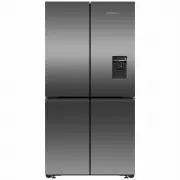
 Fisher & Paykel RF605QDUVB2 User Manual
 Fisher & Paykel RF605QDUVX1 User Manual
 Fisher & Paykel RF610ADUB5 User Manual
 Fisher & Paykel RF610ADUX5 User Manual
 Fisher & Paykel RF610ADX5 User Manual
 Fisher & Paykel RF610ANUX5 User Manual
 Fisher & Paykel RS32A72J1 User Manual
 Fisher & Paykel RS36A72J1N User Manual
 Fisher & Paykel RS80A1 User Manual
 Fisher & Paykel RS90A1 User Manual
 Fisher & Paykel RS9120WLJ1 User Manual