Page 3 - CONTENTS; Registration
3 Safety and warnings 5 First use 9 Setting a cycle 11 Loading suggestions 13 Cycle options 16 Favourite 17Delay Start 18 Key Lock 19 Wi-Fi connection and Remote Mode 20 Settings 21Cleaning 22Water tank 23 Troubleshooting 24Fault codes 26 Manufacturer’s warranty and service guide 27 CONTENTS Registr...
Page 5 - Electric Shock Hazard; Failure to follow this advice may result in; Fire Hazard; SAFETY AND WARNINGS
5 WARNING! Electric Shock Hazard Failure to follow this advice may result in electric shock or death. • If you are using an extension cord or a portable electrical outlet device (eg multi-socket outlet box), ensure that it is positioned so that it does not come into contact with water or moisture. W...
Page 6 - exercise basic safety precautions including the following:
6 SAFETY AND WARNINGS WARNING! Read Safety Guide. Failure to follow all guides and rules could cause personal injury or property damage. Use this appliance only for the intended purpose as described in the user guide and installation guide of this appliance. When using this appliance, always exercis...
Page 7 - Lint
7 z Never put dripping wet clothes in the cabinet as excess water may cause an electrical fault. z Do not under any circumstances dry an electric blanket or any other electrical, plastic or rubber items in the appliance, unless the care label specifically states it is safe to do so. Never dry these ...
Page 8 - REFRESH; Installation
8 SAFETY AND WARNINGS contaminated by hair care products be placed in this appliance, they should first be washed in hot water with extra detergent — this will reduce, but not eliminate the fire hazard. They should not be removed from the appliance and piled or stacked while hot. z Items that have p...
Page 9 - FIRST USE; Features and accessories
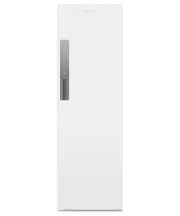
9 FIRST USE Features and accessories 1 Top rail 2 Rear racks (folding) 3 Lower rack (removable) 4 Hanger storage hooks 5 Hangers 6 Lint filter* 7 Water tank 8 Drip tray *Located behind front grille. 1 2 4 5 2 3 6 8 7
Page 10 - Control panel
10 FIRST USE 1 2 3 4 6 5 7 8 9 !0 !1 !2 !3 Control panel 1 Display 2 On/Off 3 Favourite 4 Delay Start 5 Key Lock 6 Remote mode 7 Function indicators 8 Function selector 9 Fabric Care indicators !0 Fabric Care selector !1 Capacity indicators !2 Capacity selector !3 Start/Pause
Page 11 - SETTING A CYCLE; Check the water tank.; Selecting a function; Turning on the display
11 SETTING A CYCLE 2 Check the water tank. DRY : Ensure the tank is empty. REFRESH/DEODORISE/SANITISE : Empty any water in the tank, then refill with fresh tap water. 4 Selecting a function Press FUNCTIONS . 3 Turning on the display Press POWER . Hang or place items in the cabinet. Allow enough spac...
Page 12 - Selecting a fabric type; Selecting the load size; Starting or pausing the cycle
12 SETTING A CYCLE Selecting a fabric type Press FABRIC CARE to scroll through options. 5 6 7 8 Selecting the load size Press CAPACITY to scroll through options. Starting or pausing the cycle Press START/PAUSE . Cancelling the cycle Press POWER .
Page 13 - LOADING SUGGESTIONS; Hangers
13 LOADING SUGGESTIONS Use the hangers for shirts, blouses, pants, dresses, coats and other longer items. Only use the supplied hangers. Use the clips to secure items such as pants, skirts, strapless items or delicate tops. Use the top rail to hang items on hangers.Do not hang more than five hangers...
Page 14 - Rear racks
14 LOADING SUGGESTIONS Rear racks Use the rear racks to drape items or to lay items flat. Lay woollen and knitted items flat across the racks to minimise stretching. When draping items over the racks ensure fabric is single layered and there is enough space between items for airflow. The rear racks ...
Page 15 - Lower rack
15 LOADING SUGGESTIONS Place shoes on the lower rack.Do not place items directly on the base of the cabinet. Lower rack The lower rack can be removed to create more space for longer items.Lift the rack up to remove.
Page 16 - CYCLE OPTIONS; FUNCTION
16 CYCLE OPTIONS FUNCTION DESCRIPTION REFRESH Quick steam cycles designed for refreshing dry items. DRY Specialised drying cycles for a variety of fabrics. DEODORISE Extended steam cycles designed for reducing odours in dry items. SANITISE Sustained heat cycles designed for sanitising dry items. You...
Page 17 - to access the saved cycle.
17 FAVOURITE Save your preferred cycle options for quick access next time you use the cabinet. Once you have saved a cycle, press FAVOURITE to access the saved cycle. Only one cycle can be saved at a time. 1 Select your preferred cycle options. 2 Press and hold FAVOURITE to save.
Page 18 - to cycle through the; Press; at any point to view how much time remains in the countdown.
18 DELAY START You can delay the start of a cycle between 15 minutes and 12 hours. You need to select your cycle options before setting DELAY START . Select your preferred cycle options.Press DELAY START to cycle through the time options. Press START to confirm. The cycle will start at the end of th...
Page 19 - can be set at any time including while a cycle is running.; to lock or unlock
19 KEY LOCK Lock the cabinet controls to prevent accidental use by children or when cleaning. When locked, the controls will be unresponsive, except for the POWER button. KEY LOCK can be set at any time including while a cycle is running. Press and hold KEY LOCK to lock or unlock the controls. 1
Page 20 - WI-FI CONNECTION AND REMOTE MODE; Connecting to your home Wi-Fi; APP; Enabling Remote mode
20 Your appliance may be connected to your home wireless network and operated remotely using the app. Connect your appliance to ensure it stays up to date with the latest software and features. Getting started z Ensure your home Wi-Fi network is turned on. z You will be given step-by-step guidance o...
Page 21 - SETTINGS; Audio; Snd OFF; Factory default; dEF; Ventilation
21 SETTINGS Audio Turn button press and end of cycle sounds ON/OFF. Alerts for notifications and faults will still sound. Default: ON Press and hold KEY LOCK and FAVOURITE together until Snd OFF / Snd ON appears in the display. 1 Factory default Reset FAVOURITE and any other saved settings back to t...
Page 22 - CLEANING; Surfaces and accessories; Ensure the drip tray is correctly in place; Lint filter; Ensure the lint filter is correctly in place
22 CLEANING Surfaces and accessories Wipe with a damp cloth and mild detergent, then dry with a clean, lint-free cloth. We do not recommend using the following cleaning products as they may cause damage: z Plastic or stainless steel scouring pads z Abrasive, solvent, household cleaners z Acid or alk...
Page 23 - When using the; Empty the water tank before or after every load.; or; functions, fill the water tank with fresh; WATER TANK
23 DRY When using the DRY function, water is collected in the water tank in the base of the cabinet. Empty the water tank before or after every load. REFRESH/DEODORISE/SANITISE Before using the REFRESH , DEODORISE or SANITISE functions, fill the water tank with fresh tap water to the max line. Do no...
Page 24 - TROUBLESHOOTING; PROBLEM; Cabinet will not
24 TROUBLESHOOTING PROBLEM POSSIBLE CAUSES WHAT TO DO Cabinet will not start No power. Ensure the cabinet is plugged in and the power supply is turned on at the wall. The door is not properly closed. Ensure the door is firmly shut. Water tank full, empty or not properly in place. Ensure the water ta...
Page 25 - Water collects in the tank during the; function. This may need to be
25 TROUBLESHOOTING PROBLEM POSSIBLE CAUSES WHAT TO DO Cabinet is beeping and displaying a code Cabinet has a fault. Try turning the cabinet off and waiting one minute before turning it back on. If the fault code persists contact Customer Care. Refer to 'Fault codes'. Cycle taking too long Fabric typ...
Page 26 - FAULT CODES; How do I know if there is a problem?; ALERT
26 FAULT CODES How do I know if there is a problem? Your cabinet will beep and an alert will show in the display. What to do First try to fix the issue and clear the alert according to the steps in the following table. If the problem persists 1 Note down the fault code. 2 Contact Customer Care or a ...
Page 27 - NZ; Complete and keep for safe reference:
27 To access your Warranty and Service Guide Scan the QR code with your smartphone to access your warranty and book a service, or view online at https://www.fisherpaykel.com/nz/help-and-support/warranty-information This product has been designed for use in a domestic (residential) environment. This ...