Fisher & Paykel DE50F56A2 - User Manual
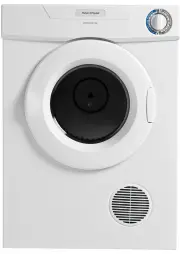
Fisher & Paykel DE50F56A2 Dryer – User Manual, read for free online in PDF format. We hope this helps you resolve any issues you may have. If you have further questions, please contact us through the contact form.


Table of Contents:
- Page 3 – Contents; SAVE THESE INSTRUCTIONS; Caution, risk of fire – this is a safety symbol.
- Page 4 – Cost to dry; Before using your dryer; Introduction
- Page 5 – Safety and warnings; Fire Hazard; Dryer use
- Page 6 – Lint; Spontaneous combustion
- Page 7 – Installation options; and; models only
- Page 8 – External venting; DO NOT; Installation – AeroSenseTM and AeroLogicTM dryers
- Page 9 – Internal venting
- Page 10 – Dryer position; Directional outlet grill; dryers; dryer; Installation – AeroDryTM dryer
- Page 11 – Weight Hazard; Dryer wall mounting instructions
- Page 13 – Capacity; Model; Sorting and loading; Lint Givers; To reduce creasing; Before you dry
- Page 14 – Cleaning the lint filter
- Page 15 – Using your dryer; Dryness levels; Light to Medium Settings; AeroSenseTM dryer
- Page 16 – Pausing the dryer
- Page 17 – Temperature settings; Delay start; Wrinkle free
- Page 18 – Drying cycles; AeroLogicTM and AeroDryTM dryers
- Page 19 – Drying times; Load comparison; Drying rack; AeroSenseTM and AeroLogicTM dryers only
- Page 20 – Operating problems
- Page 21 – Manufacturer’s Warranty; Note; This Warranty DOES NOT cover; For Australian Customers
- Page 22 – Before you call for service or assistance...; Customer Care
- Page 23 – Product details
NZ AU SG HK IN ME
Installation instructions
and
User guide
Front loading dryers
"Loading the manual" means you need to wait until the file loads and becomes available for online reading. Some manuals are very large, and the time they take to appear depends on your internet speed.
Was this manual helpful?
About this manual
- Brand
- Fisher & Paykel
- Model
- DE50F56A2
- Document type
- User Manual
- Category
- Dryer
- Language(s)
- English
- Pages
- 24
- File size
- 1.8 MB
- Format
Summary
1 Introduction 2 Safety and warnings 3 Installation instructions Installation options 5 Installation – AeroSense™ and AeroLogic™ dryers 6 Installation – AeroDry™ dryer 8 Specifications 8 Dryer wall mounting instructions 9 Before you dry Capacity, Sorting and loading, Drying times 11 Cleaning the lin...
2 Congratulations on purchasing a Fisher & Paykel dryer. Your new dryer will give you the convenience of tumble drying and your clothes the advantage of not being subjected to the harsh overdrying effects of the sun. Your clothes will feel softer, retain their shape better and will require less ...
3 Safety and warnings WARNING! Fire Hazard Only dry fabrics that have been washed with water.Do not use heat to dry articles containing foam rubber or similarly textured rubber-like materials. Dry on Airing.Do not stop a tumble clothes dryer before the end of the drying cycle unless all items are re...
Ask a question
Related manuals
More Fisher & Paykel Dryers models
 Fisher & Paykel DE4560M1 User Manual
 Fisher & Paykel DE6060M2 User Manual
 Fisher & Paykel DE7060G1 User Manual
 Fisher & Paykel DE7060G2 User Manual
 Fisher & Paykel DE8060P2 User Manual
 Fisher & Paykel DE8060P3 User Manual
 Fisher & Paykel DH8060P1 User Manual
 Fisher & Paykel DH8060P3 User Manual
 Fisher & Paykel DH9060P2 User Manual
Other Fisher & Paykel appliances
 Fisher & Paykel 272S Manual
 Fisher & Paykel 818S Manual
 Fisher & Paykel 447443 Manual
 Fisher & Paykel 599127 Manual
 Fisher & Paykel 836848 User Manual
 Fisher & Paykel 847200 User Manual
 Fisher & Paykel Active Smart Manual
 Fisher & Paykel AD35 AD35A AD36 AD37 AD38 AD39 AD50 AD52 AD53 AD55 Manual
 Fisher & Paykel AD55 Manual
 Fisher & Paykel BI452 Manual
 Fisher & Paykel BI453 Manual