Page 3 - CONTENTS; Registration
3 Safety and warnings 5 Control panel 9 WiFi connection 12 Dry cycles 13 Dry preparation 14 Getting started quickly 17 Drying cycle options 19 Customising a dry cycle 22 Caring for your dryer 24 Before you call for service 31 Fault codes 33 Troubleshooting 34Manufacturer’s warranty 40 Customer care ...
Page 5 - SAFETY AND WARNINGS; Electric Shock Hazard; Failure to follow this advice may result in; Fire Hazard
5 SAFETY AND WARNINGS WARNING! Electric Shock Hazard Failure to follow this advice may result in electric shock or death. • If you are using an extension cord or a portable electrical outlet device (eg multi-socket outlet box), ensure that it is positioned so that it does not come into contact with ...
Page 6 - READ AND SAVE THIS GUIDE; General
6 SAFETY AND WARNINGS READ AND SAVE THIS GUIDE When using this appliance, follow basic precautions, including the following: General z The appliance must not be supplied through an external switching device, such as a timer, or connected to a circuit that is regularly switched on and off by a utilit...
Page 7 - MODEL
7 SAFETY AND WARNINGS z Exhaust air must not be discharged into a flue which is used for exhausting fumes from appliances burning gas or other fuels. z Do not overload your dryer beyond its rated capacity: MODEL MAXIMUM CAPACITY (KG) DH9060P2 9 DH9060PG2 9 *Capacity refers to the maximum dry weight ...
Page 8 - Disposal
8 z Items that have previously been cleaned in, washed in, soaked in or spotted with flammable liquids or solids, eg petrol/gasoline, kerosene, dry cleaning solvents, vegetable or cooking oil, acetone, denatured alcohol, some brands of spot removers, turpentine, waxes and wax removers or other flamm...
Page 9 - POWER; CONTROL PANEL
9 !0 !2 !1 1 POWER Press to turn the dryer ON/OFF. 2 Keylock Press and hold to disable all buttons on the display panel, except POWER button. This prevents accidental button presses. 3 SmartTouch™ control dial Rotate to select your desired drying cycle. z The icon illuminates to indicate the selecte...
Page 10 - Timed cycles; MORE; Time to go
10 CONTROL PANEL Timed cycles When a timed cycle is selected the machine dries for the selected time regardless of the level of moisture in the load. It is important to check the items throughout the timed programmes to avoid over drying. Timed cycles include TIME DRY, RACK DRY and WOOL . Timed prog...
Page 11 - Keylock; ON
11 CONTROL PANEL 1 If a button is pressed while KEYLOCK is activated, the KEYLOCK button will flash. To turn your dryer on: Press POWER , then press and hold the KEYLOCK two seconds. This will activate the control panel. Dry cycles and options can now be selected. 1 Press for two seconds.When activa...
Page 12 - Getting started; WIFI CONNECTION; On your mobile device:; Connecting to your home WiFi
12 Your appliance can be connected to your home wireless network and operated remotely using the app. Getting started z Ensure your home WiFi network is turned on. z You will be given step by step guidance on both your appliance and mobile device. z It may take up to 15 minutes to connect your appli...
Page 13 - DRY CYCLES; *Dryness level is only an option on automatic sensing cycles. On; and the; cycle and; dryness level is the recommended cycle for everyday cotton items.
13 DRY CYCLES Your dryer has a number of dry cycles, selecting the most appropriate cycle for each load will help ensure you get the best drying result. CYCLE DESIGNED FOR MAX LOAD (KG) DEFAULT DRYNESS LEVEL* Everyday Auto sensing cycle for mixed loads. 9 Dry Cottons** Auto sensing cycle for cotton ...
Page 14 - DRY PREPARATION
14 DRY PREPARATION Sorting Sort your garments before placing them into the dryer. Sort into loads of similar items, and loads that will likely take similar times to dry. Heavier items (eg towels, and flannelette sheets) are best dried separately from lightweight items (eg synthetics, polyester-cotto...
Page 16 - Drying rack; or; to
16 DRY PREPARATION Drying rack There are many items that would benefit from being dried on a drying rack. For example items such as sport shoes, soft toys, hats and woollen items that may be damaged if they are tumbled. The drying rack is installed in your dryer when it leaves the factory.When you a...
Page 17 - GETTING STARTED QUICKLY; Press; to activate your dryer.
17 GETTING STARTED QUICKLY Check the lint and condenser filters are clean and replaced correctly before every load. Ensure the water tank is empty or drain hose secure before using your dryer. Sort and load items into the dryer drum, ensuring no items are in the way of the door. Close the door (you ...
Page 18 - then select the new
18 GETTING STARTED QUICKLY 4 If you wish to change a cycle or select a different option once a drying cycle has started, press then select the new cycle or option. Press to restart the dryer with the new cycle and/or settings. When the cycle finishes, your dryer will beep and then turn off automatic...
Page 19 - DRYING CYCLE OPTIONS; Dryness Level
19 DRYING CYCLE OPTIONS When your dryer senses that the clothes have dried to the dryness level selected, the dryer will automatically finish the cycle.Two lights are used to show some dryness levels, eg to achieve the DAMP DRY setting both the DRY and the DAMP lights will be illuminated. There are ...
Page 20 - Wrinkle Free; To turn the
20 DRYING CYCLE OPTIONS Wrinkle Free To minimise wrinkling, select one of the WRINKLE FREE options. z ON provides wrinkle free operation for 1 hour. z EXTRA provides wrinkle free operation for 24 hours. 1 To stop the dryer at any point during the WRINKLE FREE stage of the cycle, press . You can then...
Page 21 - Delay Start; DELAY START
21 DRYING CYCLE OPTIONS Delay Start The DELAY START option can delay the start of the dry cycle between 15 minutes and 12 hours. Press MORE to increase the delay time, and LESS to decrease the time, or turn DELAY START off. Avoid using DELAY START for damp, non-colourfast items as this may cause dye...
Page 22 - CUSTOMISING A DRY CYCLE; To customise a cycle
22 CUSTOMISING A DRY CYCLE After using your dryer a few times you may discover there are some drying options you prefer for some cycles. You can programme your dryer to remember the drying options you prefer for each drying cycle. For instance, you may want to set the EASY IRON cycle to a different...
Page 23 - Reset defaults; and; together
23 CUSTOMISING A DRY CYCLE 5 Press once to save your customised cycle. A long beep will sound to confirm that your changes have been saved.Ensure the customised dry cycle option is saved before customizing any other options. Select your preferred setting for this option. Only a single dry cycle opti...
Page 24 - CARING FOR YOUR DRYER; When you have finished using your dryer; Unplug the dryer from the power socket.; Cleaning the control panel and outer surfaces of the dryer; Cleaning the door lint filter
24 CARING FOR YOUR DRYER When you have finished using your dryer z Unplug the dryer from the power socket. z Wipe around the door to remove any remaining condensation and foreign matter. z Clear the lint and condenser filters and empty the water tank (if not set up to automatically drain). Cleaning ...
Page 25 - To clean the door lint filter:; Cleaning the condenser filter, foam and evaporator grid; to start your cycle.
25 CARING FOR YOUR DRYER Open the dryer door.Remove the lint filter by pulling it up and out of the filter slot. 1 2 To clean the door lint filter: Open it out and wipe the surfaces clean with your hand or a soft cloth. Close the lint filter and place it back in the opening. Ensure the filter is fit...
Page 26 - To clean the condenser filter:
26 CARING FOR YOUR DRYER To clean the condenser filter: Switch off the power supply and remove the power plug.Open the condenser filter cover. Turn the four condenser lock levers 90° then pull out the condenser filter. Use your hand, a cloth or a vacuum with a crevice nozzle to remove any lint build...
Page 27 - To clean the filter foam:
27 CARING FOR YOUR DRYER To clean the filter foam: Remove the bracket securing the foam to condenser filter. 1 Remove the foam and vacuum lint build-up with a crevice nozzle. 2 Replace the filter foam and secure with the bracket. 3 The condenser filter foam should be replaced regularly, three filter...
Page 28 - To clean the evaporator grid:
28 To clean the evaporator grid: With the condenser filter removed you will be able to see the evaporator grid. Cut Hazard. The surface of the evaporator has sharp edges and contact may result in injury. Handle with care when cleaning the grid and always keep blades away from fingers and body. If th...
Page 29 - Cleaning the sensors
29 Cleaning the sensors There are sensors in your dryer that detect whether the laundry is dry or not. These sensors need to be cleaned periodically (we recommend approximately four times a year). To clean the sensor: Open the door of your dryer. Allow the dryer to cool if drying has been carried ou...
Page 30 - Emptying the water collection tank; To empty the water tank:
30 Emptying the water collection tank During the drying cycle, steam condenses into water and is collected in the water tank, located at the top left of the dryer. It is important to empty the water tank after every load.If the water tank becomes full during operation, the dryer will pause, display ...
Page 31 - BEFORE YOU CALL FOR SERVICE; User warnings; both
31 BEFORE YOU CALL FOR SERVICE User warnings Your dryer is capable of diagnosing a number of its own problems. It will sound a continuous series of beeps and display a user prompt when it has a problem that you can correct yourself. To stop the beeps sounding, press any button on the control panel. ...
Page 33 - FAULT CODES; When a continuous series of beeps sound, all the lights turn off on
33 FAULT CODES When a continuous series of beeps sound, all the lights turn off on the control panel and a number appears on the display, a fault has occurred. The dryer will automatically enter this mode if a fault occurs. The word FAULT will be shown in the control panel display followed by a ...
Page 34 - TROUBLESHOOTING; PROBLEM
34 TROUBLESHOOTING The following is a list of problems you may encounter when using this appliance and some suggestions that may help to correct the problem. If you still have problems, contact your Fisher & Paykel trained and supported service technician. PROBLEM POSSIBLE CAUSES WHAT TO DO Pres...
Page 35 - Dryer is taking
35 TROUBLESHOOTING PROBLEM POSSIBLE CAUSES WHAT TO DO Dryer is taking too long.Results were not satisfactory. Drying cycle selected not appropriate for the load. Select an appropriate cycle for the load. Refer to ‘Drying rack’. Dryness level selected not appropriate for the load. Select a higher dry...
Page 36 - Water tank may be damaged.
36 TROUBLESHOOTING PROBLEM POSSIBLE CAUSES WHAT TO DO Dryer is not draining Drain hose not connected to the water tank. Ensure the drain hose is connected correctly. Refer to your installation guide for guidance on draining. Water tank not in place correctly. Ensure water tank is properly in place. ...
Page 38 - Linting; Fabric damage
38 TROUBLESHOOTING PROBLEM POSSIBLE CAUSES WHAT TO DO Linting Lint filter not cleaned or replaced. Ensure the lint filter is cleaned after every cycle and replaced correctly. Refer to ‘Cleaning the filters’. Loads not sorted correctly. Dry lint-giving items separately from lint receivers. Also, dry ...
Page 39 - Tangling
39 PROBLEM POSSIBLE CAUSES WHAT TO DO Tangling Loads not separated during loading. Try separating out larger items from smaller items. Items loaded into the dryer incorrectly. Load items individually into the dryer. Do not place folded items in the dryer. Incorrect cycle selection. Try using the EAS...
Page 40 - MANUFACTURER’S WARRANTY; This Manufacturer’s Warranty DOES NOT cover
40 MANUFACTURER’S WARRANTY For New Zealand and Australia only. You automatically receive a 2 year Manufacturer’s Warranty with the purchase of this heat pump clothes dryer covering parts and labour for servicing within the country of purchase. Fisher & Paykel undertakes to: Repair or, at its opt...
Page 41 - For Australian Customers; Please keep this user guide in a safe place.
41 MANUFACTURER’S WARRANTY This product has been designed for use in a normal domestic (residential) environment. This product is not designed for commercial use (whatsoever). Any commercial use by a customer will affect this product’s Manufacturer’s Warranty.Service under this Manufacturer’s Warran...
Page 42 - CUSTOMER CARE; Before you call for service or assistance; Your product is correctly installed.; In New Zealand if you need assistance*
42 CUSTOMER CARE Before you call for service or assistance Check the things you can do yourself. Refer to your User guide and check: 1 Your product is correctly installed. 2 You are familiar with its normal operation. 3 You have read the ‘Customising a dry cycle’ and ‘Troubleshooting’ sections. If a...
Page 43 - Complete and keep for safe reference:
43 CUSTOMER CARE Registration Register your product with us so we can provide you with the best service possible. To register your product visit our website: fisherpaykel.com/register Complete and keep for safe reference: Model Serial No. Purchase Date Purchaser Dealer Suburb Town Country


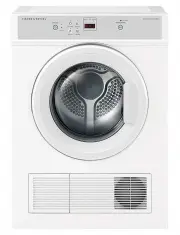 Fisher & Paykel DE4560M1
User Manual
Fisher & Paykel DE4560M1
User Manual
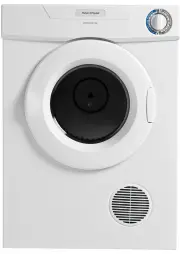 Fisher & Paykel DE50F56A2
User Manual
Fisher & Paykel DE50F56A2
User Manual
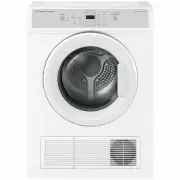 Fisher & Paykel DE6060M2
User Manual
Fisher & Paykel DE6060M2
User Manual
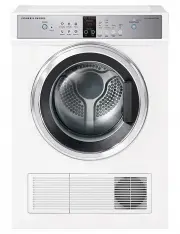 Fisher & Paykel DE7060G1
User Manual
Fisher & Paykel DE7060G1
User Manual
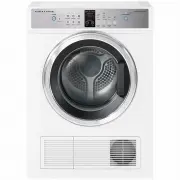 Fisher & Paykel DE7060G2
User Manual
Fisher & Paykel DE7060G2
User Manual
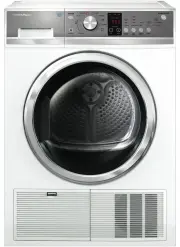 Fisher & Paykel DE8060P2
User Manual
Fisher & Paykel DE8060P2
User Manual
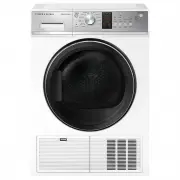 Fisher & Paykel DE8060P3
User Manual
Fisher & Paykel DE8060P3
User Manual
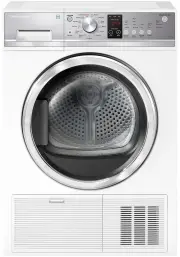 Fisher & Paykel DH8060P1
User Manual
Fisher & Paykel DH8060P1
User Manual
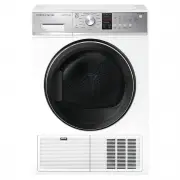 Fisher & Paykel DH8060P3
User Manual
Fisher & Paykel DH8060P3
User Manual