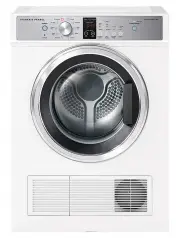
Page 3 - CONTENTS; Registration
3 CONTENTS Safety and warnings 4 First use 8 Setting a cycle 11 Loading suggestions 14 Dry cycles 16 Cycle settings 18 Cycle options 19 W-Fi connection and Remote Mode 21 Cleaning 23Cleaning the lint filter 24 Emptying the water tank 25 Cleaning the condenser filter 26 Troubleshooting 29Fault codes ...
Page 4 - SAFETY AND WARNINGS; Electric Shock Hazard; Failure to follow this advice may result in; Fire Hazard; COOL AIR
4 SAFETY AND WARNINGS WARNING! Electric Shock Hazard Failure to follow this advice may result in electric shock or death. • If you are using an extension cord or a portable electrical outlet device (eg multi-socket outlet box), ensure that it is positioned so that it does not come into contact with ...
Page 5 - READ AND SAVE THIS GUIDE; exercise basic safety precautions including the following:
5 SAFETY AND WARNINGS READ AND SAVE THIS GUIDE WARNING! Read Safety Guide. Failure to follow all guides and rules could cause personal injury or property damage. Use this appliance only for the intended purpose as described in the user guide and installation guide of this appliance. When using this ...
Page 6 - MODEL
6 SAFETY AND WARNINGS z Do not overload your dryer beyond its rated capacity. z MODEL MAXIMUM CAPACITY* (KG) DH9060H1, DH9060HL1, DH9060HLG1 & DH9060HG1 9 *Capacity refers to the maximum dry weight of items the dryer can dry at any one time z Do not dry curtains in your dryer. z For models with ...
Page 7 - REFRESH BY STEAM; Installation
7 z Items such as foam rubber (latex foam), shower caps, rubber backed articles, clothes or pillows fitted with foam rubber pads, waterproof textiles, shoes containing rubber or plastic items should not be placed in the appliance. These materials can spontaneously combust when heated. z Do not dry u...
Page 8 - FIRST USE; Features and accessories
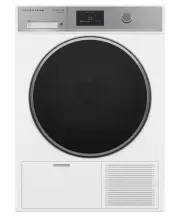
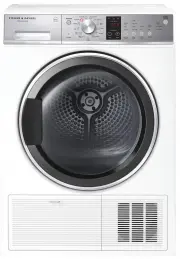
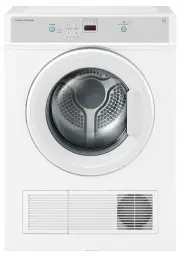
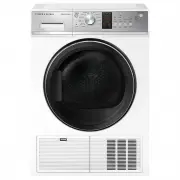
8 FIRST USE *Located behind filter cover. 2 3 45 1 7 6 Features and accessories 1 Water tank 2 Dryer controls 3 Drum light 4 Drying rack 5 Sensors 6 Lint filter 7 Condenser filter*
Page 9 - Control panel
9 FIRST USE Control panel 1 Menu Press to access additional features and settings. 2 Touchscreen display Use to navigate and select cycles, features and settings. 3 Start/Pause button Press to start or pause a cycle. 4 Control dial z Press the dial to turn the display on. z Turn the dial to scroll. ...
Page 10 - Menu
10 FIRST USE Menu LOCK Lock the controls to prevent accidental use. The controls can be locked at any time including while a cycle is running. When locked, the controls will be unresponsive except to pause a cycle. Press and hold the screen to unlock. LIGHT Turn the drum light ON/OFF . SETTINGS Adju...
Page 11 - SETTING A CYCLE; Before you begin; Check and empty the lint filter.
11 SETTING A CYCLE Before you begin z Check pockets for items that could damage your clothes or get caught in the dryer. z Check and empty the lint filter. z Check and empty the water tank (if not set up for automatic draining). Place items in the dryer. For best results, dry similar items together ...
Page 12 - Adjust the settings as needed or press; to access additional cycle options.
12 SETTING A CYCLE 5 Adjust the settings as needed or press OPTIONS to access additional cycle options. For more information refer to ‘Cycle settings’ and ‘Cycle options.’ 6 Press to start the cycle.
Page 13 - Press to pause the cycle.; Pausing a cycle
13 SETTING A CYCLE Press to pause the cycle. Press CANCEL . Pausing a cycle Cancelling a cycle If cancelling a cycle partway through, remove items immediately and spread out to cool. Do not leave hot items in the dryer or in a clothes basket. Take care as the drum and items may be hot.
Page 14 - LOADING SUGGESTIONS
14 LOADING SUGGESTIONS Sorting z Sort items into loads of similar items, and loads that will likely take similar times to dry. This prevents the possibility of some items becoming over-dried whilst others are still damp. z Always separate coloured items from whites, especially when they are new. z C...
Page 15 - Drying rack
15 LOADING SUGGESTIONS Use the drying rack for items that cannot be tumbled such as sneakers, hats and soft toys.Use the rack with the following cycles: z RACK DRY z SNEAKERS z SOFT TOYS (optional) Drying rack To fit the drying rack, insert the legs into the slots in lint filter then lower into plac...
Page 16 - DRY CYCLES; DRY BY CYCLE
16 DRY CYCLES Your dryer has a number of cycles to suit your fabric care needs. Selecting the most appropriate cycle for each particular load will help ensure you get the best results. DRY BY CYCLE CYCLE DESIGNED FOR MAX. LOAD SIZE (KG) MIXED An everyday cycle for mixed fabrics. Ideal for items like...
Page 17 - Woolmark Wool Care
17 DRY CYCLES DRY BY CYCLE CYCLE DESIGNED FOR MAX. LOAD SIZE (KG) SNEAKERS A gentle cycle for drying sneakers and sports shoes. This cycle requires the drying rack. 2 pairs COOL AIR A heat free cycle for airing items. 4 REFRESH BY STEAM CYCLE DESIGNED FOR MAX. LOAD SIZE (ITEMS) MIXED Designed to ref...
Page 18 - CYCLE SETTINGS; TIME; DRYNESS
18 CYCLE SETTINGS TIME Set your preferred cycle time. The cycle will end after the set time. If the time is set to AUTO the cycle will end automatically when the load reaches the selected dryness level. DRYNESS Set the level of dryness required. The dryer will sense the remaining moisture in the loa...
Page 19 - CYCLE OPTIONS; will remain active for up to 8 hours or until cancelled. To cancel,; as this may cause dye run to occur.
19 CYCLE OPTIONS WRINKLE FREE After the cycle is complete the load will continue to tumble periodically to help reduce wrinkles. WRINKLE FREE will remain active for up to 8 hours or until cancelled. To cancel, touch the screen or open the door. DAMP DRY ALERT Set an alert for when the load reaches d...
Page 20 - Accessing options; Select a cycle option and adjust as needed.
20 CYCLE OPTIONS Accessing options Select a cycle option and adjust as needed. 2 1 Select a cycle then press OPTIONS to access.
Page 21 - W-FI CONNECTION AND REMOTE MODE; Getting started; Connecting to your home Wi-Fi
21 W-FI CONNECTION AND REMOTE MODE Your appliance may be connected to your home wireless network and operated remotely using the app. Connect your appliance to ensure it stays up to date with the latest software and features. Getting started z Ensure your home Wi-Fi network is turned on. z You will ...
Page 22 - WI-FI CONNECTION AND REMOTE MODE; Enabling Remote Mode; Select
22 WI-FI CONNECTION AND REMOTE MODE Enabling Remote Mode Select START BY REMOTE. 1 Follow the instructions onscreen then press . Remote Mode is now enabled. 2
Page 23 - CLEANING; Surfaces and accessories; Plastic or stainless steel scouring pads; Inside the dryer
23 CLEANING Surfaces and accessories Wipe with a damp cloth and mild detergent, then dry with a clean, lint-free cloth. We do not recommend using the following cleaning products as they may cause damage: z Plastic or stainless steel scouring pads z Abrasive, solvent, household cleaners z Acid or alk...
Page 24 - CLEANING THE LINT FILTER; Remove the lint filter.
24 CLEANING THE LINT FILTER Check and clean the lint filter after every load to prevent build up. Lint can become a fire hazard if it is allowed to accumulate in or around your dryer. Remove the lint filter. Open the filter and wipe clean, then replace. Ensure the lint filter is correctly in place b...
Page 25 - EMPTYING THE WATER TANK; Empty the water tank then replace.
25 EMPTYING THE WATER TANK During drying cycles, water is collected in the water tank at the top left of the dryer. Empty the water tank after every load. Use the handle to pull the water tank out.Keep the tank level when removing to prevent water from spilling. Empty the water tank then replace. En...
Page 26 - CLEANING THE CONDENSER FILTER; Removing the condenser filter
26 CLEANING THE CONDENSER FILTER Clean the condenser filter, filter foam and evaporator grid regularly to maintain optimum performance. Removing the condenser filter Wipe clean or use a vacuum to remove any lint build-up from the mesh surface of the filter. 3 Cleaning the condenser filter: Open the ...
Page 27 - Cleaning/replacing the condenser filter foam
27 CLEANING THE CONDENSER FILTER Cleaning/replacing the condenser filter foam The condenser filter foam may need to be replaced if it is very blocked or has deteriorated. Three filter foams are provided with your dryer. Replacement filters are available via www.fisherpaykel.com Remove the bracket se...
Page 28 - Cleaning the evaporator grid
28 CLEANING THE CONDENSER FILTER Cleaning the evaporator grid The evaporator grid is located behind the condenser filter. Take care when cleaning as the metal fins have sharp edges. Replacing the condenser filter: Clean carefully with a vacuum, using a dusting brush or a narrow crevice attachment. T...
Page 29 - TROUBLESHOOTING; PROBLEM
29 TROUBLESHOOTING PROBLEM POSSIBLE CAUSES WHAT TO DO Display will not turn on No power. Ensure the dryer is plugged in and the power supply is turned on at the wall. Display not responding Dryer needs to be reset. Press the dial to turn the dryer off. Wait a few seconds, then press the dial again t...
Page 30 - Vibration
30 TROUBLESHOOTING PROBLEM POSSIBLE CAUSES WHAT TO DO Vibration Dryer is not installed on a stable surface. Ensure the dryer is installed on a flat, stable surface. Refer to installation guide. Dryer is not level. Ensure the dryer is level. Refer to installation guide. Dryer is overloaded. Remove so...
Page 31 - Lint; Fabric damage
31 TROUBLESHOOTING PROBLEM POSSIBLE CAUSES WHAT TO DO Lint Lint filter not cleaned or replaced. Ensure the lint filter is cleaned after every cycle and replaced correctly. Refer to ‘Lint filter’. Loads not sorted correctly. Dry lint-giving items separately from lint receivers. Also, dry similar colo...
Page 32 - Tangling; Creasing; Dye transfer
32 TROUBLESHOOTING PROBLEM POSSIBLE CAUSES WHAT TO DO Tangling Loads not separated during loading. Try separating out larger items from smaller items. Items loaded into the dryer incorrectly. Load items individually into the dryer. Do not place folded items in the dryer. Incorrect cycle selection. T...
Page 33 - Water tank may be damaged.
33 TROUBLESHOOTING PROBLEM POSSIBLE CAUSES WHAT TO DO Dryer not draining Drain hose not connected to the water tank. Ensure the drain hose is connected correctly. Refer to installation guide. Water tank not correctly in place. Ensure the water tank is correctly in place. Drain hose or drain blocked ...
Page 34 - FAULT CODES; How do I know if there is a problem?; ALERT; Press and hold the screen to unlock the controls.
34 FAULT CODES How do I know if there is a problem? Your dryer will beep and an alert will show in the display. What to do First try to fix the issue and clear the alert according to the instructions onscreen or the steps in the following table. If the problem persists 1 Note down the fault code. 2 ...
Page 35 - MANUFACTURER’S WARRANTY AND SERVICE GUIDE; To access your Warranty and Service Guide; NZ; Complete and keep for safe reference:
35 MANUFACTURER’S WARRANTY AND SERVICE GUIDE To access your Warranty and Service Guide Scan the QR code with your smartphone to access your warranty and book a service, or view online at https://www.fisherpaykel.com/nz/help-and-support/warranty-information This product has been designed for use in a...