Page 3 - CONTENTS; Registration
3 CONTENTS Safety and warnings 5 Installation instructions 8 Before your first dry 15 Control panel 16 Drying cycles 19 Dry preparation 20 Getting started quickly 23 Drying options 25 Customising drying cycle 28 Caring for your dryer 30 Before you call for service 37 Fault codes 38 Troubleshooting 3...
Page 5 - SAFETY AND WARNINGS; Meaning of symbols on the dryer; Fire Hazard; TIME DRY; Do not touch or operate the machine with wet hands or with bare-feet.; Dryer use; flammable materials in the atmosphere or load.
5 SAFETY AND WARNINGS Meaning of symbols on the dryer Warning: Risk of fire/Flammable materials Read the instructions WARNING! Fire Hazard • Only dry fabrics that have been washed with water. • Do not use heat to dry articles containing foam rubber or similarly textured rubber–like materials, dry on...
Page 6 - MODEL CODE; Installation
6 SAFETY AND WARNINGS z Children should be supervised to ensure they do not play with the dryer. z The tumble dryer is intended only for drying textile material washed in water. z Undergarments that contain metal reinforcements should not be placed in the dryer. Damage to the dryer can result if the...
Page 7 - Lint
7 SAFETY AND WARNINGS Lint z Clean the lint filter before every load. z Accumulated lint in the dryer can become a fire hazard; it also reduces the efficiency of the dryer by causing longer drying times and increased power consumption. z Ensure the area around the dryer is clear of lint. z At regula...
Page 8 - INSTALLATION INSTRUCTIONS; Moving your appliance; x Drying rack; Unpacking; Lift the dryer off the base.
8 INSTALLATION INSTRUCTIONS Read and follow the safety and warnings and this Installation section carefully before using your dryer. Moving your appliance When moving your dryer only tip towards the right-hand side (when viewed from the front). If the dryer has not been transported as described, lea...
Page 9 - Product dimensions; PROFILE
INSTALLATION INSTRUCTIONS 9 Product dimensions PRODUCT DIMENSIONS MM A Overall height of product* 845 B Overall width of product 595 C Overall depth of product 650 Length of drain hose 1300 MINIMUM CLEARANCES MM D Minimum cavity width 640 E Minimum depth clearance (incl. inlet hoses and drain hose) ...
Page 10 - Installation Options; This dryer CANNOT BE INVERTED AND MOUNTED ON THE WALL.
INSTALLATION INSTRUCTIONS 10 Installation Options This dryer CANNOT BE INVERTED AND MOUNTED ON THE WALL. Your dryer can be installed one of two ways, either freestanding, or stacked on top of a Fisher & Paykel front loading washer. Freestanding The dryer stands on the floor and can easily be mov...
Page 11 - Levelling the dryer
INSTALLATION INSTRUCTIONS 11 Levelling the dryer It is IMPORTANT to level the dryer to ensure the machine runs efficiently with minimal noise. The dryer should be levelled in as close to its final position as possible so it stands balanced evenly on all four feet. Ensure the dryer does not rock in a...
Page 12 - Draining
INSTALLATION INSTRUCTIONS 12 Draining The dryer is equipped with a condenser unit which accumulates water during the drying cycle. This water is collected in the removable water tank located at the top left of the dryer. The accumulated water must be emptied after each drying cycle or you can setup ...
Page 13 - ELECTRICAL; and drain hose regularly.; and supported service technician.
INSTALLATION INSTRUCTIONS 13 ELECTRICAL Volts 220 – 240 Hz 50 Amps (maximum) 10 Power consumption (W) 900 If you connect the drain hose onto your dryer, the other end must be secured in a drain to prevent water draining onto the floor. Ensure the drain hose is securely fixed in place to an appropria...
Page 14 - Completing the installation; Test cycle; to activate your dryer.; cycle for 30 minutes.
INSTALLATION INSTRUCTIONS 14 Completing the installation Test cycle Ensure the test cycle is completed before you dry any items in your dryer. The test cycle is to check that your dryer is installed correctly and that it is functioning properly prior to use. 1 Press POWER to activate your dryer. 3 P...
Page 15 - BEFORE YOUR FIRST DRY; Has the basepacker been removed?
15 BEFORE YOUR FIRST DRY Check you have done everything you need to before you start your first dry:
Has the basepacker been removed?
Is the dryer correctly levelled, and are the cabinet corners clear of the floor and walls?
If external draining is preferred, is the drain hose attached to the ...
Page 16 - CONTROL PANEL
16 CONTROL PANEL !0 !1 !2 1 POWER Press to turn the dryer ON/OFF. 2 Keylock Press to disable all buttons on the display panel, except POWER button. This prevents accidental button presses. 3 SmartTouch™ control dial Rotate to select your desired drying cycle. z The icon illuminates to indicate the s...
Page 17 - Timed cycles; MORE; Time to go
17 Timed cycles When a timed cycle is selected the machine dries for the selected time regardless of the level of moisture in the load. It is important to check the items throughout the timed programmes to avoid over drying. Timed cycles include TIME DRY, RACK DRY and WOOL . Timed programmes of 10 t...
Page 18 - Keylock; ON
18 1 If a button is pressed while KEYLOCK is activated, the LED above KEYLOCK will flash. To turn your dryer on: Press POWER , then press and hold the KEYLOCK two seconds. This will activate the control panel. Dry cycles and options can now be selected. 1 Press for two seconds.When activated, the li...
Page 19 - DRYING CYCLES; * Dryness level is only an option on automatic sensing cycles. On; and the; dryness level and; drying temp is the recommended cycle for
19 DRYING CYCLES Your dryer has a number of dry cycles, selecting the most appropriate cycle for each load will help ensure you get the best drying result. All dry cycles default to a recommended drying temperature and dryness level based on the average expected load to be dried. CYCLE DESIGNED FOR ...
Page 20 - DRY PREPARATION
20 DRY PREPARATION Sorting Sort your garments before placing them into the dryer. Sort into loads of similar items, and loads that will likely take similar times to dry. Heavier items (eg towels, and flannelette sheets) are best dried separately from lightweight items (eg synthetics, polyester-cotto...
Page 22 - Drying rack; or
22 DRY PREPARATION Drying rack There are many items that would benefit from being dried on a drying rack. For example items such as sport shoes, soft toys, hats and woollen items that may be damaged if they are tumbled. The drying rack is installed in your dryer when it leaves the factory.When you a...
Page 23 - GETTING STARTED QUICKLY; Press
23 GETTING STARTED QUICKLY Check the lint and condenser filters are clean and replaced correctly before every load. Ensure the water tank is empty or drain hose secure before using your dryer. Sort and load items into the dryer drum, ensuring no items are in the way of the door. Close the door (you ...
Page 24 - to restart the dryer with the new
24 GETTING STARTED QUICKLY 4 If you wish to change a cycle or select a different option once a drying cycle has started, press then select the new cycle or option. Press to restart the dryer with the new cycle and/or settings. When the cycle finishes, your dryer will beep and then turn off automatic...
Page 25 - DRYING OPTIONS; Dry temp
25 DRYING OPTIONS HIGH Up to 65°C MEDIUM Up to 55°C LOW Up to 45°C NO HEAT Cool air is blown through the dryer for the period selected. When your dryer senses that the clothes have dried to the dryness level selected, the dryer will automatically finish the cycle.Two lights are used to show some dry...
Page 26 - Wrinkle Free; Signal; To turn the
26 Wrinkle Free To minimise wrinkling, select one of the WRINKLE FREE options. z ON provides wrinkle free operation for 1 hour. z EXTRA provides wrinkle free operation for 24 hours. 1 To stop the dryer at any point during the WRINKLE FREE stage of the cycle, press . You can then open the dryer door ...
Page 27 - Delay Start; DELAY START
27 1 Delay Start The DELAY START option can delay the start of the dry cycle between 5 minutes and 12 hours. Press MORE to increase the delay time, and LESS to decrease the time, or turn DELAY START off. Avoid using DELAY START for damp, non-colourfast items as this may cause dye run to occur. DELAY...
Page 28 - To customise a cycle; CUSTOMISING DRYING CYCLE
28 After using your dryer a few times you may discover there are some drying options you prefer for some cycles. You can programme your dryer to remember the drying options you prefer for each drying cycle. For instance, you may want to set the EASY IRON cycle to a lower drying temperature or progr...
Page 29 - To change your customised dry cycle simply repeat these steps.; and; together for three seconds.
29 CUSTOMISING DRYING CYCLE 5 Press for three seconds to store your customised cycle. A long beep will sound to confirm that your changes have been saved. 4 Select your preferred setting for this option, and any other options you wish to customise for this cycle. To change your customised dry cycle ...
Page 30 - CARING FOR YOUR DRYER; When you have finished using your dryer; Unplug the dryer from the power socket.; Cleaning the control panel and outer surfaces of the dryer; Cleaning the door lint filter
30 CARING FOR YOUR DRYER When you have finished using your dryer z Unplug the dryer from the power socket. z Wipe around the door to remove any remaining condensation and foreign matter. z Clear the lint and condenser filters and empty the water tank (if not set up to automatically drain). Cleaning ...
Page 31 - To clean the door lint filter:; Cleaning the condenser filter, foam and evaporator grid; Evaporator grid
31 Open the dryer door.Remove the lint filter by pulling it up and out of the filter slot. CARING FOR YOUR DRYER 1 2 To clean the door lint filter: Open it out and wipe the surfaces clean with your hand. Close the lint filter and place it back in the opening. Ensure the filter is fitted correctly ba...
Page 32 - To clean the condenser filter:
32 CARING FOR YOUR DRYER To clean the condenser filter: Switch off the power supply and remove the power plug.Open the condenser filter cover. Turn the four condenser lock levers 90° then pull out the condenser filter. Use your hand, a cloth or a vacuum with a crevice nozzle to remove any lint build...
Page 33 - To clean the filter foam:
33 CARING FOR YOUR DRYER To clean the filter foam: Remove the bracket securing the foam to condenser filter. 1 Remove the foam and vacuum lint build-up with a crevice nozzle. 2 Replace the filter foam and secure with the bracket. 3 The condenser filter foam should be replaced regularly, 3 filter foa...
Page 34 - To clean the evaporator grid:
34 To clean the evaporator grid: With the condenser filter removed you will be able to see the evaporator grid. Cut Hazard. The surface of the evaporator has sharp edges and contact may result in injury. Handle with care when cleaning the grid and always keep blades away from fingers and body. If th...
Page 35 - Emptying the water collection tank; To empty the water tank:
35 CARING FOR YOUR DRYER Emptying the water collection tank During the drying cycle, steam condenses into water and is collected in the water tank, located at the top left of the dryer. It is important to empty the water tank after every load.If the water tank becomes full during operation, the drye...
Page 36 - Cleaning the sensors
36 CARING FOR YOUR DRYER Cleaning the sensors There are sensors in your dryer that detect whether the laundry is dry or not. These sensors need to be cleaned periodically (we recommend approximately four times a year). To clean the sensor: Open the door of your dryer. Allow the dryer to cool if dryi...
Page 37 - BEFORE YOU CALL FOR SERVICE; User warnings
37 BEFORE YOU CALL FOR SERVICE User warnings Your dryer is capable of diagnosing a number of its own problems. It will sound a continuous series of beeps and display a user prompt when it has a problem that you can correct yourself. To stop the beeps sounding, press any button on the control panel. ...
Page 38 - number appears on the display, a fault has occurred.; Fault; FAULT CODES
38 When a continuous series of beeps sound, all the lights turn off on the control panel and a number appears on the display, a fault has occurred. The dryer will automatically enter this mode if a fault occurs. The word Fault will be shown in the control panel display followed by a number. To stop ...
Page 39 - TROUBLESHOOTING; PROBLEM
39 TROUBLESHOOTING The following is a list of problems you may encounter when using this appliance and some suggestions that may help to correct the problem. If you still have problems, contact your Fisher & Paykel trained and supported service technician. PROBLEM POSSIBLE CAUSES WHAT TO DO Pres...
Page 40 - long; cycle and monitor
40 TROUBLESHOOTING PROBLEM POSSIBLE CAUSES WHAT TO DO Dryer is taking too long /results were not satisfactory Drying cycle selected not appropriate for the load. Select an appropriate cycle for the load. Refer to ‘Drying cycles’. Dryness level selected not appropriate for the load. Select a higher...
Page 42 - Noises
42 TROUBLESHOOTING PROBLEM POSSIBLE CAUSES WHAT TO DO Noises Dryer is overloaded. Remove some items from the dryer. Dryer has a fault. Continuous beeping or a musical series of beeps with a message displayed on the display. Refer to ‘Fault codes’. Beeps signalling the end of a drying cycle. End of c...
Page 43 - Linting; Fabric damage
43 TROUBLESHOOTING PROBLEM POSSIBLE CAUSES WHAT TO DO Linting Lint filter not cleaned or replaced. Ensure the lint filter is cleaned after every cycle and replaced correctly. Refer to ‘Cleaning the filters’. Loads not sorted correctly. Dry lint-giving items separately from lint receivers. Also, dry ...
Page 44 - Dye transfer
44 TROUBLESHOOTING PROBLEM POSSIBLE CAUSES WHAT TO DO Dye transfer White/light and coloured items not separated before drying. Remember to separate white/light and coloured items before placing them in the dryer. Wet items left sitting in the dryer for long periods of time before drying. Refer to ‘S...
Page 45 - MANUFACTURER’S WARRANTY; This Manufacturer’s Warranty DOES NOT cover
45 MANUFACTURER’S WARRANTY For New Zealand and Australia only. You automatically receive a 2 year Manufacturer’s Warranty with the purchase of this heat pump clothes dryer covering parts and labour for servicing within the country of purchase. Fisher & Paykel undertakes to: Repair or, at its opt...
Page 46 - For Australian Customers; Please keep this user guide in a safe place.
46 MANUFACTURER’S WARRANTY This product has been designed for use in a normal domestic (residential) environment. This product is not designed for commercial use (whatsoever). Any commercial use by a customer will affect this product’s Manufacturer’s Warranty.Service under this Manufacturer’s Warran...
Page 47 - CUSTOMER CARE; Your product is correctly installed.; In New Zealand if you need assistance*
47 CUSTOMER CARE Before you call for service or assistance... Check the things you can do yourself. Refer to your User guide and check: 1 Your product is correctly installed. 2 You are familiar with its normal operation. 3 You have read the ‘Before you call for service’, ‘Fault codes’ and ‘Troublesh...
Page 48 - Complete and keep for safe reference:
48 CUSTOMER CARE Registration Register your product with us so we can provide you with the best service possible. To register your product visit our website: fisherpaykel.com/register Complete and keep for safe reference: Model Serial No. Purchase Date Purchaser Dealer Suburb Town Country
Page 52 - F I S H E R PAY K E L .CO M
4 9 7 8 2 9 A 0 6 . 2 0 F I S H E R PAY K E L .CO M © Fisher & Paykel Appliances 2020. All rights reserved. The models shown in this guide may not be available in all markets and are subject to change at any time. The product specifications in this guide apply to the specific products and models...


 Fisher & Paykel DE4560M1
User Manual
Fisher & Paykel DE4560M1
User Manual
 Fisher & Paykel DE50F56A2
User Manual
Fisher & Paykel DE50F56A2
User Manual
 Fisher & Paykel DE6060M2
User Manual
Fisher & Paykel DE6060M2
User Manual
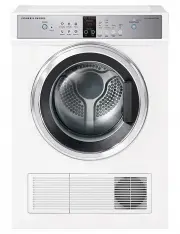 Fisher & Paykel DE7060G1
User Manual
Fisher & Paykel DE7060G1
User Manual
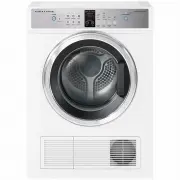 Fisher & Paykel DE7060G2
User Manual
Fisher & Paykel DE7060G2
User Manual
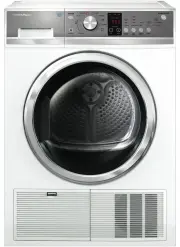 Fisher & Paykel DE8060P2
User Manual
Fisher & Paykel DE8060P2
User Manual
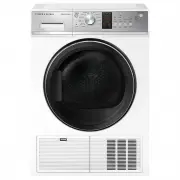 Fisher & Paykel DE8060P3
User Manual
Fisher & Paykel DE8060P3
User Manual
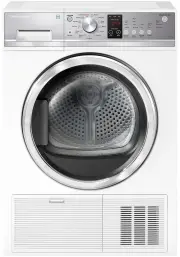 Fisher & Paykel DH8060P1
User Manual
Fisher & Paykel DH8060P1
User Manual
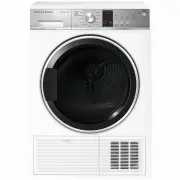 Fisher & Paykel DH9060P2
User Manual
Fisher & Paykel DH9060P2
User Manual