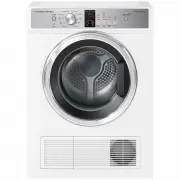
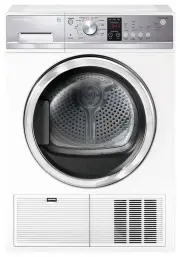
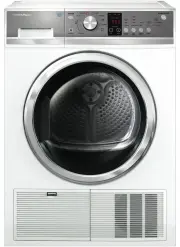
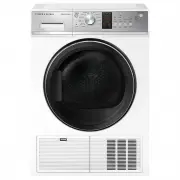
Page 3 - CONTENTS; SAVE THESE INSTRUCTIONS; Registration
1 CONTENTS Introduction 3 Safety and warnings 4 Installation instructions 7 Getting started quickly 16 Dryer controls 18 Sorting and loading 19 Drying cycles 22 Drying cycle options 24 Cleaning your dryer 27 Before you call for service 28 Troubleshooting 29Manufacturer’s Warranty 33 Customer Care 35...
Page 5 - INTRODUCTION; Welcome to your Fisher & Paykel vented dryer.
3 INTRODUCTION Welcome to your Fisher & Paykel vented dryer. Thank you for purchasing a Fisher & Paykel clothes dryer. We are proud of this dryer and trust it will serve you well for many years. At Fisher & Paykel we aim to provide innovative products that are simple to use, ergonomic, e...
Page 6 - SAFETY AND WARNINGS; Meaning of symbols on the dryer; IMPORTANT SAFETY INSTRUCTIONS; Dryer use
SAFETY AND WARNINGS Meaning of symbols on the dryer Warning: Risk of fire/Flammable materials Read the instructions ! WARNING! Fire Hazard ● ● Only dry fabrics that have been washed with water. ● ● Do not use heat to dry articles containing foam rubber or similarly textured rubber–like materials, dr...
Page 7 - Lint
5 SAFETY AND WARNINGS ● ● Children should be supervised to ensure they do not play with the dryer. ● ● Unplug the machine from the power supply when it is not in use. ● ● Do not swing on or put weight on the door. ● ● Your dryer is designed to stop operating in the event of power outage. When power ...
Page 8 - Do not dry unwashed items in the tumble dryer.
6 SAFETY AND WARNINGS ● ● Do not dry unwashed items in the tumble dryer. ● ● The dryer is not to be used if industrial chemicals have been used for cleaning. ● ● Fabric Softeners or similar products should not be used in a tumble dryer to eliminate the effects of static electricity, unless this prac...
Page 9 - INSTALLATION INSTRUCTIONS; Removing the packaging
7 INSTALLATION INSTRUCTIONS Please read and follow the ‘Safety and warnings’ and ‘Installation instructions’ sections carefully before using your dryer! Accessories Please check you received the following accessories with your Fisher & Paykel dryer. You will find them inside the drum: ● ● 1 x Dr...
Page 10 - Venting; External venting
8 TITLE TO GO HERE INSTALLATION INSTRUCTIONS Venting Correct installation is very important for all dryers to ensure maximum efficiency and safety. IMPORTANT! Never run the dryer unless the airflow system is free from obstruction. There must be adequate ventilation to avoid the back flow of gases in...
Page 11 - TITLE TO GO HERE; Installation options; The dryer stands on the floor and can easily be moved into position.; Free standing venting options; Through-wall venting
9 TITLE TO GO HERE Installation options There are two different ways your dryer can be positioned. Freestanding or inverted and mounted on a wall. Free standing The dryer stands on the floor and can easily be moved into position. 1 Move the dryer into the desired position. Do not lift the dryer by t...
Page 12 - Inverted wall mounting installation; Tools and parts required:
10 Inverted wall mounting installation Your dryer has been designed to be inverted and mounted on the wall above a washer or tub. A wall mounting kit must be used. Inverting allows access to the dryer control panel. Tools and parts required: ● ● Drill and 3 mm bit ● ● Phillips head screwdriver Wall ...
Page 13 - Inverting the panel
11 TITLE TO GO HERE INSTALLATION INSTRUCTIONS Inverting the panel 1 Unplug your dryer from the wall. 2 Invert the panel of the dryer by unscrewing the screws on the side of the console ( A ). 3 Remove the console from the dryer. 4 Unscrew six screws on the inside of the console ( B ). 5 Rotate the g...
Page 14 - Mounting dryer on wall
12 INSTALLATION INSTRUCTIONS 555 mm 835 mm Mounting dryer on wall 1 Determine the position of the dryer on the wall and mark the bracket position. A minimum of 50 mm is needed between the top of the dryer and the ceiling for ease of installation. If mounting above a washing machine, allow sufficient...
Page 15 - External venting options; Electrical connection; This appliance must be connected to a; Do not touch or operate the dryer with wet hands or with bare-feet.
13 INSTALLATION INSTRUCTIONS Before a rear venting option is installed the dryer must be changed from the front venting factory setup. Remove the outlet grille from the front left-hand side and replace with the outlet cover from the rear left-hand side. These covers should be gently pried at the sid...
Page 16 - Completing the installation; Installation test cycle
14 INSTALLATION INSTRUCTIONS Completing the installation Installation test cycle IMPORTANT! Ensure the installation test cycle is completed before you dry any items in your dryer. This is to check that your dryer is installed correctly and that it is functioning properly prior to use. 1 Turn your dr...
Page 17 - Product specifications; Width; ELECTRICAL; Volts
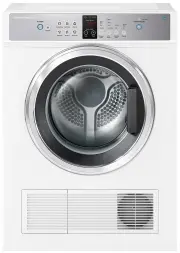
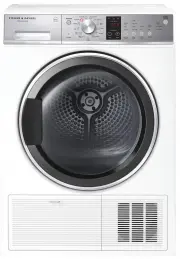
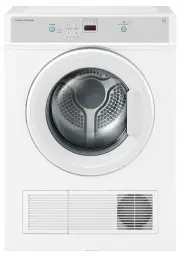
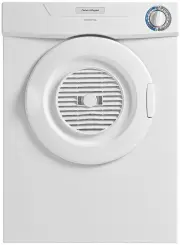
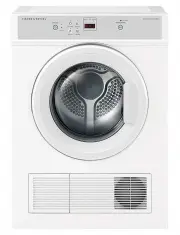
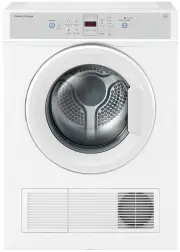
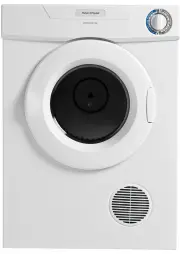
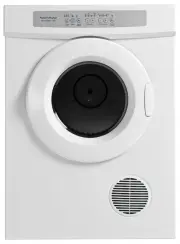
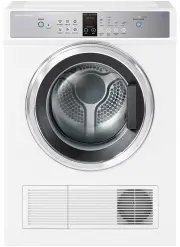
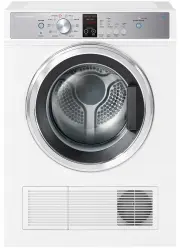
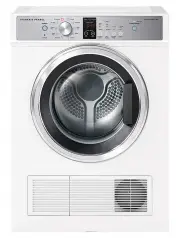
15 INSTALLATION INSTRUCTIONS Product specifications DE5060G DE6060P DE6060G Capacity (kg)* 5 6 DIMENSIONS (mm) Width 600 600 Depth 585 585 Height 830 830 ELECTRICAL Volts 220 – 240 220 – 240 Hz 50 50 Amps (maximum) 10 10 Rated Power (W) 1750 1750 * Capacity refers to the maximum dry weight of items ...
Page 18 - GETTING STARTED QUICKLY; check the lint filter.; Press ‘Power’ to activate your dryer.
16 GETTING STARTED QUICKLY IMPORTANT! ● ● Check the lint filter is clean before every load. Ensure it is replaced correctly before using your dryer. ● ● The lint filter indicator light will be on at the beginning of every cycle as a reminder to check the lint filter. ● ● Sort and load items into the...
Page 19 - If you make an invalid selection the dryer will beep to alert you.; items may be extremely hot.
17 GETTING STARTED QUICKLY ● ● If you make an invalid selection the dryer will beep to alert you. ● ● When the cycle finishes, your dryer will beep and then turn off automatically. If the ‘Wrinkle Free’ option has been selected the dryer will rotate the drum periodically blowing cool air into the dr...
Page 20 - DRYER CONTROLS; will appear on
18 DRYER CONTROLS SmartTouch™ Control Dial The SmartTouch™ Control Dial (DE6060P only) provides easy and efficient drying cycle selection. As you rotate the dial, the icon of the drying cycle selected will be illuminated, along with the default settings for that cycle on the right side of the contro...
Page 21 - SORTING AND LOADING; Sorting
19 SORTING AND LOADING When preparing your load there are some important things to consider: Sorting ● ● It is best that you sort your garments before placing them into the dryer. Sort into loads of similar items, and loads that will take similar times to dry. Heavier items (eg towels and flannelett...
Page 22 - Check the lint filter is clean.
20 SORTING AND LOADING Before you load ● ● Check pockets for items that could damage your clothes or get caught in the dryer. ● ● Close zippers, hooks and eyes, and other fastenings (ie fasten the openings of duvet/doona covers), and remove loose bra wires. These may damage both your dryer and your ...
Page 24 - DRYING CYCLES
22 DRYING CYCLES DE6060P model Your dryer has a number of drying cycles to suit your laundry needs. Selecting the most appropriate cycle for each particular load will help ensure you get the best result. CYCLE DESIGNED FOR DESCRIPTION MAX. LOAD SIZE (KG) DEFAULT DRYNESS LEVEL* DEFAULT DRYING TEMP Ev...
Page 26 - DRYING CYCLE OPTIONS; Drying cycles
24 DRYING CYCLE OPTIONS Timed programmes (Time Dry, Rack Dry, Air Dry) The dryer dries for the selected time regardless of the level of moisture in your clothes. It is important to check the clothes throughout the timed programmes to avoid over drying. Drying cycles All drying cycles default to the ...
Page 27 - There are two wrinkle free options:; Signal; If Keylock mode is activated and the dryer is powered off:
25 DRYING CYCLE OPTIONS Wrinkle Free If you wish to minimise wrinkling, select one of the ‘Wrinkle Free’ options. At the end of the cycle, the drum will rotate periodically and cool air will be circulated through the load to minimise wrinkling and creasing. This is particularly useful if you cannot ...
Page 28 - Delay Start; To customise a cycle:; Factory reset
26 DRYING CYCLE OPTIONS Delay Start The ‘Delay Start’ option enables you to delay the start of the drying cycle from between 5 minutes and 12 hours. Times you can select are 5 min, 15 min, 30 min, 1 hour, then hourly up to 12 hours. This can be useful to time your drying to finish when you arrive ho...
Page 29 - CLEANING YOUR DRYER; When you have finished using your dryer; Cleaning the control panel and outer surfaces of the dryer
27 CLEANING YOUR DRYER When you have finished using your dryer ● ● Unplug the dryer from the power socket. ● ● Wipe around the door to remove any remaining condensation and/or foreign matter. ● ● Clear the lint filter. Cleaning your dryer Before you start cleaning your dryer, ensure that it is disco...
Page 30 - BEFORE YOU CALL FOR SERVICE; The door is
28 BEFORE YOU CALL FOR SERVICE Your dryer is capable of diagnosing a number of its own problems. It will sound a continuous series of beeps and display a code when it has a problem that you can correct yourself. All control panel lights will turn off and a code will be displayed to inform you what t...
Page 31 - TROUBLESHOOTING; PROBLEM; ‘Delay Start’ function is set.
29 TROUBLESHOOTING The following is a list of problems you may encounter when using this appliance and some suggestions that may help to correct the problem. If you still have problems, please contact your Fisher & Paykel Authorised Repairer. PROBLEM POSSIBLE CAUSES WHAT TO DO Pressing ‘Power’ d...
Page 32 - displaying
30 TROUBLESHOOTING PROBLEM POSSIBLE CAUSES WHAT TO DO Dryer is beeping, displaying unfamiliar light patterns and/ or a message on the digital display. Dryer has a fault. Refer to page 28. Noises. Dryer is overloaded. Remove some items from the dryer. Dryer has a fault. Continuous beeping or a musica...
Page 33 - Loads not sorted correctly.
31 TROUBLESHOOTING PROBLEM POSSIBLE CAUSES WHAT TO DO Linting. Lint filter not cleaned or replaced. Ensure the lint filter is cleaned after every cycle and replaced correctly. Refer to page 27. Loads not sorted correctly. Dry lint givers separately from lint receivers. Dry similar colours together e...
Page 34 - Incorrect cycle selection.
32 TROUBLESHOOTING PROBLEM POSSIBLE CAUSES WHAT TO DO Tangling. Loads not separated during loading. Try separating out larger items from smaller items. Items loaded into the dryer incorrectly. Load items individually into the dryer. Do not place folded items in the dryer. Incorrect cycle selection. ...
Page 35 - MANUFACTURER’S WARRANTY; This Manufacturer’s Warranty DOES NOT cover
33 MANUFACTURER’S WARRANTY You automatically receive a 2 year Manufacturer’s Warranty with the purchase of this vented clothes dryer covering parts and labour for servicing within the country of purchase. Fisher & Paykel undertakes to: Repair or, at its option, replace without cost to the owner ...
Page 36 - For Australian Customers; Please keep this user guide in a safe place.
34 MANUFACTURER’S WARRANTY Service under this Manufacturer’s Warranty must be provided by a Fisher & Paykel Authorised Repairer (refer to the ‘Customer Care’ section at the back of this book). Such service shall be provided during normal business hours. This Manufacturer’s Warranty certificate s...
Page 37 - CUSTOMER CARE; Your product is correctly installed.; In New Zealand if you need assistance...*; If you need service...*; In Australia if you need assistance...*; Fisher & Paykel Appliances Ltd, PO Box 798, Cleveland QLD 4163; In Singapore if you need assistance...*; Please call our Fisher & Paykel Service line.
35 CUSTOMER CARE Before you call for service or assistance... Check the things you can do yourself. Refer to your user guide and check: 1 Your product is correctly installed. 2 You are familiar with its normal operation. 3 You have read the ‘Before you call for service’, ‘Fault codes’ and ‘Troublesh...
Page 38 - To register your product visit our website:
36 CUSTOMER CARE *If you call, write or contact our website please provide: your name and address, model number, serial number, date of purchase and a complete description of the problem. This information is needed in order to better respond to your request for assistance. Product details can be fou...
Page 40 - NZ AU SG ROW
428108 B 06.15 www.fisherpaykel.com Copyright © Fisher & Paykel 2015. All rights reserved. The product specifications in this booklet apply to the specific products and models described at the date of issue. Under our policy of continuous product improvement, these specifications may change at a...