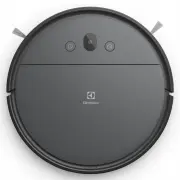
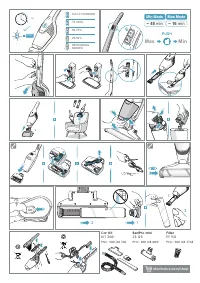
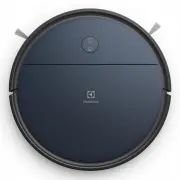
Page 2 - Overview of the robot; Description of your robot vacuum cleaner
2 www.electrolux.com Overview of the robot * Accessories may vary from model to model. 1 2 13 14 12 16 17 19 20 21 23 22 11 15 18 5 4 3 6 8 9 10 7 Description of your robot vacuum cleaner 1 2 3 4 5 6 7 8 9 10 11 12 13 14 15 16 17 18 19 20 21 22 23 24 Power button / Off button (long press) Home butto...
Page 3 - How to use the robot vacuum cleaner; Installation of the robot vacuum cleaner; Place the Charging base; on the floor against the; Place the robot on the charging base.
3 www.electrolux.com How to use the robot vacuum cleaner Installation of the robot vacuum cleaner Preparing the mopping function 0.5 m 1.5 m 0.5 m 1. Place the Charging base on the floor against the wall. Plug the adaptor to the power jack on the bottom of the base. Connect the Power cord plug to th...
Page 4 - How to connect to the app; Make sure that the phone is connected to the; Robot status
4 www.electrolux.com How to use the robot vacuum cleaner 2. To preserve the battery life and performance: - Always keep the robot charging when not in use.- Charge it as soon as possible in the charging base after the cleaning cycle. Waiting too long mightaffect the batteries. How to connect to the ...
Page 5 - Auto Docking/Charging; When cleaning is completed,; If the robot has a map of your home it will; Auto charging during cleaning cycle; Start Cleaning; Stop cleaning and send the robot to the
5 www.electrolux.com Auto Docking/Charging When cleaning is completed, the robot automatically returns to the charging base. Note: If the robot has a map of your home it will always try to return to the charger after cleaning. Auto charging during cleaning cycle How to use the robot vacuum cleaner S...
Page 6 - Tips on how to get the best results; Dust emptying between scheduled cleanings; Set up the specific cleaning area with the; Use the magnet strip; Leave a space of 40 cm around furniture without legs.; Preparing the cleaning area; The robot detects stairs and steep cliffs.
6 www.electrolux.com Tips on how to get the best results Larger/taller objects such as chairs can be left as the robot will clean around them. Dust emptying between scheduled cleanings To get the most out of scheduled cleaning, empty the dust container regularly. 1. Set up the specific cleaning area...
Page 7 - Turn the robot off; It is also possible to turn it off in the
7 www.electrolux.com Tips on how to get the best results Always carry the robot with two hands keeping the front up. Manual moving of the robot: Moving the robot during the cleaning process is not advised, as it might restart the cleaning from the beginning. A B Turn the robot off To restart the rob...
Page 8 - Emptying the Dust container, Replacing/Cleaning the Filter; Open the top lid by swinging it upwards, hold; Empty the dust container regularly for better; Emptying the Dust container; For best performance, we recommend to; every month and to replace it; Clean the filter
8 www.electrolux.com Emptying the Dust container, Replacing/Cleaning the Filter 1. Open the top lid by swinging it upwards, hold the handle and take out the dust container. 2. Open the dust bin by swinging it downwards. Empty the dust container into a waste bin.After emptying the container, close th...
Page 9 - Cleaning the Filter; Remove the mopping pad from the cover.; Rinse the mopping pad with cold water:; Cleaning the mopping pad
9 www.electrolux.com 24 h+ 3. Remove the filter: Open the lid by swinging it upwards.Use the cleaning brush to brush the dust and small chips attached on the filter. 4. Rinse the filter with cold water. Tap the filter frame to remove water. Let dry for more than 24 hours before placing it back in th...
Page 10 - Maintenance; Cleaning the Camera; Remove entangled hairs or such from the; so that they can turn freely.; Cleaning the Side brushes; remove; Pull the Side brushes to remove them.; Clean the
10 www.electrolux.com The camera works best if the windows are kept clean and free from scratches. Clean from light dust by using a dry soft cloth. If it is heavily soiled you can use a mild detergent to clean it. Maintenance Cleaning the Camera Cleaning the Wheels 1. Remove entangled hairs or such ...
Page 11 - Cleaning the Brush roll; Remove entangled threads by snipping; Cleaning the Air channel,; Cleaning the charging connectors; on the charging base and
11 www.electrolux.com 1. Press the two latches and slide the lid forward to remove the brush roll lid. Maintenance Cleaning the Brush roll 2. Pull out the Brush roll and clean the brush and bearings. Remove entangled threads by snipping Brush roll can be replaced. them away with cleaning brush. Refi...
Page 12 - Changing the batteries; Use only original supplier batteries!; Consumables & Accessories; The battery is located on the bottom side of; battery box. Replace the battery and screw it.
12 www.electrolux.com Changing the batteries Use only original supplier batteries! Lithium Consumables & Accessories www.electrolux.com/shop electrolux.com/shop electrolux.com/shop Filter Kit 2 (Wet) 2x Ref : EFR3WPNC : 900923495 2x Side Brushes Ref : ERSB4PNC : 900923496 2x Mopping Pads Ref : E...
Page 13 - Safety precautions; Never use the robot:; Visit our website to:
www.electrolux.com 13 www.electrolux.com Safety precautions This appliance can be used by children aged from 8 years and above and persons with reduced physical, sensory or mental capabilities or lack of experience and knowledge if they have been given supervision or instruction concerning use of th...
Page 14 - Operation, charging and storage conditions; Consumer information and sustainability policy
CAUTION DO NOT IMMERSE IN WATER. PNC: Robot Vacuum Cleaner Model: Serial No.: Charging Base model: DS-ER71 ELC: Use only with DBS012A-2000600G or BLJ15L200060P-V supply unit ER71UW1DG Type: MDS-H-DGS 900402069 Made In China Battery : 14.4V Li-ion 2500mAh, 36Wh YWW00000 00 14 www.electrolux.com Recom...