Electrolux EFR31221 - User Manual
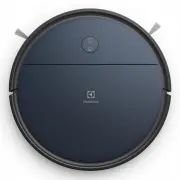
Electrolux EFR31221 Vacuum – User Manual, read for free online in PDF format. We hope this helps you resolve any issues you may have. If you have further questions, please contact us through the contact form.


Table of Contents:
- Page 2 – Overview of the robot; Description of your robot vacuum cleaner
- Page 3 – How to use the robot vacuum cleaner; Installation of the robot vacuum cleaner; Place the Charging base; on the floor against the; Place the robot on the charging base.
- Page 4 – How to connect to the app; Make sure that the phone is connected to the; Robot status
- Page 5 – Auto Docking/Charging; When cleaning is completed,; If the robot has a map of your home it will; Start Cleaning; Stop cleaning and send the robot to the
- Page 6 – Tips on how to get the best results; Dust emptying between scheduled cleanings; Set up the specific cleaning area with the; Use the magnet strip; Leave a space of 40 cm around furniture without legs.; Preparing the cleaning area; The robot detects stairs and steep cliffs.
- Page 7 – Turn the robot off; It is also possible to turn it off in the
- Page 8 – Emptying the Dust container, Replacing/Cleaning the Filter; Open the top lid by swinging it upwards, hold; Empty the dust container regularly for better; Emptying the Dust container; For best performance, we recommend to; every month and to replace it; Clean the filter
- Page 9 – Cleaning the Filter; Remove the mopping pad from the cover.; Rinse the mopping pad with cold water:; Cleaning the mopping pad
- Page 10 – Maintenance; Cleaning the window; Remove entangled hairs or such from the; so that they can turn freely.; Cleaning the Side brushes; remove; Pull the Side brushes to remove them.; Clean the
- Page 11 – Cleaning the Brush roll; Remove entangled threads by snipping; Cleaning the Air channel,; Cleaning the charging connectors; on the charging base and
- Page 12 – Changing the batteries; Use only original supplier batteries!; Consumables & Accessories; The battery is located on the bottom side of; battery box. Replace the battery and screw it.
- Page 13 – Safety precautions; Never use the robot:; Visit our website to:
- Page 14 – Operation, charging and storage conditions; Consumer information and sustainability policy
1
www.electrolux.com
HOW TO USE THE ROBOT VACUUM CLEANER
HOW TO CONNECT TO THE APP
TIPS ON HOW TO GET THE BEST RESULTS
EMPTYING THE DUST CONTAINER
CLEANING THE FILTER
MAINTENANCE
CHANGING THE BATTERIES
SAFETY PRECAUTIONS
CONSUMER INFORMATION AND SUSTAINABILITY POLICY
OVERVIEW OF THE ROBOT
EFR31221
2
3
4
7
8
9
11
12
13
14
DS-ER71
KOREA:
DBS012A-2000600K
USE ONLY :
DS-ER71
SINGAPORE:
DBS012A-2000600G
DS-ER71
TAIWAN:
DBS012A-2000600T
DS-ER71
THAILAND & VIETNAM:
DBS012A-2000600K
DS-ER71
AUSTRALIA & NEW ZEALAND:
DBS012A-2000600A
"Loading the manual" means you need to wait until the file loads and becomes available for online reading. Some manuals are very large, and the time they take to appear depends on your internet speed.
Was this manual helpful?
Helpful for 3 of 3 readers
About this manual
- Brand
- Electrolux
- Model
- EFR31221
- Document type
- User Manual
- Category
- Vacuum
- Language(s)
- English
- Pages
- 14
- File size
- 1.5 MB
- Format
Summary
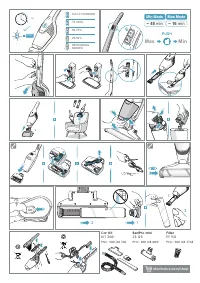
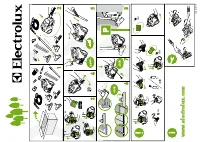
2 www.electrolux.com Overview of the robot * Accessories may vary from model to model. 1 2 12 13 11 15 16 18 19 20 22 21 10 14 17 4 3 5 7 8 9 6 Description of your robot vacuum cleaner 1 2 3 4 5 6 7 8 9 10 11 12 13 14 15 16 17 18 19 20 21 22 23 Power button / Off button (long press) Home button Top ...
3 www.electrolux.com How to use the robot vacuum cleaner Installation of the robot vacuum cleaner Preparing the mopping function 0.5 m 1.5 m 0.5 m 1. Place the Charging base on the floor against the wall. Plug the adaptor to the power jack on the bottom of the base. Connect the Power cord plug to th...
4 www.electrolux.com How to use the robot vacuum cleaner 2. To preserve the battery life and performance: - Always keep the robot charging when not in use.- Charge it as soon as possible in the charging base after the cleaning cycle. Waiting too long mightaffect the batteries. How to connect to the ...
Ask a question
Related manuals
Popular Electrolux Vacuums



More Electrolux Vacuums models
 Electrolux EER73IGM User Manual
 Electrolux EER77MBM User Manual
 Electrolux EER87MBM User Manual
 Electrolux EF75B User Manual
 Electrolux EFC71622GG User Manual
 Electrolux EFP91813 User Manual
 Electrolux EFR31223 User Manual
 Electrolux EHVS85S3AU User Manual
 Electrolux EHVS2510AW User Manual
 Electrolux EHVS3510AR User Manual
 Electrolux EP71B14WET User Manual
 Electrolux EP81HB25SH User Manual