Page 2 - Conventions used in this manual:; CAUTION; Specifications
2 Table of Contents SAVE THESE INSTRUCTIONS Conventions used in this manual: ! NOTE: Procedures and techniques considered important enough to emphasize. CAUTION : Procedures and techniques which, if not carefully followed, will result in damage to the equipment. WARNING: Procedures, precautions and ...
Page 3 - Welcome; NO NEED TO RETURN TO THE STORE; Questions with operation or assembly? Require Parts Information?; Please consult your warrenty card for our contact details.; Rating Label
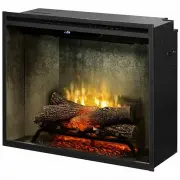
3 Welcome Thank you for purchasing a Revillusion™ Built-in Electric Firebox by Dimplex. CAUTION: Read all instructions and warnings carefully before starting installation. Failure to follow these instructions may result in a possible electric shock or fire hazard and will void the warranty. NO NEED ...
Page 4 - IMPORTANT INSTRUCTIONS; Read all instructions before using this appliance.; controller, a timer or any other device that switches on the heat
4 IMPORTANT INSTRUCTIONS Read all instructions before using this appliance. When using electrical appliances, basic precautions should always be followed to reduce the risk of fire, electrical shock and injury to persons, including the following: 1. If the appliance is damaged, check with the suppli...
Page 5 - KEEP BATTERIES OUT OF REACH OF CHILDREN; Swallowing may lead to serious injury in as little as 2 hours or
5 IMPORTANT INSTRUCTIONS WARNING: In order to avoid overheating, do not cover the appliance. Do not place material or garments on the appliance, or obstruct the air circulation around the appliance, for instance by curtains or furniture, as this could cause overheating and a fire risk. WARNING: In o...
Page 6 - Dimensions; Weight; Operation Temperature; WARNING; Unpacking the Unit
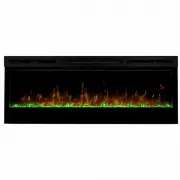
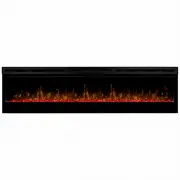
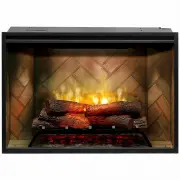
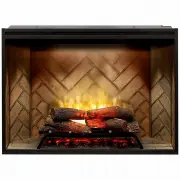
6 Specifications The Revillusion™ Built-in Electric Firebox offers an alternative to a wood or gas fireplace. It can give your existing fireplace new life or transform a cabinet or media center of your own into a stunning focal point. Dimensions RBF30 RBF36 RBF36P RBF42 Width 31 1/8" 792 mm 37 1...
Page 7 - Installation; Framing; The Revillusion; Firebox does not require any special
7 Installation RBF30 RBF36 RBF36P RBF42 A 12 1/2" (318 mm) 12 1/2" (318 mm) 12 1/2" (318 mm) 12 1/2" (318 mm) B 30 5/8" (778 mm) 36 5/8" (930 mm) 36 5/8" (930 mm) 42 5/8" (1083 mm) C 26 3/16" (665 mm) 26 3/16" (665 mm) 30 5/8" (778 mm) 30 5/8" (778 mm)...
Page 8 - Placement; Fixed Wiring
8 Placement This firebox is a zero clearance design, with the exception of the top of the unit, where any insulation and vapor barrier should be placed a minimum of 2” (5.1 cm) from the firebox. DANGER! : High temperatures may be generated under certain abnormal conditions. Do not partially or fully...
Page 9 - Operation; A B C D E F G; Touch Panel and Remote Controls; The Revillusion; Built-in Electric Firebox must be installed; : Except for installation and cleaning described in this manual, an; Built-in Electric Firebox are located on
9 Operation A B C D E F G Touch Panel and Remote Controls WARNING: The Revillusion TM Built-in Electric Firebox must be installed properly before it is used. CAUTION : Except for installation and cleaning described in this manual, an authorized service representative should perform any other servici...
Page 10 - Icon Function; active whenever the heat is enabled.
10 Operation Icon Function Description A Power/ Standby Press to activate the current standby state (On/Off). • Standby State On Press to turn everything Off. Press again to activate the previous state. • Standby State Off Press to activate the previous state. - If the flame effect was On, the previ...
Page 11 - Resetting the Temperature Cutoff Switch
11 Operation Icon Function Description E Color Themes Press multiple times to change the flame base colors from Red to Blue to Off. (The first segment on the display will change from "r" to "b" to blank) This feature is active only when the flame effect is On. F 360 o Light Press mul...
Page 12 - Remote Battery Replacement; To replace the battery:; Push down on the battery cover; Maintenance; General Maintenance; and at a minimum yearly intervals.; Clean Logs and Base
12 etc., the screen may collect dust particles; these can be removed by dusting lightly with a clean dry cloth.To remove fingerprints or other marks, clean the reflector screen damp cloth. Never use abrasive cleaners. Dry the screen completely with a lint free cloth to prevent water spots. Remote Ba...