Page 2 - Table of Contents
Table of Contents Page - 1 - Introduction Electrical Specifications Care and Maintenance Operating Instructions Trouble Shooting Guide 2 4 5 6 9 10 Installation Instructions
Page 3 - I n t r o d u c t i o n; Front Cover
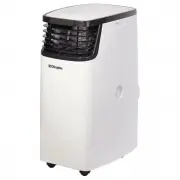
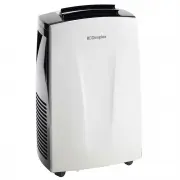
I n t r o d u c t i o n Front Cover Air inlet grille(Indoor) Cabinet Air outlet grille(Indoor) Air inlet grille(Outdoor) Control Panel Air filter Vent Lever Control Panel Remote Control - 2 - Fig.1-1 S L E E P FAN T I M E R S W I N G O N / O F F M O D E M I D SWING AUTO D R YFAN COOL F E E L S L E E...
Page 4 - Operating Instructions; Indication symbols of LED control panel; For remote control model; You can easily operate this air conditioner by press
- 3 - Operating Instructions Control Panel Remote Control Indication symbols of LED control panel Above LED lights on when the relevant mode is in used. For remote control model You can easily operate this air conditioner by press ing the relevant button s on the control panel as well as the remote ...
Page 5 - Remote control; display; Button
Operating Instructions - 4 - Remote control The display and some function s of the remote control may vary according to the model. The shape and position of buttons and indicators may vary according to the model, but the functions are the same. The unit confirms the correct reception of each press b...
Page 6 - Electrical specifications; All wiring must comply with local and national; Electric Shock Hazard
- 5 - Electrical specifications 1. All wiring must comply with local and national electrical codes and must be installed by aqualified electrician. If you have any questionsregarding the following instructions, contact aqualified electrician. 2. Check available power supply and resolve any wiring pr...
Page 7 - Installation instructions
REMOVE ALL THE SHIPPING PARTS BEFORE INSTALLATION LOCATION Select a location that can support the weight of the air conditioner and one that will not cause increased operation noise and vibration.Direct sunlight is unfavorable for efficient cooling.Select a place where there is no obstacles near the...
Page 8 - O P E R AT I O N; f o r t h e i r s a f e t y . C h i l d r e n; C A U T I O N
Check the capacity of wiring and power outlet. The power outlet should be usedexclusively for the air conditioner. Do not use it with other appliances. Ground the air conditioner to prevent danger of electric shock.Connect the air conditioner with power source securely.Use a fuse as below. O P E R A...
Page 10 - AIR FILTER; Wash the air filter with water an; A I R C L E A N I N G F I L T E R; Care and Maintenance; Do not use hot water above 40 C f or w
The front cover will accumulate dirt and dust.To clean it, wipe it with a soft dry cloth. Whenit is excessively dirty, wipe it with a soft clothdampened with warm water or mild soap, thenwipe it again thoroughly with a soft dry cloth. AIR FILTER The air filter should be washed at least once a month....
Page 11 - L O N G O F F P E R I O D M A I N T E N A N C E; B E F O R E A S K I N G F O R S E R V I C E; Troubleshooting Guide
ls the air filter remain full of dust or dirt? See air filter instructions on page 9. Is the sunlight fall directly on the unit? ls the air flow on the rear side obstructed? Leave a space of 500mm behind the rear side of the air condition? The doors or windows may be opened widely or there are other...
Page 12 - C O N T A C T D E T A I L S
C O N T A C T D E T A I L S G l e n D i m p l e x A u s t r a l i a P t y L t d1 3 4 0 F e r n t r e e G u l l y R o a dS c o r e s b y V I C 3 1 7 9A u s t r a l i a P h : 1 3 0 0 5 5 6 8 1 6W e b : w w w. d i m p l e x . c o m . a u G l e n D i m p l e x N e w Z e a l a n d L t d3 8 H a r r i s R ...