Page 2 - Manual Revisions; Preface
i D-Link DIR-632 User Manual D-Link reserves the right to revise this publication and to make changes in the content hereof without obligation to notify any person or organization of such revisions or changes. Manual Revisions Trademarks D-Link and the D-Link logo are trademarks or registered tradem...
Page 3 - Table of Contents
ii D-Link DIR-632 User Manual Table of Contents Preface.................................................................................. i Manual Revisions ........................................................................... iTrademarks ..........................................................
Page 4 - Using Windows
iii D-Link DIR-632 User Manual Table of Contents UPnP ...................................................................................45WAN Ping Block ..............................................................45WAN Port Speed .............................................................45Mult...
Page 6 - Product Overview; Package Contents
1 D-Link DIR-632 User Manual Section 1 - Product Overview Product Overview Note: Using a power supply with a different voltage rating than the one included with the DIR-632 will cause damage and void the warranty for this product. Package Contents If any of the above items are missing, please contac...
Page 7 - System Requirements
2 D-Link DIR-632 User Manual Section 1 - Product Overview Network.Requirements • An Ethernet-based Cable or DSL modem • IEEE 802.11n or 802.11g wireless clients • 10/100 Ethernet Web-based.Configuration. Utility.Requirements Computer.with.the.following: • Windows ® , Macintosh, or Linux-based operat...
Page 8 - Introduction
3 D-Link DIR-632 User Manual Section 1 - Product Overview Introduction TOTAL.PERFORMANCE Combines award winning router features and 802.11n wireless technology to provide the best wireless performance TOTAL.SECURITY The most complete set of security features including Active Firewall and WPA2 to pro...
Page 9 - Features
4 D-Link DIR-632 User Manual Section 1 - Product Overview Features •. Faster.Wireless.Networking - The DIR-632 provides up to 300Mbps* wireless connection with other 802.11n wireless clients. This capability allows users to participate in real-time activities online, such as video streaming, online ...
Page 10 - Hardware Overview; Connections
5 D-Link DIR-632 User Manual Section 1 - Product Overview Hardware Overview Connections 1 LAN.Ports.(1-8) Connect Ethernet devices such as computers, switches, and hubs. 2 Internet.Port The auto MDI/MDIX Internet port is the connection for the Ethernet cable to the cable or DSL modem. 3 USB Connect ...
Page 11 - LEDs
6 D-Link DIR-632 User Manual Section 1 - Product Overview Hardware Overview LEDs 1 Power.LED A solid light indicates a proper connection to the power supply. 2 Internet.LED A solid light indicates connection on the Internet port. This LED blinks during data transmission. 3 WLAN.LED A solid light ind...
Page 12 - Before you Begin; Installation
7 D-Link DIR-632 User Manual Section 2 - Installation Before you Begin Installation This section will walk you through the installation process. Placement of the router is very important. Do not place the router in an enclosed area such as a closet, cabinet, or in the attic or garage. • Please confi...
Page 13 - Wireless Installation Considerations
8 D-Link DIR-632 User Manual Section 2 - Installation Wireless Installation Considerations The D-Link wireless router lets you access your network using a wireless connection from virtually anywhere within the operating range of your wireless network. Keep in mind that the number, thickness and loca...
Page 15 - Connect to Another Router
10 D-Link DIR-632 User Manual Section 2 - Installation If you are connecting the D-Link router to another router to use as a wireless access point and/or switch, you will have to do the following before connecting the router to your network: • Disable UPnP ™ • Disable DHCP • Change the LAN IP addres...
Page 17 - Getting Started
12 D-Link DIR-632 User Manual Section 2 - Installation Getting Started The DIR-632 includes a Quick Router Setup Wizard CD. Follow the simple steps below to run the Setup Wizard to guide you quickly through the installation process. Insert the Quick.Router.Setup.Wizard.CD in the CD-ROM drive. The st...
Page 18 - Web-based Configuration Utility
13 D-Link DIR-632 User Manual Section 3 - Configuration Configuration This section will show you how to configure your new D-Link wireless router using the web-based configuration utility. Web-based Configuration Utility To access the configuration utility, open a web-browser such as Internet Explor...
Page 19 - Setup Wizard
14 D-Link DIR-632 User Manual Section 3 - Configuration Setup Wizard You may click Setup.Wizard to quickly configure your router. If you want to enter your settings without running the wizard, click Manual.Configuration and skip to page 18.
Page 23 - Manual Configuration
18 D-Link DIR-632 User Manual Section 3 - Configuration Select Dynamic.IP.(DHCP) to obtain IP Address information automatically from your ISP. Select this option if your ISP does not give you any IP numbers to use. This option is commonly used for Cable modem services. Check Enable. Advanced. DNS. S...
Page 24 - Internet Setup
19 D-Link DIR-632 User Manual Section 3 - Configuration Select PPPoE.(Username/Password) from the drop-down menu. This is a free security option that provides Anti-Phishing and auto correction of URL typos. Check Enable.Advanced.DNS.Service if you wish to use this free security option. Select Static...
Page 25 - PPTP
20 D-Link DIR-632 User Manual Section 3 - Configuration This is a free security option that provides Anti-Phishing and auto correction of URL typos. Check Enable. Advanced. DNS. Service if you wish to use this free security option. Select Static if your ISP assigned you the IP address, subnet mask, ...
Page 28 - Wireless Settings
23 D-Link DIR-632 User Manual Section 3 - Configuration Wireless Settings If you want to configure the wireless settings on your router using the wizard, click Wireless. Network. Setup.Wizard. and refer to page 77. Click Add.Wireless.Device.with.WPS if you want to add a wireless device using Wi-Fi P...
Page 29 - Manual Wireless Settings
24 D-Link DIR-632 User Manual Section 3 - Configuration Manual Wireless Settings Check the box to enable the wireless function. If you do not want to use wireless, uncheck the box to disable all the wireless functions. Click Add.New to create your own time schedule to enable the wireless function. S...
Page 31 - Network Settings
26 D-Link DIR-632 User Manual Section 3 - Configuration This section will allow you to change the local network settings of the router and to configure the DHCP settings. Network Settings Enter the IP address of the router. The default IP address is 192.168.0.1. If you change the IP address, once yo...
Page 32 - DHCP Server Settings
27 D-Link DIR-632 User Manual Section 3 - Configuration Check this box to enable the DHCP server on your router. Uncheck to disable this function. Enter the starting and ending IP addresses for the DHCP server’s IP assignment. Note: If you statically (manually) assign IP addresses to your computers ...
Page 34 - DHCP Reservation
29 D-Link DIR-632 User Manual Section 3 - Configuration DHCP Reservation If you want a computer or device to always have the same IP address assigned, you can create a DHCP reservation. The router will assign the IP address only to that computer or device. Note: This IP address must be within the DH...
Page 35 - USB Settings
30 D-Link DIR-632 User Manual Section 3 - Configuration USB Settings Use this section to configure your USB port. There are two configurations to choose from: Network USB and WCN Configuration. Note: If using the Network USB option, users will need to install the Network USB Utility into the compute...
Page 36 - Virtual Server
31 D-Link DIR-632 User Manual Section 3 - Configuration The DIR-632 can be configured as a virtual server so that remote users accessing Web or FTP services via the public IP address can be automatically redirected to local servers in the LAN (Local Area Network). The DIR-632 firewall feature filter...
Page 38 - Port Forwarding
33 D-Link DIR-632 User Manual Section 3 - Configuration This will allow you to open a single port or a range of ports. Port Forwarding Enter a name for the rule or select an application from the drop-down menu. Select an application and click << to populate the fields. Enter the IP address of ...
Page 39 - Application Rules
34 D-Link DIR-632 User Manual Section 3 - Configuration Enter a name for the rule. You may select a pre-defined application from the drop-down menu and click << . This is the port used to trigger the application. It can be either a single port or a range of ports. Select the protocol of the tr...
Page 40 - QoS Engine
35 D-Link DIR-632 User Manual Section 3 - Configuration QoS Engine Check to enable Traffic Shaping. This option is enabled by default when the Traffic Shaping option is enabled. This option will allow your router to automatically determine the uplink speed of your Internet connection. This displays ...
Page 41 - Network Filters
36 D-Link DIR-632 User Manual Section 3 - Configuration Network Filters Select Turn. MAC. Filtering. Off , allow. MAC. addresses. listed.below , or deny.MAC.addresses.listed.below from the drop-down menu. Enter the MAC address you would like to filter. To find the MAC address on a computer, please r...
Page 42 - Access Control; Access Control Wizard
37 D-Link DIR-632 User Manual Section 3 - Configuration Access Control Click the Add. Policy button to start the Access Control Wizard. Add Policy: The Access Control section allows you to control access in and out of your network. Use this feature as Parental Controls to only grant access to approv...
Page 45 - Website Filters
40 D-Link DIR-632 User Manual Section 3 - Configuration Website Filters Add Website Filtering Rule: Website URL/Domain: Select Allow or Deny . Enter the keywords or URLs that you want to allow or block. Click Save.Settings . Website Filters are used to allow you to set up a list of allowed Web sites...
Page 46 - Inbound Filters
41 D-Link DIR-632 User Manual Section 3 - Configuration Enter a name for the inbound filter rule. Select Allow or Deny . Check to enable rule. Enter the starting IP address. Enter 0.0.0.0 if you do not want to specify an IP range. Enter the ending IP address. Enter 255.255.255.255 if you do not want...
Page 47 - Firewall Settings
42 D-Link DIR-632 User Manual Section 3 - Configuration Firewall Settings A firewall protects your network from the outside world. The D-Link DIR-632 offers a firewall type functionality. The SPI feature helps prevent cyber attacks. Sometimes you may want a computer exposed to the outside world for ...
Page 48 - Routing
43 D-Link DIR-632 User Manual Section 3 - Configuration Enter the IP address of packets that will take this route. Enter the netmask of the route, please note that the octets must match your destination IP address. Enter your next hop gateway to be taken if this route is used. The route metric is a ...
Page 49 - Advanced Wireless Settings
44 D-Link DIR-632 User Manual Section 3 - Configuration Set the transmit power of the antennas. Beacons are packets sent by an Access Point to synchronize a wireless network. Specify a value. 100 is the default setting and is recommended. This value should remain at its default setting of 2432. If i...
Page 50 - Advanced Network Settings
45 D-Link DIR-632 User Manual Section 3 - Configuration To use the Universal Plug and Play (UPnP ™ ) feature check the Enabled. UPnP box. UPNP provides compatibility with networking equipment, software and peripherals. Unchecking the box will not allow the DIR-632 to respond to pings. Blocking the P...
Page 51 - Link-Local Connectivity
46 D-Link DIR-632 User Manual Section 3 - Configuration IPv6 Select Link-Local.Only from the drop-down menu. Displays the IPv6 address of the router. My IPv6 Connection: LAN IPv6 Address Settings: Link-Local Connectivity
Page 64 - Administrator Settings
59 D-Link DIR-632 User Manual Section 3 - Configuration Enter a new password for the Administrator Login Name. The administrator can make changes to the settings. Enter the new password for the User login. If you login as the User, you can only see the settings, but cannot change them. Enter a name ...
Page 65 - Time Settings
60 D-Link DIR-632 User Manual Section 3 - Configuration Time Settings Select the Time Zone from the drop-down menu. To select Daylight Saving time manually, select enabled or disabled, and enter a start date and an end date for daylight saving time. NTP is short for Network Time Protocol. NTP synchr...
Page 66 - SysLog
61 D-Link DIR-632 User Manual Section 3 - Configuration SysLog The Broadband Router keeps a running log of events and activities occurring on the Router. You may send these logs to a SysLog server on your network. Enable Logging to SysLog Server: SysLog Server IP Address: Check this box to send the ...
Page 67 - Email Settings
62 D-Link DIR-632 User Manual Section 3 - Configuration Email Settings The Email feature can be used to send the system log files, router alert messages, and firmware update notification to your email address. Enable Email Notification: From Email Address: To Email Address: SMTP Server Address: Enab...
Page 68 - System Settings
63 D-Link DIR-632 User Manual Section 3 - Configuration Use this option to save the current router configuration settings to a file on the hard disk of the computer you are using. First, click the Save button. You will then see a file dialog, where you can select a location and file name for the set...
Page 69 - Firmware
64 D-Link DIR-632 User Manual Section 3 - Configuration Click on Check.Online.Now.for.Latest.Firmware.Version to find out if there is an updated firmware; if so, download the new firmware to your hard drive. After you have downloaded the new firmware, click Browse to locate the firmware update on yo...
Page 70 - Dynamic DNS
65 D-Link DIR-632 User Manual Section 3 - Configuration Dynamic Domain Name System is a method of keeping a domain name linked to a changing IP Address. Check the box to enable DDNS. Choose your DDNS provider from the drop down menu. Enter the Host Name that you registered with your DDNS service pro...
Page 71 - System Check
66 D-Link DIR-632 User Manual Section 3 - Configuration The Ping Test is used to send Ping packets to test if a computer is on the Internet. Enter the IP Address that you wish to Ping, and click Ping . The results of your ping attempts will be displayed here. System Check Ping Test: Ping Results:
Page 72 - Schedules
67 D-Link DIR-632 User Manual Section 3 - Configuration Enter a name for your new schedule. Select a day, a range of days, or All Week to include every day. Check All.Day.-.24hrs or enter a start and end time for your schedule. Click Save to save your schedule. You must click Save.Settings at the to...
Page 73 - Device Information
68 D-Link DIR-632 User Manual Section 3 - Configuration This page displays the current information for the DIR-632. It will display the LAN, WAN (Internet), and Wireless information. If your Internet connection is set up for a Dynamic IP address then a Release button and a Renew button will be displ...
Page 74 - Log
69 D-Link DIR-632 User Manual Section 3 - Configuration Log What to View: View Levels: Apply Log Settings: Refresh: Clear: Email Now: Save Log: You can select the types of messages that you want to display from the log. Firewall.&.Security , System , and Router.Status messages can be selected. T...
Page 75 - Stats
70 D-Link DIR-632 User Manual Section 3 - Configuration Stats The screen below displays the Traffic Statistics. Here you can view the amount of packets that pass through the DIR-632 on both the WAN and the LAN ports. The traffic counter will reset if the device is rebooted.
Page 76 - Internet Sessions
71 D-Link DIR-632 User Manual Section 3 - Configuration Internet Sessions The Internet Sessions page displays full details of active Internet sessions through your router. An Internet session is a conversation between a program or application on a LAN-side computer and a program or application on a ...
Page 78 - Routing Table
73 D-Link DIR-632 User Manual Section 3 - Configuration Routing Table This page displays the routing details configured for your router.
Page 80 - Support
75 D-Link DIR-632 User Manual Section 3 - Configuration Support
Page 81 - Wireless Security
76 D-Link DIR-632 User Manual Section 4 - Security Wireless Security This section will show you the different levels of security you can use to protect your data from intruders. The DIR-655 offers the following types of security: • WPA2 ™ (Wi-Fi Protected Access 2) • WPA2-PSK (Pre-Shared Key) • WPA ...
Page 82 - Wireless Network Setup Wizard
77 D-Link DIR-632 User Manual Section 4 - Security Wireless Network Setup Wizard To run the security wizard, click on Setup at the top and then click Wireless. Network.Setup.Wizard . Type your desired wireless network name (SSID). Automatically:. Select this option to automatically generate the rout...
Page 84 - Add Wireless Device with WPS Wizard
79 D-Link DIR-632 User Manual Section 4 - Security From the Basic > Wizard screen, click Add.Wireless.Device.with.WPS . Add Wireless Device with WPS Wizard PIN: Select this option to use PIN method. In order to use this method you must know the wireless client’s 8 digit PIN and click Connect . PB...
Page 88 - Connect to a Wireless Network
83 D-Link DIR-632 User Manual Section 4 - Security Connect to a Wireless Network Using Windows ® 7 It is recommended to enable wireless security (WPA/WPA2) on your wireless router or access point before configuring your wireless adapter. If you are joining an existing network, you will need to know ...
Page 91 - Using Windows Vista
86 D-Link DIR-632 User Manual Section 4 - Security Connect to a Wireless Network Using Windows Vista ® Windows Vista users may use the built-in wireless utility. If you are using another company’s utility or Windows 2000, please refer to the user manual of your wireless adapter for help with connect...
Page 92 - Configure Wireless Security
87 D-Link DIR-632 User Manual Section 4 - Security Configure Wireless Security It is recommended to enable wireless security (WPA/WPA2) on your wireless router or access point before configuring your wireless adapter. If you are joining an existing network, you will need to know the security key or ...
Page 94 - Connect Using WCN 2.0
89 D-Link DIR-632 User Manual Section 4 - Security Connect Using WCN 2.0 The router supports Wi-Fi protection, referred to as WCN 2.0 in Windows Vista. The following instructions for setting this up depends on whether you are using Windows Vista to configure the router or third party software. When ...
Page 98 - Troubleshooting
93 D-Link DIR-632 User Manual Section 6 - Troubleshooting Troubleshooting This chapter provides solutions to problems that can occur during the installation and operation of the DIR-632. Read the following descriptions if you are having problems. (The examples below are illustrated in Windows ® XP. ...
Page 102 - Wireless Basics
97 D-Link DIR-632 User Manual Appendix A - Wireless Basics D-Link wireless products are based on industry standards to provide easy-to-use and compatible high-speed wireless connectivity within your home, business or public access wireless networks. Strictly adhering to the IEEE standard, the D-Link...
Page 105 - Tips
100 D-Link DIR-632 User Manual Appendix A - Wireless Basics Where.is.wireless.used? . Wireless technology is expanding everywhere not just at home or office. People like the freedom of mobility and it’s becoming so popular that more and more public facilities now provide wireless access to attract p...
Page 106 - Wireless Modes
101 D-Link DIR-632 User Manual Appendix A - Wireless Basics There are basically two modes of networking: • Infrastructure – All wireless clients will connect to an access point or wireless router. • Ad-Hoc – Directly connecting to another computer, for peer-to-peer communication, using wireless netw...
Page 107 - Networking Basics; Check your IP address
102 D-Link DIR-632 User Manual Appendix B - Networking Basics Networking Basics Check your IP address After you install your new D-Link adapter, by default, the TCP/IP settings should be set to obtain an IP address from a DHCP server (i.e. wireless router) automatically. To verify your IP address, p...
Page 108 - Statically Assign an IP address
103 D-Link DIR-632 User Manual Appendix B - Networking Basics Statically Assign an IP address If you are not using a DHCP capable gateway/router, or you need to assign a static IP address, please follow the steps below: Step.1 Windows ® 7 - Click on Start.>.Control.Panel.>.Network.and.Internet...
Page 109 - Technical Specifications
104 D-Link DIR-632 User Manual Appendix C - Technical Specifications Technical Specifications Standards • IEEE 802.11n • IEEE 802.11g • IEEE 802.3 • IEEE 802.3u Security • WPA-Personal • WPA2-Personal • WPA-Enterprise • WPA2-Enterprise Wireless.Signal.Rates* . • 300Mbps • 12Mbps • 108Mbps • 11Mbps •...
Page 110 - Contacting Technical Support
105 D-Link DIR-632 User Manual Appendix D - Contacting Technical Support Contacting Technical Support U.S. and Canadian customers can contact D-Link technical support through our web site or by phone. Before you contact technical support, please have the following ready: • Model number of the produc...
Page 111 - Warranty
106 D-Link DIR-632 User Manual Appendix E - Warranty Warranty Subject to the terms and conditions set forth herein, D-Link Systems, Inc. (“D-Link”) provides this Limited Warranty: • Only to the person or entity that originally purchased the product from D-Link or its authorized reseller or distribut...
Page 116 - Registration
111 D-Link DIR-632 User Manual Appendix F - Registration Version 1.0 May 27, 2010 Product registration is entirely voluntary and failure to complete or return this form will not diminish your warranty rights. Registration


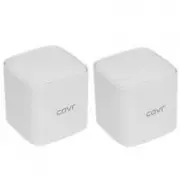 D-Link COVR-1102
User Manual
D-Link COVR-1102
User Manual
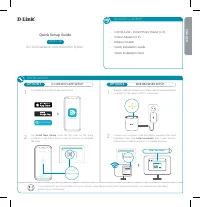 D-Link COVR-1102 AC1200
User Manual
D-Link COVR-1102 AC1200
User Manual
 D-Link DAP -2310
Manual
D-Link DAP -2310
Manual
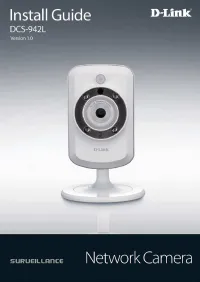 D-Link DCS-942L
Manual
D-Link DCS-942L
Manual
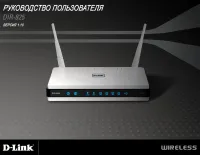 D-Link DIR-825
Manual
D-Link DIR-825
Manual
 D-Link DSL-G804V
User Manual
D-Link DSL-G804V
User Manual
 D-Link DSR-250N
Manual
D-Link DSR-250N
Manual
 D-Link DVG-N5402SP
User Manual
D-Link DVG-N5402SP
User Manual
 D-Link DWA-125
User Manual
D-Link DWA-125
User Manual
 D-Link DWA-547
Manual
D-Link DWA-547
Manual
 D-Link DWA-643
Manual
D-Link DWA-643
Manual
 D-Link DWL-G650+
Manual
D-Link DWL-G650+
Manual
 D-Link DWL-G680
Manual
D-Link DWL-G680
Manual
 D-Link DWL-2100AP
Manual
D-Link DWL-2100AP
Manual
 D-Link DAP -2690
Manual
D-Link DAP -2690
Manual
 D-Link DIR-615
Manual
D-Link DIR-615
Manual
 D-Link DWA-140
Manual
D-Link DWA-140
Manual
 D-Link DWA-160
Manual
D-Link DWA-160
Manual
 D-Link DWL-3200AP
Manual
D-Link DWL-3200AP
Manual
 D-Link DSR-250
Manual
D-Link DSR-250
Manual